

As a project leader—whether you’re a project manager, project head, or delivery head—you know one truth: IT project management is no longer about just tracking tasks.
In 2025, your role demands:
- On-time delivery despite shifting client requirements
- Full visibility into distributed or remote developer teams
- Accurate billing for every project hour
- Cost control without compromising quality
But here’s the challenge: most project management tools for project managers don’t solve these issues. They’re built for generic use, not for the high-pressure, client-facing world of IT services.
This is why more and more IT companies are turning to Workstatus, a purpose-built IT Project Management Software designed to help tech teams deliver projects faster, reduce revenue leakage, and impress clients—all while giving project leaders real control.
Why IT Project Management Needs a Different Approach
Traditional project management focuses on:
- Tasks (What needs to be done?)
- Deadlines (When is it due?)
- Resources (Who’s responsible?)
But IT project management is different. You’re dealing with:
- Billable hours that need to be logged, tracked, and billed accurately
- Scope creep that eats into budgets
- Distributed teams that require accountability
- Tight project timelines with zero room for error
If your software only tracks tasks but doesn’t connect time logs → productivity insights → billing, you’re leaving money and efficiency on the table.
That’s where Workstatus steps in.
Why Workstatus is the Best IT Project Management Software in 2025
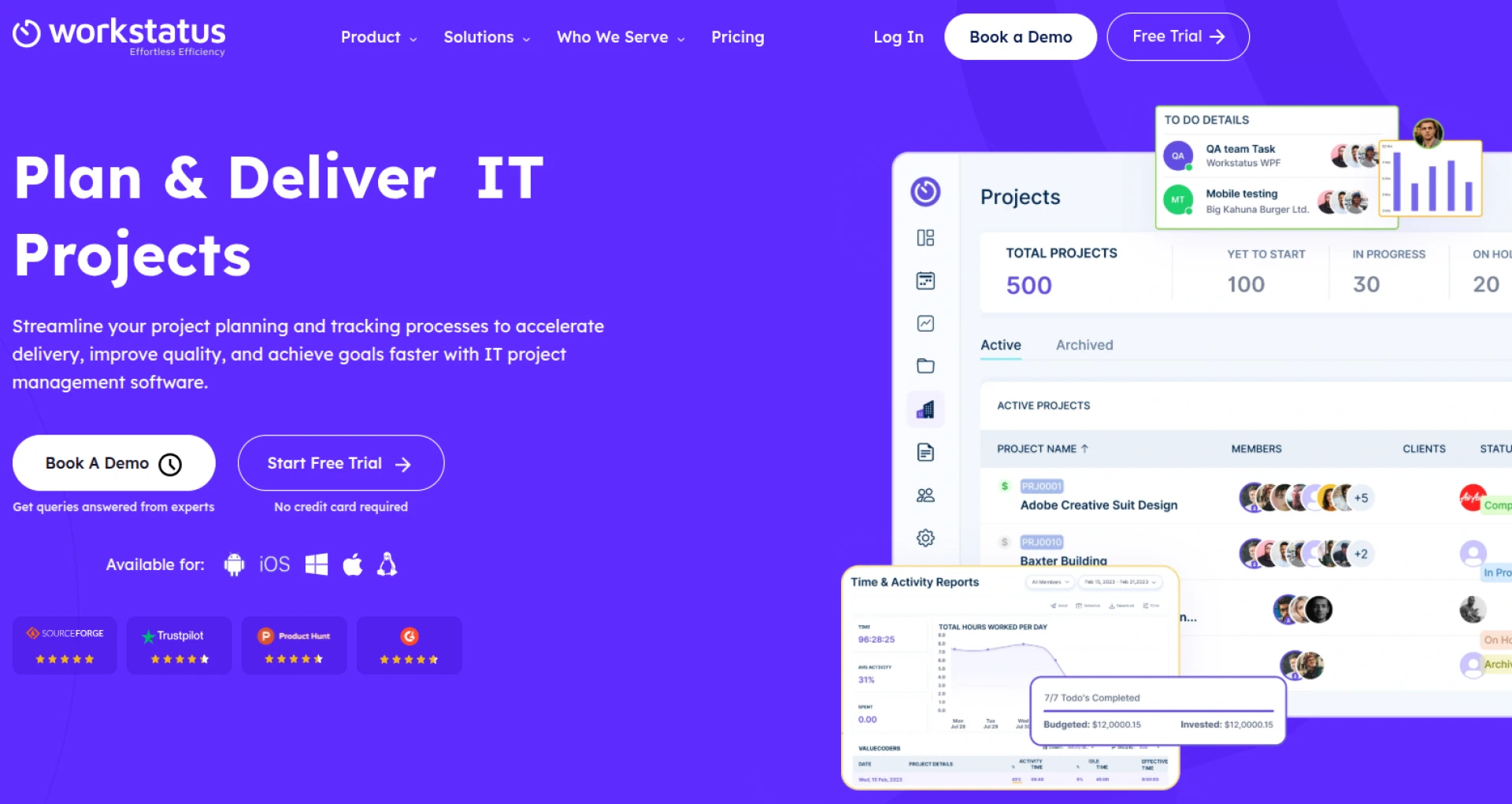
Workstatus isn’t just another tool - it’s an end-to-end IT project management software. Let’s look at how it solves your day-to-day challenges.
1. End Time Theft with Automated Time Tracking
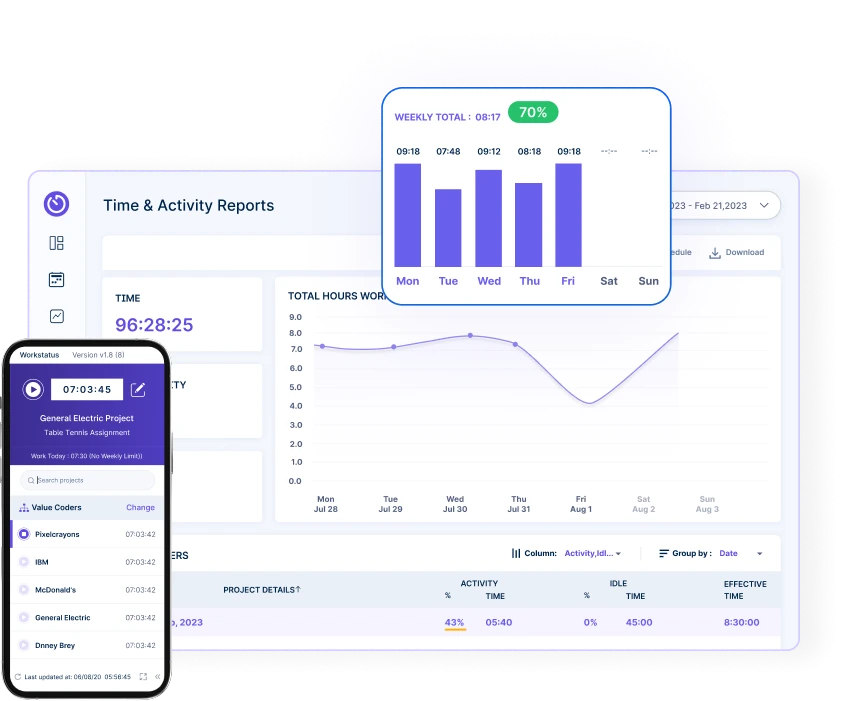
Automated Time theft is one of the biggest threats to IT project profitability. Developers forgetting to log hours, overestimating tasks, or billing for non-project activities directly impacts margins.
With Workstatus, you get:
- Automated time tracking (desktop & mobile)
- Idle time detection to flag unproductive hours
- Accurate billable vs non-billable categorization
👉 For project managers: No more chasing team members for timesheets.
👉 For delivery heads: Every billed hour is backed by verified logs.
✅ This directly translates into higher client trust and fewer billing disputes.
2. Plan Smarter with Resource & Task Management
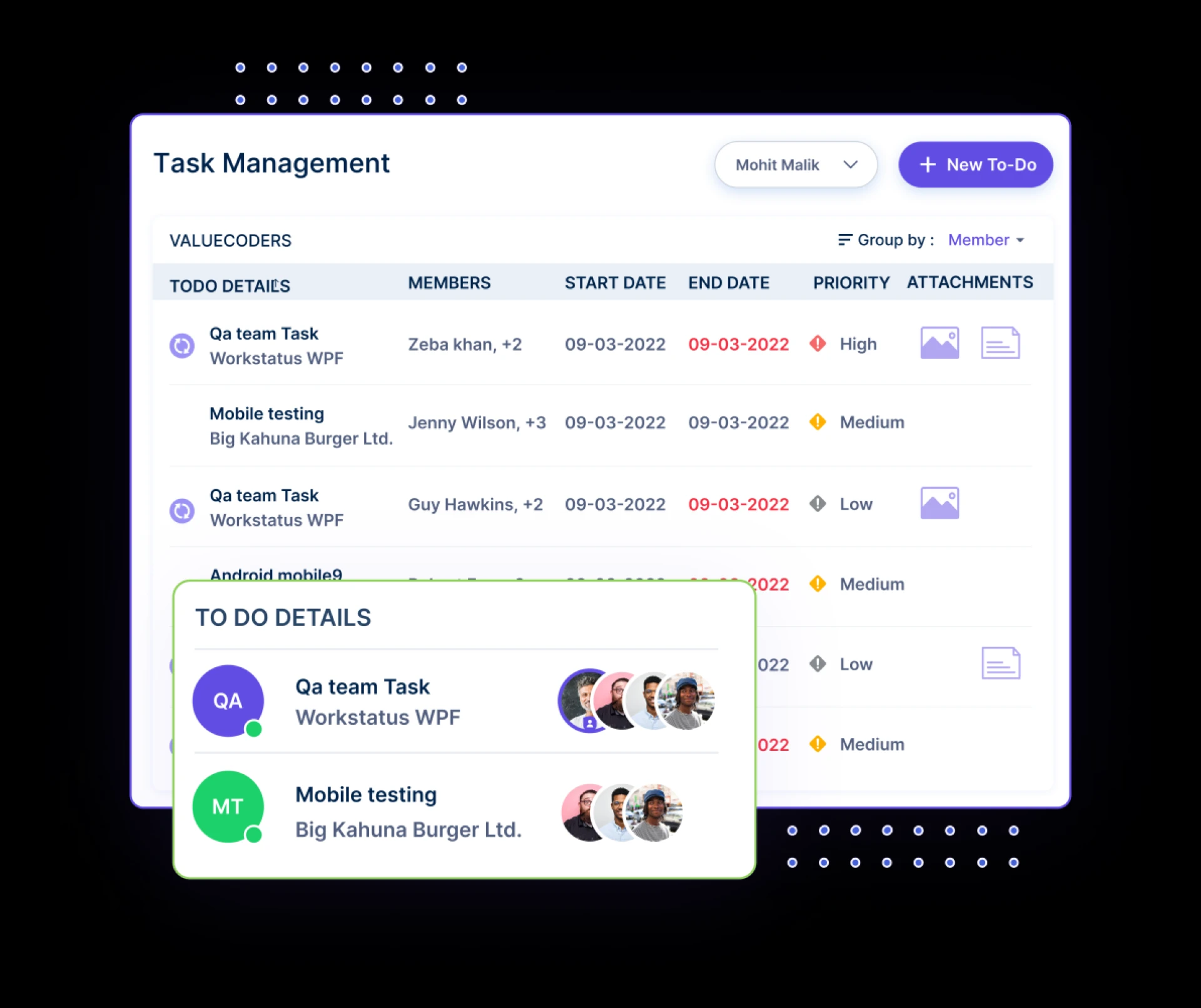
Assigning tasks in IT projects isn’t just about distributing work—it’s about balancing workloads to prevent burnout and delays.
Workstatus allows you to:
- Assign tasks based on current workload
- Forecast delivery timelines
- Manage sprints with visual dashboards
👉 Instead of guessing, you plan based on data—keeping your developers happy and your clients impressed.
3. Boost Accountability with Productivity Insights
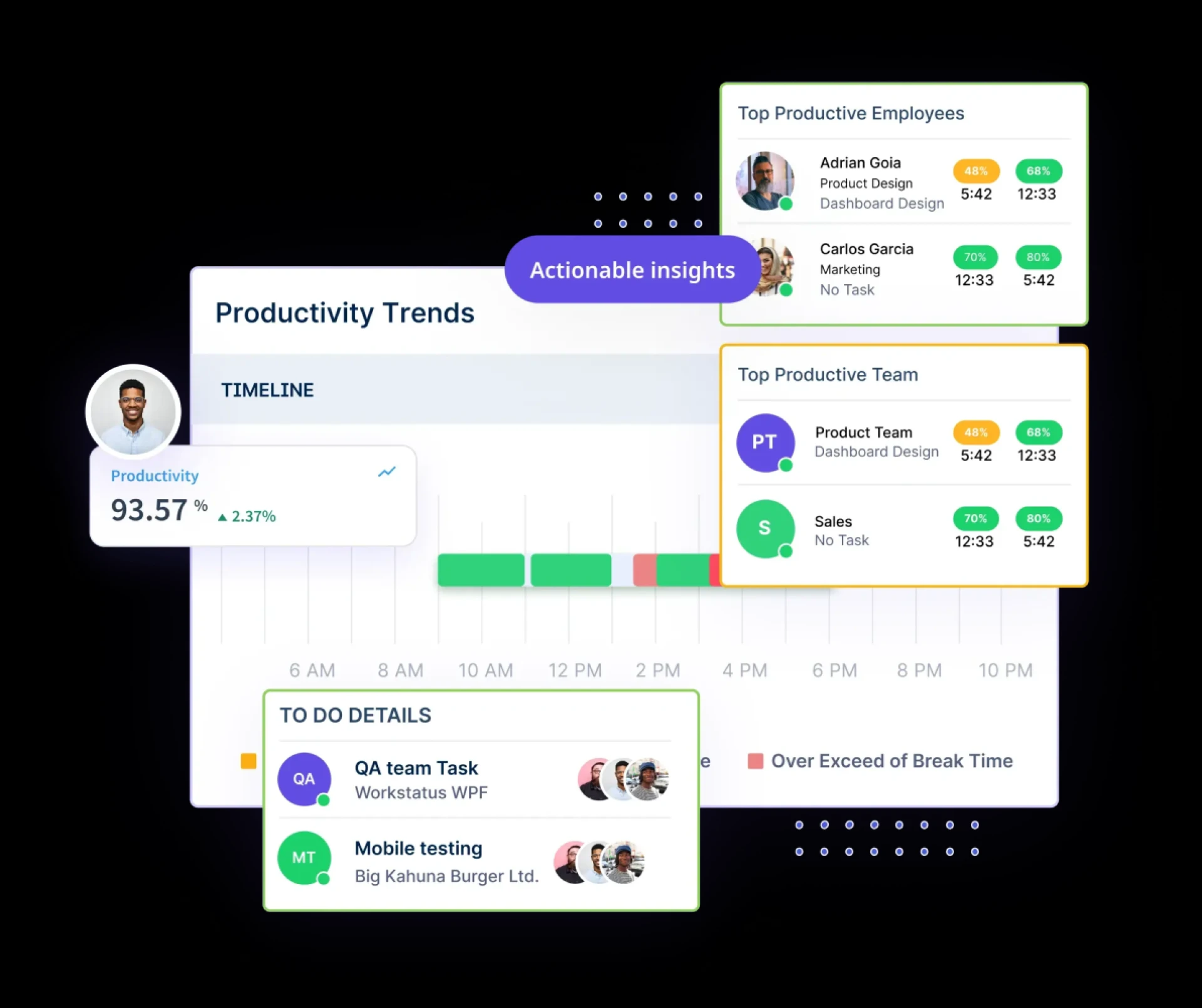
Project heads often complain: “We can see deadlines slipping, but we can’t figure out why.”
Workstatus fixes this by providing:
- Productivity scores per team member
- Activity levels (keystrokes, app usage, mouse activity)
- Screenshots (optional) for compliance
This means you can detect issues before they become delivery blockers.
✅ For you as a project leader, it means better coaching, fewer delays, and stronger accountability.
4. Keep Budgets on Track
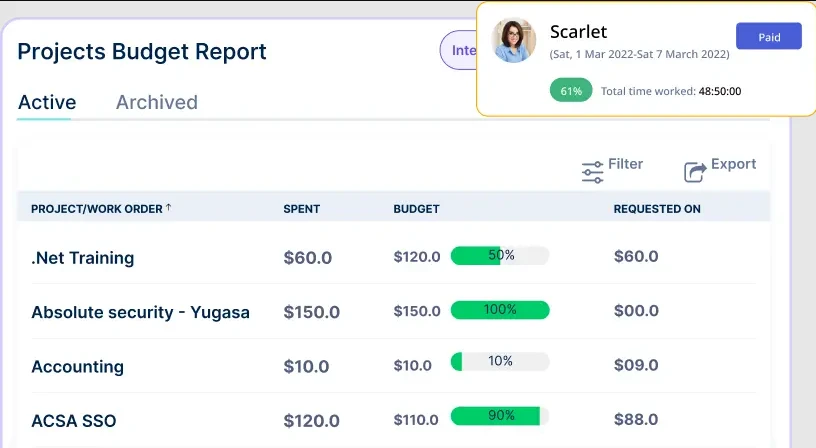
Scope creep and hidden hours are the silent killers of IT projects. Workstatus empowers you to:
- Set budget limits per project
- Receive alerts as costs near thresholds
- Generate real-time cost reports
👉 This isn’t just control—it’s predictability. Project delivery heads can walk into client meetings with hard data instead of excuses.
5. From Time Logs to Invoices in One Click
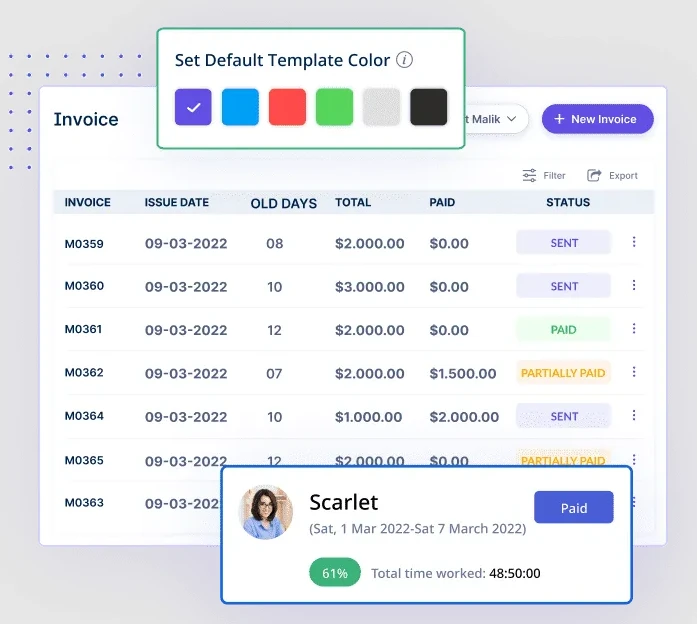
Billing is where most IT service companies lose credibility. Clients question hours. Finance teams struggle with messy spreadsheets. Project managers get stuck in admin work.
With Workstatus, you can:
- Turn time logs into invoices instantly
- Share client-ready invoices backed by audit-proof data
- Automate recurring invoices for long-term projects
✅ Result: No disputes, faster payments, and happier clients.
6. Built for Remote & Hybrid IT Teams
In 2025, most IT teams aren’t sitting in the same office. Workstatus ensures your distributed workforce is just as accountable as an on-site one.
Features like:
- GPS & geofencing for on-site/remote workers
- Shift scheduling for global teams
- Mobile apps for anytime access
give you complete visibility—no matter where your developers are.
Workstatus Benefits by Role
Here’s how Workstatus directly impacts your work:
- Project Managers → Spend less time chasing updates, more time driving delivery.
- Project Heads → Gain real-time visibility into costs, deadlines, and performance.
- Delivery Heads → Get transparent reports for clients, reduce disputes, and hit margins.
Unlike generic tools, Workstatus is built for IT leaders who manage people, projects, and profitability.
Workstatus vs. Generic Project Management Tools
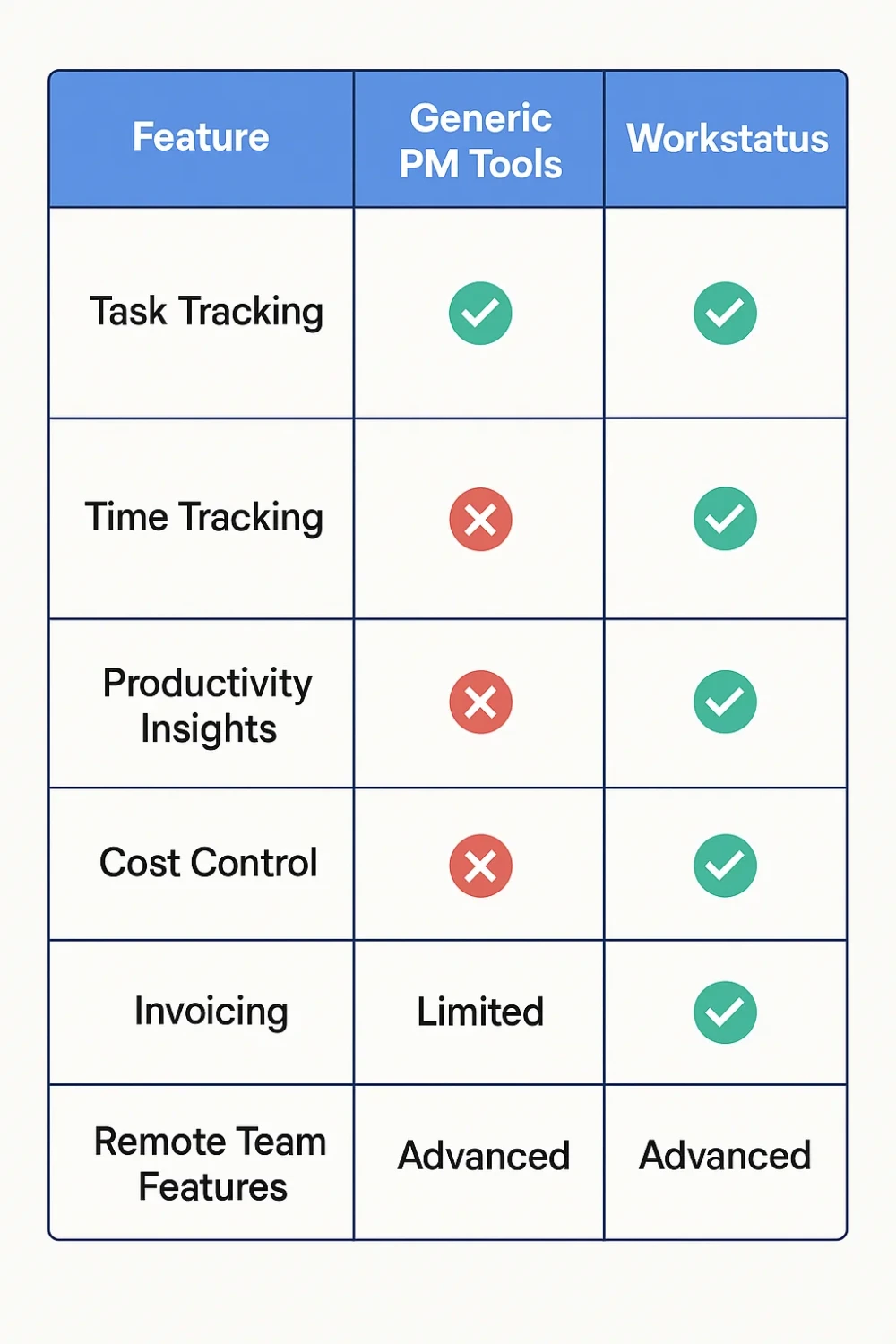
Real-Life Example: How Workstatus Transforms IT Delivery
Let’s say you manage a 60-member software development team handling multiple client projects.
Before Workstatus:
- Missed deadlines due to uneven task allocation
- Client disputes over billable hours
- No clarity on developer productivity
- Admin hours wasted reconciling invoices
After Workstatus:
- Real-time time logs → invoices streamline billing
- AI-driven workload balancing prevents burnout
- Productivity dashboards flag issues before they escalate
- Clients trust the data, payments arrive faster
✅ The outcome? More profitable projects, happier clients, and less stress for you.
Why 2025 is the Year to Upgrade
Client expectations are higher than ever. Remote teams are the norm. Margins are tighter.
In 2025, IT project management software isn’t optional—it’s the backbone of project success.
Workstatus combines time tracking, productivity monitoring, cost control, and invoicing into one simple platform designed for IT teams.
If you’re still relying on generic project management tools, you’re missing out on:
- Billable accuracy
- Real-time visibility
- Faster project delivery
Conclusion: Ready to Take Control of Your IT Projects?
As a project manager, project head, or delivery leader, you don’t just need another project management tool—you need a partner that helps you deliver on time, within budget, and with complete transparency.
That’s why Workstatus is the best IT Project Management Software for tech teams in 2025.
With features built for IT services—automated time tracking, productivity insights, budget control, and invoice automation—Workstatus doesn’t just manage projects. It ensures they succeed.
👉 Don’t let inefficiencies and disputes drain your margins.
👉 Upgrade to Workstatus today and take the guesswork out of IT project management.




























Sign in to leave a comment.