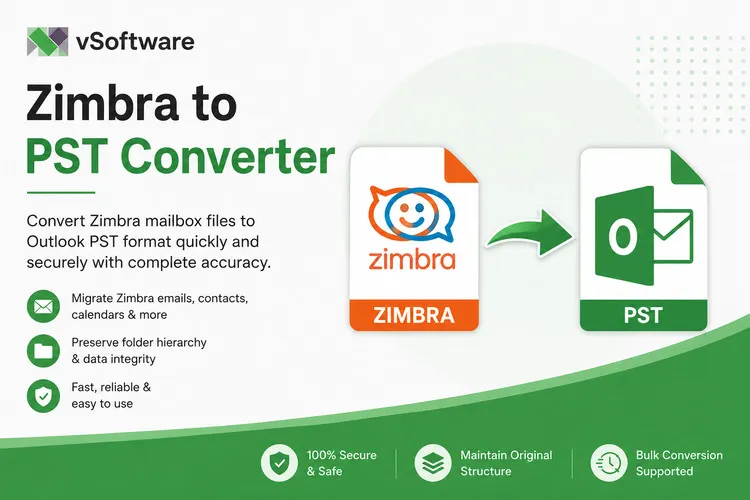

Introduction to Zimbra and PST files
Zimbra and PST files are two major players in the world of email management. Zimbra, with its collaborative features, is a go-to choice for businesses looking to streamline communication. On the flip side, PST files from Microsoft Outlook have been around for ages, offering versatility and compatibility that many users appreciate.
But what happens when you find yourself needing to convert Zimbra data into PST format? Whether it’s for backup purposes or migrating to Outlook, understanding this conversion process becomes crucial. However, if you’re dealing with large mailboxes filled with important emails and attachments, things can get tricky fast. The stakes are high when it comes to preserving your valuable data.
Navigating through the challenges of converting substantial amounts of information isn’t just about hitting a few buttons; it's about finding reliable solutions that work seamlessly without compromising your data integrity. Let’s dive deeper into why converting Zimbra to PST is essential and how you can tackle this challenge effectively.
Why do you need to convert Zimbra to PST?
Converting Zimbra to PST is essential for users transitioning from the open-source email platform to Microsoft Outlook. Many organizations prefer Outlook due to its robust features and widespread compatibility.
Another reason for conversion is data accessibility. PST files allow users to access their emails offline, making it easier when traveling or in areas with limited internet connectivity.
Additionally, PST files enable efficient data management. They can be easily backed up and archived, ensuring that important communications are preserved.
Compliance requirements often necessitate this conversion as well. Businesses may need to retain historical emails in a format compatible with corporate policies or legal standards.
Moreover, sharing large amounts of email data becomes simpler with PST files. This ease of sharing facilitates collaboration among team members who rely on different email systems.
Challenges of converting large Zimbra mailboxes to PST
Converting large Zimbra mailboxes to PST can be quite challenging. One major hurdle is the sheer volume of data involved. Large mailboxes often contain thousands of emails, attachments, and contacts that need to be processed meticulously.
Time consumption is another significant issue. Manual conversions can take hours or even days, depending on the size of the mailbox. This lengthy process can lead to frustration for users seeking a quick solution.
Data integrity also comes into play during conversion. There's always a risk of losing important information or corrupting files if not handled properly.
Compatibility issues may arise as well. Not all tools support larger file sizes, which limits your options when choosing a method for conversion.
Performance degradation is common when handling extensive data sets. Users may experience slow system responses during the conversion process, making it an even more daunting task.
Solutions for Zimbra to PST conversion
When considering Zimbra to PST conversion, users often face a dilemma. The choice between manual methods and third-party tools can be overwhelming.
Manual conversion can work well for smaller mailboxes. However, it becomes cumbersome as mailbox size increases. Users may encounter issues like data loss or incomplete migration.
Third-party tools offer a streamlined approach designed specifically for large mailboxes. These applications simplify the process, ensuring that all emails, contacts, and calendar items are converted accurately.
Many of these tools come with user-friendly interfaces. They allow even non-technical users to perform conversions without hassle. Advanced features such as batch processing make them ideal for handling extensive data efficiently.
Selecting the right solution depends on your specific needs and technical comfort level. Choosing wisely will save time and prevent potential headaches during the conversion process.
A. Manual Method
The manual method for converting Zimbra to PST can be a viable option, particularly for users with smaller mailboxes. This approach involves exporting emails from Zimbra and then importing them into Microsoft Outlook.
Begin by opening your Zimbra Desktop client. From there, navigate to the email section you wish to export. Select the desired folders or individual emails.
Next, use the "Export" feature within Zimbra to save your data in .tgz format. This file will contain all selected items neatly bundled together.
Once exported, it’s essential to extract this .tgz file using compression software like 7-Zip or WinRAR.
After extraction, import the contents into Outlook using its import function. It may require some manipulation of files for proper integration into PST format.
While this method is straightforward, it can become cumbersome with large datasets and often leads to potential errors during transfer.
B. Third-Party Tools
When it comes to Zimbra to PST conversion, third-party tools can be a game-changer. These software solutions are specifically designed to handle large mailboxes efficiently and accurately.
One major advantage of using these tools is their user-friendly interface. Even those with limited technical skills can navigate the process easily. With just a few clicks, you can convert your entire mailbox into the desired format without any hassle.
Moreover, many of these tools offer advanced features such as batch conversion and data filtering. You can select specific folders or emails for conversion, saving valuable time during the migration process.
Reliability is another key factor. Reputable third-party programs tend to prioritize data integrity, ensuring that your important files remain intact throughout the transition. This peace of mind makes them an attractive option for users dealing with extensive email archives.
Comparison of manual method vs third-party tools
When it comes to Zimbra to PST conversion, users often face a choice between manual methods and third-party tools. Each option has its merits.
Manual methods can be cost-effective since they don’t require additional software purchases. However, they demand significant time and technical know-how. Users may find themselves sifting through numerous steps, which can become tedious with large mailboxes.
On the other hand, third-party tools offer convenience and efficiency. These applications are designed specifically for such conversions, typically streamlining the entire process into just a few clicks. They often support batch processing as well, making them ideal for handling larger volumes of data without compromising speed or reliability.
However, these tools come at a price. While they save time and effort upfront, budget-conscious users might hesitate to invest in them without assessing their long-term needs.
Step-by-step guide for using a third-party tool for Zimbra to PST conversion
Begin by selecting a reliable third-party Zimbra to PST conversion tool. Research user reviews and ratings to make an informed choice.
Once installed, launch the software on your system. The interface usually offers a straightforward design that makes navigation easy.
Next, locate the option to add your Zimbra mailbox files. Import them into the tool as per the instructions provided.
After loading your data, choose PST as your desired output format. Many tools allow you to customize settings like folder structure or specific date ranges for emails.
Then initiate the conversion process by clicking on the “Convert” button. You'll see a progress bar indicating how far along it is.
Once completed, save your newly created PST file in a designated location on your computer for easy access later on.
Benefits of using a third-party tool
When it comes to Zimbra to PST conversion, using a third-party tool offers several advantages that make the process smoother and more efficient. These tools are designed specifically for handling email migration tasks, especially when dealing with large mailboxes.
They often provide a user-friendly interface that simplifies the conversion process. You don’t need extensive technical knowledge to navigate these tools effectively. This makes them accessible for both tech-savvy users and those who may not be as familiar with email management software.
Additionally, third-party solutions usually come equipped with advanced features such as batch processing. This means you can convert multiple emails at once rather than tackling each one individually—a significant time saver for users with large mailboxes.
Another key benefit is the accuracy of data transfer. Reputable third-party tools prioritize data integrity during conversion, ensuring that all your emails, attachments, contacts, and calendar items are preserved without loss or corruption.
Moreover, many of these tools offer customer support services to assist you throughout the process. If any issues arise during conversion—such as unexpected errors or questions about functionality—you have direct access to expert help.
Investing in a quality third-party tool can save valuable time and effort compared to manual methods, which can often lead to frustrations and complications down the line. Whether you're managing personal files or business files, selecting an effective solution will enhance your experience and enable seamless migration from Zimbra to PST format.



















Sign in to leave a comment.