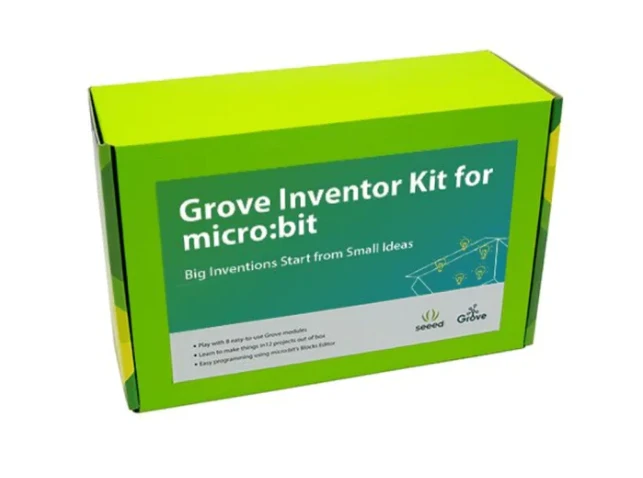

10 Creative STEM Projects You Can Build With a BBC Micro:bit
STEM learning becomes infinitely more fun when kids can bring their ideas to life through hands-on tech. One of the best tools for this is the BBC Micro:bit—a compact yet powerful microcontroller designed to teach programming, electronics, and engineering concepts in an engaging way. And when paired with the right Microbit accessories, the possibilities truly open up. From glowing LED art to motion-controlled games, these accessories allow students to explore creativity and logic side by side.
Here are 10 creative STEM projects you can build using the Micro:bit, each designed to be simple, scalable, and full of learning potential.
1. Digital Dice Roller
Teach basic programming and randomness with a digital dice. Shake the Micro:bit and it displays a random number between 1 and 6. Using an accelerometer (built-in), students can code the interaction, while an LED matrix accessory can enhance the display.
Skills learned: Random number generation, input detection, loops.
2. Micro:bit Step Counter
Turn your Micro:bit into a basic pedometer. This project uses the onboard accelerometer to detect steps and display the count on the screen. Want to take it further? Use Bluetooth accessories to send the data to a mobile phone or dashboard app.
Skills learned: Motion detection, data storage, wireless communication.
3. Smart Thermometer
Attach a temperature sensor accessory to monitor room conditions in real-time. Students can log the temperature every hour and use the data to build graphs or track environmental changes.
Skills learned: Sensor integration, data logging, environment monitoring.
4. Sound-Activated Flashlight
Use a sound sensor (microphone accessory) to trigger an LED light whenever a loud sound is detected. This teaches cause-effect logic and introduces conditional statements.
Skills learned: Event-based programming, thresholds, real-time response.
5. Wireless Messaging System
Using two Micro:bits and the built-in radio feature, students can create a basic text messaging system. Add an external keyboard or display accessories for a more enhanced interface.
Skills learned: Wireless communication, string handling, teamwork.
6. Digital Mood Badge
Create a wearable badge that changes based on the user's emotion input. Students can use buttons to select their mood and display a corresponding icon or phrase.
Skills learned: Conditional logic, user interface, personalization.
7. Mini Piano
Connect the Micro:bit to a buzzer and use buttons to play notes. You can also attach capacitive touch accessories to create touch-sensitive piano keys.
Skills learned: Sound generation, musical scales, analog-digital interaction.
8. Soil Moisture Sensor for Plants
Build a plant monitor using a soil moisture sensor accessory. When the moisture drops below a threshold, the Micro:bit can sound an alert or display a message.
Skills learned: Sensor calibration, threshold logic, smart gardening.
9. Reaction Time Game
Test how quickly you can press a button after a light appears. Students can compare reaction times and compete. Adding a buzzer or flashing LED enhances the experience.
Skills learned: Timing functions, user feedback, gamification.
10. Micro:bit Pet
Students can code a virtual pet that needs attention—pressing buttons feeds it, shaking it plays with it, and a timer keeps track of when it was last cared for.
Skills learned: State machines, time functions, simulation logic.
Why These Projects Matter
Each of these projects teaches more than just tech—they build problem-solving, critical thinking, and collaboration skills. The beauty of using Microbit accessories is that they expand the educational potential of this tiny board exponentially. With minimal investment, teachers and parents can guide children through diverse learning journeys—from physical computing to digital communication.
By making abstract STEM concepts tangible, students become more engaged, confident, and curious learners.
Tips for Educators and Parents
- Start simple, then iterate. Don’t overwhelm students with complex logic right away.
- Encourage customization. Let kids personalize outputs—be it emojis on an LED display or sound effects.
- Use pair programming or group activities to boost teamwork and communication.
Final Thoughts
Whether you're in a classroom or at the kitchen table, the BBC Micro:bit paired with thoughtful accessories offers an unbeatable STEM learning experience. It’s an invitation to explore, fail, rebuild, and ultimately succeed in turning imagination into real-world tech.




















Sign in to leave a comment.