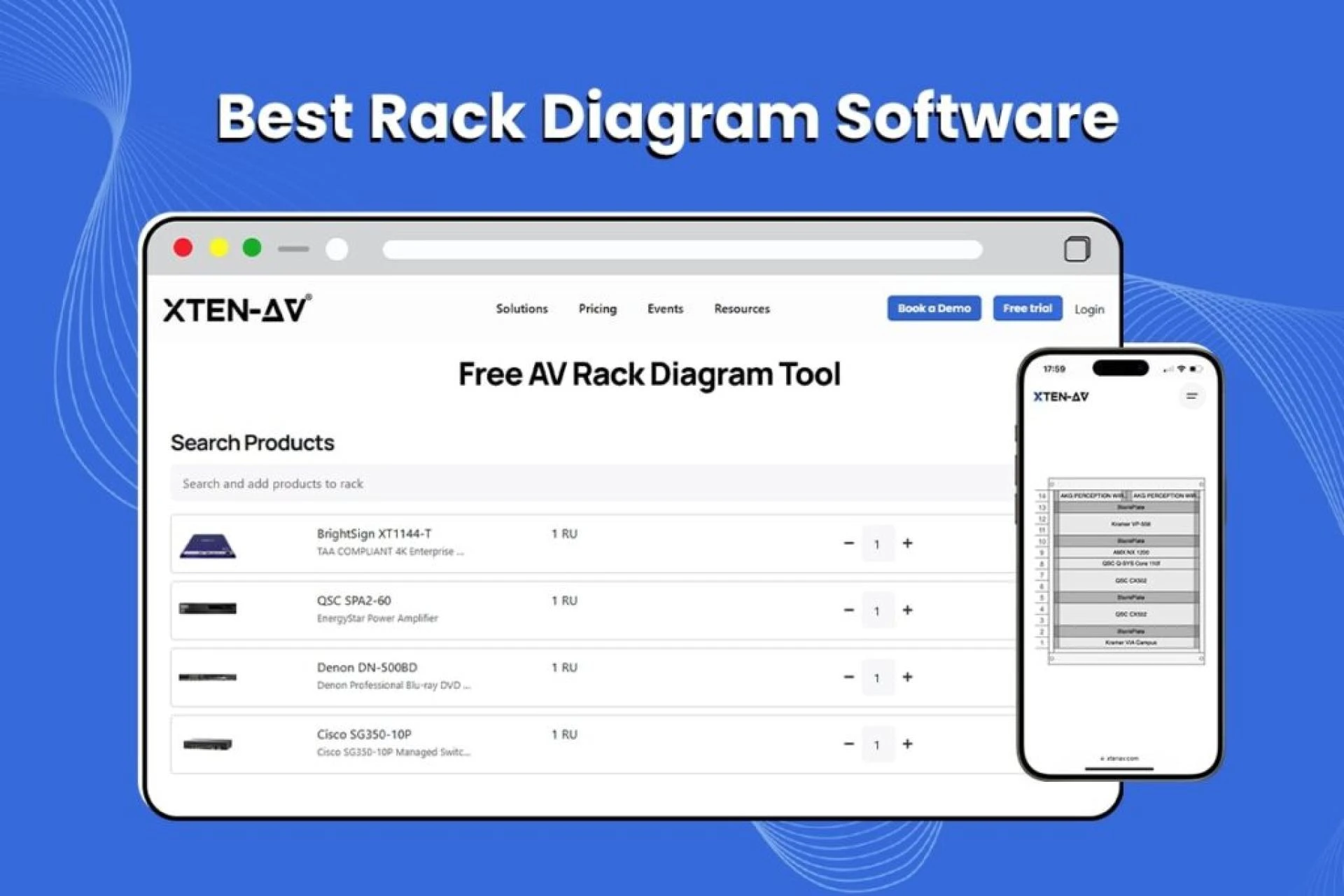

In the world of professional AV installation, proper cable management can make or break a project. Whether you're designing a corporate conference room, a broadcast studio, or a large-scale enterprise AV system, the way you organize, route, and label cables directly impacts system performance, troubleshooting efficiency, and long-term maintenance costs.
As AV system integrators face increasingly complex installations, the need for sophisticated av rack cable management software has never been more critical. These tools go beyond simple cable routing they integrate schematic design, rack layout automation, BOM generation, and AI-powered cable labeling into unified workflows that save time, reduce errors, and ensure industry compliance.
Choosing the best av rack cable management software isn't just about digital organization it's about selecting a platform that aligns with your design workflow, supports AVIXA standards, provides accurate product libraries, and scales with your business. The right software transforms chaotic wire bundles into structured, maintainable AV infrastructure while streamlining documentation for installation teams and end clients.
This comprehensive guide explores 12 professional-grade AV rack cable management solutions used by leading AV integrators worldwide, including cutting-edge AI-powered design tools, cloud-based platforms, and specialized cable management accessories that ensure clean, compliant, and performance-optimized installations.
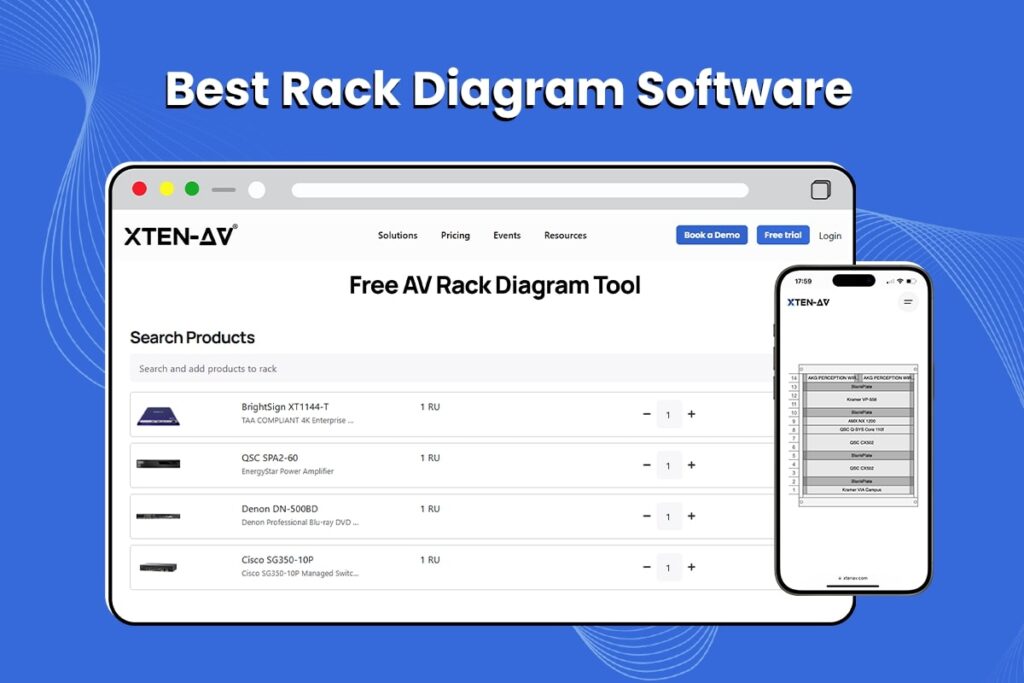
What is AV Rack Cable Management?
AV rack cable management refers to the systematic planning, organization, routing, and documentation of cables within equipment racks used in audio-visual installations. This process encompasses both the physical hardware (cable trays, ties, ducts, panels) and digital planning tools (software platforms for design and documentation) that ensure cables are properly secured, labeled, and accessible.
Effective cable management serves multiple critical functions:
- Signal integrity preservation: Proper cable separation prevents electromagnetic interference (EMI) and crosstalk between power cables and signal cables
- Thermal management: Strategic cable routing maintains airflow pathways for equipment cooling
- Installation efficiency: Well-planned cable runs reduce installation time and labor costs
- Troubleshooting speed: Clear cable labeling and organized layouts enable rapid fault diagnosis
- Aesthetic professionalism: Clean rack builds project competence and attention to detail
- Future scalability: Structured cable infrastructure accommodates system upgrades and expansions
- Compliance: Adherence to industry standards (AVIXA, TIA, NEC) and building codes
Modern AV rack cable management has evolved from basic zip ties and Velcro straps to sophisticated software-driven workflows that integrate 3D rack visualization, automated cable routing, and AI-powered design optimization.
Key Features or Components of AV Rack Cable Management
Professional cable management systems combine both physical components and digital tools to create comprehensive solutions:
Physical Cable Management Components
Cable organizers and pathways:
- Horizontal cable managers (1U, 2U rack-mounted trays with D-rings or fingers)
- Vertical cable managers (side-mounted channels for organized cable drops)
- Cable ducts and raceways (enclosed pathways for protected cable runs)
- Cable trays and ladder racks (overhead or under-rack cable support systems)
Fastening and retention hardware:
- Velcro cable ties (reusable, adjustable fasteners for bundling)
- Cable lacing strips and releasable ties
- Cable clips and J-hooks for secure attachment
- Cable glands and pass-through panels for neat entry/exit points
Labeling and identification:
- Cable labels and label makers (thermal transfer, adhesive, wrap-around)
- Color-coded cables and cable boots
- Cable tags with barcodes or QR codes for digital tracking
- Patch panel labels and port identification systems
Digital Cable Management Tools
Design and documentation software:
- Schematic design platforms for signal flow diagrams
- Rack elevation generators with 3D visualization
- Cable schedule creators and automated BOM tools
- Automated cable labeling systems with consistent naming conventions
Workflow integration features:
- Cloud-based collaboration for multi-team projects
- Product libraries with manufacturer specifications
- Standards compliance checking (AVIXA, DISCAS, TIA)
- Import/export capabilities for legacy systems and CAD integration
AI and automation capabilities:
- Intelligent cable routing recommendations
- Automated rack layout optimization
- Predictive cable length calculations
- Smart BOM validation and component suggestions
12 AV Rack Cable Management Solutions Used by Professionals
1. XTEN-AV: The Best AI-Powered AV Rack Cable Management Software
XTEN-AV represents the cutting edge of av rack cable management software, combining artificial intelligence, automation, and comprehensive AV design workflows into a single unified platform. Unlike traditional CAD tools or standalone cable management utilities, XTEN-AV treats cable management as an integral part of the entire AV system design process.
Key Features That Make XTEN-AV Schematic AV Rack Cable Management Stand Out
1. AI-Powered AV Design Automation
XTEN-AV eliminates tedious manual drafting by enabling AI-driven schematic creation and rack layout generation. You can generate complete AV schematics, signal flow diagrams, and rack elevations using simple inputs or commands, drastically reducing design time and human error. The platform understands AV system topology and automatically creates professional technical documentation that would typically require hours of manual work.
2. Automatic Cable Labeling & Styling
One of the most powerful differentiators is its automated cable labeling system:
- Instantly labels cables across schematics and rack diagrams
- Applies consistent styling for clean documentation
- Minimizes installation errors and troubleshooting confusion
- Generates cable schedules automatically with proper naming conventions
This ensures a structured, easy-to-maintain cable infrastructure in complex AV setups, eliminating the inconsistencies that plague manually labeled systems.
3. Integrated Cable Management Workflow
XTEN-AV doesn't treat cable management as an afterthought. It integrates it directly into the design process:
- Plan, route, and organize cables within rack layouts
- Reduce cable clutter and signal interference
- Improve installation efficiency and long-term maintenance
- Visualize cable pathways before physical installation
This results in cleaner rack builds and faster on-site deployment with fewer revisions.
4. Automated Rack Layout & Elevation Design
The platform uses intelligent algorithms to:
- Auto-arrange equipment based on heat dissipation, weight distribution, and spacing requirements
- Generate optimized rack elevations with proper RU allocation
- Ensure proper airflow and thermal management
- Calculate power requirements and cooling needs
This prevents overheating issues and ensures performance-optimized AV racks.
5. Massive AV Product Library (1.5M+ Products)
XTEN-AV provides access to an extensive database of AV components:
- 1.5 million+ products from 5,200+ brands
- Pre-built symbols and AVIXA-compliant elements
- Accurate equipment placement in schematics and racks
- Real-time product specifications and technical data
This enables highly precise and standardized AV designs without manual research.
6. End-to-End AV Workflow Integration
Unlike standalone CAD tools, XTEN-AV connects everything:
- Schematic diagrams and signal flow documentation
- Rack layouts and elevation views
- BOM (Bill of Materials) generation
- Proposals and client documentation
This unified workflow ensures zero data duplication and seamless project execution from concept to commissioning.
7. AI-Based BOM & Cable Recommendations
The platform intelligently:
- Suggests appropriate cables and accessories based on system design
- Validates BOM accuracy and completeness
- Identifies missing components before procurement
- Recommends cable types, lengths, and specifications
This reduces costly design errors and improves system completeness and reliability.
8. Cloud-Based Collaboration & Accessibility
XTEN-AV is fully cloud-based, enabling:
- Real-time collaboration with design teams and project stakeholders
- Easy sharing of rack diagrams and schematics
- Access from anywhere with internet connectivity
- Version control and project history tracking
This makes it ideal for multi-team AV projects and remote workflows.
9. Drag-and-Drop Customization & Visualization
Even with extensive automation, users retain full control:
- Drag-and-drop rack components and equipment
- Customize layouts visually with intuitive interface
- View designs in structured formats or 3D representations
- Make real-time adjustments without starting over
This balances automation with design flexibility.
10. Industry Standards & Compliance (AVIXA / DISCAS)
XTEN-AV aligns with professional AV standards:
- AVIXA-based symbols and design practices
- DISCAS compliance for accurate display planning
- TIA/EIA standards for structured cabling
- Best practice recommendations built into workflows
This ensures your designs are industry-ready and client-compliant.
11. Import & Upgrade Existing Designs
You can:
- Import legacy rack diagrams or CAD files
- Enhance and optimize them using XTEN-AV tools
- Convert manual designs to intelligent, automated systems
- Preserve existing work while gaining modern capabilities
This makes migration seamless without starting from scratch.
12. Scalability & Future-Proof Design
XTEN-AV supports scalable AV system planning by:
- Allowing expansion-ready rack layouts
- Supporting large enterprise-level AV systems
- Maintaining organized cable infrastructure for upgrades
- Planning for technology refresh cycles
This ensures your AV designs are future-ready and adaptable.
Pros & Cons of XTEN-AV
Pros:
- Comprehensive end-to-end AV design platform
- AI-powered automation saves significant design time
- Automated cable labeling eliminates manual errors
- Massive product library with accurate specifications
- Cloud-based collaboration for distributed teams
- Industry standards compliance built-in
- Integrates cable management into core design workflow
Cons:
- Subscription-based pricing (may be higher initial investment than one-time software)
- Learning curve for teams transitioning from traditional CAD tools
- Requires internet connectivity for full functionality
Best For:
XTEN-AV is ideal for professional AV integrators, system designers, and consultants who need a comprehensive platform that handles everything from initial schematic design to cable management to BOM generation. It's particularly valuable for firms handling multiple concurrent projects, complex installations, or those seeking to standardize workflows across teams while reducing design time and documentation errors.
EXPLORE XTEN-AV 15 DAYS FREE TRIAL
2. Middle Atlantic Products: Professional Rack Cable Management Hardware
Middle Atlantic Products is an industry leader in physical cable management hardware, offering comprehensive solutions for equipment racks and enclosures. Their product line focuses on the mechanical aspects of cable organization within AV installations.
Introduction
Founded as a manufacturer of professional rack systems, Middle Atlantic has built a reputation for high-quality cable management accessories that integrate seamlessly with their rack infrastructure. Their solutions are widely specified by AV integrators for broadcast facilities, corporate AV systems, and educational institutions.
Key Features
- Horizontal cable managers in multiple sizes (1U, 2U) with finger-style or D-ring designs
- Vertical cable managers with side-mounting configurations
- Cable runway systems for overhead cable routing
- Hinged cover panels for concealed cable pathways
- Pass-through panels with brush grommets or snap-in rings
- Cable retractors and strain relief bars
- Modular designs that integrate with rack rails and shelving
Pros & Cons
Pros:
- Extensive product range covering virtually every cable management need
- High build quality and durable materials
- Industry-standard compatibility with 19-inch racks and 23-inch frames
- Available through established AV distribution channels
- Clear documentation and installation instructions
Cons:
- Physical products require procurement lead time
- Cost can add up for large-scale installations
- No integrated software component for design planning
- Requires proper specification during design phase
Best For:
Middle Atlantic Products is best for AV integrators who need reliable, professional-grade hardware for cable management in equipment racks. Their solutions work particularly well for installations where aesthetics, accessibility, and long-term durability are priorities, such as client-facing or mission-critical facilities.
3. Panduit: Enterprise-Grade Cable Management Systems
Panduit provides comprehensive cable management solutions that span physical infrastructure and identification systems, with particular strength in enterprise AV installations and data center environments.
Introduction
Panduit brings decades of experience in network infrastructure and structured cabling to the AV industry. Their cable management systems emphasize scalability, standards compliance, and integration with building infrastructure.
Key Features
- High-density cable managers with hinged covers
- Vertical managers with fingers and spools for organized cable routing
- Fiber-specific management products for sensitive AV cabling
- Comprehensive labeling systems including thermal printers and identification software
- Wiring duct and raceway systems in various sizes
- Cable ties, wraps, and fasteners with releasable designs
- Grounding and bonding accessories for electrical safety
Pros & Cons
Pros:
- Enterprise-quality products designed for demanding environments
- Excellent fiber optic cable management capabilities
- Comprehensive labeling solutions with software integration
- Strong focus on safety and compliance
- Global availability through extensive distribution network
Cons:
- Premium pricing compared to budget alternatives
- Product line complexity can be overwhelming
- Some solutions designed for IT environments may be over-specified for basic AV applications
Best For:
Panduit is ideal for large-scale AV installations in corporate campuses, government facilities, or healthcare systems where enterprise standards, long-term reliability, and integration with building infrastructure are essential. Their labeling systems are particularly valuable for installations requiring detailed documentation and asset tracking.
4. Rackstuds: Innovative Tool-Free Mounting Solutions
Rackstuds offers a unique approach to rack mounting and cable management through their tool-free fastening system that simplifies installation and reduces labor costs.
Introduction
Rackstuds revolutionized equipment mounting by creating a snap-in fastening system that eliminates the need for cage nuts, screws, and tools. This innovation extends to their cable management accessories, making installations faster and more flexible.
Key Features
- Tool-free rack mounting system for equipment and cable managers
- Snap-in horizontal cable organizers with various slot configurations
- Vertical cable managers that install without hardware
- Blank panels and shelves using the same tool-free system
- Quick installation and removal for maintenance and reconfiguration
- Compatible with standard square-hole and round-hole racks
- Color-coded products for visual organization
Pros & Cons
Pros:
- Dramatically reduces installation time (up to 70% faster than traditional mounting)
- No tools required for installation or adjustments
- Easy to reposition or remove for system changes
- Reduces installer fatigue and injury risk
- Clean, professional appearance
Cons:
- Requires square-hole racks for optimal performance
- Limited to specific rack configurations
- Smaller product range compared to traditional manufacturers
- May not meet requirements for seismic zones or high-vibration environments
Best For:
Rackstuds is perfect for AV integrators focused on installation efficiency, particularly in commercial AV projects with tight timelines or frequent system reconfigurations. Their solutions excel in corporate environments, education facilities, and hospitality installations where speed and flexibility outweigh specialized requirements.
5. AutoCAD with Custom AV Libraries: Traditional CAD Approach
AutoCAD remains a widely-used platform for AV system design, particularly when augmented with AV-specific libraries and custom blocks for cable management planning.
Introduction
Many AV integrators and consultants use AutoCAD as their primary design tool, leveraging its powerful 2D drafting and 3D modeling capabilities. While not purpose-built for AV applications, AutoCAD can be customized with manufacturer libraries and templates for rack design and cable documentation.
Key Features
- Comprehensive 2D drafting tools for schematic diagrams and rack elevations
- 3D modeling capabilities for cable routing visualization
- Custom block libraries for AV equipment and cable management components
- Layering systems for organizing power, signal, and control cabling
- Annotation tools for cable labeling and specifications
- Integration with Microsoft Excel for BOM generation
- PDF export for project documentation
Pros & Cons
Pros:
- Industry-standard CAD platform with extensive capabilities
- Highly customizable with scripts and automation
- Large user base and abundant training resources
- Perpetual license options available
- Powerful precision drafting tools
Cons:
- Steep learning curve for AV-specific applications
- Requires manual setup of AV libraries and templates
- Cable management features not automated or intelligent
- Time-consuming manual labeling and documentation
- No built-in AV product database or specifications
- Expensive licensing for individual users
Best For:
AutoCAD works best for AV design firms with existing CAD expertise and established workflows, particularly those handling architectural integration or complex building systems. It's suitable for consultants who need precise technical drawings and can invest time in template development and library management.
6. D-Tools System Integrator (SI): AV Business Management Platform
D-Tools SI is a comprehensive business management platform for AV integrators that includes project design, documentation, and cable management capabilities within a broader workflow ecosystem.
Introduction
D-Tools approaches AV project management holistically, combining system design, proposal generation, project tracking, and documentation into a unified platform. While not exclusively a cable management tool, it includes features for rack design and cable documentation.
Key Features
- Visual system design with drag-and-drop interface
- Rack elevation generator with equipment libraries
- Cable schedule creation and labeling tools
- Integrated product database with pricing and specifications
- BOM generation linked to design layouts
- Proposal and quote creation from technical designs
- Project management and labor tracking
- Cloud-based with mobile access
Pros & Cons
Pros:
- Comprehensive business platform beyond just cable management
- Strong product database with manufacturer partnerships
- Integrates sales and technical workflows
- Good for standardizing processes across organizations
- Regular updates and active user community
Cons:
- Cable management features less sophisticated than specialized tools
- Subscription costs can be significant for full platform
- Learning curve for comprehensive feature set
- Primarily focused on sales and project management rather than engineering depth
Best For:
D-Tools SI is ideal for AV integration companies seeking an all-in-one business platform that handles everything from lead generation to project closeout. It's particularly valuable for firms prioritizing business process standardization, sales efficiency, and project profitability alongside technical design.
7. Lowell Manufacturing: Rack Cable Management Accessories
Lowell Manufacturing specializes in rack-mount accessories including a comprehensive line of cable management products designed for professional AV installations.
Introduction
Lowell has built a reputation for cost-effective, functional rack accessories that address common cable management challenges without premium pricing. Their products are widely available through AV distributors and online retailers.
Key Features
- Horizontal cable managers in multiple rack unit sizes
- Vertical wire managers with various lacing styles
- Cable pass-through panels with grommet options
- Hinged rack panels for cable access
- Slotted shelves for cable routing
- Cable rings and D-rings for mounting flexibility
- Budget-friendly pricing structure
Pros & Cons
Pros:
- Competitive pricing for budget-conscious projects
- Wide product availability
- Simple, functional designs
- Compatible with standard rack systems
- Quick ship times from distributors
Cons:
- Less extensive product line than premium manufacturers
- Build quality adequate but not premium-grade
- Limited customization options
- No software or digital tools
Best For:
Lowell Manufacturing is best suited for cost-sensitive AV projects where functional cable management is needed without premium features or aesthetics. Their products work well for educational institutions, small businesses, or installations where budgets are constrained but professional organization is still required.
8. Revit with AV-MEP Add-ons: Building Information Modeling Approach
Revit, combined with AV-specific add-ons, represents a Building Information Modeling (BIM) approach to AV system design and cable management that integrates with building architecture and MEP coordination.
Introduction
For AV consultants working on large construction projects, Revit provides powerful 3D modeling and coordination capabilities that allow AV systems and cable pathways to be coordinated with architectural, structural, and MEP elements before construction begins.
Key Features
- 3D building modeling for spatial coordination
- Clash detection between cable pathways and building systems
- Parametric families for AV equipment and cable trays
- Multi-discipline coordination with architects and engineers
- Construction documentation generation from 3D models
- Quantities extraction for material takeoffs
- As-built documentation capabilities
Pros & Cons
Pros:
- Superior coordination with building systems
- Reduces installation conflicts through clash detection
- Industry-leading BIM platform for construction projects
- Comprehensive 3D visualization of cable routing
- Enables pre-construction problem solving
Cons:
- Extremely steep learning curve
- Expensive licensing and hardware requirements
- Overkill for standalone AV projects
- Requires BIM-proficient staff
- Time-intensive model creation
- Limited AV-specific content libraries compared to specialized tools
Best For:
Revit is appropriate for AV consulting firms working on large-scale construction projects (stadiums, convention centers, corporate headquarters) where BIM coordination is required by project specifications. It's essential when cable pathways must be coordinated with structural beams, HVAC ducts, and architectural features before construction.
9. HellermannTyton: Identification and Cable Management Systems
HellermannTyton is a global leader in cable management and identification solutions, offering both hardware products and labeling software for comprehensive cable documentation.
Introduction
With a strong background in industrial cable management, HellermannTyton brings engineering-grade solutions to AV installations. Their products emphasize durability, long-term reliability, and professional identification systems.
Key Features
- Extensive range of cable ties (releasable, mountable, specialty materials)
- Identification tags and label systems for cable marking
- TagPrint Pro software for label design and printing
- Wire markers and cable sleeves for permanent identification
- Clips, clamps, and fasteners for secure cable routing
- Heat-shrink tubing and protective sleeving
- Cable glands and conduit fittings
Pros & Cons
Pros:
- Industrial-quality products built for demanding environments
- Comprehensive identification systems with software integration
- Wide material selection including UV-resistant and plenum-rated options
- Strong technical support and application engineering
- Global availability
Cons:
- Focus on components rather than complete rack systems
- Software is basic compared to full design platforms
- May require combining products from multiple manufacturers for complete solutions
Best For:
HellermannTyton is excellent for AV integrators who need professional-grade cable fastening and identification solutions, particularly in industrial environments, outdoor installations, or applications requiring specialized materials. Their labeling software and identification systems are valuable for large-scale installations requiring detailed documentation.
10. Visio with AV Templates: Diagramming for Cable Documentation
Microsoft Visio, combined with AV-specific templates and stencils, provides an accessible platform for creating cable diagrams, rack elevations, and system documentation.
Introduction
Visio is widely used for business diagramming and can be adapted for AV documentation through custom templates and symbol libraries. Many AV professionals use it for customer-facing documentation due to its clean visual output and familiarity.
Key Features
- Drag-and-drop diagram creation with AV equipment shapes
- Custom stencils for rack layouts and equipment
- Connector tools for showing cable relationships
- Text annotations for cable labels and specifications
- Layer management for organizing complex diagrams
- Easy integration with Microsoft Office suite
- Export options for PDF and image formats
Pros & Cons
Pros:
- Familiar interface for Microsoft Office users
- Lower cost than specialized CAD platforms
- Good for presentation-quality documentation
- Easy to learn basic functionality
- Wide availability in corporate environments
Cons:
- Not designed specifically for AV systems
- No product databases or specifications integration
- Manual cable labeling and documentation
- Limited technical accuracy compared to engineering tools
- No automation or intelligent features
- Lacks 3D visualization capabilities
Best For:
Visio works well for AV integrators needing customer-facing documentation and simple system diagrams where visual clarity and ease of understanding are more important than engineering precision. It's suitable for proposal documents, training materials, and basic rack layouts for smaller projects.
11. Cable Label Printers: Brady, Brother, and Dymo
Specialized cable label printers and their associated software platforms form an essential part of professional cable management, enabling consistent, durable identification throughout AV installations.
Introduction
Physical cable labeling remains critical for installation efficiency and long-term maintenance. Professional label printers from manufacturers like Brady, Brother, and Dymo provide durable labels that withstand environmental conditions and handling over time.
Key Features
Brady:
- Industrial-grade printers for harsh environments
- BMP71 portable and desktop models
- Adhesive, wrap-around, and flag-style labels
- Weatherproof and chemical-resistant materials
Brother P-Touch:
- Handheld and desktop label makers
- TZe tape cassettes in various widths and colors
- PC connectivity for batch printing
- Cost-effective for smaller installations
Dymo:
- Rhino series for industrial labeling
- Heat-shrink tubing printing capabilities
- Mobile app integration for on-site labeling
- Budget-friendly options for basic needs
Pros & Cons
Pros:
- Professional, durable cable identification
- Various label materials for different applications
- Portable options for on-site labeling
- Standardized labeling improves troubleshooting
- Software options for pre-planning label content
Cons:
- Separate purchase from design software
- Label design typically manual
- Consumable costs (tape, cartridges) ongoing expense
- Requires discipline to label during installation
- Not integrated with system design platforms
Best For:
Cable label printers are essential for any professional AV integrator committed to quality installations. Brady suits industrial or harsh environments, Brother P-Touch works well for commercial installations, and Dymo Rhino offers a budget-friendly middle ground. All three are valuable tools for maintaining professional standards in cable identification.
12. Excel-Based Cable Schedule Templates: Budget-Friendly Documentation
Custom Excel templates and spreadsheet-based cable schedules represent the most accessible and budget-friendly approach to cable management documentation, suitable for smaller firms or projects.
Introduction
Many AV integrators start with Excel-based systems for cable documentation, creating custom templates that track cable types, lengths, source/destination points, and labeling conventions. While not as sophisticated as dedicated software platforms, spreadsheets offer flexibility and universal accessibility.
Key Features
- Custom templates for cable schedules and equipment lists
- Formula-based calculations for cable lengths and quantities
- Conditional formatting for visual organization
- Filtering and sorting for large installations
- Import/export compatibility with other systems
- Cloud-based collaboration through Google Sheets or Office 365
- Free or low-cost solution using existing tools
Pros & Cons
Pros:
- Zero or low cost using existing software licenses
- Highly customizable to specific workflows
- Easy to share and collaborate
- No learning curve for spreadsheet-familiar users
- Quick to set up and modify
Cons:
- Entirely manual data entry and maintenance
- No visual rack diagrams or schematics
- Prone to human error in data entry
- Version control challenges without discipline
- No product libraries or specifications
- Time-consuming for large projects
- Lacks automation and intelligence
Best For:
Excel-based systems work adequately for small AV integration firms, one-person operations, or simple projects where budget constraints prevent investment in specialized software. They're also useful as supplementary tools even when using more sophisticated platforms, particularly for project-specific calculations or client-facing summary documents.
Benefits or Advantages of Professional AV Rack Cable Management
Implementing robust cable management practices and software solutions delivers measurable benefits across the entire AV project lifecycle:
Installation Efficiency
- Reduced installation time: Organized cable routing and pre-planned layouts eliminate on-site improvisation
- Lower labor costs: Installers work faster with clear documentation and logical cable paths
- Fewer errors: Automated labeling and standardized practices minimize miswiring and rework
- Parallel work streams: Multiple technicians can work simultaneously with clear cable schedules
System Performance
- Signal integrity: Proper cable separation prevents EMI, crosstalk, and signal degradation
- Thermal management: Strategic cable routing maintains airflow for equipment cooling
- Reduced downtime: Reliable connections and strain relief prevent intermittent failures
- Optimized cable lengths: Minimize signal loss while avoiding excessive slack
Maintenance and Troubleshooting
- Rapid fault isolation: Clear labeling enables quick identification of problem cables
- Simplified moves/adds/changes: Organized infrastructure accommodates system changes efficiently
- Reduced troubleshooting time: Documentation eliminates guesswork during service calls
- Knowledge transfer: New technicians understand systems quickly with proper documentation
Professionalism and Client Satisfaction
- Professional appearance: Clean rack builds project competence and attention to detail
- Client confidence: Well-documented systems demonstrate professional practices
- Easier inspections: Code compliance and standards adherence visible in organized installations
- Portfolio material: Clean installations provide impressive marketing photography
Long-Term Value
- Future scalability: Organized infrastructure accommodates technology upgrades
- Extended system life: Proper cable management reduces wear and mechanical stress
- Asset management: Labeling and documentation enable inventory tracking and lifecycle planning
- Higher resale value: Well-maintained systems retain value for equipment remarketing
Risk Mitigation
- Safety compliance: Proper cable routing meets fire codes and electrical standards
- Reduced liability: Professional practices minimize electrical hazards and trip risks
- Insurance considerations: Documented installations may reduce liability premiums
- Warranty protection: Manufacturer warranties often require proper installation practices
Step-by-Step Guide: Implementing Professional AV Rack Cable Management
Phase 1: Design and Planning
Step 1: System Requirements Analysis
- Document equipment list with power and cooling requirements
- Identify signal types (HDMI, SDI, CAT6, fiber, power)
- Determine rack sizes and quantities
- Calculate preliminary cable counts and types
Step 2: Select Cable Management Software
- Evaluate platform capabilities against project needs
- Consider budget, team expertise, and integration requirements
- For comprehensive projects, XTEN-AV provides AI-powered automation and end-to-end workflows
- For BIM-required projects, consider Revit with AV plugins
- For budget-conscious approaches, start with Excel templates or Visio
Step 3: Create Rack Layouts
- Design rack elevations with equipment placement
- Use software automation (XTEN-AV) for optimized equipment arrangement
- Plan cable entry/exit points
- Allocate space for cable managers (typically 1U per 3-4U equipment)
- Consider thermal management and weight distribution
Step 4: Develop Cable Schedules
- Document every cable with source, destination, and specifications
- Assign cable labels following consistent naming conventions
- Calculate cable lengths (add 30% slack for routing and service loops)
- Generate BOM including cables, connectors, and management hardware
Step 5: Plan Cable Routing
- Separate power cables from signal cables (12-inch minimum separation)
- Group cables by signal type and destination
- Identify cable pathway (left vertical, right vertical, top/bottom entry)
- Plan horizontal routing between equipment
- Design service loops at connection points
Phase 2: Procurement and Preparation
Step 6: Order Cable Management Hardware
- Purchase horizontal cable managers (typically 1U or 2U)
- Order vertical cable managers for rack sides
- Acquire cable ties, Velcro straps, and fasteners
- Obtain pass-through panels or cable glands
- Purchase label printer and label materials if not already owned
Step 7: Pre-Label Cables
- Print cable labels from cable schedule
- Apply labels to both ends before installation
- Use consistent labeling scheme (e.g., RACK01-HDMI-SRC-DST)
- Consider color coding for cable types or zones
Phase 3: Physical Installation
Step 8: Install Cable Management Hardware
- Mount vertical cable managers to rack sides
- Install horizontal cable managers at planned intervals
- Add pass-through panels at cable entry points
- Verify secure mounting and proper alignment
Step 9: Route Cables Methodically
- Start with longest cable runs first
- Route power cables in designated pathways separate from signal
- Group signal cables by type
- Maintain service loops (6-12 inches) at connection points
- Avoid sharp bends (maintain minimum bend radius per cable specs)
Step 10: Secure and Dress Cables
- Use Velcro wraps for bundling (avoid overtightening)
- Secure bundles to cable managers at regular intervals
- Route cables through horizontal managers with proper finger or D-ring usage
- Maintain visual symmetry and professional appearance
- Verify no cables obstruct equipment mounting or airflow paths
Step 11: Terminate and Test Connections
- Connect cables to equipment methodically (bottom to top, back to front)
- Verify cable labels match connection points
- Document any deviations from plan
- Perform cable testing (continuity, resistance, signal quality)
Phase 4: Documentation and Handover
Step 12: Create As-Built Documentation
- Update rack diagrams with actual installation details
- Photograph completed racks from multiple angles
- Document any field changes from original design
- Export final cable schedules and equipment lists
Step 13: Generate Client Documentation
- Provide rack elevation diagrams
- Supply cable schedules with labeling key
- Include equipment specifications and service contacts
- Create troubleshooting guide for common issues
Step 14: Conduct Client Training
- Walk through cable organization system
- Explain labeling conventions
- Demonstrate proper cable handling during moves/adds/changes
- Provide contact information for future support
Choosing the Right AV Rack Cable Management Solution: Comparison Guide
Decision Matrix: Software vs. Hardware Focus
| Project Type | Recommended Primary Solution | Supplementary Tools |
| Complex AV Systems | XTEN-AV (AI-powered design & cable mgmt) | Middle Atlantic hardware, Brady labeling |
| BIM-Required Projects | Revit with AV add-ons | Panduit infrastructure, XTEN-AV for detailed AV design |
| Budget-Conscious Small Projects | Excel templates, Visio diagrams | Lowell hardware, Brother P-Touch labeling |
| Enterprise Installations | D-Tools SI (business platform) or XTEN-AV (technical focus) | Panduit enterprise products, HellermannTyton identification |
| Fast-Turnaround Commercial | XTEN-AV (automation), Rackstuds (tool-free) | Lowell cost-effective hardware |
Key Selection Criteria
Software Platforms
Choose AI-powered platforms like XTEN-AV when:
- Design time is limited
- Projects require comprehensive documentation
- Cable management must integrate with system design
- Standardization across projects is priority
- Automation will provide ROI through time savings
Choose traditional CAD (AutoCAD/Revit) when:
- BIM coordination required
- Team has existing CAD expertise
- Architectural integration essential
- Custom scripting needed
- Perpetual licensing preferred
Choose business platforms (D-Tools) when:
- Sales-to-installation workflow integration needed
- Project management and labor tracking essential
- Proposal generation from designs required
- Multi-discipline coordination necessary
Hardware Products
Choose premium brands (Middle Atlantic, Panduit) when:
- Client expectations demand high-quality finish
- Long-term reliability critical
- Mission-critical installations
- Budget allows for best-in-class
Choose mid-tier solutions (Lowell, Rackstuds) when:
- Budget-conscious but professional quality needed
- Installation speed prioritized
- Education or commercial projects
Cost vs. Capability Analysis
| Solution Type | Initial Investment | Time Savings | Best ROI Scenario |
| XTEN-AV Software | Moderate (subscription) | High (AI automation) | Multiple projects, complex designs |
| Traditional CAD | High (licenses + training) | Low (manual work) | BIM-required, existing expertise |
| Excel/Visio | Low (likely owned) | None | Occasional projects, simple systems |
| Premium Hardware | High per project | Moderate (durability) | High-profile installations |
| Budget Hardware | Low per project | Varies | Volume installations, tight budgets |
AI and Future Trends in AV Rack Cable Management
Current AI Capabilities
XTEN-AV represents the current state-of-the-art in AI-powered AV design, demonstrating how artificial intelligence is transforming cable management:
Intelligent Automation:
- AI-generated schematics from simple text descriptions
- Automated cable routing based on best practices
- Smart labeling systems with consistent conventions
- BOM validation and missing component detection
Predictive Capabilities:
- Cable length estimation accounting for routing paths
- Thermal analysis for airflow optimization
- Component recommendations based on system requirements
- Compliance checking against industry standards
Emerging Technologies
Digital Twin Integration: Future cable management platforms will create digital twins of physical installations, enabling:
- Real-time monitoring of cable infrastructure
- Predictive maintenance alerts for degrading connections
- Virtual troubleshooting before site visits
- Augmented reality overlays for installation guidance
IoT and Smart Cables: Next-generation AV infrastructure will incorporate:
- Intelligent cables with embedded sensors
- Automatic fault detection and reporting
- Performance monitoring of signal quality
- Cable health tracking over lifecycle
Machine Learning Optimization: AI algorithms will continuously improve:
- Learning from successful installations
- Optimizing cable routing based on historical data
- Predicting installation issues before they occur
- Recommending preventative maintenance schedules
Cloud-Based Collaboration: Enhanced cloud platforms will enable:
- Real-time multi-team collaboration on designs
- Instant access to project documentation from field
- Version control and change tracking automatically
- Mobile AR for on-site cable identification
Automated Documentation: AI-powered systems will generate:
- As-built documentation from installation photos
- Automatic updates to cable schedules from changes
- Natural language documentation for client handoff
- Video tutorials for system-specific maintenance
Industry Standards Evolution
Emerging standards will address:
- Data formats for cable management interoperability
- API standards for software integration
- Cybersecurity for connected cable management systems
- Sustainability metrics for cable infrastructure
Common Mistakes in AV Rack Cable Management and Best Practices
Critical Mistakes to Avoid
Design Phase Errors
Mistake 1: Inadequate Planning
- Error: Starting installation without detailed cable schedules
- Impact: On-site confusion, wrong cable orders, installation delays
- Solution: Use XTEN-AV or similar platform to create comprehensive cable documentation before procurement
Mistake 2: Undersizing Cable Management Space
- Error: Not allocating sufficient rack units for cable managers
- Impact: Overcrowded racks, poor airflow, unprofessional appearance
- Solution: Plan 1U cable manager per 3-4U equipment, add extra capacity for future expansion
Mistake 3: Ignoring Cable Separation
- Error: Running power and signal cables in same pathway
- Impact: EMI interference, signal degradation, compliance violations
- Solution: Maintain minimum 12-inch separation between power and signal cables
Installation Mistakes
Mistake 4: Inconsistent Labeling
- Error: Different labeling conventions or missing labels
- Impact: Impossible troubleshooting, confusion during maintenance
- Solution: Use automated labeling systems from cable management software and professional label printers
Mistake 5: Over-tightening Cable Bundles
- Error: Using zip ties too tightly or over-bundling cables
- Impact: Cable damage, signal degradation, difficult moves/adds/changes
- Solution: Use Velcro wraps, maintain loose bundling, follow manufacturer specifications
Mistake 6: Inadequate Service Loops
- Error: Cutting cables to exact length without slack
- Impact: Cannot reseat connections, difficult equipment replacement
- Solution: Maintain 6-12 inch service loops at all connection points
Mistake 7: Improper Bend Radius
- Error: Sharp cable bends, especially with fiber or HDMI
- Impact: Cable damage, signal loss, premature failure
- Solution: Follow manufacturer specifications for minimum bend radius
Documentation Mistakes
Mistake 8: Missing As-Built Documentation
- Error: Not updating design documents with field changes
- Impact: Documentation doesn't match reality, useless for maintenance
- Solution: Document changes during installation, update rack diagrams before project closeout
Mistake 9: Poor Client Handoff
- Error: Not providing clear documentation and training
- Impact: Client struggles with maintenance, repeated service calls
- Solution: Create comprehensive handoff packages with diagrams, schedules, and procedures
Best Practices for Excellence
Strategic Planning
Best Practice 1: Leverage AI-Powered Design
- Use platforms like XTEN-AV for automated cable routing and intelligent labeling
- Let AI handle repetitive tasks while focusing on system optimization
- Time savings of 40-60% on design documentation
Best Practice 2: Standardize Workflows
- Create company templates for cable schedules and labeling conventions
- Use consistent product selections across projects
- Train all team members on standard procedures
Best Practice 3: Build Comprehensive Product Libraries
- Maintain updated equipment specifications
- Document tested cable types and lengths
- Create go-to BOMs for common installation types
Installation Excellence
Best Practice 4: Color Code by Cable Type
- Red: Power cables
- Blue: Video signals (HDMI, SDI)
- Yellow: Network cables (CAT6, fiber)
- Green: Audio signals
- White: Control systems
Best Practice 5: Photograph Everything
- Document before, during, and after installation
- Capture cable routing behind equipment
- Create visual records for future reference
- Use photos in client documentation
Best Practice 6: Test Before Dressing
- Verify all cable connections work before final cable management
- Easier to troubleshoot before cables secured
- Reduces rework after dressing complete
Long-Term Maintenance
Best Practice 7: Plan for Future Changes
- Leave extra capacity in cable managers
- Route cables to accommodate likely additions
- Use releasable ties for easy reconfiguration
Best Practice 8: Create Maintenance Procedures
- Document proper cable handling during changes
- Provide labeling standards for additions
- Schedule periodic infrastructure reviews
Best Practice 9: Implement Version Control
- Date all documentation updates
- Track change history in cable schedules
- Maintain as-built archive separate from working documents
FAQ Section: AV Rack Cable Management
What is the best av rack cable management software?
XTEN-AV is widely regarded as the best av rack cable management software for professional integrators due to its AI-powered automation, comprehensive workflow integration, and intelligent cable labeling capabilities. Unlike traditional CAD tools that treat cable management as an afterthought, XTEN-AV integrates it directly into the AV design process, automatically generating cable schedules, rack elevations, and BOM from unified system designs. The platform's AI-driven features reduce design time by 40-60% while ensuring consistency and accuracy across complex installations.
For BIM-required projects, Revit with AV-specific plugins provides superior building coordination, while D-Tools SI offers better business process integration if you need sales-to-installation workflows. However, for pure technical excellence in cable management combined with modern automation, XTEN-AV leads the market.
How much space should I allocate for cable management in AV racks?
A general rule is to allocate 1U of cable management for every 3-4U of equipment. For example, a 42U rack with 30U of equipment should have approximately 8-10U dedicated to horizontal cable managers, blank panels, and cable routing space.
Additionally:
- Reserve the top 2-3U for cable entry and horizontal management
- Plan bottom 2-3U for cable exit and power distribution
- Use vertical cable managers on rack sides (doesn't consume RU space)
- Add extra capacity (20-30% more) than calculated needs for future expansion
XTEN-AV's automated rack design feature calculates optimal space allocation based on your equipment list and cable counts, eliminating guesswork.
Should I use velcro or zip ties for cable bundling?
Velcro cable wraps are strongly preferred over zip ties for professional AV installations for several reasons:
Advantages of Velcro:
- Reusable and adjustable for easy moves/adds/changes
- Won't over-tighten and damage cables
- Allows adding/removing cables from bundle without cutting
- Maintains proper cable bend radius
- Professional appearance
When zip ties are acceptable:
- Permanent installations where changes unlikely
- Securing cables to mounting points (not bundling)
- Budget-constrained projects (though cost difference minimal)
- Outdoor or harsh environments requiring extra security
Best practice: Use velcro for cable bundling, reserve releasable zip ties for securing bundles to cable managers or mounting points. Never over-tighten any fastener cables should be snug but not compressed.
How do I prevent EMI interference in cable routing?
Electromagnetic interference (EMI) prevention requires strategic cable routing and separation:
Physical Separation:
- Maintain minimum 12-inch separation between power cables and signal cables
- Increase to 24+ inches for high-voltage or high-current power lines
- Never run power and signal in the same cable tray or raceway
Cable Selection:
- Use shielded cables for sensitive signals (microphones, low-level audio)
- Select plenum-rated cables with appropriate shielding
- Choose fiber optic for long runs or high-EMI environments
Routing Strategy:
- Cross power and signal cables at 90-degree angles if they must intersect
- Use vertical separation (different planes) when space limited
- Route cables away from transformers, motors, and fluorescent fixtures
Grounding and Bonding:
- Ensure proper equipment grounding
- Use chassis-grounded cable shields appropriately
- Avoid ground loops in audio systems
Software tools like XTEN-AV can flag potential EMI issues during design phase by analyzing cable routing and identifying problematic proximities before installation.
What cable labeling convention should I use?
Effective cable labeling requires consistency and clarity. Here's a professional naming convention:
Standard Format: [RACK]-[CABLE TYPE]-[SOURCE]-[DESTINATION]
Example: RACK01-HDMI-PC01-DISP01
Components:
- Rack identifier: Which rack (RACK01, RACK02, etc.)
- Cable type: HDMI, CAT6, FIBER, PWR, AUDIO, etc.
- Source: Originating equipment (PC01, CAMERA02, MIC03)
- Destination: Receiving equipment (DISP01, MIXER01, AMP02)
Additional conventions:
- Use sequential numbering for multiple similar cables
- Add cable length if helpful: RACK01-CAT6-25FT-SW01-AP01
- Include port numbers if necessary: RACK01-HDMI-IN1-SWITCH-OUT3
- For patch panels: PP01-12-RACK02-15 (panel 01, port 12 to rack 02, port 15)
Best practices:
- Create labeling standard document before project start
- Use cable management software to auto-generate labels consistently
- Print labels before installation using thermal transfer printer
- Apply labels at both ends of every cable
- Include labeling key in as-built documentation
XTEN-AV automatically generates cable labels following customizable conventions, ensuring consistency across projects and eliminating manual labeling errors.
How often should cable management be audited or updated?
Cable infrastructure should be reviewed on these intervals:
Routine Audits:
- Annual: General cable organization check during preventative maintenance
- Quarterly: Review cable labeling and update as-built documentation if changes made
- Monthly: Quick visual inspection for physical damage or loose bundles in active facilities
Trigger-Based Reviews:
- After major changes: Any significant equipment additions, removals, or reconfigurations
- Before expansions: Assess available capacity and update cable management plan
- Following failures: If cable-related failures occur, audit routing and management practices
- Technology refreshes: When upgrading AV systems, review entire cable infrastructure
Documentation Updates:
- Immediately after any physical changes to cabling
- Update rack diagrams before project closeout
- Maintain version history of all documentation changes
Best practice: Use cloud-based platforms like XTEN-AV that allow real-time documentation updates accessible to entire team, ensuring as-built accuracy maintained continuously rather than requiring periodic audits.
Can I retrofit cable management into existing racks?
Yes, retrofitting cable management is possible and often necessary when taking over legacy installations or performing system upgrades. Here's the approach:
Assessment Phase:
- Document existing cable routing with photos and notes
- Create cable inventory and labeling
- Identify problematic areas (cable congestion, poor separation, inadequate support)
- Measure available rack space for adding cable managers
Planning:
- Use XTEN-AV to create optimized rack layout incorporating existing equipment
- Determine which cable managers can be added without equipment removal
- Plan phased approach if equipment must be temporarily relocated
- Calculate downtime window needed for retrofit
Implementation:
- Install vertical cable managers first (minimal disruption)
- Add horizontal cable managers in available rack units
- Gradually migrate cables to new management hardware
- Re-label cables with consistent convention
- Update documentation to reflect new organization
Tools and Products:
- Rackstuds tool-free managers ideal for retrofits (no screws needed)
- Velcro ties allow reorganizing without cutting zip ties
- XTEN-AV's import feature lets you digitize and optimize existing installations
Considerations:
- May require brief system downtime for major reorganization
- Budget for cable management hardware not originally installed
- Consider opportunity to upgrade aging cables during retrofit
- Document before and after states for client approval
Conclusion with Key Takeaways
Professional AV rack cable management has evolved from basic wire organization to sophisticated, software-driven workflows that integrate intelligent automation, AI-powered design, and industry best practices. As AV systems grow increasingly complex, the tools and techniques used by professional integrators must keep pace.
Essential Takeaways
1. Software Selection is Critical
Choosing the right av rack cable management software directly impacts project efficiency, documentation quality, and long-term maintainability. XTEN-AV leads the industry with AI-powered automation, intelligent cable labeling, and comprehensive workflow integration that transforms cable management from tedious manual work into streamlined, error-free processes.
2. Integration Beats Isolation
The most effective cable management solutions integrate with broader AV design workflows rather than treating cable organization as a separate task. Platforms that connect schematics, rack layouts, cable schedules, and BOM generation eliminate data duplication and ensure consistency across project documentation.
3. Automation Delivers ROI
AI-powered features like automatic cable routing, intelligent labeling, and BOM validation deliver 40-60% time savings on design documentation while improving accuracy. The initial investment in sophisticated software platforms pays dividends through reduced labor costs, fewer errors, and faster project completion.
4. Physical and Digital Must Align
Successful cable management requires both quality hardware components (cable managers, ties, labels) and robust digital planning tools. The best installations combine premium physical infrastructure from manufacturers like Middle Atlantic or Panduit with software-driven design from platforms like XTEN-AV.
5. Standards and Best Practices Matter
Adherence to industry standards (AVIXA, TIA, NEC) and implementation of best practices (proper cable separation, consistent labeling, adequate service loops) distinguishes professional installations from amateur work. Software tools that enforce compliance checking help maintain professional standards consistently.
6. Documentation Equals Long-Term Value
Comprehensive as-built documentation including rack diagrams, cable schedules, and labeling conventions represents significant long-term value for clients. Clear documentation reduces troubleshooting time, enables efficient system changes, and protects technology investments over their lifecycle.
7. Plan for Future Changes
The best cable management designs anticipate future needs, incorporating expansion capacity, flexible routing, and scalable infrastructure. Using releasable fasteners, maintaining extra capacity in cable managers, and documenting upgrade pathways ensures systems remain maintainable as technology evolves.
8. AI and Automation Are the Future
The trajectory of AV rack cable management points clearly toward increased automation, AI-driven optimization, and intelligent systems. Early adopters of platforms like XTEN-AV gain competitive advantages through faster project delivery, reduced errors, and superior documentation quality.
Final Recommendation
For professional AV integrators committed to excellence, investing in comprehensive cable management solutions both software and hardware is non-negotiable. XTEN-AV represents the current state-of-the-art in av rack cable management software, offering AI-powered capabilities that transform traditionally tedious tasks into streamlined, automated workflows.
Whether you're designing a single rack for a conference room or managing hundreds of racks across a corporate campus, the principles remain consistent: plan thoroughly, leverage appropriate technology, follow best practices, and document meticulously. The tools explored in this guide from sophisticated software platforms to specialized hardware components provide the foundation for professional-grade AV installations that perform reliably, maintain easily, and scale gracefully.
The future of AV rack cable management will be defined by continued integration of artificial intelligence, cloud collaboration, and predictive analytics. By adopting modern tools and practices today, AV integrators position themselves at the forefront of industry evolution, delivering exceptional value to clients while building sustainable, efficient businesses.
























Sign in to leave a comment.