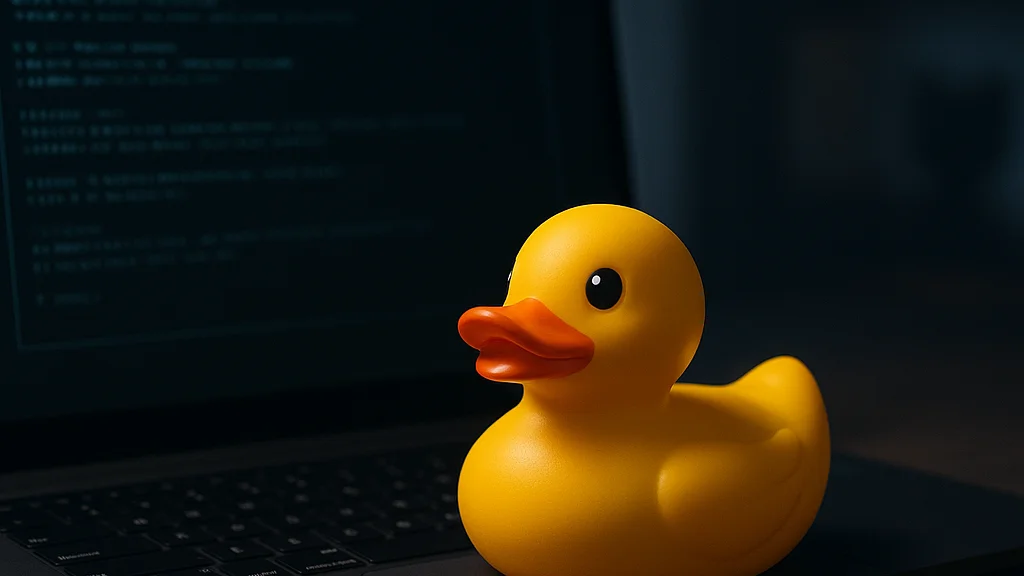

A terminal window is a brutal place to hide weak reasoning. There is no polished slide deck, no friendly UI, no project manager translating the problem into softer language. You type a command, the system answers, and if your assumptions are wrong the output exposes you quickly. That is why GitHub Copilot CLI’s new Rubber Duck review agent matters more than its playful name suggests. According to InfoWorld’s report on the feature, GitHub has added a review-oriented agent to Copilot CLI designed to help developers reason through code and decisions from inside the terminal. On the surface, that sounds like one more AI assistant. In practice, it changes where review happens, when it happens, and how much unfinished thinking gets caught before a pull request becomes team overhead.
The useful question is not whether the agent can explain code. Plenty of tools can do that now. The better question is how advanced users should work with it so it becomes a force multiplier rather than a slightly chatty autocomplete. That means thinking about prompt structure, review sequencing, shell history, repository context, trust boundaries, and the difference between “find me a bug” and “stress-test my assumptions.” If you have followed the broader coverage around this release, including WriteUpCafe’s own pieces on GitHub Copilot CLI Adds Rubber Duck Review Agent to Boost Developer Workflow and Why GitHub Copilot CLI’s Rubber Duck Agent Matters, the next step is moving from feature awareness to disciplined operating methods.
This is where advanced strategy comes in. A Rubber Duck agent is most valuable when it acts less like a magic answer engine and more like a structured reviewer that can interrogate your changes, expose hidden dependencies, and force explicit trade-offs. Used badly, it will produce plausible summaries. Used well, it can shorten feedback loops, reduce reviewer fatigue, and improve the quality of code before humans spend attention on it.
The terminal is no longer just where code gets executed. It is becoming where code gets questioned.
How GitHub got here: from autocomplete to terminal agents
GitHub Copilot began as a coding assistant closely associated with inline suggestions in editors, but the product line has been moving steadily toward broader agentic workflows. The terminal was the obvious next frontier because so much real engineering work happens there: running tests, diffing files, inspecting logs, managing containers, checking git state, and stitching together scripts that never appear in a product demo. By 2026, the conversation had shifted from “can AI write a function?” to “can AI participate in the workflow around the function?”
That context matters because the Rubber Duck review agent did not arrive in isolation. According to Visual Studio Magazine’s coverage of Copilot CLI reaching general availability, GitHub’s terminal ambitions are tied to agentic coding, not just command generation. General availability signaled that the company saw the terminal as a durable product surface, not an experiment. Then, as InfoQ reported on GitHub Copilot’s desktop app and parallel agentic workflows, GitHub was also expanding how developers coordinate multiple AI-assisted tasks at once. Put together, these developments suggest a clear strategy: AI should not live in one pane. It should travel with the developer across planning, coding, testing, and review.
The “rubber duck” framing is a nod to a long-standing engineering habit. Developers explain a problem out loud to an inanimate object, and the act of explanation reveals the flaw. GitHub’s contribution is to make that ritual interactive and context-aware. Instead of speaking into the void, you can ask an agent to inspect changes, challenge logic, and surface risks. That changes the economics of self-review. A developer no longer needs to wait for a teammate to ask the obvious question that should have been asked earlier.
There is also a cultural shift underneath this. Terminal-native AI tools reward developers who can think clearly in text. The strongest users are not necessarily the fastest typists. They are the ones who can frame a review request with precision, constrain the scope, and ask the model to test the reasoning behind a change rather than merely restate it.
What the Rubber Duck review agent actually changes
Most teams already have code review. Many also have static analysis, unit tests, and security scans. So why add another layer? Because those systems answer different questions. A linter tells you whether the code violates formatting or style rules. A test suite tells you whether expected behavior still passes. A security scanner looks for known classes of risk. A Rubber Duck review agent, by contrast, is strongest at interrogating intent. It can ask whether the implementation matches the stated goal, whether edge cases were ignored, whether naming hides complexity, and whether the diff is solving the right problem in the wrong place.
That makes it especially useful before code reaches another human. In many teams, the first pull request review is burdened by issues that the author could have caught alone: unclear commit messages, missing validation, duplicate logic, brittle assumptions about input shape, or side effects that are hard to test. A review agent inside the CLI creates a new checkpoint between “it runs on my machine” and “please spend your time on this.”
Advanced users should think of the agent as a reviewer with three strengths and three weaknesses.
- Strength 1: It can inspect and summarize local context quickly, especially diffs, files, and command outputs.
- Strength 2: It can generate adversarial questions faster than a tired human doing a late-night review.
- Strength 3: It is available at the exact moment uncertainty appears, which is often before a developer would open a browser-based review flow.
- Weakness 1: It can sound confident about partial understanding.
- Weakness 2: It may miss organization-specific conventions unless you supply them.
- Weakness 3: It does not own production consequences, so it cannot be the final authority.
The practical implication is simple: use the agent to widen your self-review, not to replace judgment. If you ask it, “Is this good?” you are inviting a vague answer. If you ask, “Review this diff for hidden state changes, backward compatibility risks, and test coverage gaps,” you are far more likely to get something operationally useful. That distinction is the whole game.
The best AI review prompt is not “approve my code.” It is “tell me where my reasoning is weak.”
WriteUpCafe’s analysis in GitHub Copilot CLI’s Rubber Duck Agent Reshapes Review and GitHub Copilot CLI’s Rubber Duck Agent Changes Code Review points to the same broader shift: review is moving left, closer to authorship, where it is cheaper to fix mistakes and easier to preserve flow.
Five advanced strategies that separate power users from dabblers
Here is the part most coverage skips. The feature itself is only half the story. The other half is how you structure your work around it. I have found that the strongest patterns are procedural, almost boring. That is good news, because boring systems scale.
- Run staged reviews, not one giant review. Ask the agent to review architecture before implementation details, then logic before style, then tests before documentation. This prevents shallow summaries and gets better signal from each pass.
- Attach explicit constraints. Tell the agent the language version, performance budget, API compatibility requirements, or security posture you care about. Otherwise it fills gaps with generic advice.
- Use “assumption audits.” Prompt the agent to list every assumption the code makes about inputs, environment variables, network conditions, file system state, and user behavior. This is one of the fastest ways to uncover fragility.
- Force counterarguments. After a positive review, ask for the strongest case against the current implementation. This reduces the risk of AI politeness masquerading as rigor.
- Convert review output into checklists. Do not leave the agent’s feedback as prose. Turn it into concrete items: add timeout handling, write a regression test, rename a misleading function, document migration impact.
There is a reason these strategies work. Large language models respond strongly to structure. A terminal environment can encourage that discipline because commands, diffs, and outputs are already segmented. Instead of chatting loosely, you can build a repeatable review pipeline around the agent.
One effective pattern is the “three-pass loop.” First, ask for a plain-English explanation of what changed and why. Second, ask for failure modes and production risks. Third, ask what evidence is missing to justify approval. The first pass checks comprehension, the second checks resilience, and the third checks epistemic humility. If the agent cannot articulate what proof would be needed, that is a warning sign in itself.
Another advanced move is to review the absence of change. For example, if you modify database write logic but leave retry behavior untouched, ask the agent whether unchanged files or scripts should also have been updated. This catches a common blind spot: engineers often review only the diff, while production incidents emerge from untouched dependencies and assumptions around the diff.
Finally, power users treat prompts as reusable assets. Save your strongest review prompts in a notes app, internal wiki, or shell snippets library. My own bias, shaped by too many personal projects and a few excellent mentors, is to turn any prompt that catches a real bug into a template. If it worked once, it should not live only in memory.
Practical workflows for teams using Copilot CLI in 2026
By mid-2026, the broader GitHub product direction made one thing clear: AI assistance is becoming multi-surface and increasingly parallel. InfoQ’s reporting on the desktop app’s parallel agentic workflows is relevant here because it hints at how teams may split responsibilities across tools. A developer might use a desktop agent for broader task orchestration, an editor assistant for code generation, and Copilot CLI’s Rubber Duck agent for terminal-native review and verification. The strategic opportunity is not choosing one surface. It is assigning each surface a job it is good at.
For teams, that means defining where Rubber Duck fits in the software delivery chain. The strongest placement is usually before pull request creation and again before merge on high-risk changes. Early use catches author mistakes when fixes are cheap. Later use can act as a final diff-focused challenge, especially after a branch has absorbed review comments and rebases.
A sensible 2026 team workflow often looks like this:
- Developer writes or modifies code locally.
- Copilot CLI Rubber Duck reviews the staged diff for logic gaps, edge cases, and missing tests.
- Developer resolves issues and reruns targeted tests.
- Human pull request review focuses on architecture, business logic, and team conventions rather than obvious omissions.
- Before merge, the author or reviewer runs one more Rubber Duck pass on the final diff to catch regressions introduced during revisions.
This matters because reviewer attention is expensive. In many organisations, senior engineers are overloaded not by hard architectural questions but by preventable review noise. If Rubber Duck strips out the noise, human reviewers can spend their energy where it counts.
There is also a training effect. Junior developers who use a review agent consistently can internalise better habits faster, provided the team teaches them how to challenge the model rather than obey it. That is a subtle but important distinction. AI-assisted review should not create passive coders waiting for approval. It should create more self-critical ones.
According to Visual Studio Magazine, GitHub has been explicit about bringing agentic coding to the terminal. The phrase sounds abstract until you see the workflow consequence: the terminal is no longer just execution infrastructure. It becomes a conversational checkpoint where intent, implementation, and validation meet.
Where the risks are: trust, compliance, and false confidence
Every AI review tool carries a credibility hazard. When the output is articulate, teams can mistake fluency for correctness. That danger is sharper in code review because the setting already feels technical and authoritative. A model that comments on race conditions, memory usage, or API contracts in polished language can create a false sense of assurance even when it has only partial context.
The first risk is over-delegation. If developers start treating the agent as a gatekeeper rather than an advisor, the team can lose important human habits: reading diffs carefully, tracing data flow manually, and asking whether the right problem was solved. The second risk is context leakage. Terminal tools can touch sensitive repositories, environment details, logs, and operational scripts. Organisations need clear policies about where the agent is allowed, what data it can inspect, and which repositories require stricter review paths. The third risk is standard drift. If the model gives generic best practices while your team relies on very specific conventions, AI feedback can subtly pull code away from internal norms.
That is why advanced adoption needs governance, not just enthusiasm. I would frame it in four controls:
- Scope control: define which repositories and file types are appropriate for agent review.
- Prompt control: standardise a core set of review prompts aligned with your engineering standards.
- Evidence control: require tests, benchmarks, or logs for claims the agent makes about behavior.
- Escalation control: mandate human review for security-sensitive, customer-impacting, or schema-changing work.
According to InfoWorld’s coverage, the new agent is positioned as a review aid. Teams should preserve that framing. Aids are valuable. Authorities are dangerous when they cannot truly own outcomes.
One more point deserves attention: AI review can create a local optimum. Code gets cleaner, comments get sharper, and pull requests look more polished. Yet the system can still fail if teams optimise for review aesthetics over production evidence. The answer is to tie agent feedback to measurable engineering outcomes such as fewer review cycles, faster time to merge, lower rollback rates, or better test coverage on changed files. If those numbers do not improve, the workflow may only be producing nicer prose.
What smart teams should watch next
The most interesting part of GitHub Copilot CLI’s Rubber Duck review agent is not the current feature list. It is the direction of travel. GitHub’s 2026 moves across the CLI and desktop app suggest a future where agents do not simply answer questions one at a time. They coordinate work, maintain context across surfaces, and participate in parallel review loops. That could make software development faster, but it also raises the bar for process design. Teams will need to decide which decisions can be accelerated and which must remain deliberately slow.
I would watch five developments closely over the next product cycle. First, tighter integration between local terminal review and repository-level workflows could make pre-PR checks much more structured. Second, richer awareness of diffs, tests, and issue context may improve the quality of review questions. Third, enterprise controls around auditability and policy enforcement are likely to become more important as adoption spreads. Fourth, prompt templating and team-shared review playbooks may become a real competitive advantage. Fifth, the boundary between “review agent” and “implementation agent” may blur, which will force teams to separate helpful automation from risky autonomy.
For individual developers, the takeaway is practical rather than philosophical. Start small, but start with discipline. Use the agent on one class of work first, such as refactors, API changes, or test additions. Measure whether it catches issues you used to miss. Save the prompts that work. Ignore the ones that generate generic advice. Build a compact personal system.
If I were setting this up on a real team tomorrow, I would do it in three steps. 1. Choose two standard prompts: one for logic review and one for release risk. 2. Require authors to run them before opening a pull request on medium- and high-impact changes. 3. Review the results after a month using actual engineering metrics, not anecdotes. That is plain, maybe a bit unglamorous, but it is how useful tooling becomes durable practice.
The terminal has always rewarded clarity. GitHub Copilot CLI’s Rubber Duck review agent extends that rule into the AI era. Developers who treat it as a structured critic, not a rubber stamp, will get the most from it. Everyone else may only get better-formatted uncertainty.





















Sign in to leave a comment.