
Integrating CMMS and ERP systems has traditionally been one of the most difficult parts of enterprise operations modernization.
Most organizations quickly discover that their systems:
- Use different field structures
- Store data differently
- Apply unique naming conventions
- Handle workflows independently
- Operate on separate business logic
As a result, connecting maintenance operations with finance, procurement, inventory, and asset management workflows often becomes expensive, time-consuming, and difficult to maintain.
This is where ConnectorHub.ai differentiates itself.
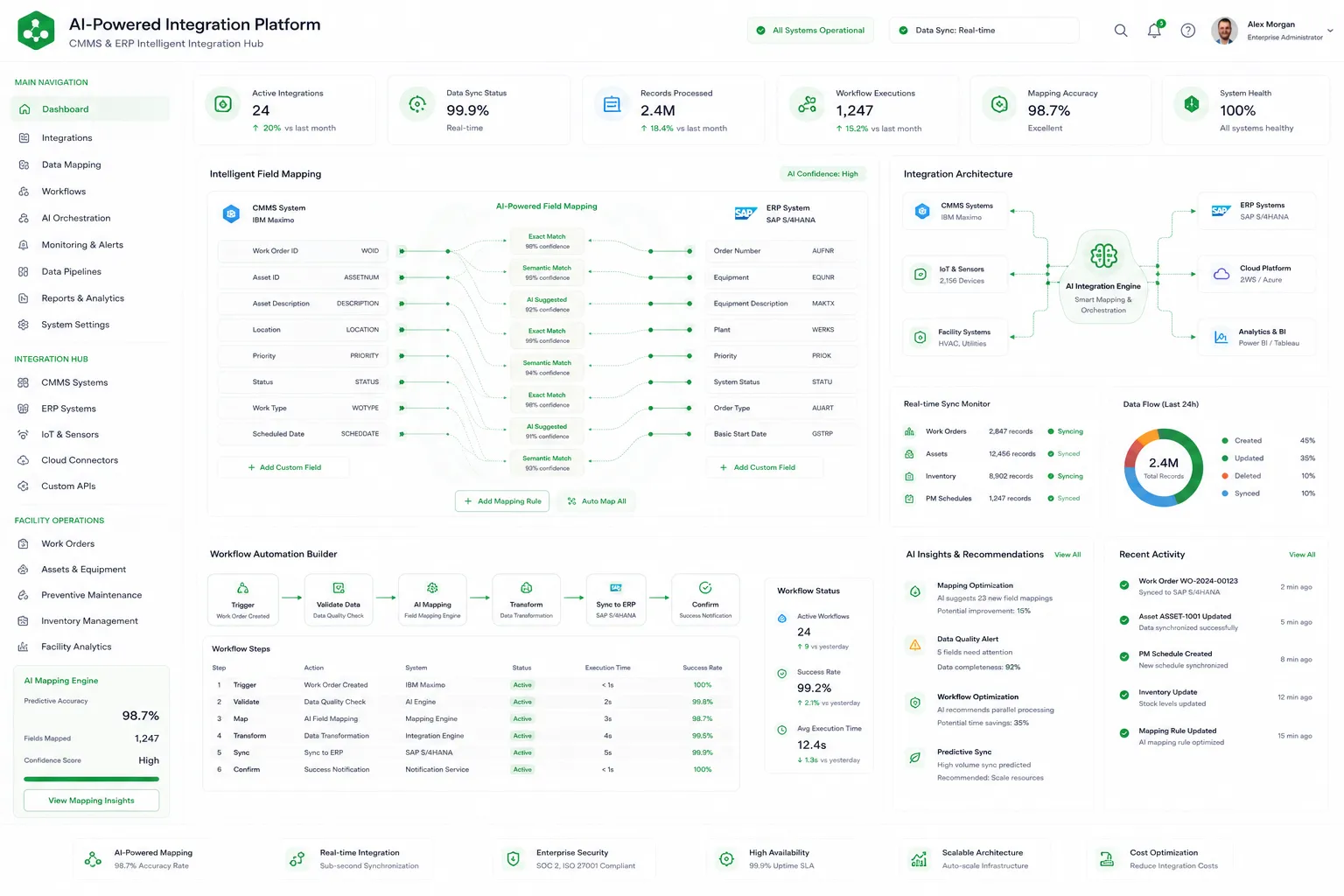
ConnectorHub uses AI-powered mapping, pre-built connectors, and a no-code workflow builder to simplify CMMS ERP integration and reduce the complexity of synchronizing operational and financial systems.
Instead of forcing organizations to manually engineer every integration rule, ConnectorHub automates much of the data mapping, transformation, and workflow orchestration process through intelligent enterprise integration architecture.
Why CMMS and ERP Systems Are Difficult to Synchronize?
CMMS and ERP platforms were designed for different operational purposes.
A CMMS platform typically manages:
- Work orders
- Asset maintenance
- Preventive maintenance schedules
- Technician workflows
- Service histories
- Equipment tracking
An ERP platform manages:
- Procurement
- Inventory
- Financial operations
- Vendor management
- Accounting
- Budgeting
Although both systems share operational data, they often structure information differently.
For example:
| CMMS Data | ERP Equivalent |
|---|---|
| Work Order ID | Service Transaction |
| Asset Number | Equipment Record |
| Technician Hours | Labor Cost Entry |
| Vendor Assignment | Supplier Workflow |
| Completion Status | Financial Approval State |
Without intelligent mapping, organizations must manually configure how every field moves between systems.
This is where integration complexity grows rapidly.
Industry analysis consistently identifies schema inconsistencies, workflow gaps, and data synchronization challenges as major barriers in CMMS ERP integration projects.
What Is AI-Powered Mapping?
AI-powered mapping uses intelligent automation to identify, align, and synchronize related data fields between disconnected enterprise systems.
Instead of manually defining every relationship between CMMS and ERP schemas, ConnectorHub’s AI-assisted integration engine helps:
- Detect matching fields
- Suggest mapping relationships
- Normalize inconsistent data
- Identify anomalies
- Recommend synchronization logic
- Optimize transformation rules
ConnectorHub specifically describes its AI-powered mapping as supporting intelligent field mapping and anomaly detection across operational workflows.
This dramatically reduces implementation effort and improves integration reliability.
How ConnectorHub’s AI-Powered Mapping Works?
ConnectorHub’s mapping engine combines:
- API orchestration
- Schema discovery
- AI-assisted field recognition
- Workflow automation
- Real-time synchronization
to simplify enterprise integrations. The process generally works in several stages.
1. ConnectorHub Connects to Both Systems
The first step is establishing secure connectivity between your CMMS and ERP environments.
ConnectorHub supports:
- REST APIs
- SOAP APIs
- Webhooks
- File-based integrations
- Cloud applications
- Hybrid enterprise systems
The platform includes pre-built connectors for enterprise operational systems and facility management workflows.
Examples may include:
- IBM Maximo
- ServiceNow
- SAP
- Oracle ERP
- NetSuite
- Corrigo
- FMX
- Yardi
Once connected, ConnectorHub scans available schemas and operational objects automatically.
2. AI Identifies Matching Fields Automatically
After system discovery, ConnectorHub’s AI-powered mapping engine analyzes:
- Field names
- Data types
- Schema structures
- Operational patterns
- Historical mapping behavior
to identify likely relationships between systems.
For example:
- “Asset_ID” in CMMS
- “Equipment_Number” in ERP
may represent the same operational entity.
Instead of manually mapping every field, the platform recommends relationships automatically.
ConnectorHub specifically highlights AI-assisted mapping that suggests mappings and spots errors automatically.
This reduces:
- Engineering effort
- Configuration time
- Human error
- Integration maintenance complexity
3. Data Normalization and Transformation
Enterprise systems often format information differently.
Examples include:
- Date structures
- Currency formats
- Vendor IDs
- Asset hierarchies
- Status labels
- Unit measurements
ConnectorHub automatically applies transformation rules to normalize this data before synchronization.
For example:
- “Closed” in CMMS
- “Financially Approved” in ERP
can be standardized into a unified operational workflow state.
This improves:
- Reporting consistency
- Operational visibility
- Workflow reliability
ConnectorHub emphasizes normalized enterprise data models and structured workflow automation designed for CMMS ERP integration environments.
4. Workflow Automation Layer
ConnectorHub goes beyond simple data transfer.
The platform also applies workflow automation logic across enterprise systems.
Examples include:
- Automatically creating ERP procurement requests from CMMS work orders
- Triggering vendor workflows after maintenance completion
- Synchronizing billing updates in real time
- Routing SLA escalation workflows automatically
The no-code workflow builder allows teams to configure:
- Conditional logic
- Workflow triggers
- Event-driven automations
- Exception handling
- Retry workflows
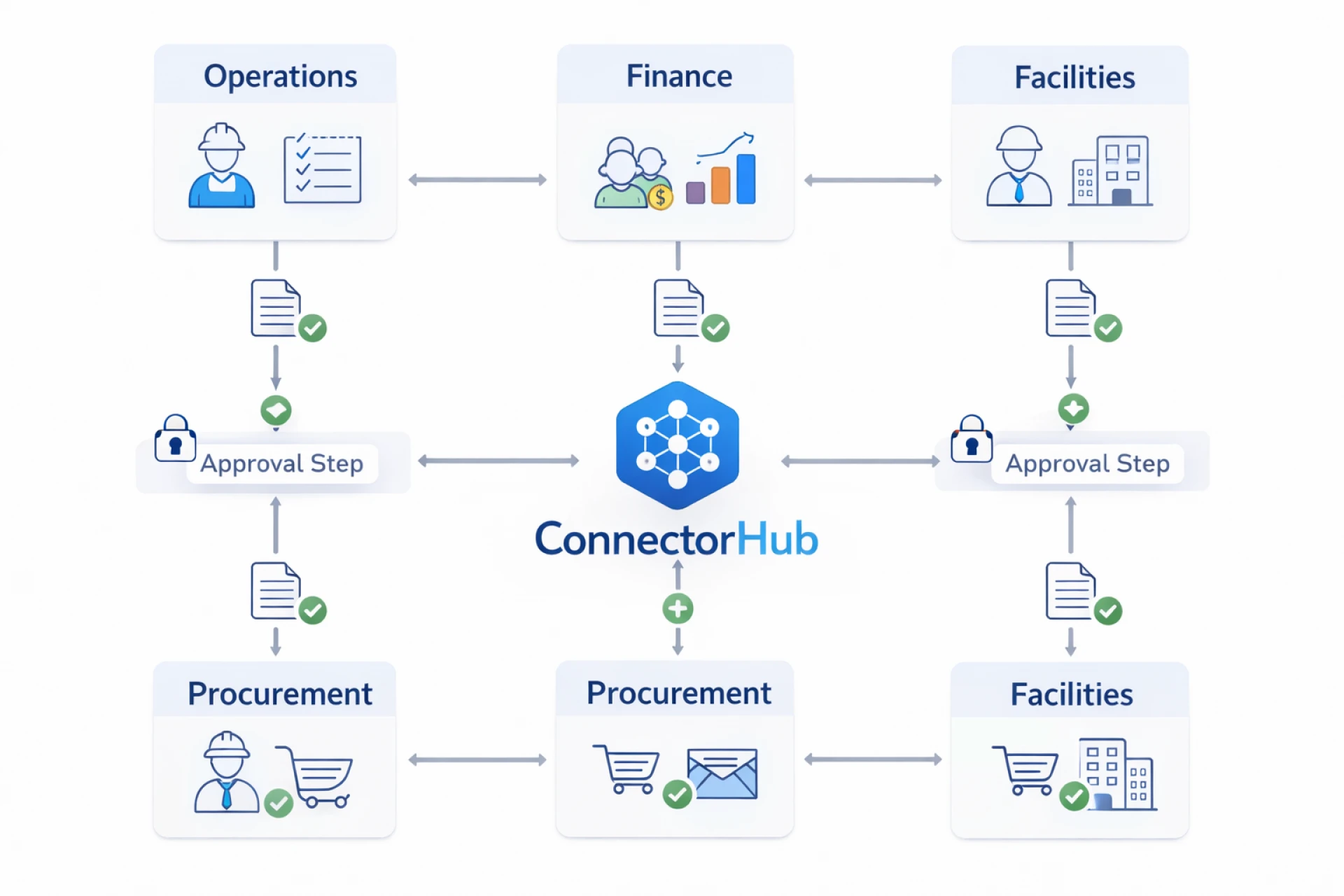
- Approval chains
without deep coding expertise.
ConnectorHub’s visual builder is specifically designed around enterprise systems such as ERP, CRM, and CMMS workflows rather than generic automation steps.
5. Real-Time Bidirectional Synchronization
ConnectorHub supports real-time bidirectional synchronization between systems.
This means:
- Updates in CMMS can instantly update ERP systems
- ERP changes can synchronize back into CMMS workflows
- Operational data remains current across environments
Examples include:
- Inventory changes updating maintenance schedules
- Procurement approvals syncing into work order workflows
- Vendor billing updates reflecting across platforms immediately
ConnectorHub specifically highlights real-time bidirectional synchronization between CMMS, ERP, CRM, and IoT systems.
This improves operational responsiveness significantly.
6. Monitoring, SLA Tracking, and Error Detection
One of the biggest integration risks is silent failure.
ConnectorHub includes:
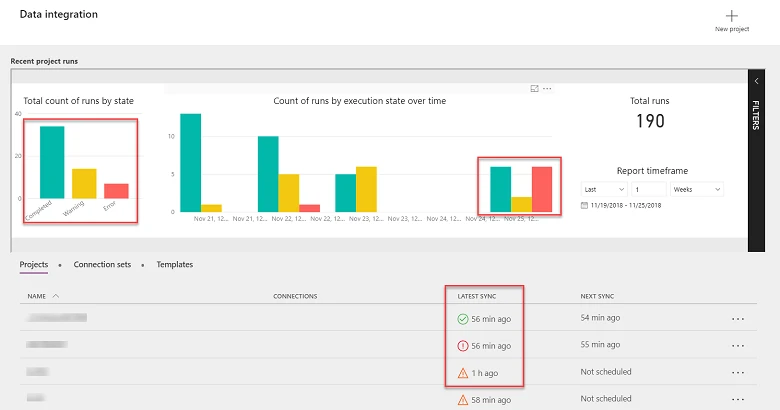
- Live monitoring dashboards
- SLA tracking
- Workflow analytics
- Error detection
- Alerting systems
- Audit logging
ConnectorHub specifically includes:
- Live performance tracking
- SLA alerts
- AI-powered anomaly detection
- Workflow monitoring dashboards
This helps organizations detect:
- Failed synchronizations
- Mapping conflicts
- Delayed workflows
- Data inconsistencies
before operational disruptions occur.
Why AI-Powered Mapping Matters for CMMS ERP Integration?
Traditional integration projects often require:
- Custom middleware
- Long implementation cycles
- Specialized developers
- Complex API engineering
- Ongoing maintenance
ConnectorHub’s AI-assisted approach reduces these barriers significantly.
Benefits include:
Faster Deployment
AI-assisted mapping reduces manual configuration time.
Reduced Engineering Dependency
Operations teams can manage workflows visually.
Improved Data Accuracy
Automated anomaly detection reduces synchronization errors.
Better Scalability
Organizations can onboard additional systems faster.
Lower Integration Costs
Reusable mappings reduce custom development effort.
Improved Operational Visibility
Real-time synchronization improves reporting accuracy.
Real-World Facility Management Example
ConnectorHub specifically supports facility management workflows involving:
- CMMS systems
- ERP platforms
- Vendor coordination
- SLA monitoring
- Asset management
- Billing workflows
The platform highlights workflows such as:
- Automated work order management
- Live maintenance reporting
- Service request automation
- Facility asset data integration
For example:
- A work order created in Corrigo can automatically:
- Update ERP procurement workflows
- Trigger vendor coordination
- Synchronize billing systems
- Update SLA dashboards
without manual data entry.
ConnectorHub reports outcomes such as:
- 90% fewer data-entry errors
- 35% higher SLA compliance
- 98%+ data synchronization accuracy
Why Cloud-Based Integration Platforms Matter?
Traditional on-premise middleware architectures often struggle with:
- Scalability
- Maintenance overhead
- Distributed SaaS environments
- Real-time orchestration
ConnectorHub operates as a cloud-based integration platform optimized for:
- Multi-system synchronization
- Enterprise workflow automation
- Operational visibility
- Multi-tenant environments
- Distributed enterprise ecosystems
This architecture simplifies long-term integration management.
Final Thoughts
ConnectorHub.ai simplifies CMMS ERP integration through:
- AI-powered mapping
- Intelligent field matching
- Pre-built connectors
- No-code workflow automation
- Real-time synchronization
- Enterprise workflow orchestration
Instead of relying heavily on manual middleware engineering, ConnectorHub helps organizations automate the synchronization of operational and financial systems with greater speed, flexibility, and visibility.
As enterprise environments become more connected across CMMS, ERP, IoT, and operational platforms, AI-assisted integration architecture will become increasingly important for scalable enterprise automation.
FAQs
What is AI-powered mapping in ConnectorHub?
AI-powered mapping uses intelligent automation to identify, align, and synchronize data fields between CMMS and ERP systems automatically.
How does ConnectorHub reduce manual integration work?
ConnectorHub uses AI-assisted field matching, pre-built connectors, and no-code workflows to reduce manual mapping and custom development effort.
Does ConnectorHub support real-time CMMS ERP synchronization?
Yes. ConnectorHub supports real-time bidirectional synchronization between CMMS, ERP, CRM, and operational systems.
Can non-technical teams manage integrations in ConnectorHub?
Yes. ConnectorHub includes a no-code workflow builder that allows business and operations teams to configure integrations visually.
What systems can ConnectorHub integrate with?
ConnectorHub supports integrations with ERP systems, CMMS platforms, CRM applications, IoT environments, and operational software ecosystems.
























Sign in to leave a comment.