
In enterprise environments—especially those running real estate workflow automation or tenant experience workflow integration—integration failures are not rare exceptions. They are expected realities. APIs timeout. ERP systems reject payloads. CRM schemas change. Network calls fail.
The difference between a fragile system and a resilient one lies in how the iPaaS platform handles failure.
Modern iPaaS integration tools are designed with fault tolerance and automated recovery mechanisms built directly into workflow execution. Below is a detailed breakdown of how they manage error recovery and retries in real-world enterprise environments.
1. Error Classification: Not All Failures Are Equal
The first step in intelligent recovery is error classification.
Modern iPaaS platforms categorize errors into types such as:
Transient Errors
- API timeouts
- Temporary network issues
- Rate limiting
- Service unavailability
These are recoverable with retries.
Structural Errors
- Invalid data formats
- Missing required fields
- Business rule violations
- Authentication failures
These require correction, not blind retry.
Effective platforms distinguish between these categories automatically.
2. Automatic Retry Mechanisms
For transient failures, modern platforms implement structured retry logic.
Common strategies include:
Exponential Backoff
Retries are spaced out progressively:
- 10 seconds
- 30 seconds
- 2 minutes
- 5 minutes
This prevents API flooding and respects rate limits.
Configurable Retry Policies
Workflows can define:
- Maximum retry attempts
- Retry intervals
- Error-specific retry rules
For example:
- Retry on HTTP 429 (rate limit)
- Do not retry on HTTP 400 (validation error)
This ensures intelligent, targeted recovery.
3. Idempotent Processing
Retries can create duplicates if not handled carefully.
Modern iPaaS platforms support:
- Idempotency keys
- Transaction IDs
- Duplicate detection logic
This ensures that even if a workflow retries multiple times, only one successful record is created in the downstream system.
This is critical in:
- Billing workflows
- Lease agreement processing
- Work order creation
Especially within tenant experience workflow integration, where duplicate actions can impact customer trust.
4. Dead-Letter Queues (DLQ)
When a workflow repeatedly fails and cannot recover automatically, it is routed to a dead-letter queue.
This allows:
- Isolation of failed transactions
- Manual review and correction
- Controlled reprocessing
Rather than crashing entire pipelines, only the problematic transactions are quarantined.
5. Step-Level Recovery (Granular Restart)
In complex workflows—such as those used in real estate workflow automation—processes may span multiple systems.
Modern iPaaS platforms support:
- Step-level checkpoints
- Resume-from-failure capability
- Partial workflow replay
Example:
- CRM update succeeds
- ERP posting fails
- Platform retries only ERP step—not entire workflow
This reduces unnecessary duplication and improves performance.
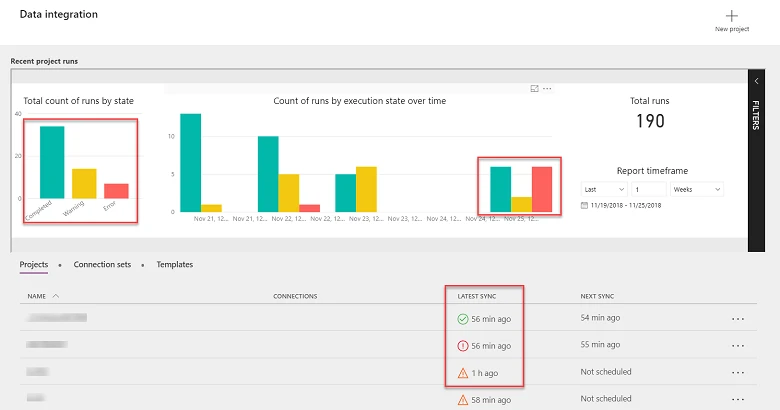
6. Transaction Logging & Observability
Automatic retry is only effective if visibility exists.
Modern platforms provide:
- Real-time execution dashboards
- Failure logs with full payload context
- Retry history tracking
- Alerting and SLA breach notifications
This is especially important in tenant-facing operations where downtime or delays must be minimized.
7. Circuit Breaker Patterns
Some advanced iPaaS platforms implement circuit breaker logic:
- If downstream system repeatedly fails
- Platform temporarily halts calls
- Waits for stabilization
- Resumes automatically
This prevents cascading system overload.
For example:
If an ERP system in a real estate portfolio goes down, the integration layer pauses instead of overwhelming it with retries.
8. Conditional Branching for Intelligent Recovery
Rather than simply retrying, platforms can reroute workflows.
Example:
If invoice posting fails due to cost center mismatch:
- Route transaction to exception handling workflow
- Notify finance team
- Hold invoice creation
- Resume automatically after correction
This blends automation with human oversight.
9. SLA-Aware Retry Prioritization
In real estate and tenant experience workflows, not all transactions are equal.
Modern platforms can prioritize retries based on:
- SLA urgency
- Customer tier
- Revenue impact
- Lease criticality
High-priority tenant issues are retried immediately. Low-impact updates may wait.
This aligns technical retry logic with business impact.
10. Multi-Tenant Error Isolation
For SaaS providers managing multiple properties or clients:
- Errors in one tenant’s workflow should not affect others
- Retry logic must be tenant-scoped
- Monitoring must be tenant-aware
Modern iPaaS integration platforms isolate execution environments to prevent cross-tenant disruption.
11. Self-Healing Workflows
The most advanced platforms combine:
- Automatic retries
- Anomaly detection
- Adaptive timing
- Predictive failure analysis
This creates self-healing workflows that:
- Detect degradation early
- Adjust retry patterns dynamically
- Minimize human intervention
Example: Tenant Experience Workflow Failure Scenario
- Tenant submits service request
- Work order created in CMMS
- Cost posting to ERP fails due to temporary outage
- Platform retries with exponential backoff
- ERP recovers
- Posting succeeds
- Tenant notified
No manual intervention required. No duplicate work order created.
Why This Matters for Real Estate Workflow Automation
Real estate environments often involve:
- Lease management systems
- CMMS
- Accounting/ERP
- Tenant portals
- IoT alerts
Workflow interruptions can cause:
- Billing delays
- SLA breaches
- Tenant dissatisfaction
- Financial reporting errors
Robust retry and recovery mechanisms prevent minor API disruptions from becoming operational crises.
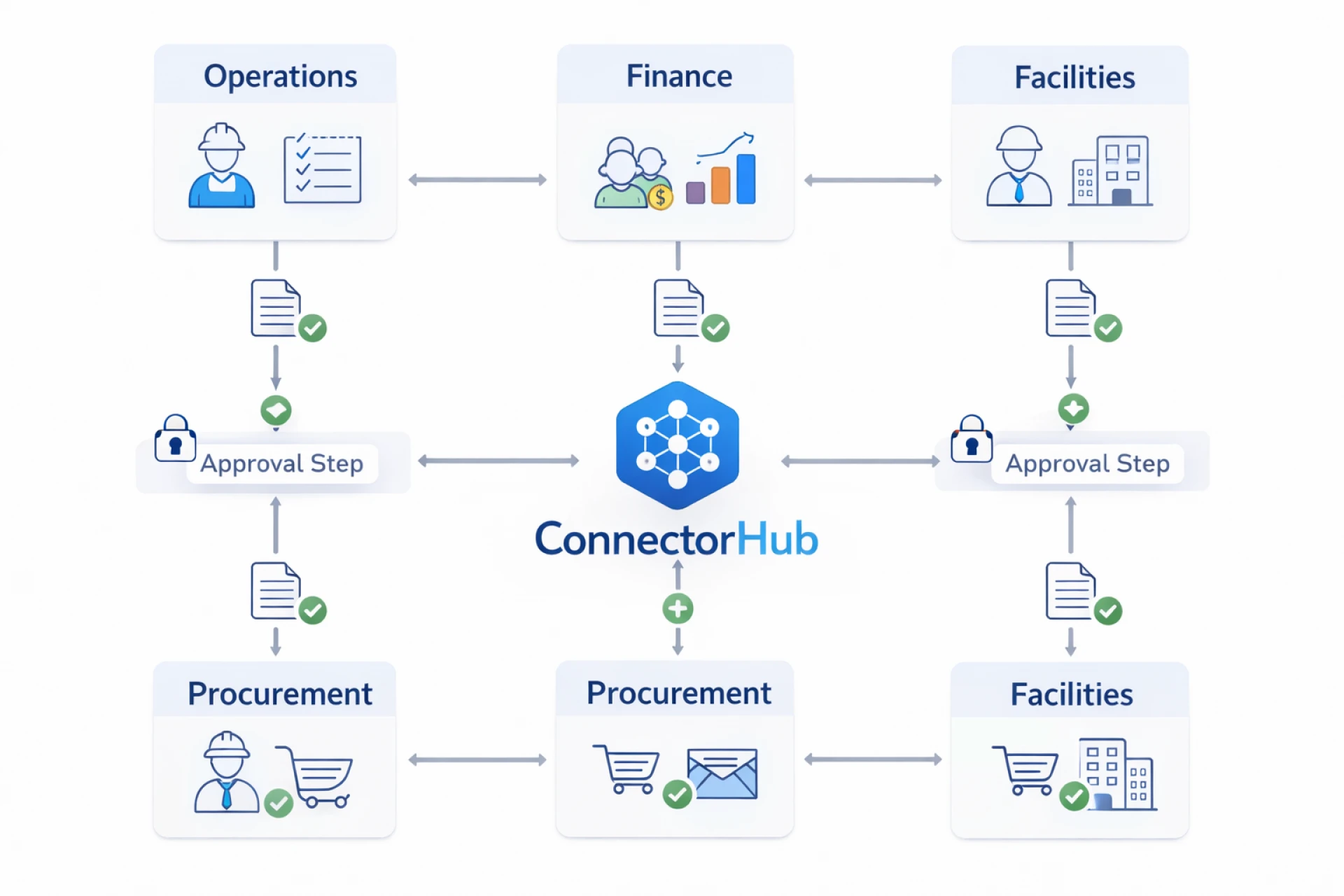
Where ConnectorHub Fits
Platforms like ConnectorHub embed:
- Intelligent retry logic
- Step-level recovery
- SLA-aware prioritization
- Observability dashboards
- Tenant-level isolation
This ensures resilient iPaaS integration across complex real estate and tenant experience ecosystems.
Final Takeaway
Modern iPaaS platforms handle error recovery and automatic retry through:
- Error classification (transient vs structural)
- Exponential backoff strategies
- Idempotent transaction handling
- Dead-letter queues
- Step-level checkpoint recovery
- SLA-aware prioritization
- Circuit breaker logic
- Comprehensive monitoring
In environments requiring real estate workflow automation and tenant experience workflow integration, these mechanisms transform integration from fragile pipelines into resilient, self-healing operational systems.
Because in enterprise integration, failure isn’t the problem—poor recovery is.




























Sign in to leave a comment.