

Android app development services help businesses design, build, launch, and maintain mobile applications for Android smartphones, tablets, wearables, televisions, and other connected devices. Because Android serves users across a wide range of markets, devices, price points, and network conditions, a successful app requires more than attractive screens. It needs a reliable technical foundation, intuitive user experience, strong performance, robust security, and a release strategy aligned with business goals.
Whether you are launching a new digital product, modernizing an existing app, or extending a web platform into mobile, the right development partner can reduce technical risk and speed up delivery. Professional Android development teams combine product strategy, interface design, software engineering, quality assurance, deployment support, and long term maintenance in one structured process.

What Android app development services include
Android app development services cover the complete lifecycle of a mobile application. The work commonly begins with discovery sessions that define the target audience, core user problems, business objectives, required features, and success metrics. Developers and product specialists then translate these findings into a technical plan, delivery roadmap, and prioritized product backlog.
A full service provider may support the following areas:
- Product discovery and requirements analysis
- Android user experience and user interface design
- Native Android application development
- Cross platform mobile development
- Backend and API development
- Third party service and enterprise system integration
- Quality assurance and device testing
- Google Play Store release support
- Analytics, monitoring, and ongoing maintenance
The exact scope depends on the product. An ecommerce app may require payment processing, inventory synchronization, personalized recommendations, and shipment tracking. A healthcare app may need appointment scheduling, secure messaging, identity verification, and strict data controls. A logistics application could depend on GPS, offline workflows, barcode scanning, and real time status updates.
Why businesses invest in Android app development
Android has a broad global reach and supports a diverse device ecosystem. This makes it an important channel for companies that want to serve customers in multiple regions, provide employees with mobile tools, or create new revenue opportunities. A well designed Android app can make services more accessible, improve customer engagement, and provide a direct communication channel that websites alone cannot offer.
Mobile applications can also use device capabilities such as push notifications, cameras, biometric authentication, geolocation, Bluetooth, and background synchronization. These features enable experiences that are faster and more contextual than a conventional browser journey. For example, a financial app can notify a customer about account activity, while a field service app can help technicians update work orders from the job site.
Android applications also generate useful behavioral data when analytics are implemented responsibly. Businesses can identify where users abandon a process, which features create value, and how performance varies across devices or regions. These insights support evidence based product improvements rather than decisions based only on assumptions.
Native Android development versus cross platform development
Native Android development uses technologies and tools designed specifically for the Android platform. Kotlin is widely used for modern Android applications, while Java remains relevant in many existing codebases. Native development provides direct access to Android APIs, strong performance, detailed platform integration, and flexibility for advanced features such as background services, custom animations, camera workflows, and Bluetooth communication.
Cross platform development allows teams to create applications for Android and other platforms from a shared codebase. Frameworks such as Flutter and React Native can reduce duplicated development work and help organizations launch on multiple platforms with a consistent product experience. This approach can be effective when the app has common functionality across operating systems and the team wants to optimize development resources.
The best choice depends on the product, timeline, budget, team capabilities, and technical requirements. Native development may be preferable for applications that depend heavily on Android specific functions or demanding performance. Cross platform development may suit a business that needs a unified experience across Android and iOS with a smaller engineering team. An experienced provider should explain the tradeoffs instead of recommending one approach for every project.
The Android app development process
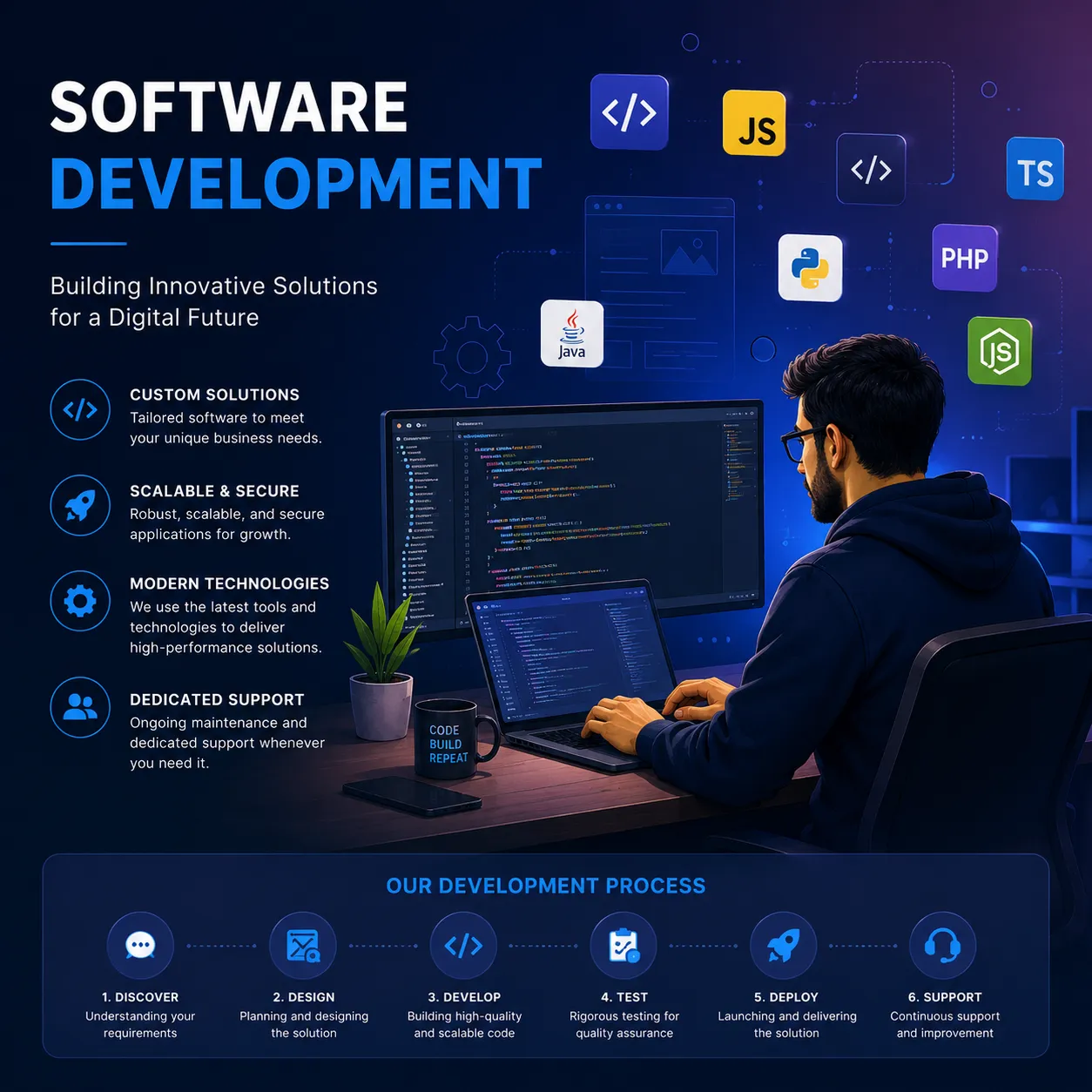
A structured process helps control scope, improve quality, and keep stakeholders informed. The first stage is discovery and planning. During this stage, the development team studies the market, identifies user journeys, reviews competing products, evaluates technical dependencies, and defines a minimum viable product. The result should be a clear specification that distinguishes essential features from later enhancements.
The next stage is product design. Designers create information architecture, wireframes, visual concepts, and interactive prototypes. These materials help stakeholders review the experience before significant engineering work begins. Good Android design considers accessibility, readable typography, touch targets, navigation patterns, different screen sizes, and the expectations established by the Android platform.
Development then proceeds in planned iterations. Engineers build the app interface, business logic, data services, integrations, and administrative tools. Agile delivery is common because it allows the team to demonstrate progress, gather feedback, and adjust priorities. Automated testing, code reviews, version control, and continuous integration should be used throughout development rather than left until the end.
Testing evaluates both the app and the overall user experience. Quality assurance teams check functionality, performance, security, compatibility, usability, localization, and behavior under poor connectivity. Android testing must account for differences in screen sizes, operating system versions, hardware capabilities, manufacturer customizations, and memory constraints.
After approval, the team prepares the application for Google Play distribution. This may include configuring the application bundle, store listing, screenshots, content rating, privacy disclosures, permissions, and release settings. Post launch work includes monitoring crashes, reviewing analytics, responding to user feedback, publishing updates, and keeping dependencies compatible with new Android versions.
Features commonly built into Android applications
Android apps can support a wide range of business and customer functions. Common features include account registration, social sign in, profile management, search, filtering, secure payments, order tracking, messaging, booking, document upload, subscriptions, and push notifications. The appropriate feature set should be guided by user needs and measurable business outcomes rather than by a desire to include every available capability.
Many applications require integrations with external systems. These may include customer relationship management platforms, enterprise resource planning software, payment gateways, cloud storage, marketing automation tools, maps, identity providers, analytics platforms, and customer support systems. Reliable integrations need clear data ownership, error handling, authentication controls, monitoring, and a plan for API changes.
Offline functionality is especially valuable in markets with inconsistent connectivity or for workers operating in the field. An offline capable app can store selected data locally, allow users to complete key tasks, and synchronize changes when a connection returns. This functionality must be designed carefully to handle conflicts, stale information, failed uploads, and privacy risks.
Security and privacy considerations
Security should be part of Android app development from the beginning. Important practices include encrypted data transmission, secure authentication, protected storage of sensitive information, careful permission management, input validation, dependency monitoring, and appropriate session controls. Teams should also minimize the data they collect and retain, since unnecessary data increases both security exposure and compliance obligations.
Privacy requirements differ by industry and location. Global products may need to address regulations such as the General Data Protection Regulation, the California Consumer Privacy Act, or sector specific rules for financial and health information. A development partner can help identify technical controls, consent requirements, retention policies, and documentation needs, but legal advice may also be necessary for regulated products.
Security testing should continue after launch. Vulnerability scans, penetration testing, dependency updates, access reviews, crash monitoring, and incident response planning help reduce ongoing risk. The application should also be designed to avoid exposing sensitive information through logs, screenshots, backups, notifications, or insecure debug configurations.
How to choose an Android development partner
Selecting a provider involves more than comparing hourly rates. Review the company’s experience with products similar to yours, preferred technologies, development methodology, communication process, testing standards, and post launch support. Ask to see relevant case studies and request details about the team members who would actually work on the project.
A strong partner should be able to explain how it handles changing requirements, technical risks, ownership of source code, documentation, intellectual property, security, and knowledge transfer. The proposal should describe deliverables, milestones, assumptions, dependencies, acceptance criteria, and payment terms. Vague promises about fast delivery or guaranteed success should be treated cautiously.
It is also important to assess collaboration. Your team should know who manages the project, how often progress is reported, which tools are used, and how decisions are recorded. Clear communication is particularly important when stakeholders and developers work across different countries or time zones. A transparent provider will make risks visible early and offer practical options for addressing them.
Cost and timeline factors
The cost of Android app development depends on product complexity, design requirements, backend work, integrations, security needs, testing scope, team location, and ongoing support. A simple application with a limited feature set may be delivered faster than a marketplace, banking platform, or enterprise workflow tool. However, reducing the initial budget by skipping architecture, testing, or security can create higher costs later.
Before development begins, separate one time build costs from recurring expenses. Recurring costs may include cloud hosting, third party software, analytics, customer support, security monitoring, maintenance, and future feature development. A realistic budget should also include time for stakeholder feedback, store review, bug fixes, and updates required by new operating system versions.
An MVP can help validate demand while limiting initial investment. It should still provide a complete and useful experience for a defined audience. The goal is not to release an unfinished app, but to focus resources on the smallest product that can generate meaningful user feedback and business evidence.
Building an app that creates long term value
Effective Android app development combines sound engineering with a clear understanding of users and commercial objectives. Before selecting technologies or requesting estimates, define the problem the app will solve, the audience it will serve, and the outcomes that will indicate success. This foundation helps teams make better decisions about scope, design, integrations, and launch priorities.
Choose a development partner that treats the application as an evolving product rather than a one time project. Ongoing analytics, user research, performance improvements, security updates, and feature refinement are essential for maintaining relevance. With the right strategy and delivery process, Android app development services can help organizations improve digital experiences, reach new customers, and build a dependable mobile channel for growth.























Sign in to leave a comment.