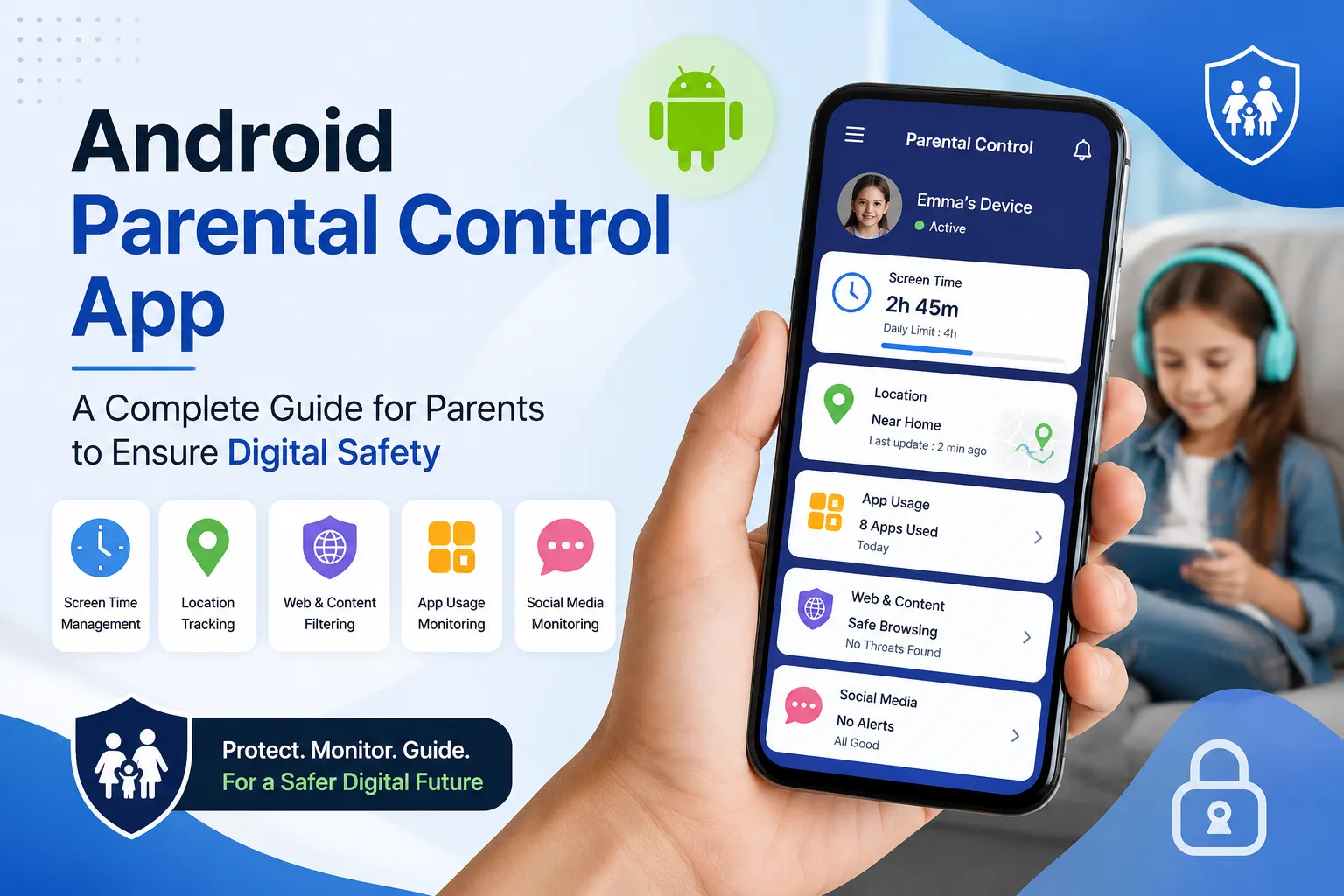

In today's digital world, smartphones have become an essential part of children's lives. From online learning and social media to gaming and entertainment, kids spend a significant amount of time on Android devices. While technology offers many benefits, it also exposes children to online threats such as cyberbullying, inappropriate content, online predators, and excessive screen time. This is where an Android Parental Control App becomes a valuable tool for modern parents.
This comprehensive guide explains everything parents need to know about Android parental control apps and how they can help create a safer digital environment for children.
What Is an Android Parental Control App?
An Android parental control app is a software solution designed to help parents monitor, manage, and protect their children's smartphone activities. These apps provide tools that allow parents to supervise online behavior, control screen time, track device location, and block harmful content.
The primary goal of parental control software is not to invade a child's privacy but to encourage responsible digital habits and ensure online safety.
Why Digital Safety Matters More Than Ever
Children today are exposed to the internet at a much younger age than previous generations. While the internet provides access to educational resources and communication opportunities, it also comes with risks that parents cannot ignore.
Some common online threats include:
- Exposure to inappropriate websites and content
- Cyberbullying through social media platforms
- Online scams and phishing attempts
- Communication with strangers
- Gaming addiction
- Excessive screen time
- Sharing personal information online
An Android parental control app helps parents proactively address these concerns before they become serious problems.
Key Features of an Android Parental Control App
1. Screen Time Management
One of the biggest concerns for parents is excessive smartphone usage. Parental control apps allow parents to:
- Set daily screen time limits
- Schedule device-free hours
- Restrict access during study time
- Encourage healthy digital habits
By controlling screen time, parents can help children maintain a balance between online and offline activities.
2. App Usage Monitoring
Children often spend hours using social media, gaming, and entertainment apps. A parental control app provides insights into:
- Most-used applications
- Time spent on each app
- New app installations
- App activity reports
This helps parents understand their child's digital behavior and make informed decisions.
3. Location Tracking
Safety extends beyond online activities. Many Android parental control apps include GPS tracking features that allow parents to:
- View real-time device location
- Check location history
- Receive geofence alerts
- Ensure children arrive safely at destinations
Location monitoring can provide peace of mind, especially for working parents.
4. Website Filtering
The internet contains content that may not be suitable for children. Website filtering tools help:
- Block adult websites
- Restrict harmful content
- Prevent accidental exposure
- Create a safer browsing experience
This feature is particularly important for younger children who may not recognize online dangers.
5. Social Media Monitoring
Social media platforms can expose children to cyberbullying, inappropriate conversations, and online predators. Monitoring tools can help parents:
- Identify risky interactions
- Detect suspicious behavior
- Monitor online communication
- Promote safer social media usage
Parents can stay informed while guiding their children toward responsible online engagement.
Benefits of Using an Android Parental Control App
Better Online Safety
Parents gain greater visibility into online activities, reducing the risk of exposure to harmful content and dangerous interactions.
Healthy Screen Habits
Screen time controls encourage children to spend more time on studies, hobbies, physical activities, and family interactions.
Improved Communication
Parental control apps often create opportunities for meaningful conversations about digital responsibility and online safety.
Peace of Mind
Knowing that a child is protected online and offline can significantly reduce parental stress and anxiety.
How to Choose the Best Android Parental Control App
Not all parental control solutions offer the same features. When selecting an app, consider the following factors:
Ease of Use
Choose an application with a simple and user-friendly interface.
Comprehensive Monitoring
Look for features such as screen time management, app monitoring, website filtering, and location tracking.
Data Security
Select a trusted solution that prioritizes user privacy and secure data handling.
Real-Time Alerts
Instant notifications can help parents respond quickly to potential risks.
Compatibility
Ensure the app works smoothly with your child's Android device and receives regular updates.
Best Practices for Parents
While parental control apps are powerful tools, they work best when combined with active parenting.
Talk Openly About Online Safety
Discuss internet risks and responsible online behavior with your children.
Set Clear Digital Rules
Establish guidelines regarding screen time, social media use, and online communication.
Encourage Transparency
Explain why monitoring tools are being used and how they help ensure safety.
Review Activity Regularly
Use reports and insights to understand your child's digital habits and provide guidance when needed.
Common Mistakes Parents Should Avoid
- Relying solely on technology without communication
- Using excessive monitoring without trust-building
- Ignoring updates and security settings
- Failing to educate children about online risks
- Not setting age-appropriate digital boundaries
Successful digital parenting combines technology, education, and trust.
The Future of Digital Parenting
As technology continues to evolve, online safety challenges will become more complex. Artificial intelligence, social media trends, and new digital platforms create both opportunities and risks for children.
Android parental control apps are becoming increasingly advanced, offering smarter monitoring, improved content filtering, and enhanced security features. Parents who embrace these tools can better prepare their children for a safe and responsible digital future.
Conclusion
An Android Parental Control App is an essential tool for parents who want to protect their children in today's connected world. From screen time management and location tracking to content filtering and app monitoring, these solutions help families create a safer digital environment.
While no app can replace parental involvement, the right parental control software can serve as a powerful partner in promoting healthy online habits and ensuring digital safety. By combining technology with open communication and guidance, parents can help children navigate the digital world confidently and responsibly.
Frequently Asked Questions
What is the purpose of an Android parental control app?
It helps parents monitor device usage, manage screen time, track location, and protect children from online risks.
Can parental control apps block inappropriate websites?
Yes, most parental control solutions include website filtering and content-blocking features.
Are parental control apps legal to use?
Yes, parents can use parental control software on devices owned or managed by their children, subject to local laws and transparency considerations.
Do parental control apps affect device performance?
Most modern parental control apps are optimized to run efficiently and have minimal impact on device performance.
How can parents encourage responsible smartphone use?
By combining parental controls with clear communication, digital education, and age-appropriate rules.


























Sign in to leave a comment.