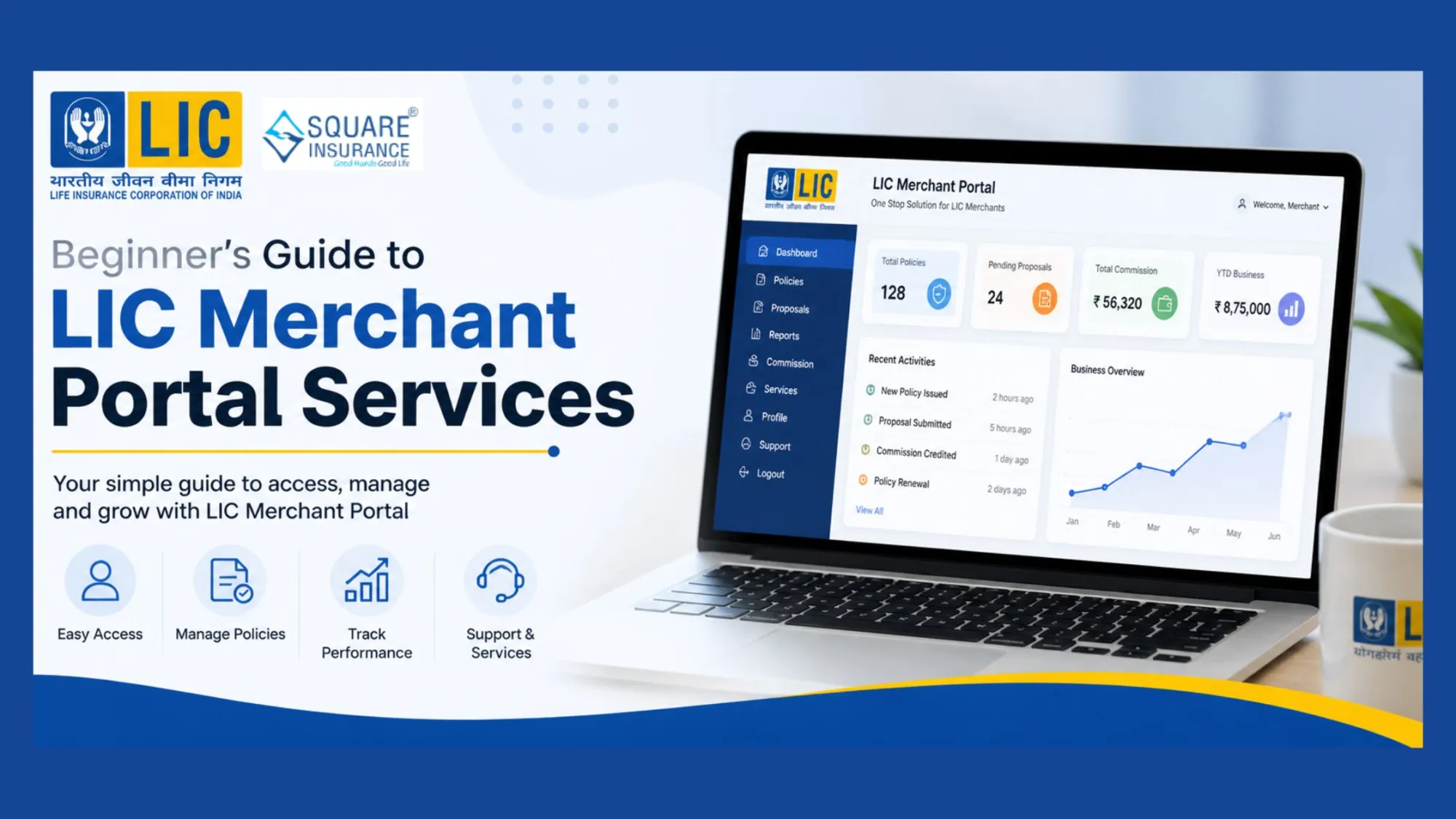

Starting something new can feel confusing at first, especially when it involves online systems and financial work. For beginners working with Life Insurance Corporation of India, the merchant portal is an important tool that helps manage daily tasks in a simple and organized way. Once you understand how it works, it becomes much easier to handle your responsibilities with confidence.
This guide will walk you through the basics of LIC merchant portal services in clear and easy language, so you can get started without any stress.
What is the LIC Merchant Portal?
The LIC merchant portal is an online platform designed for authorized users to carry out specific tasks related to policy services. Instead of depending on manual work, the portal allows you to complete most activities digitally.
It helps you:
- Collect premiums
- Check policy details
- Manage records
Everything is available in one place, which makes your work faster and more convenient.
How to Log In to the Portal
To begin using the merchant portal, you need to log in with your credentials. This usually includes a user ID and password.
Basic steps include:
- Enter your user ID correctly
- Type your password carefully
- Access the dashboard after login
It is important to keep your login details safe and avoid sharing them with others.
Understanding the Dashboard
Once you log in, the dashboard is the main screen where you will find all the important options. It is designed to be simple so that even beginners can use it without confusion.
On the dashboard, you may see:
- Quick access to services
- Recent activity details
- Notifications or updates
Take some time to explore the dashboard so you can become comfortable with it.
Premium Collection Made Easy
One of the main services of the merchant portal is premium collection. This allows you to collect payments from customers and update their policy status.
While collecting premiums, always:
- Enter the correct policy number
- Confirm the premium amount
- Review details before submission
Accuracy is very important to avoid errors in transactions.
Checking Policy Details
Customers often need help with their policy information. The portal makes it easy to access these details within seconds.
You can check:
- Policy status
- Due dates
- Basic policy information
Having quick access to this information improves your efficiency and helps you provide better service.
Generating Receipts and Keeping Records
After completing a transaction, generating a receipt is an important step. The merchant portal allows you to do this instantly.
Benefits of maintaining records include:
- Easy tracking of transactions
- Quick reference when needed
- Better organization
It is a good habit to save all receipts and keep your records updated.
Simple and User-Friendly Design
The LIC merchant portal is designed in a way that even beginners can use it comfortably. The layout is clear, and options are easy to understand.
You do not need advanced technical knowledge. With a little practice, you can perform tasks smoothly and confidently.
Importance of Accuracy in Work
Since the portal deals with financial information, accuracy is very important. Even a small mistake in entering details can create confusion.
To maintain accuracy:
- Double-check all entries
- Avoid rushing
- Focus on one task at a time
Careful work ensures smooth operations and reduces errors.
Common Mistakes to Avoid
Beginners may face a few common issues while using the portal. Knowing about these can help you prevent problems.
Some common mistakes include:
- Entering wrong policy numbers
- Selecting incorrect options
- Skipping important steps
Taking your time and reviewing your work can prevent these errors.
Tips for Smooth Usage
To make your work easier, follow these simple tips:
- Always log in using a stable internet connection
- Keep your login details secure
- Log out after completing your work
- Stay organized with your daily tasks
These small habits can improve your overall experience.
Handling Login or Technical Issues
Sometimes, you may face minor login or system issues. These are usually easy to fix.
You can try:
- Rechecking your login details
- Refreshing the page
- Restarting your browser
If the issue continues, waiting for some time and trying again often helps.
Building Confidence with Practice
At the beginning, using the merchant portal may feel new and slightly challenging. But with regular use, it becomes part of your routine.
Each day you will:
- Work faster
- Make fewer mistakes
- Feel more confident
Practice is the key to mastering the system.
Conclusion
The LIC merchant portal is a useful tool that simplifies daily work and improves efficiency. For beginners, understanding its basic features and following simple practices can make a big difference.
By staying organized, checking details carefully, and working with patience, you can use the portal effectively without confusion. Over time, it becomes easier to handle tasks like premium collection, policy checks, and record management.
With the right approach, the LIC merchant portal can help you perform your work smoothly and confidently, making your daily tasks more manageable and stress-free.























Sign in to leave a comment.