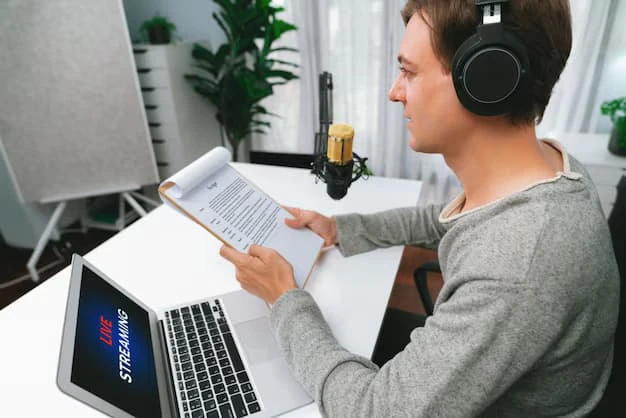

In today’s digital environment, spoken communication plays a major role in how information is shared. Meetings, lectures, interviews, podcasts, and training sessions produce valuable audio content every day. However, listening to long recordings repeatedly can be time consuming. This is why many individuals and organizations choose to convert audio to Microsoft Word with AI so that spoken information becomes easier to read, organize, and share.
Artificial intelligence has made the transcription process faster and more efficient than traditional manual typing. Instead of spending hours listening and writing, modern systems can analyze audio recordings and transform them into structured text documents within minutes. Converting audio into Microsoft Word documents allows users to manage information more effectively while improving productivity and accessibility.
Understanding AI Powered Audio Transcription
Artificial intelligence has significantly changed the way audio recordings are processed and converted into written text.
How AI Transforms Speech into Written Text
AI transcription technology works by analyzing audio signals and identifying speech patterns. Advanced speech recognition algorithms detect spoken words, interpret their meaning, and convert them into written text.
Once the spoken words are recognized, the system organizes the content into sentences and paragraphs. The final output can then be saved as a Microsoft Word document, making the content easy to edit, format, and store.
Why Microsoft Word Documents Are Preferred
Microsoft Word documents are widely used in professional, academic, and personal environments. They allow users to edit text easily, add comments, format sections, and share documents with others.
When audio recordings are converted directly into Word files, users can quickly review the content and make adjustments without needing additional formatting tools.
Saving Time and Effort in Documentation
One of the biggest advantages of using AI transcription is the time it saves when creating written documentation.
Faster Transcription of Audio Content
Manual transcription requires listening carefully to each word in a recording and typing it out. This process can take several hours for a single recording.
AI transcription tools can process audio files much faster. In many cases, a recording can be converted into a written document within minutes. This speed allows professionals to focus on analysis and decision making rather than time consuming typing tasks.
Reducing Repetitive Work
When spoken content is converted into text automatically, professionals no longer need to repeat the same manual process for every recording. This reduces workload and improves efficiency.
Employees, researchers, and content creators can spend their time reviewing transcripts instead of producing them from scratch.
Improving Accessibility and Information Sharing
Converting audio recordings into Word documents makes information easier to access and distribute.
Making Content Easy to Read and Review
Audio recordings require users to listen carefully and replay sections to capture specific information. Written transcripts allow readers to quickly scan the document and find important points.
This approach helps teams review meeting notes, interview responses, or training instructions without repeatedly listening to the original recording.
Supporting Inclusive Communication
Written transcripts also make content accessible to individuals who may have hearing difficulties. By providing both audio and text formats, organizations create more inclusive communication environments.
Students, employees, and team members benefit from having multiple ways to access important information.
Enhancing Organization and Record Keeping
Accurate documentation is essential for businesses and institutions that manage large amounts of information.
Creating Reliable Records of Conversations
Meetings and interviews often contain important discussions and decisions. When audio recordings are converted into Word documents, organizations can store clear records of these conversations.
Written documentation helps prevent misunderstandings and ensures that important details are not forgotten.
Organizing Information for Future Reference
Word documents allow users to categorize and store transcripts in folders or databases. These documents can later be searched, reviewed, or shared with team members.
Having organized transcripts makes it easier to manage large collections of audio content.
Supporting Content Creation and Publishing
Content creators frequently work with spoken material such as podcasts, interviews, and webinars.
Turning Audio into Written Content
Transcripts provide a strong foundation for written content creation. A recorded discussion can easily be transformed into a blog article, report, or educational material.
By converting audio into Word documents, creators can repurpose content for multiple platforms and reach wider audiences.
Simplifying the Editing Process
Editing audio recordings directly can be difficult because it requires repeated listening. With a transcript available in Word format, creators can quickly review the text and make necessary edits.
This simplifies the content development process and improves overall efficiency.
Supporting Education and Academic Work
Educational institutions benefit greatly from AI transcription technology.
Helping Students Review Lectures
Students often rely on recorded lectures to review important lessons. When lectures are converted into Word documents, students can read the material at their own pace.
Written transcripts allow them to highlight key concepts, take notes, and better understand complex topics.
Assisting Researchers with Interviews
Researchers frequently conduct interviews and discussions as part of their studies. Converting these recordings into written documents helps them analyze responses more effectively.
Text transcripts make it easier to compare answers, identify themes, and reference specific statements during research.
Increasing Accuracy with Advanced AI Systems
Artificial intelligence continues to improve the quality and reliability of transcription technology.
Learning from Speech Patterns
Modern AI systems are trained on large datasets that include various accents, speaking styles, and vocabulary patterns. This training allows them to recognize spoken words more accurately.
As the technology continues to learn from new data, transcription results become increasingly reliable.
Combining Automation with Human Editing
While AI transcription tools are powerful, reviewing the final transcript is still recommended. Minor corrections and formatting adjustments ensure that the text accurately represents the original conversation.
This combination of automated transcription and human review provides the best possible results.
Preparing Audio for Better Transcription Results
The quality of the original audio recording plays a major role in transcription accuracy.
Recording Clear and Balanced Audio
Using quality microphones and recording in quiet environments improves the clarity of speech. Clear recordings allow AI systems to identify words more effectively.
Reducing background noise during recording also helps improve transcription accuracy.
Speaking Clearly During Recordings
When speakers pronounce words clearly and maintain a steady pace, transcription systems can interpret speech more easily. Avoiding overlapping conversations also improves the quality of the final transcript.
These simple practices significantly enhance the performance of AI transcription systems.
The Growing Future of AI Transcription Technology
As artificial intelligence continues to evolve, transcription technology is becoming more powerful and efficient. Future systems may include better speaker recognition, improved understanding of context, and faster real time transcription.
These advancements will make it even easier to convert spoken content into organized documents that support communication and productivity.
Businesses, educators, and creators will continue to benefit from tools that transform audio into clear and structured written content.
Transforming Audio into Organized Documents
Managing spoken information can be challenging without proper documentation. Converting audio recordings into Microsoft Word documents allows individuals and organizations to review, organize, and share information more effectively.
AI powered transcription tools simplify this process by turning hours of spoken content into structured text within minutes. Those seeking a faster and more reliable solution for audio documentation can explore tools designed for this purpose. PrismaScribe provides an efficient way for users to convert audio recordings into clear Word documents, helping professionals, educators, and creators transform spoken information into valuable written content.

































Sign in to leave a comment.