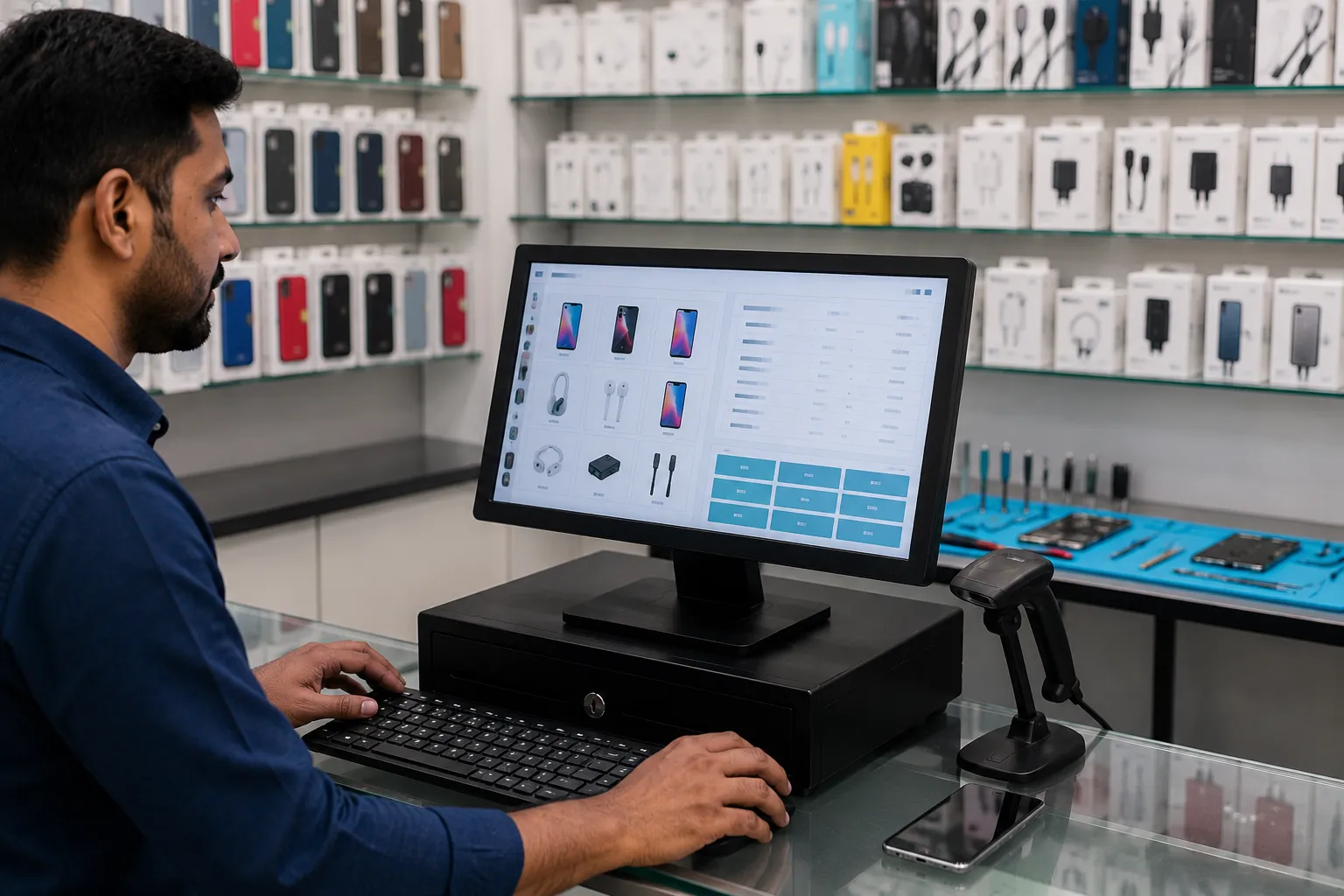

A mobile phone shop looks straightforward from the outside. Phones on display, accessories on shelves, a technician bench in the back. But spend a day behind the counter of a busy mobile retail and repair shop, and the operational complexity becomes immediately apparent.
You're selling new handsets where every unit has a unique IMEI number that needs to be captured and matched to the buyer. You're managing hundreds of accessory SKUs — cases, chargers, earphones, screen guards, power banks — across multiple brands, price points, and compatibility specifications. In the back, your repair technician is handling five to ten jobs simultaneously, each at a different stage: one phone waiting for parts, one with the screen under replacement, one job completed and ready for collection. A customer wants to pay for a handset in EMIs. Another customer is asking about the trade-in value of their old device.
Meanwhile, GST applies differently across these transaction types — handsets, accessories, and repair services all attract different tax rates. And your GSTR-1 filing is due at the end of the month, requiring organized records of every transaction.
Generic billing software handles perhaps one of these functions — basic invoicing. It has no concept of IMEI tracking, repair job cards, EMI billing, second-hand device handling, or service-specific GST rates. Managing all of these through a standard billing tool means maintaining four or five parallel manual systems alongside the software — which defeats its purpose.
This article explains the specific billing software features that mobile shops actually need, why each one matters operationally and for compliance, and what to look for when choosing a system that genuinely fits the way a mobile retail and repair business works.
Why Mobile Shops Need Specialized Billing Software
The IMEI Tracking Requirement
Every mobile handset has an IMEI (International Mobile Equipment Identity) number — a unique 15-digit identifier that distinguishes one physical unit from every other. In India, IMEI capture at the point of sale is both a business and regulatory requirement:
- Consumer protection: The IMEI on the sales invoice allows the buyer to register the device, make warranty claims, and report it stolen
- Theft deterrence and tracking: Organized IMEI records allow retailers and law enforcement to trace stolen devices through sale history
- GST compliance: Some GST audit processes cross-reference high-value handset sales with IMEI records
- Warranty and service: When a device is brought in for repair within warranty, the retailer must verify the IMEI against the original sales record
Generic billing software has no IMEI field. A mobile shop using standard billing must either maintain a separate IMEI register or ignore this requirement entirely — both of which create practical and compliance problems.
The Dual Revenue Stream Challenge
Most mobile shops operate across two distinct revenue streams simultaneously:
- Product sales: Handsets, accessories, memory cards, chargers, earphones, power banks, screen guards
- Service revenue: Screen replacement, battery replacement, water damage repair, software flash, SIM unlock, data recovery
Each stream has its own billing workflow, its own GST treatment, and its own inventory logic. Product sales require inventory deduction. Service revenue requires job card management, spare parts tracking, and technician time recording. A single billing system must handle both coherently — with one customer record, one ledger, and one reporting framework covering the entire business.
The Accessories Inventory Challenge
Mobile accessories retail is one of the most SKU-dense environments in retail. A single shop may stock screen protectors, cases, and chargers for fifty different phone models — each combination being a distinct SKU. A "cover for iPhone 15" is different from a "cover for iPhone 15 Pro Max" is different from a "cover for Samsung Galaxy A55." Without proper variant-level inventory tracking, stock counts become unreliable quickly and customers regularly encounter "we have that cover but not for your specific model" situations that could have been avoided with better organization.
Core Features Every Mobile Shop Billing Software Must Have
Feature 1: IMEI-Based Handset Sales Billing
What IMEI billing requires:
When a handset is received into inventory:
- The device's IMEI number is scanned or entered at the time of purchase/GRN
- The IMEI is stored in the software against the specific handset model, color, and storage variant
When the handset is sold:
- The cashier scans the IMEI (using a handheld scanner) or enters it manually
- The software matches it against the stored inventory record and confirms the device details
- The IMEI is printed on the customer's sales invoice
- The device is marked as sold and removed from available inventory
Why this matters: A shop stocking twenty units of the same phone model needs to know exactly which physical unit was sold to which customer. This is only possible if each unit is tracked individually by IMEI, not as a fungible quantity of "20 units." Without IMEI-level tracking, warranty claims are impossible to verify, stolen device investigations cannot be supported, and inventory counts for identical units cannot be accurate.
Dual IMEI support: Some devices have dual SIM capability and carry two IMEI numbers. Software should support recording both.
Feature 2: Repair Job Card Management
The repair side of a mobile shop is arguably where the most billing complexity exists — and where generic software is least equipped.
The repair workflow that software must support:
Job card creation: When a customer brings in a device for repair:
- Create a new job card capturing: customer name and contact, device brand and model, IMEI of the device being repaired, reported problem (as described by customer), observed condition (screen condition, casing damage, accessories present with device), estimated repair cost, and agreed completion date
- Generate a job card number that the customer receives as their collection reference
- Take an advance payment if applicable and record it against the job card
Job status tracking: As the repair progresses, the job card status is updated through defined stages:
- Job received
- Awaiting spare parts
- Under repair
- Repair completed / testing
- Ready for collection
- Delivered to customer
- Warranty call-back (if issue recurs within warranty period)
At any point, any staff member can check the status of any job without asking the technician — simply by looking up the job card in the system.
Spare parts consumption: When spare parts are used in a repair — a replacement screen, a new battery, a charging port — the parts are deducted from the spare parts inventory at the job card level. This means the cost of materials per job is tracked automatically, enabling profitability analysis per repair category.
Final billing from job card: When the repair is complete, the invoice is generated directly from the job card — pre-populated with the repair service charges, parts used, and any advance already paid. The balance due is calculated automatically.
Customer notification: When the job status changes to "Ready for Collection," an automatic WhatsApp or SMS notification is sent to the customer — a professional touchpoint that significantly reduces the volume of "is my phone ready?" calls.
Feature 3: Mobile Accessories Inventory with Compatibility Tagging
The compatibility challenge: A screen guard for a Redmi Note 13 Pro is not compatible with a Redmi Note 13 Pro+, despite the similar name. A cover for a Samsung Galaxy A54 doesn't fit a Galaxy A55. Managing accessory inventory without compatibility tagging means relying on staff knowledge to prevent wrong-product sales — which is inconsistent and breaks down with new staff or new models.
What accessory inventory management should support:
- Compatibility tags per product: Each accessory tagged with the specific phone models it is compatible with
- Model-based search: A customer walks in with a specific phone model; the staff searches by model name and sees only compatible accessories — cases, screen guards, chargers — that fit that device
- Variant-level stock tracking: Different colors, different designs, different materials of the same accessory type tracked as separate variants with individual stock counts
- Barcode-based billing: Each accessory SKU given a barcode for fast, accurate billing
- Low-stock alerts per SKU: When a specific cover or accessory variant falls below minimum quantity, an alert fires
Why this matters operationally: Wrong accessory sales are one of the highest-frequency return scenarios in mobile retail. A customer who buys a case that doesn't fit their phone returns it, exchanges it, and has a worse experience than they would have had if the right product was identified the first time. Compatibility-tagged inventory prevents this at the selection stage rather than the return stage.
Feature 4: EMI Billing and Finance Partner Integration
EMI (Equated Monthly Instalment) sales are a significant revenue driver for mobile shops selling mid-to-high-value smartphones. Managing EMI transactions accurately in the billing system is both a customer service and a record-keeping requirement.
Types of EMI arrangements in mobile retail:
- No-cost EMI through NBFC/bank tie-up: The customer pays in monthly instalments; the financier pays the shop in full; the shop pays a processing or subvention fee to the financier
- In-store credit EMI: Some shops extend their own credit, collecting monthly payments directly
- BNPL (Buy Now Pay Later) schemes: Third-party fintech integrations
What the billing software must support:
- Recording the financing type, financier name, loan account number, EMI amount, and tenure on the sales invoice
- Generating the correct customer invoice showing total device price, down payment received, and EMI-financed amount
- For in-store credit, maintaining an EMI collection register per customer — showing monthly due dates, amounts due, and payments received
- Overdue EMI alerts for shop-financed purchases
Feature 5: Second-Hand Device Buying and Selling
The second-hand workflow:
When buying a used device:
- Create a purchase record capturing: device brand, model, IMEI, condition (cosmetic and functional), negotiated purchase price, seller's name and contact (required for record-keeping)
- Deduct any applicable taxes on the purchase (in India, used electronic devices in organized trade attract specific tax treatment)
- Add the device to second-hand inventory
When selling a second-hand device:
- Bill as a product sale with IMEI captured
- Apply correct GST — used mobile phones attract lower rates when sold in organized trade
- Maintain a clear distinction in reporting between new handset revenue and used device revenue
Why organized second-hand management matters: Many mobile shops deal in second-hand devices informally — purchasing without proper records and selling without proper bills. This creates GST exposure, prevents ITC claims on purchases, and makes the business vulnerable to regulatory scrutiny. Software that structures this workflow properly protects the business while making the second-hand segment commercially cleaner.
Feature 6: GST Configuration for Mobile Retail
GST in a mobile shop spans multiple rates across different transaction types — a complexity that generic billing software handles poorly.
| Transaction Type | GST Rate | HSN/SAC Code |
| New mobile phones and smartphones | 18% | 8517 |
| Power banks | 18% | 8507 |
| Chargers and cables | 18% | 8504 |
| Earphones and headsets | 18% | 8518 |
| Mobile covers and cases (plastic/silicone) | 18% | 3926 / 4205 |
| Screen guards (tempered glass) | 18% | 7007 |
| Memory cards | 18% | 8523 |
| SIM cards | 18% | 8523 |
| Mobile repair and servicing | 18% | SAC 9987 |
| Screen/battery replacement service | 18% | SAC 9987 |
| Second-hand mobile phones (organized trade) | 18% on margin | 8517 |
Configuration requirement: Every product and service in the software's catalog must be assigned the correct HSN or SAC code with the applicable GST rate. When a bill includes both a handset sale (HSN 8517, 18%) and a screen guard fitting service (SAC 9987, 18%), both should appear on the same invoice with separately identified tax components.
For shops registered under GST, GSTR-1 export covering all B2C and B2B sales across these categories must be automatically generated — something that manual records cannot produce reliably.
Feature 7: Customer Profile and Device History Management
What customer management in a mobile shop needs:
- Customer name, contact, and address for invoice and warranty records
- Purchase history: every device and accessory bought, with dates and invoice references
- Repair history: every job card raised, the device repaired, the fault, the repair performed, and the outcome
- IMEI history: a record of all devices associated with the customer, both purchased and repaired
- Outstanding balance: for customers who purchase on credit or have outstanding repair charges
- Loyalty points: for shops running loyalty programs, points earned on device and accessory purchases
Why IMEI history matters: When a customer brings in a device for repair and claims it was purchased from your shop, the IMEI lookup immediately confirms or denies this. It also shows the purchase date — enabling warranty validity checking without any paper-based warranty card.
When a device is reported stolen, the IMEI in the customer's purchase record is the documentation the customer needs for an FIR (First Information Report). A shop that can produce this instantly from its software provides significant customer value in a stressful situation.
Feature 8: Staff and Technician Performance Tracking
For mobile shops with multiple staff and technicians:
- Cashier-wise sales tracking: Which staff member billed what — enabling performance attribution and accountability
- Technician-wise job tracking: How many repair jobs each technician handled, completed, and turned around within TAT (turnaround time)
- Technician commission calculation: Many repair shops pay technicians a commission on repair revenue; the software should calculate this from job card data automatically
- TAT analysis: Average turnaround time per technician, per repair type, and per month — enabling service quality management
The Broader Context: How Mobile Shop Software Compares to Other Specialized Retail
Mobile shop billing software represents one end of the spectrum of retail-specific billing solutions — where the operational requirements are so distinct from general retail that generic tools simply don't serve the business effectively.
The same principle applies across other specialized retail categories. A pharmacy using medical shop billing software needs batch numbers, expiry dates, and drug schedule compliance that no general retail tool provides. A fine jewellery showroom using jewellery billing software needs daily gold rate integration, HUID recording, and making charge calculations that standard billing systems don't support. A textile wholesaler using textile billing software needs metre-based pricing, variant-level fabric inventory, and B2B credit management across trade customers — again, features that generic tools lack.
In each case, the argument for purpose-built software is the same: the operational specificity of the retail category creates requirements that a general billing system cannot satisfy, and the cost of working around those gaps — in staff time, billing errors, compliance risk, and customer experience failures — consistently exceeds the cost of the right software.
For a mobile shop, the IMEI tracking requirement alone makes the case. No generic billing software supports it. And no mobile shop serious about compliance, customer service, and operational accuracy can afford to ignore it.
Legal and Business Compliance Benefits
GST Compliance and IMEI Documentation
Under India's GST framework, mobile phones fall under HSN 8517 at 18% GST. Every sale requires a proper invoice with HSN code, GSTIN of the seller, and IMEI of the device (good practice even where not explicitly mandated, as it creates a clear audit trail for high-value transactions). Billing software that captures IMEI automatically and generates compliant invoices protects the shop during GST audits and any consumer complaints.
Repair Service Documentation
Repair service revenue is subject to 18% GST under SAC 9987. Shops that don't bill repair services formally — collecting cash without an invoice — are creating undeclared income that represents GST non-compliance and income tax exposure. Billing software that makes repair job card billing as straightforward as product billing removes the temptation and the inconvenience of informal repair transactions.
Business Registration and Growth
Mobile shops with organized software-maintained records are substantially better positioned for:
- MSME loans for stock financing: Mobile phone inventory involves significant working capital. Banks evaluating financing applications look at organized inventory records and GST filing consistency. Software-maintained records support stronger applications.
- Authorized service centre applications: Major mobile phone brands evaluate organized billing capability, customer record management, and complaint tracking when authorizing service centres. Software that handles job cards, IMEI tracking, and customer history management directly supports these applications.
- Multi-outlet expansion: A mobile shop expanding to a second location needs standardized billing practices, inventory management, and customer records — all of which are easiest to replicate when the first location is already running on organized software.
- Second-hand trade formalization: As India's regulatory environment for second-hand electronics continues to evolve, shops with organized purchase and sales records for used devices are better positioned for compliance than those operating this segment informally.
Conclusion
A mobile shop's operational complexity spans product retail, service delivery, consumer electronics compliance, and customer relationship management — all under one roof. Billing software that only handles the retail invoicing dimension leaves the repair workflow, the IMEI tracking, the accessories compatibility management, and the EMI billing entirely to manual workarounds.
The result of these workarounds isn't just inconvenience. It's IMEI records that don't exist when customers need them for warranty claims or theft reports. Repair job cards that live in a physical book that no one can search quickly. Accessory inventory that's inaccurate because compatibility-specific variants aren't tracked. Repair revenue that's partially undeclared because it was easier to collect cash without a bill.
Purpose-built mobile shop billing software eliminates each of these gaps by making the correct workflow the default workflow. IMEI capture is built into the handset sale process. Job cards are created from the same system that bills the repair. Accessory inventory is organized by compatibility. EMI transactions are recorded with the financing details that make reconciliation possible.
For a mobile shop owner in 2026, investing in the right billing software is not an upgrade — it's catching up to the operational standard that the complexity of the business has always demanded.
Frequently Asked Questions
1. Is IMEI tracking in billing software legally required for Indian mobile shops? While there is no single legislation that mandates IMEI recording on every mobile sales invoice across all retailers, the practical and regulatory requirements make it essential. Consumer protection regulations, warranty service requirements from mobile brands, police investigation support for stolen device reports, and GST audit documentation for high-value transactions all create strong de facto requirements for IMEI-linked sales records. Additionally, the IMEI on an invoice is often the only documentation a customer has to prove ownership — making it a basic customer service commitment for any credible mobile retailer.
2. How does repair job card software handle situations where a repair fails or a device cannot be repaired? Job cards in billing software support multiple outcome statuses beyond "repaired and collected." A device that cannot be repaired is marked as "unrepairable" with a note on the diagnosed fault. The job card can record a diagnostic fee charged for the assessment, even if no repair was completed. If a repair is attempted but unsuccessful, the software records the parts consumed (and deducts them from inventory) while allowing the shop to handle the customer situation appropriately — full refund, partial charge, or replacement offer. The job card provides a complete record of what was attempted and what the outcome was, protecting the shop in any customer dispute.
3. Can mobile shop billing software handle both retail (walk-in) customers and B2B customers (like corporate bulk buyers) in the same system? Yes. Mobile shop software typically supports multiple customer types with different pricing structures. A corporate client buying twenty smartphones for employees would be set up as a B2B account with negotiated pricing, GSTIN on invoices for ITC claims, credit period for payment, and formal delivery documentation. The same system handles walk-in retail customers with immediate payment and standard invoicing. The reporting then separates B2B and B2C revenue for GST filing purposes — B2B invoices feed into GSTR-1 with buyer GSTIN details, while B2C sales are reported differently.
4. How should a mobile shop bill for accessories that come bundled with a handset sale (e.g., a free case or screen guard)? Bundled accessories with handset sales should be billed with the accessory's value explicitly shown on the invoice — even if the net price after bundle discount is zero for the customer. This matters for GST reasons: the taxable value of the handset and the accessory may need to be reported separately under their respective HSN codes. In practice, the most straightforward approach is to show both items on the invoice with their individual prices, then show the bundle discount as a negative line that brings the total to the agreed price. The billing software should support this multi-line invoice structure with line-level discounts.
5. What is the correct GST treatment for mobile phone repair services in India? Mobile phone repair and servicing is classified as a service under SAC 9987 (repair and maintenance services) and attracts 18% GST. This applies whether the repair is a screen replacement, battery swap, software issue resolution, water damage repair, or any other service performed on the customer's device. The service component on a repair invoice should show 18% GST separately from any spare parts used in the repair (which are product supplies and may have their own HSN codes). Billing software configured for mobile repair correctly bifurcates service charges and parts charges on the same invoice, ensuring the correct tax treatment for each component.
6. How does billing software help manage spare parts inventory for a mobile repair shop? Spare parts inventory — replacement screens, batteries, charging ports, speakers, cameras, and other components — should be managed in the billing software as a separate inventory category linked to the repair workflow. When a spare part is used in a repair job, it is deducted from inventory as part of the job card closure process. Low-stock alerts configured per part type ensure that commonly used components (popular model screens, standard batteries) are reordered before running out. Purchase records for spare parts capture supplier details and costs, enabling accurate job-level profitability tracking. This integrated approach prevents the common situation where spare parts "disappear" from inventory without any billing trail — one of the primary sources of shrinkage in repair-heavy operations.






















Sign in to leave a comment.