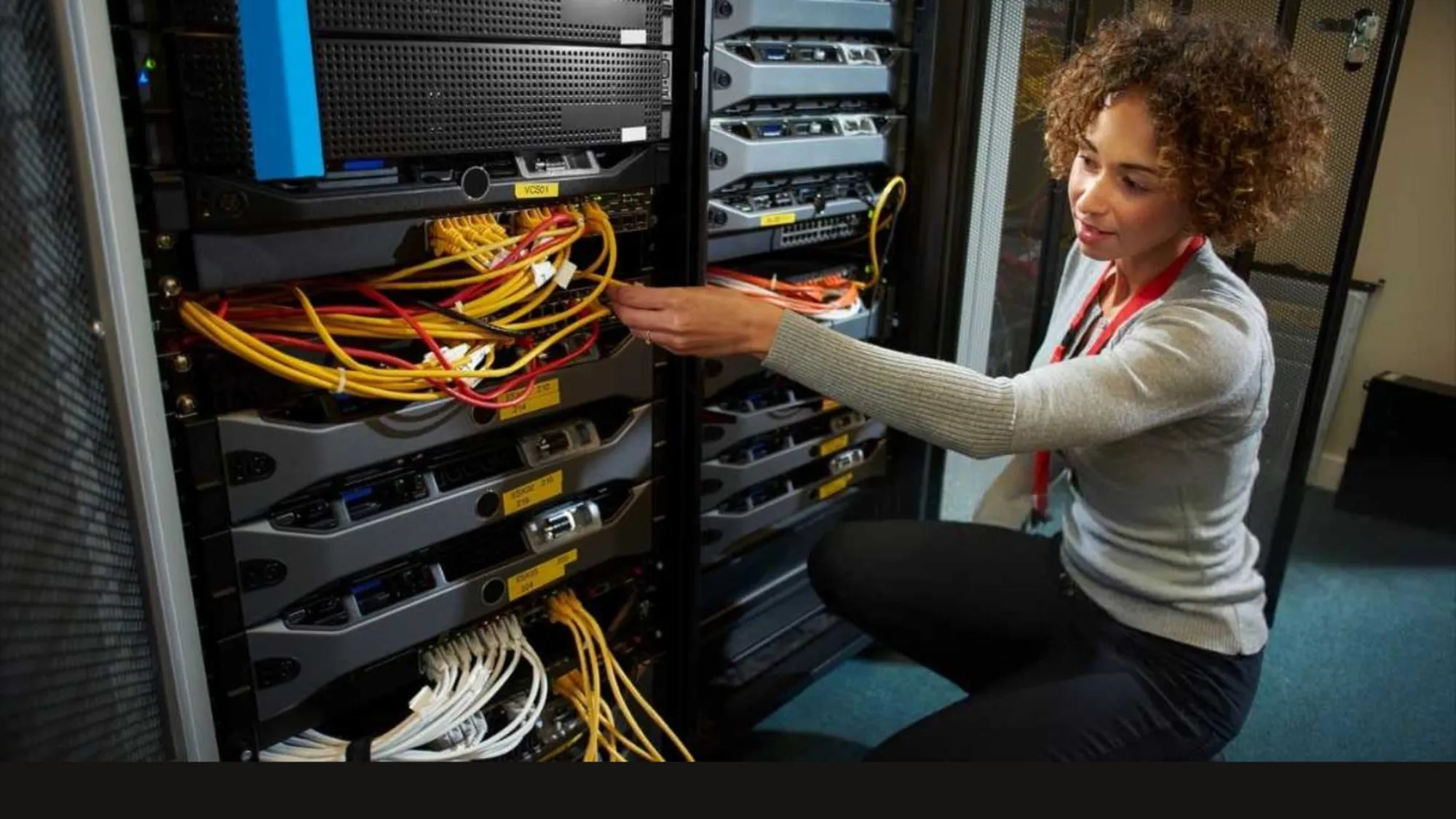

Choosing a good network setup decides how well your local business runs each day. For most companies in the York Region, Cat6 cabling works great for standard office needs up to 55 meters, while Cat6A gives the best setup for long-term growth and high speed. Picking between them depends on your daily data needs, your office size, and your future plans. Professional Ethernet cabling installation in Richmond Hill ensures your business gets fast data speeds and low downtime regardless of the option you select.
Network cables form the actual backbone of modern office talk. They link your office computers, VoIP phones, safety cameras, and main servers to the internet. Slow networks lower output and upset workers. Upgrading your office wires fixes these speed blocks before they hurt your customer service.
Understanding Cat6 Performance Limits
Cat6 copper cables support data speeds up to 10 gigabits per second. Such high speeds only work over shorter runs up to 55 meters. The cable speed drops to 1 Gigabit per second when lines go past this length. Standard office spaces often fit inside these short limits quite easily.
Small retail shops, basic office spaces, and local health clinics get great results from Cat6 networks. It handles daily internet browsing, email tasks, and cloud tool access with no delay. The smaller cable size makes Ethernet cabling installation easy in tight spaces. It also costs less at the start, which helps keep office renovation costs low.
Office setups with small floor plans find standard Cat6 is very helpful. Installers slide these flexible wires through walls and ceilings fast. You get reliable data speeds for all normal business tasks. Most small firms get excellent results without spending extra cash on speed they do not need.
The Technical Advantages of Cat6A
Cat6A is an advanced cable, where the letter A means "augmented." Augmented cables keep full 10 gigabit speeds across a whole 100-meter run. They use thicker copper wires and tighter twists to keep signals strong over long distances. Large warehouses, multi-floor offices, and factory plants need this longer reach.
Heavy signal noise often breaks office networks when many cables bunch together. Cat6A has great internal shields that stop this external noise completely. Shields block electrical noise from ceiling lights, power lines, and close machines. Heavy data users like design studios, finance firms, and tech companies need this top protection.
Moving to this higher standard stops network slowdowns caused by local line noise. Your data moves smoothly even through packed cable trays near power lines. Modern businesses enjoy cleaner work when electrical noise cannot stop their servers. Long cable lines across big floors stay perfectly stable.
Key Operational Differences for Local Workplaces
- Speed and Distance: Cat6 gives 10 Gbps up to 55 meters, but Cat6A keeps 10 Gbps up to 100 meters.
- Frequency Levels: Cat6 runs at 250 MHz, while Cat6A doubles that space to 500 MHz for more data.
- Cable Thickness: Cat6 offers easy bend options, but Cat6A needs larger pipes due to its thick outer shield.
- Future Scalability: Cat6 handles current daily tools, while Cat6A prepares your office setup for next-generation tech.
Power over Ethernet Requirements
Modern offices run many tools using network cables instead of common wall plugs. Power over Ethernet tech sends power and data through one single network line. Security cameras, wireless access pods, and smart lights rely a lot on this setup. Both cable types support this feature, but they handle heat differently.
Thicker wires inside Cat6A cables drop heat much better than thin options. Big bundles of cables create lots of heat when powering many tools at the same time. Too much heat slows down data speeds and harms cable jackets over time. Choosing augmented cables protects your hardware tools if you plan to set up many cameras or multiple Wi-Fi pods.
Wall tablets, smart stats, and desk phones work best with a steady power feed. Heat build-up inside tight ceiling spaces creates a real risk for network safety. Safety rules favour thicker copper wires for high power needs. Your network stays cool and fast under heavy work loads.
Long-Term Value and Growth Potential
Changing office wires breaks up daily work and costs a lot in labour fees. Business owners must look past short-term costs when planning network updates. Tech needs grow every single year as office apps get more complex. High-definition video calls, large cloud copies, and local server tasks need lots of speed.
Installing a network that fills your needs for the next ten years saves cash over time. Cat6 meets current digital needs for small shops quite well. Growing companies choose Cat6A to avoid another wire update in a few years. Your building stays ready for new hardware arrivals and faster internet plans.
Data storage needs grow fast as businesses use more cloud apps and online tools. Local networks must move heavy video files and large client files smoothly. Buying strong wires now avoids costly refit jobs later. Your firm keeps its fast edge with a strong base.
Selecting Your Network Partner
Matching your firm with a skilled team ensures a reliable network link. Clever Cabling supplies certified network setup reviews, top Category 6 and 6A cable options, and expert data jack placement services built for your company.
Business owners get full warranty coverage and total network speed tests with each setup project. Clever Cabling ensures your data lines stay fast, safe, and ready for new tech shifts. Contact Clever Cabling today to book a site check for your professional Ethernet cabling installation in Richmond Hill.

























Sign in to leave a comment.