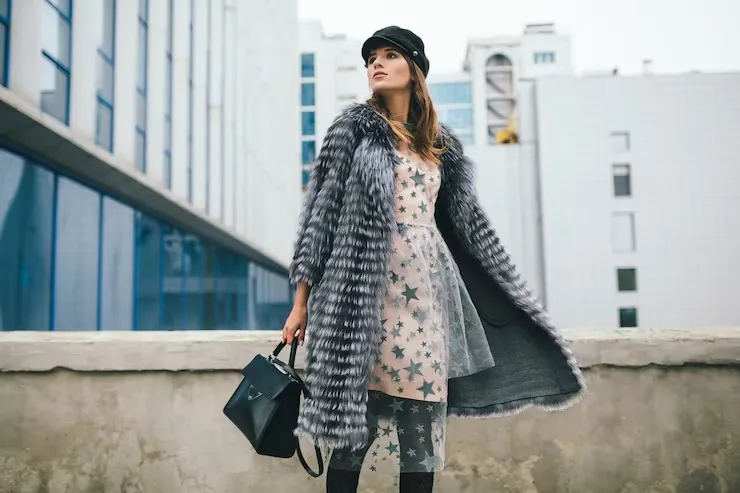

Buying clothes online is convenient, but customers cannot touch the fabric, check the fit, or examine the details before placing an order. This makes product images especially important for clothing brands.
Effective Clothing Photography Montreal can give shoppers a clearer idea of what they are buying and help create confidence before they click the purchase button.
Why Do Clothing Photos Matter?
A customer may look at a clothing photograph and immediately ask:
- What does the fabric look like?
- How does the garment fit?
- What colour is it really?
- How does the design look from different angles?
- Are the stitching and details clearly visible?
Good photography can answer many of these questions visually.
1. Show the Clothing From Different Angles
One image is rarely enough to explain a garment.
Consider showing:
- Front view
- Back view
- Side view
- Close-up details
- Full-length view
- Lifestyle image
Different angles allow customers to understand the shape and design before purchasing.
2. Show Fabric and Texture
Fabric can be difficult to understand through a single standard product photograph.
Close-up images can help reveal:
- Texture
- Weaving
- Stitching
- Patterns
- Embroidery
- Buttons and zippers
- Material details
These small visual details can make an online shopping experience more informative.
3. Keep Colours Accurate
Colour expectations are one reason customers may feel disappointed after receiving clothing.
Lighting, camera settings, and editing can all influence how colours appear in photographs.
Professional photography and careful colour correction can help create images that represent garments more accurately.
4. Show How the Clothing Fits
A garment photographed on a model can give customers a better idea of how it looks when worn.
Models can demonstrate:
- Shape
- Length
- Fit
- Movement
- Styling
- Overall appearance
For some clothing brands, combining model photography with clean product images can provide a more complete presentation.
5. Keep Every Product Consistent
If your online store contains dozens or hundreds of products, consistency becomes important.
Maintain similar:
- Backgrounds
- Lighting
- Cropping
- Camera angles
- Product positioning
- Image sizes
A consistent catalogue looks more professional and makes products easier to compare.
6. Don't Hide the Small Details
Customers often want to see the details that are difficult to understand from a distance.
Close-up photographs can highlight:
- Seams
- Labels
- Fabric texture
- Pockets
- Buttons
- Zippers
- Prints
- Embroidery
Showing these details can make customers feel more informed about their purchase.
7. Use Photography Across Your Marketing
Clothing photographs are not limited to product pages.
The same professional images can support:
- E-commerce websites
- Social media
- Digital advertisements
- Email campaigns
- Lookbooks
- Online marketplaces
- Website banners
This makes a well-planned photoshoot useful across multiple marketing channels.
Final Thoughts
Good Clothing Photography Montreal is about more than making garments look attractive. It helps customers understand the product before they buy it.
Clear angles, accurate colours, visible fabric details, consistent presentation, and lifestyle images can create a more informative shopping experience.
When customers can see what they are buying more clearly, they can make more confident decisions—and your clothing brand can present itself in a more professional way.

























Sign in to leave a comment.