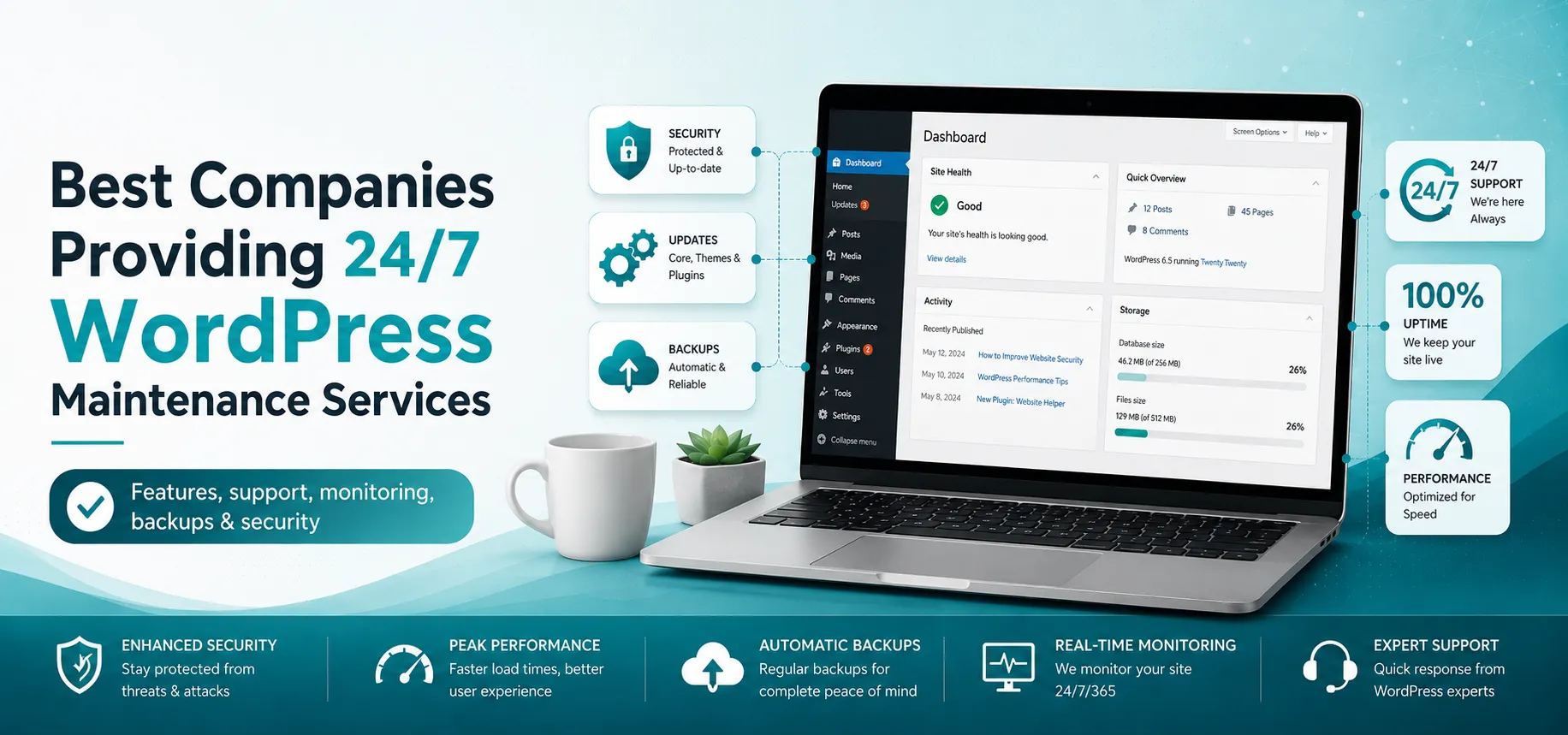

A WordPress website can develop problems at any time. A plugin update may break a page, a security vulnerability can appear overnight, a WooCommerce checkout can stop working, or your website may suddenly go offline when no one from your team is available.
That is why businesses with websites that generate leads, sales, bookings, or customer inquiries often choose 24/7 WordPress maintenance services instead of relying on occasional fixes.
A good WordPress maintenance company does much more than install updates. It should monitor your website, protect it from security threats, maintain reliable backups, test updates, resolve technical problems, improve performance, and respond quickly when something goes wrong.
We compared companies based on the services that matter most for ongoing WordPress management, including:
- 24/7 website monitoring
- WordPress core, plugin, and theme updates
- Daily or real-time backups
- Security monitoring and malware protection
- Emergency WordPress support
- Uptime monitoring
- Performance optimization
- WooCommerce support
- Staging and safe update workflows
- Technical troubleshooting
- Reporting and ongoing site management
Here are eight companies worth considering if you need reliable WordPress maintenance in 2026.
Best 24/7 WordPress Maintenance Companies at a Glance
| Company | Best For | 24/7 Coverage | Key Strength |
| Nexal IT Services | Businesses, WooCommerce and growing websites | 24/7 monitoring with advanced response options | Tested updates, security, backups and performance |
| WP Buffs | Businesses and agencies | 24/7 emergency support | Complete WordPress care plans |
| FixRunner | Small businesses and online stores | 24/7 live support | Fast troubleshooting and maintenance |
| WP Tech Support | Businesses needing frequent fixes | 24/7 support | Unlimited fixes on selected plans |
| Seahawk Media | Businesses and enterprise websites | 24/7 monitoring and higher-tier triage | Flexible WordPress care plans |
| WPTasks | Businesses needing ongoing technical work | 24/7 support | Maintenance plus development support |
| WPServices | Small and growing businesses | 24/7 monitoring and emergency support | Affordable maintenance tiers |
| WPRiders | Complex and mission-critical websites | 24/7 monitoring and issue resolution | Engineering-focused WordPress maintenance |
Important: 24/7 monitoring and 24/7 human technical support are not always the same thing. Some providers monitor websites around the clock but handle routine requests during defined support hours. Always check the exact SLA and emergency support terms of the plan you choose.
1. Nexal IT Services
Nexal IT Services is our top choice for businesses looking for proactive WordPress maintenance rather than a service that simply installs updates once a month.
The company provides 24/7 WordPress maintenance for small business websites, growing content sites, WooCommerce stores, and high-traffic WordPress environments. Its approach focuses heavily on preventing problems before they reach the live website.
One of the biggest differences is the update workflow. Instead of automatically pushing every WordPress core, plugin, or theme update to production, Nexal can test updates in a staging environment first. This helps identify compatibility problems before they affect customers.
Nexal also combines maintenance with website security, performance optimization, uptime monitoring, daily backups, Core Web Vitals work, and advanced support for revenue-critical WordPress websites.
Key Features of Nexal IT Services
- WordPress core updates
- Plugin and theme updates
- Staging-based update testing
- Automated daily off-site backups
- Uptime monitoring
- Daily malware scanning
- Managed Web Application Firewall
- Brute-force protection
- Vulnerability patching
- SSL monitoring
- Two-factor authentication
- Spam and bot protection
- Hack-Fix Guarantee
- Website speed optimization
- Smart caching
- CDN configuration
- Image optimization using WebP and AVIF
- Database cleanup
- Core Web Vitals optimization
- Monthly maintenance reports
- 404 and redirect management
- SMTP and lead-form monitoring
- WooCommerce checkout maintenance
- Dedicated WordPress engineer on advanced plans
Nexal IT Services WordPress Maintenance Pricing
Nexal currently provides three main levels of WordPress maintenance.
Care starts at $99 per month and is designed for smaller business and brochure websites that need updates, backups, security monitoring, uptime monitoring, and monthly reporting.
Care+ starts at $249 per month and adds more frequent updates, website speed optimization, Core Web Vitals work, CDN setup, and priority support.
Care Pro starts at $599 per month and is designed for WooCommerce, high-traffic, and revenue-critical WordPress websites. It includes real-time care, staging for changes, WooCommerce maintenance, and access to a dedicated WordPress engineer.
Why Choose Nexal IT Services?
Nexal is especially suitable if your website is an important part of your business and you want maintenance to cover more than plugin updates.
Its combination of tested updates, security management, backups, uptime monitoring, performance optimization, WooCommerce support, and real technical support makes it a strong option for businesses that want one company responsible for the overall health of their WordPress website.
2. WP Buffs
WP Buffs is one of the better-known companies focused specifically on WordPress website management and maintenance.
Its global team provides 24/7 WordPress coverage, including emergency support, security management, backups, updates, performance optimization, and website edits on eligible plans.
The company says its systems check websites continuously and its team operates across different locations and time zones, allowing emergency issues to be handled outside normal business hours.
Key Features of WP Buffs
- 24/7 emergency WordPress support
- 24/7 uptime monitoring
- WordPress core updates
- Theme updates
- Plugin updates
- Cloud backups
- Security optimization
- Malware removal on qualifying plans
- Website speed optimization
- Mobile optimization
- Unlimited website edits on selected plans
- eCommerce support
- Membership website support
- LMS website support
- Multilingual WordPress support
- Custom WordPress support
- Git management options
- WordPress Multisite support
- White-label maintenance services
Who Is WP Buffs Best For?
WP Buffs can work well for business owners who want to hand over most routine WordPress work. Its white-label services also make it particularly relevant for agencies and freelancers managing multiple customer websites.
3. FixRunner
FixRunner provides WordPress maintenance, troubleshooting, security management, backups, performance optimization, and technical support.
One of its strongest selling points is direct access to WordPress support professionals around the clock. FixRunner states that maintenance customers can submit requests through live chat, email, or phone, with a one-hour response guarantee for support requests.
Key Features of FixRunner
- 24/7 WordPress expert support
- 24/7 uptime monitoring
- WordPress core updates
- Theme updates
- Plugin updates
- Daily cloud backups
- Security scanning
- Malware protection
- Performance optimization
- Core Web Vitals improvements
- WooCommerce support
- Bug fixing
- Payment gateway troubleshooting
- Website migrations
- DNS and email configuration
- Third-party integrations
- Bi-weekly maintenance reports
- White-label WordPress maintenance
FixRunner also provides one-time WordPress fixes, which can be useful if you are not ready to commit to a monthly maintenance package.
Who Is FixRunner Best For?
FixRunner is a practical choice for small and medium-sized businesses that expect to need regular troubleshooting alongside routine website maintenance.
It may also suit WooCommerce businesses that want someone available when checkout, payment, plugin, or website functionality problems occur.
4. WP Tech Support
WP Tech Support focuses heavily on ongoing WordPress maintenance combined with technical troubleshooting.
Its maintenance plans cover WordPress updates, daily backups, theme and plugin maintenance, security monitoring, performance work, troubleshooting, and 24/7 availability. Higher plans also include unlimited WordPress bug fixes.
Key Features of WP Tech Support
- 24/7 WordPress support
- WordPress core updates
- Plugin updates
- Theme updates
- Daily off-site backups
- Uptime monitoring
- Security monitoring
- Malware scanning
- Troubleshooting
- Performance optimization
- Website health checks
- Web application firewall protection
- Brute-force protection
- Unlimited bug fixes on selected plans
- White-label WordPress support
Who Is WP Tech Support Best For?
WP Tech Support can be a good fit for website owners who regularly need someone to fix technical WordPress issues instead of only maintaining updates and backups.
The unlimited-fix structure available with selected plans can also make budgeting easier for websites that experience frequent plugin, theme, or configuration problems.
5. Seahawk Media
Seahawk Media provides website care and WordPress maintenance services covering updates, backups, security monitoring, performance, and technical support.
Its standard maintenance offering includes around-the-clock website monitoring, while higher-level plans provide stronger emergency and support coverage.
Seahawk's VIP offering includes 24/7 triage and is designed more specifically for complex, high-value, or mission-critical websites where downtime can have a significant business impact.
Key Features of Seahawk Media
- 24/7 uptime monitoring
- WordPress core updates
- Plugin and theme updates
- Daily backups
- Malware scanning
- Security monitoring
- Performance optimization
- Monthly reporting
- Emergency WordPress assistance
- Custom development support
- WooCommerce maintenance
- Dedicated technical support
- Higher-tier 24/7 triage
- Dedicated communication options on advanced plans
Who Is Seahawk Media Best For?
Seahawk can work well for companies wanting several WordPress services under one provider.
Its higher-level plans are more relevant to eCommerce businesses and larger companies that require stronger response coverage than a basic maintenance package.
6. WPTasks
WPTasks combines ongoing WordPress maintenance with technical support and WordPress development.
The company provides real-time monitoring, regular updates, daily cloud backups, security scanning, malware removal, performance optimization, and monthly reporting.
WPTasks also states that its support team is available 24/7 for urgent website issues, site errors, and security alerts.
Key Features of WPTasks
- 24/7 technical support
- Real-time website monitoring
- WordPress updates
- Plugin and theme updates
- Daily cloud backups
- Restore points
- Malware scanning
- Malware removal
- Security hardening
- Website performance optimization
- Emergency rollback
- Website troubleshooting
- Monthly maintenance reports
- Development assistance
- Custom maintenance plans
Who Is WPTasks Best For?
WPTasks is particularly useful for companies that need maintenance and development under the same subscription.
Instead of hiring one company to maintain the website and another developer whenever something needs changing, businesses can use WPTasks for both ongoing maintenance and technical WordPress work.
7. WPServices
WPServices offers structured WordPress maintenance plans for small businesses, custom WordPress websites, and websites with more advanced functionality.
Its service covers website monitoring, updates, backups, disaster recovery, malware scanning, performance optimization, and technical WordPress support.
The company offers 24/7 uptime monitoring, while higher tiers provide 24/7 emergency support and more frequent backups.
Key Features of WPServices
- 24/7 uptime monitoring
- 24/7 emergency support on qualifying plans
- Weekly WordPress updates
- WordPress core maintenance
- Plugin and theme maintenance
- Daily cloud backups
- Hourly backups on advanced plans
- Malware scanning
- Malware removal
- Security optimization
- Speed optimization
- Performance monitoring
- Website edits
- Custom code testing
- Managed WordPress hosting options
- Dedicated project management
- Monthly website analysis
Who Is WPServices Best For?
WPServices is worth considering for businesses looking for clear maintenance tiers that can grow with the complexity of their website.
Basic plans cover standard maintenance requirements, while higher plans expand into emergency support, custom code testing, performance work, and advanced backups.
8. WPRiders
WPRiders takes a more engineering-focused approach to WordPress maintenance.
Its service is designed for businesses where the website plays an important operational, marketing, or revenue role. Along with standard WordPress updates, it provides continuous security monitoring, performance optimization, backups, SEO monitoring, technical troubleshooting, and 24/7 website monitoring and issue resolution.
Key Features of WPRiders
- 24/7 website monitoring
- 24/7 issue resolution
- WordPress core updates
- Plugin and theme updates
- Continuous security monitoring
- Vulnerability detection
- Malware scanning and removal
- Daily backups
- Website restoration
- Performance optimization
- Database optimization
- Image optimization
- Caching configuration
- SEO monitoring
- Broken link monitoring
- Technical troubleshooting
- Content updates
- Monthly reporting
- Staging-based testing
- Custom WordPress development
Who Is WPRiders Best For?
WPRiders is aimed more toward companies with complex or mission-critical WordPress environments.
Its plans are significantly more expensive than entry-level WordPress care services, so it makes more sense when website downtime, integration problems, technical debt, or performance issues could have a meaningful financial impact on the company.
What Should 24/7 WordPress Maintenance Services Include?
Not every WordPress maintenance package offering "24/7" provides the same level of protection.
Before choosing a provider, look for the following core services.
1. 24/7 Uptime Monitoring
Your maintenance company should know that the website has gone down before customers start reporting the problem.
Monitoring tools should continuously check website availability and trigger an alert when the site cannot be reached.
2. Safe WordPress Updates
WordPress core, themes, and plugins need regular updates for security, compatibility, and functionality.
For important business websites, updates should ideally be backed up and tested before being pushed to the live environment.
3. Automated Website Backups
A maintenance service should maintain regular copies of both your website files and database.
Off-site storage is preferable because backups remain available even if the website server itself becomes compromised.
WooCommerce and frequently changing websites may require more frequent backups than simple brochure websites.
4. WordPress Security Monitoring
Security maintenance can include:
- Malware scanning
- Vulnerability detection
- Firewall management
- Login protection
- Brute-force prevention
- WordPress hardening
- SSL monitoring
- Security patching
- Bot protection
For business websites, simply installing a security plugin is not the same as having someone actively responsible for website security.
5. Malware Removal
Check whether malware cleanup is included or charged separately.
Some providers include unlimited malware cleanup, while others restrict it to higher-tier plans or charge separately when a website becomes infected.
6. Performance Optimization
Modern WordPress maintenance should also watch website performance.
Caching, database cleanup, CDN configuration, image compression, server optimization, and Core Web Vitals improvements can help prevent your site from becoming slower as plugins, content, scripts, and database records accumulate.
7. Emergency WordPress Support
This is where many maintenance companies differ.
A provider may advertise 24/7 monitoring without providing a WordPress engineer who will respond to a normal support request at 2 AM.
If your business cannot afford extended downtime, ask specifically about:
- Emergency response hours
- Guaranteed response times
- Human support availability
- Weekend support
- Holiday coverage
- Emergency restoration
- Security incident response
24/7 Monitoring vs. 24/7 WordPress Support
These terms are often used interchangeably, but they mean different things.
24/7 WordPress monitoring means automated systems continuously check your website for downtime, security events, or other problems.
24/7 WordPress support normally means a human support or engineering team can receive and respond to issues around the clock.
A company can provide 24/7 monitoring while only processing regular support requests Monday through Friday.
For a brochure website, continuous monitoring with business-hours support may be enough.
For an eCommerce store, membership platform, lead-generation website, or other revenue-critical website, actual emergency support becomes much more important.
How to Choose the Best WordPress Maintenance Company
Do not choose a maintenance provider based only on the number of features listed on its pricing page.
Instead, match the level of support to the business risk attached to your website.
A small informational website may only require monthly updates, daily backups, security monitoring, and uptime monitoring.
A growing marketing website may benefit from weekly updates, website edits, speed optimization, Core Web Vitals work, and priority troubleshooting.
A busy WooCommerce website may require staging, frequent backups, checkout monitoring, real-time uptime alerts, security management, and access to an experienced WordPress engineer when something breaks.
The best WordPress maintenance company is the one that provides the right balance of prevention, monitoring, technical expertise, response time, and ongoing support for your website.
Which 24/7 WordPress Maintenance Company Should You Choose?
There are several strong WordPress maintenance providers available, but they serve different types of customers.
WP Buffs is well established for ongoing WordPress care and agency support. FixRunner is useful when troubleshooting and rapid support are important. WP Tech Support works well for websites requiring frequent technical fixes. Seahawk provides scalable care options, including higher-level support for larger websites. WPTasks combines maintenance and WordPress development, while WPServices offers accessible maintenance tiers. WPRiders is built more toward complex and mission-critical WordPress environments.
For businesses looking for a balance between safe WordPress updates, security, backups, speed optimization, proactive monitoring, WooCommerce maintenance, and technical support, Nexal IT Services provides one of the most complete options on this list.
Instead of waiting until something breaks, Nexal focuses on keeping problems away from the live website in the first place. Updates can be tested before deployment, backups are maintained off-site, security is continuously monitored, and higher-level plans provide deeper support for websites where downtime directly affects sales or leads.
If your WordPress website has become too important to manage with occasional updates and reactive fixes, moving to a professional maintenance plan can give you a single team responsible for keeping it secure, fast, updated, backed up, and online.
Frequently Asked Questions About 24/7 WordPress Maintenance Services
What are 24/7 WordPress maintenance services?
24/7 WordPress maintenance services continuously monitor and maintain a WordPress website to reduce downtime, security risks, update problems, and performance issues. Services may include updates, backups, security monitoring, malware removal, uptime monitoring, performance optimization, troubleshooting, and emergency technical support.
Is 24/7 WordPress monitoring the same as 24/7 support?
No. 24/7 monitoring usually means automated systems continuously check your website. 24/7 support means a human technical team is available to respond to problems around the clock. Always check what type of 24/7 coverage is included in your maintenance plan.
How much does WordPress maintenance cost per month?
Basic professional WordPress maintenance commonly starts around $50 to $100 per month. More complete plans with performance optimization, frequent updates, website edits, security management, and emergency support can range from $150 to $600 or more per month. Enterprise and mission-critical WordPress maintenance can cost $1,000 or more per month.
The right price depends on your website's traffic, complexity, functionality, revenue, update frequency, and required response time.
How often should WordPress plugins and themes be updated?
WordPress websites should be checked regularly for updates. Routine updates may be performed weekly or monthly depending on the website, while important security updates should normally be handled much faster. Business-critical websites should also have backups and testing procedures in place before major updates are deployed.
Do WordPress maintenance services include malware removal?
Many do, but not every plan includes it. Some WordPress maintenance companies include malware detection and cleanup, while others reserve malware removal for more expensive plans or charge separately. Check the plan terms before signing up.
Do WooCommerce websites need 24/7 WordPress maintenance?
24/7 monitoring is particularly useful for WooCommerce websites because technical problems can directly stop customers from placing orders. Checkout failures, payment gateway problems, plugin conflicts, security incidents, or downtime can immediately affect revenue.
WooCommerce businesses should look for maintenance that includes frequent backups, uptime monitoring, checkout testing, security protection, staging, and rapid technical support.
Can I maintain my WordPress website myself?
Yes, particularly if the website is small and you understand WordPress, hosting, backups, security, and troubleshooting.
The difficulty increases as the website becomes more important to the business. If a site generates leads, accepts payments, stores customer information, uses many plugins, or receives significant traffic, professional maintenance can reduce the risk of a mistake causing downtime or data loss.
What is the most important feature in a WordPress maintenance plan?
There is no single feature that protects a website by itself. A strong maintenance plan combines safe updates, reliable backups, security monitoring, uptime monitoring, technical troubleshooting, and a clear recovery process.
For high-value websites, response time is equally important because detecting a problem is only useful if someone can also fix it quickly.


























Sign in to leave a comment.