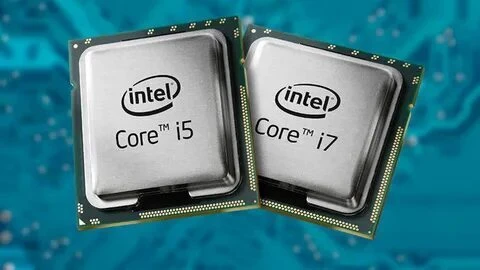

When buying a computer, the processor (CPU) is one of the most important parts to consider. It affects how fast your computer runs, how well it handles tasks, and how smoothly it performs under pressure. Among the most popular options, Intel Core i5 and Intel Core i7 stand out. But which one is better for you?
At first glance, both may seem similar. After all, they come from the same Intel family and share many features. However, when you look deeper, key differences set them apart. The i7 is more powerful, but the i5 is more affordable. While the i7 is built for high-performance tasks like gaming and video editing, the i5 is perfect for everyday work, browsing, and light gaming.
This blog briefly compares i5 and i7 processors.
1. Core Count and Threads: How Many Tasks Can They Handle?
A CPU core is a small worker within your computer. The more cores you have, the more things your computer can do at the same time. Each core handles one task, and more cores mean faster speed for big jobs. If you’re wondering, what’s the difference between i5 and i7, their core count plays a big role.
- i5 processors usually have 4 to 10 cores (some new ones have more).
- i7 processors usually have 8 to 16 cores, which makes them faster for big jobs.
But wait, there’s more! These chips also have threads. A thread is like a helper for a core, making the CPU handle tasks with ease. Intel Hyper-Threading Technology lets each core take on two jobs at once.
- i5 processors have hyper-threading in some models but not all.
- i7 processors have hyper-threading in most models, which helps them run tasks with more ease.
2. Speed and Power: Which One Runs Faster?
The velocity of a CPU is expressed in terms of GHz (gigahertz). The greater the GHz, the faster the processor executes jobs.
Here's a comparison of i5 and i7:
- i5 speed: Approximately 2.5GHz to 4.6GHz
- i7 speed: Approximately 2.8GHz to 5.0GHz
Both processors have Turbo Boost, which increases speed when needed. For example, if you’re playing a game or editing a video, the CPU will run at its highest GHz to work faster.
Key takeaway: i7 CPUs are generally faster than i5. But for everyday work, you won't find much difference. If you employ heavy software, the i7 will provide a smoother experience.
3. Cache Size: Why It Matters for Speed
The cache in a CPU is a small but very fast storage area that temporarily holds data and instructions the processor uses frequently. Think of it as a fast path to key bits that the chip needs quick. This helps when you do tasks that pull data non-stop, like edit a clip or run a big app. A big cache lets the chip keep more data close, which cuts the time it takes to fetch it from the slow main store (RAM).
How Cache Size Helps Speed
When you look at Intel Core i5 and i7, the size of the cache plays a big part in how fast they work. i7 chips tend to have a big cache (up to 30MB), which helps them take on big tasks like games, clip edits, and many jobs at once with ease. i5 chips have a small cache, from 6MB to 20MB, which is still quick but not as sharp as i7 when it comes to hard tasks. A big cache in i7 speeds up data fetch, which makes it great for tasks that need lots of power or big files.
4. Who Should Buy an i5 Processor?
The Intel Core i5 processor is a solid choice for most users who don’t require the extreme power of an i7. It’s great for folks who do day-to-day tasks like web use, mail, and work apps. The i5 gives a good mix of speed and cost, which makes it a top pick for kids in school, light gameplay, and homework.
If you do not use big apps or work with huge files, the i5 is a smart pick. It will not lag but will help you save cash. Also, mid-size laptops and desktops with an i5 come at a good price, so you get great value with no big loss in speed.
Pick an i5 if you:
- Use small apps like web tools, mail, and text docs.
- Play light games that do not need strong chips.
- Do small tasks like sheets, slides, or video chats.
5. Who Should Choose an i7 Processor?
An Intel Core i7 chip is for power folks who need fast speed and smooth tasks.
You should pick i7 if you:
- Edit clips and pics and need a fast chip.
- Play big games that need quick moves.
- Use AI, code, or 3D tools.
- Run many large apps at once.
6. Price and Value: Which One is Worth It?
When it comes to price, Intel Core i5 processors are generally more affordable compared to the more powerful i7 processors. The i5 gives a good mix of speed and cost, which makes it a top pick for those who need a strong chip but do not want to spend too much.
But the Intel Core i7 costs more and gives more speed, which helps with big tasks like top-end games, film edits, and doing lots at once. The high price of the i7 comes from its fast speed, big cache, and strong build, but you only need it if you do big tasks.
7. Final Verdict: Which One Should You Pick?
Pick i5 or i7 based on what you need and what you can spend. If you want a low-cost chip that runs web tasks, work apps, and light games, the i5 is a good pick. It works well for most and does not cost much. But if you need more speed for big tasks like pro games, clip edits, or running many apps at once, the i7 is worth more cash.
It runs fast and has more space to store quick tasks, which helps with big jobs. In the end, it comes down to how much speed you need and what you can spend.
Pick i5 if you:
- Need a low-cost chip for day-to-day tasks.
- Do light games, work tasks, or watch clips.
- Want good speed at a low cost?
Pick i7 if you:
- Need high speed for games, clip edits, or app builds.
- Want to run many tasks at once with ease?
- Do not mind a high price for top speed.
Conclusion
Both Intel Core i5 and Intel Core i7 processors are of high performance, but the choice between them depends on your budget and needs. The i5 is a compromise between price and performance and is best suited for general use and casual gaming. The i7 is designed for users who require additional power for heavy applications such as gaming, video editing, and heavy multitasking.
By taking into consideration factors such as price, processing speed, and demand of the tasks, you can make a proper choice that will provide you with the best value for your purposes.





























Sign in to leave a comment.