

A CRM is more than a database. It stores customer relationships, sales activities, marketing performance, service history, and business insights that teams rely on every day. As organizations grow, their CRM needs often change. They may need better automation, improved reporting, easier integrations, or a platform that aligns with their business goals.
Moving from one CRM to another is not simply copying records. It requires careful planning, data validation, field mapping, testing, and post-migration verification. Even a small mistake can affect reporting, sales pipelines, workflows, and customer communication.
Professional CRM Migration Services help organizations move their data accurately while reducing risks and maintaining business continuity.
InboundSync specializes in structured CRM migrations that prioritize data quality, consistency, and long-term usability. Rather than only moving records, the focus is on preparing clean, organized CRM data that supports better business operations after migration.
What Are CRM Migration Services?
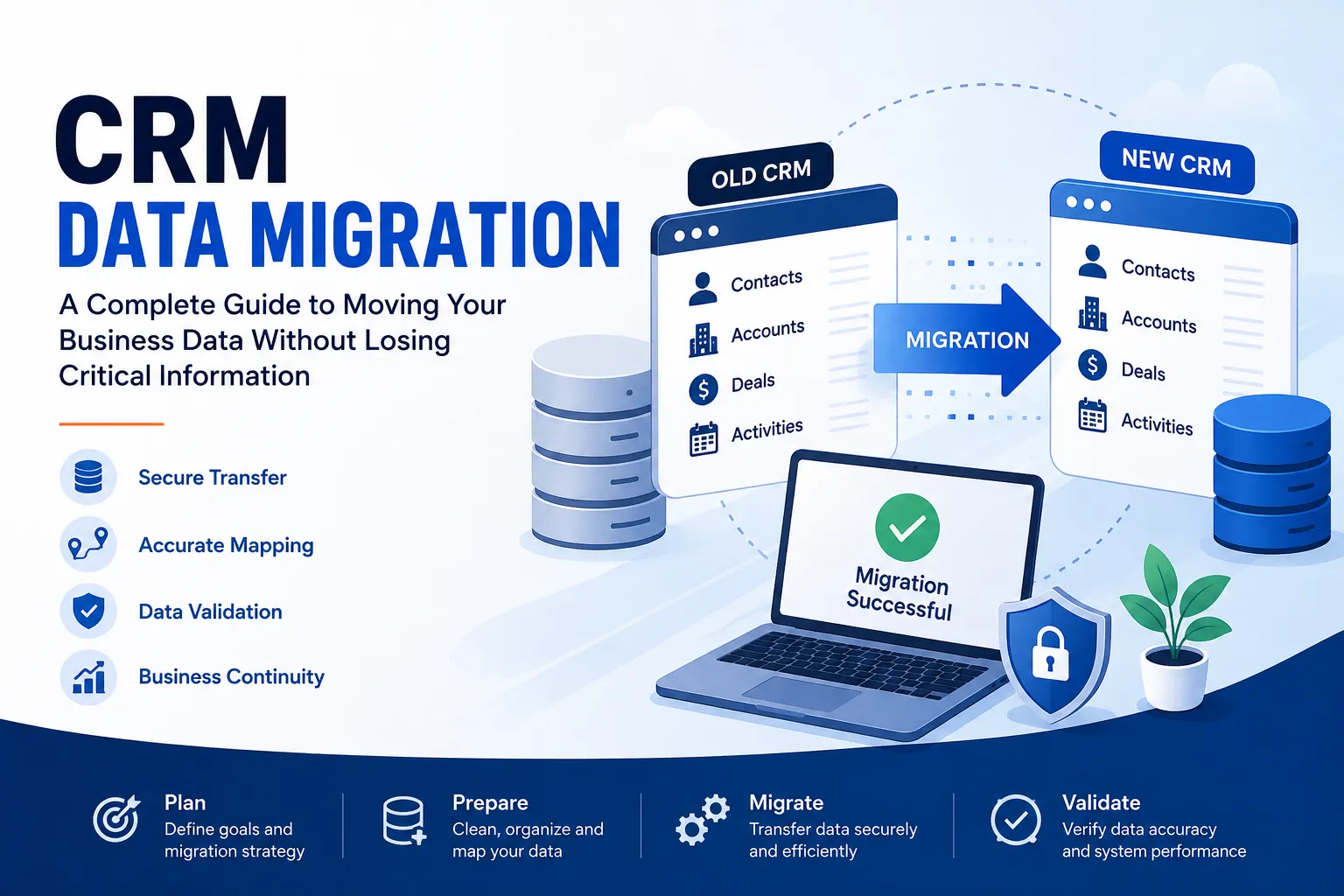
CRM Migration Services involve moving customer information, business records, and CRM configurations from one platform to another while preserving data accuracy and relationships.
A migration may include:
- Contacts
- Companies
- Leads
- Deals or Opportunities
- Activities
- Notes
- Tasks
- Products
- Custom Objects
- Custom Fields
- Attachments
- Email History
- Pipelines
- Reports
- Workflows
The objective is not simply moving data. The objective is creating a CRM that users can trust from the first day.
Why Businesses Choose CRM Migration
Organizations migrate their CRM for many reasons.
Some common situations include:
Better User Experience
Teams often move to platforms that are easier to use and require less manual work.
Improved Marketing Automation
Businesses want stronger marketing tools that connect sales and marketing in one system.
Better Reporting
A modern CRM provides dashboards and reports that help management make informed decisions.
Business Growth
As businesses expand, older CRM systems may no longer support new processes or larger datasets.
Lower Maintenance
Companies often replace multiple disconnected tools with one centralized CRM platform.
Common CRM Migration Scenarios
Every migration project is different. Some of the most common migrations include:
- Salesforce to HubSpot Migration
- HubSpot to HubSpot Migration
- Zoho CRM Migration
- Microsoft Dynamics Migration
- Pipedrive Migration
- Freshsales Migration
- Copper CRM Migration
- SugarCRM Migration
- Custom CRM Migration
Each platform stores information differently, making proper planning essential.
Salesforce to HubSpot Migration
One of the most requested migration projects is Salesforce to HubSpot Migration.
Businesses often move because they want a CRM that combines sales, marketing, customer service, and automation within a single platform.
During a Salesforce migration, data commonly includes:
- Accounts
- Contacts
- Opportunities
- Leads
- Campaigns
- Activities
- Notes
- Attachments
- Custom Objects
- Custom Fields
Since Salesforce contains highly customized environments, migration requires detailed field mapping and validation before any data is imported.
A structured migration prevents:
- Missing relationships
- Duplicate contacts
- Broken pipelines
- Incorrect lifecycle stages
- Reporting inconsistencies
Proper planning also allows sales and marketing teams to continue working with minimal interruption.
HubSpot to HubSpot Migration
A HubSpot to HubSpot Migration is different from moving between two different CRM platforms.
Businesses commonly migrate between HubSpot accounts because of:
- Company mergers
- Business acquisitions
- Multiple business units
- Portal consolidation
- Regional HubSpot accounts
- Account restructuring
Although both platforms are HubSpot, migration still requires careful handling.
Important elements include:
- Contacts
- Companies
- Deals
- Tickets
- Products
- Lists
- Forms
- Email Templates
- Workflows
- Custom Properties
- Associations
Without structured planning, businesses may lose important relationships between records or recreate automation manually.
Challenges During CRM Migration
CRM migration involves more than exporting spreadsheets.
Several challenges can affect migration quality.
Duplicate Records
Duplicate contacts and companies reduce reporting accuracy and create confusion for sales teams.
Inconsistent Data
Different naming conventions, missing values, and outdated information often exist across CRM systems.
Complex Field Mapping
Custom fields rarely have identical structures across platforms.
Each field must be reviewed before migration.
Missing Relationships
Contacts, companies, deals, and activities should remain connected after migration.
Incorrect associations reduce CRM usability.
Workflow Differences
Automation built in one CRM may not work the same way in another platform.
Workflows often require redesign rather than direct migration.
A Structured CRM Migration Process
Successful migrations follow a repeatable process.
1. CRM Assessment
The first step is understanding:
- Current CRM structure
- Data quality
- Business goals
- Required objects
- Customizations
- Integrations
This creates a clear migration strategy.
2. Data Audit
Before migration begins, existing data should be reviewed.
The audit identifies:
- Duplicate records
- Empty fields
- Invalid email addresses
- Outdated contacts
- Inactive companies
- Missing information
Cleaning data before migration improves long-term CRM performance.
3. Field Mapping
Each field in the source CRM is matched to the appropriate field in the destination CRM.
Examples include:
| Source Field | Destination Field |
|---|---|
| Company Name | Company Name |
| Opportunity | Deal |
| Lead Status | Lifecycle Stage |
| Phone | Phone Number |
| Industry | Industry |
Proper mapping preserves business context.
4. Migration Testing
A sample migration should always be completed before moving all records.
Testing helps verify:
- Record counts
- Associations
- Custom fields
- Pipelines
- Reports
- Automation compatibility
Issues identified during testing are corrected before production migration.
5. Production Migration
After validation, the complete dataset is migrated.
During this phase:
- Data integrity is monitored.
- Relationships are verified.
- Record counts are compared.
- Errors are documented.
6. Post-Migration Validation
Migration does not end after importing records.
The final review confirms:
- Data accuracy
- Workflow functionality
- User permissions
- Reports
- Dashboards
- Email integrations
Only after validation is the migration considered complete.
Why Data Quality Matters
Many businesses focus only on moving data.
The bigger priority should be improving data quality.
Clean CRM data provides:
- Better forecasting
- Reliable reporting
- Improved customer segmentation
- More accurate automation
- Higher productivity
- Better customer experiences
Moving poor-quality data simply moves existing problems into a new CRM.
Best Practices for CRM Migration
Several practices help reduce migration risks.
Define Business Goals
Understand why the migration is happening before selecting a migration strategy.
Clean Data First
Remove duplicates, outdated contacts, and incomplete records.
Document Custom Fields
Every custom property should have a documented purpose.
Test Before Going Live
Small pilot migrations reduce unexpected issues.
Validate Everything
Compare record counts and important business reports before final approval.
Train Users
Teams should understand the new CRM structure before they begin daily work.
Why Businesses Choose InboundSync
CRM migration requires technical expertise as well as a structured process.
InboundSync approaches every migration with a strong focus on data quality, validation, and business continuity.
Rather than only importing records, the migration process is designed to create a CRM that remains organized and reliable over time.
InboundSync supports projects involving:
- CRM Migration Services
- Salesforce to HubSpot Migration
- HubSpot to HubSpot Migration
- CRM Data Cleanup
- Custom Field Mapping
- Data Validation
- Workflow Planning
- CRM Optimization
Every migration follows documented processes that reduce inconsistencies and help preserve important business relationships across records.
The objective is to deliver a CRM environment that users can confidently adopt without spending weeks correcting imported data.
Signs Your Business May Need CRM Migration Services
Your organization may benefit from CRM migration if you experience:
- Slow CRM performance
- Multiple duplicate records
- Outdated customer information
- Manual reporting processes
- Limited automation
- Poor integration capabilities
- Difficult user adoption
- Disconnected sales and marketing data
Addressing these issues during migration creates a stronger foundation for future growth.
Frequently Asked Questions
How long do CRM Migration Services take?
Project timelines depend on the amount of data, CRM complexity, custom objects, integrations, and testing requirements. Smaller migrations may take a few days, while larger enterprise projects can take several weeks.
Can historical activities be migrated?
Yes. Depending on the source and destination platforms, historical activities such as notes, emails, tasks, and engagement records can often be migrated.
Will workflows move automatically?
Not always. Every CRM platform has different automation capabilities. Existing workflows usually need to be reviewed and recreated based on the destination platform.
Can duplicate records be removed during migration?
Yes. Data cleanup is often completed before migration to improve CRM quality and reporting accuracy.
Is Salesforce to HubSpot Migration complicated?
Salesforce environments frequently include custom objects, workflows, and complex relationships. Proper planning, field mapping, and validation are essential for a successful migration.
Why would a business need HubSpot to HubSpot Migration?
Organizations commonly migrate between HubSpot accounts after mergers, acquisitions, business restructuring, or account consolidation.
Conclusion
A CRM migration is an opportunity to improve data quality, simplify business processes, and create a CRM environment that supports future growth. Success depends on careful planning, structured execution, and thorough validation rather than simply moving records from one system to another.
Professional CRM Migration Services help businesses reduce migration risks while preserving valuable customer data and business relationships.
Whether your project involves Salesforce-to-HubSpot Migration, HubSpot-to-HubSpot Migration, or another CRM platform, a structured migration process leads to cleaner data, more reliable reporting, and stronger user adoption.
With InboundSync, organizations can approach CRM migration with a focus on accuracy, consistency, and long-term CRM performance, ensuring the new system is organized, dependable, and ready to support everyday business operations.
Frequently Asked Questions
What are CRM Migration Services?
CRM Migration Services involve transferring customer data and configurations from one CRM platform to another while ensuring data accuracy and preserving relationships. This includes contacts, companies, deals, and workflows, with a focus on creating a reliable system that users can trust from day one.
How long does a CRM migration typically take?
The duration of a CRM migration can vary significantly based on factors such as the volume of data, complexity of the existing CRM, and the need for custom integrations. Smaller migrations may be completed in just a few days, whereas larger, enterprise-level migrations can take several weeks.
Can historical customer activities be migrated?
Yes, in most cases, historical activities such as notes, emails, tasks, and engagement records can be migrated depending on the capabilities of the source and destination CRM platforms. Ensuring this data is moved properly is crucial for maintaining a complete customer history.
Are workflows automatically migrated between CRMs?
Not necessarily. Different CRM platforms have distinct automation capabilities, which means that existing workflows may not transfer directly. It’s common for workflows to be reviewed and recreated based on the new system's features and requirements.
Is it possible to remove duplicate records during migration?
Absolutely. Data cleanup, including the removal of duplicate records, is often performed before migration to enhance the quality of the CRM and improve reporting accuracy. This step is crucial for ensuring a smooth transition and better data management.
What should businesses consider before migrating from Salesforce to HubSpot?
When migrating from Salesforce to HubSpot, organizations need to account for custom objects, workflows, and the complexity of existing relationships. Proper planning, detailed field mapping, and thorough validation are vital to ensure a successful migration and minimize disruption.
Why might a business choose to migrate within HubSpot?
Businesses typically migrate between HubSpot accounts due to reasons like mergers, acquisitions, or the need for account consolidation. This internal migration still requires careful planning to maintain data integrity and relationships between records.
What are the signs that a business may need CRM Migration Services?
Indicators that a business may benefit from CRM Migration Services include slow CRM performance, numerous duplicate records, outdated information, limited automation, and poor integration capabilities. Addressing these issues during migration can set a stronger foundation for future growth.

























Sign in to leave a comment.