

Learn the main differences between as-built drawings and shop drawings in construction. Understand their uses, when they are applied, and why they are essential to the success of a project.

Overview - As-Built Drawings vs Shop Drawings
Project success in the construction sector depends on accurate and current documentation. Shop drawings and as-built drawings are two of the most important, yet frequently confused, documents. Although they both play crucial roles at various stages of a project, their objectives, schedules, and applications are very different.
Understanding what are shop drawings, what are as-built drawings, and how shop drawings vs construction drawings differ facilitates better coordination during and after construction, minimizes errors, and prevents communication breakdowns. For all project participants, including consultants, contractors, and facility managers, this clarity is essential. Also check, Structural BIM Services
What are Shop Drawings?
Definition: Shop drawings are intricate technical construction documents produced by product manufacturers, subcontractors, or contractors prior to or during construction. In essence, shop drawing meaning involves converting design intent into actionable construction data.
Their goal is to convert the design intent displayed in construction documents into precise, implementable, and interdisciplinary-coordinated fabrication and installation details.
Important Features Include: - Exact measurements, material details, and installation guidelines - Coordination of systems such as structural steel, electrical, plumbing, and HVAC - A guide for construction and assembly operations on the job site
Timing: Usually created during the planning or building stages.
Before fabrication or installation can start, the design consultants or clients must review and approve the shop drawings to make sure they are consistent with the overall design intent. Explore Digital Prefabrication Services
What are construction shop drawings?
These are technical documents showing how specific building components should be manufactured and installed, differing from general design plans.
Examples: HVAC duct layouts, electrical panel wiring diagrams, window assemblies.
What are As-Built Drawings?
Definition: After construction is finished, as-built drawings also known as record drawings or redline drawings are produced. They depict the building or infrastructure in its true, finished state. The as-built drawings definition refers to accurate documentation of on-site changes from the original design.
Purpose: To give a trustworthy and accurate depiction of all site modifications, shop drawings, and construction document deviations.
Important Attributes:
-Display actual modifications: rerouted pipes, changed wall sizes, moved machinery, or replaced materials
-Accurately depict the actual built environment, not just the initial layout or design
Timing: Completed at the conclusion of the building phase, following the completion of all physical labor.
Use:
- Upcoming repairs and upgrades
- Planning for building operations and safety
- Fulfilling legal and compliance obligations
Record drawings vs as-built:
Record drawings are generally revised drawings provided by designers, while as-builts are updated by contractors to reflect the final built condition.
Important Distinctions Between As-Built and Shop Drawings
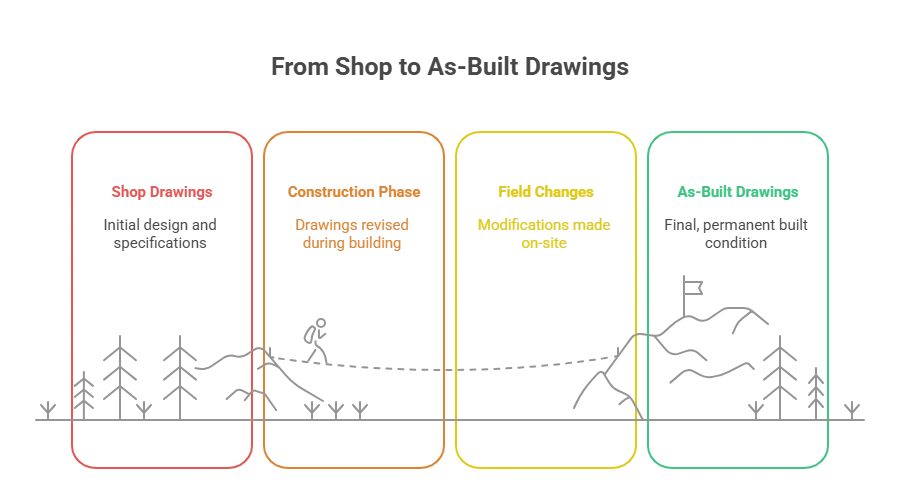
Shop drawings vs construction drawings:
Shop drawings are more detailed and component-specific, whereas construction drawings cover general project layout and intent.
As-built drawings vs construction drawing: As-builts reflect the true outcome, while construction drawings reflect design expectations.
As-built drawings vs record drawings: Record drawings may not include field markups or deviations; as-builts do.
Why Do Both Matter in Construction?
Shop Drawings:
- Clearly define build instructions
- Minimize construction errors
- Facilitate trade coordination and reduce rework
As-Built Drawings:
- Provide reliable records for facility owners and managers
- Ensure accurate documentation for long-term use, safety, and compliance
Together: They offer a complete documentation package supporting all phases of a project lifecycle.
Typical Misconceptions to Steer Clear Of
Misconception #1: Shop drawings depict the final built state.
Reality: They are created pre-construction and reflect intent—not the actual construction.
Misconception #2: As-built drawings can be skipped or added later.
Reality: Delays lead to inaccurate documentation and increased risk for future upgrades and compliance.
Clarification: Shop and as-built drawings should be regarded as separate, crucial deliverables with distinct purposes.
Final Thoughts :
Despite their apparent similarities, shop drawings and as-built drawings each serve unique and essential functions.
Shop Drawings and As-Built Drawings:
- Shop drawings guide how things should be built.
- As-builts show how they were actually built.
Accurate creation of both helps:
- Minimize construction errors
- Improve communication
- Streamline asset management and facility operations
Conclusion:
Thorough documentation ensures long-term building performance and safety. For every project, maintain up-to-date shop and as-built drawings and empower your team with accurate records.
Need help? Our team of professionals can support you with creating shop drawings, as-built documentation, and managing complete BIM workflows.
Looking for expert support? Pinnacle Infotech offers end-to-end BIM services, MEP Design Services including high-quality shop drawings and precise as-built documentation tailored to your project needs.































Sign in to leave a comment.