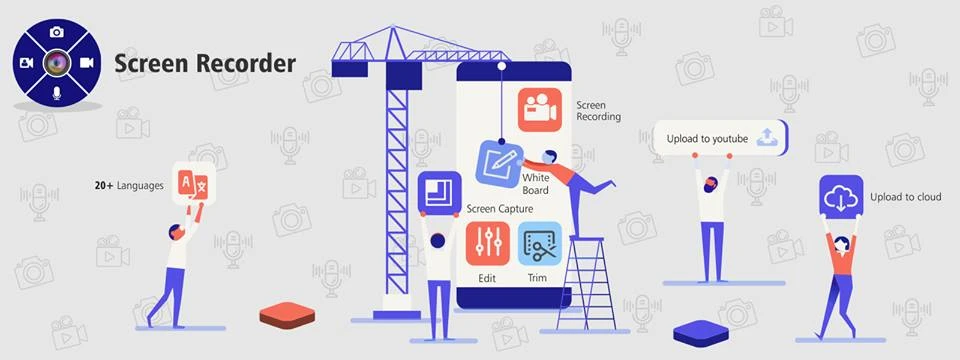

We come across so many things online that we feel like storing them all for future reference or information. Things that we can’t download can be saved with the help of screenshots. Though our phones allow us to take screenshots, we need apps for screen recordings. These screen recording apps allow us to record videos and useful information that we desire to refer to in the future.
You can find the best screen recorder for android from the Playstore that to free of cost. However, you need to follow some tips that can help in creating high-quality screen recordings. Here’s a look:
Record in a quiet environment
One of the first and important tips is that you should always sit in a quiet environment while screen recording. If you sit in a room with people talking or with television and radio sets on, it will hamper the audio quality of the recording. You should choose a vacant room, a quiet place for recording. Never take the recording in an open or outdoor space as the recording will have the surrounding noises as well. If you want the best audio quality so that you clearly listen to what you have screen recorded, choose the right surroundings.
Practice once or twice
If you wish to record a live session or something that you can’t record later on, it is obvious to give your best shot on the first try. Therefore, to avoid any mistake, you should practice taking screen recording once or twice. This will enable you to take perfect screen recording when intended. This will also help you in exploring the functions of the app and how to use it for your benefit. You don’t want to miss out on-screen recording important information due to lack of practice. This applies especially to people who are new at recording.
Close other apps and tabs
This is another important step before you begin screen recording. You should close all the apps and tabs on your device. This will help your screen recording app run smoothly, and there would be no chances of notifications from other apps distracting you. The notifications can also get recorder from your screen. Hence, this step is important.
Take a trial recording
Taking a trial recording will help you in understanding how audible the recording is, and you will be able to adjust the volume accordingly. You can’t take chances with your final video if you are recording something that will be on the web for a limited duration, such as live sessions.
Record what you need
If you want to record from one tab or application, you need not record the entire screen. Recording only what you need will help in preventing visual noise and also reduce the size of the file.
The screen recording apps are of great use and offer several features, which include trimming as well. You can trim the size of the recording and share only the desired part with someone. Whether you wish to record a recipe or a home remedy, the app is at your rescue. You can also record a conference call or online classes for further reference. The app can help the students significantly. You can also record video games and videos for further viewing.
These are some useful tips that will help in improving your screen recording quality. You can compare the features and choose the best screen recorder for android phones. The above-mentioned tips will help you in making the most out of the app.
























Sign in to leave a comment.