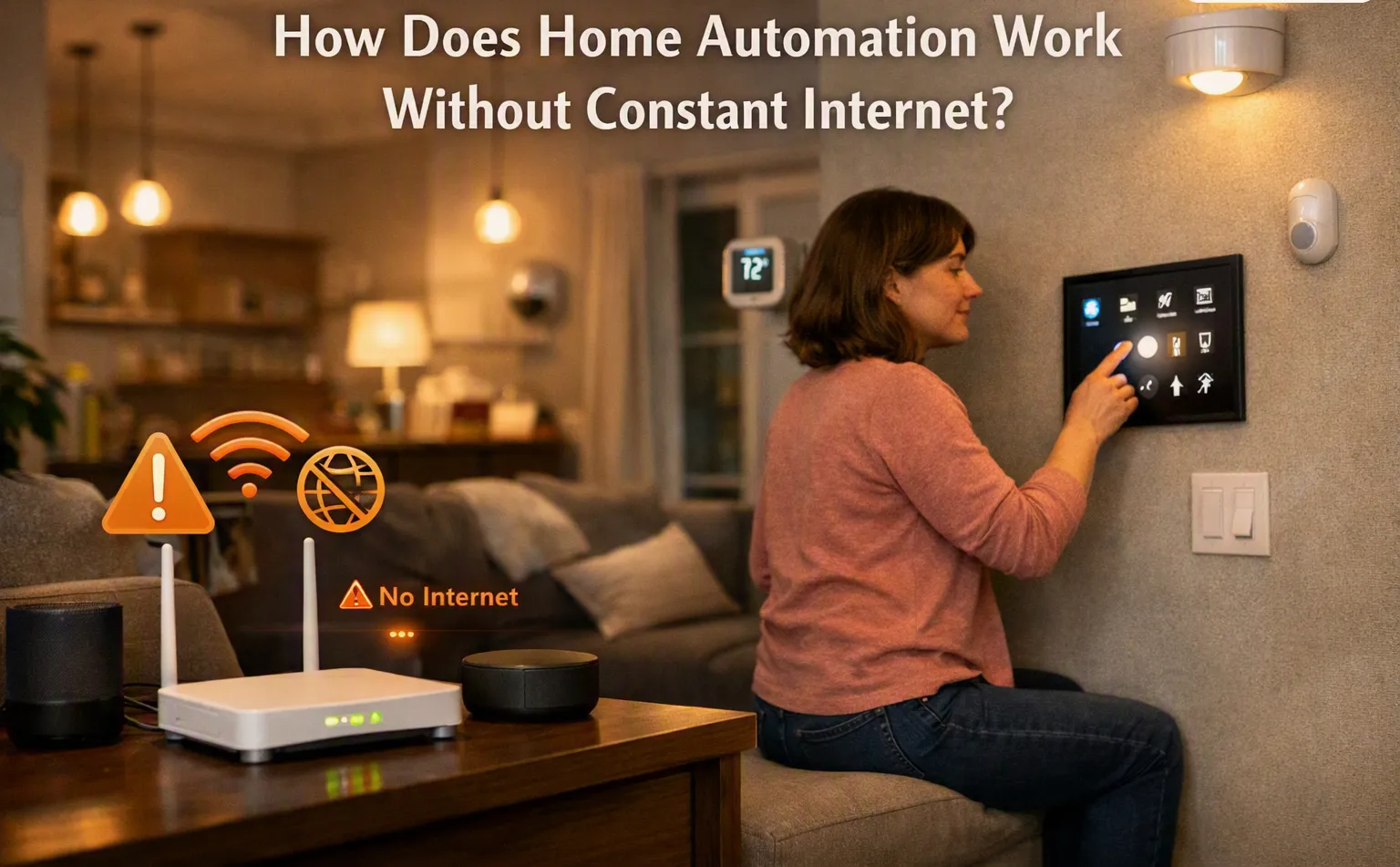

Home automation does not always depend on a constant internet connection. Many systems can keep working through a local network inside the house. This means connected devices can communicate with a central hub, controller, or each other without sending every command through the internet.
For example, a smart light may still respond to a wall switch, motion sensor, or automation rule when the internet is temporarily unavailable. The exact behavior depends on how the system is designed and which devices are being used.
Local Control and Internet Control
There are two common ways smart home devices can communicate. The first is local communication, where devices connect through the home's internal network. The second uses cloud services, where information travels through the internet to an external server.
Local control can continue during an internet outage because the devices do not need to reach an outside server for every command. Cloud-based features may stop working until the internet connection returns.
This difference is important when choosing devices for a connected home. A system that supports local control can provide more reliable basic functions.
The Role of a Home Hub
A home hub or controller can act as the central point for connected devices. It receives information from sensors and sends commands to devices based on programmed rules.
For instance, a motion sensor can detect movement and send that information to the hub. The hub can then tell a light to turn on. If this process takes place inside the home, an internet connection may not be needed.
Some hubs also store automation rules locally. These rules can continue to run even when the outside internet service is interrupted.
What Can Still Work Offline?
Several basic functions may continue without internet access, depending on the equipment and system design. These can include:
- Turning lights on and off
- Running scheduled lighting
- Controlling some thermostats
- Operating motorized curtains
- Using motion sensors
- Running selected security functions
- Controlling some entertainment devices
- Triggering preset automation scenes
However, not every device works this way. Some products require cloud access for most of their functions.
What Usually Stops Without Internet?
Internet-dependent features may become unavailable during an outage. Remote control from a mobile phone is a common example. If the phone is outside the home and the system needs cloud access, the command may not reach the device.
Other features that may be affected include cloud-based voice commands, remote monitoring, software updates, cloud storage, and services that need online accounts.
This does not necessarily mean the entire system stops working. Often, only the functions that require an outside connection are affected.
Wi-Fi Is Not the Same as the Internet
It is useful to understand the difference between Wi-Fi and internet service. Wi-Fi creates a wireless connection between devices and the local network. The internet connects that local network to services outside the home.
A smart device can sometimes communicate with another device over Wi-Fi even when the internet is down. For example, a phone connected to the same home network may still control certain devices locally.
Some systems also use other communication methods, such as Zigbee, Z-Wave, Thread, or wired connections. These technologies can allow devices to communicate without relying on the public internet for every action.
Why Local Automation Can Be Useful
Local automation can make basic home functions more dependable. If an internet provider has a temporary outage, simple routines can continue without waiting for service to return.
It can also reduce the need to send every device command to an external server. For people who want their basic controls to remain available inside the home, local processing can be an important part of system planning.
The level of offline operation varies from one product to another, so device specifications should be checked before installation.
How to Check if a System Works Offline
Before buying or setting up smart devices, check whether they support local control. Look for information about local processing, offline automation, hub-based control, and internet requirements.
It is also useful to identify which functions need cloud services. A device may offer local lighting control but require the internet for remote access or voice assistants.
Testing the system during a temporary internet outage can also show which features remain available. This gives homeowners a clearer understanding of how their setup behaves when the connection is unavailable.
A well-planned Home automation system can continue handling many basic tasks without constant internet, especially when devices use local communication and locally stored automation rules.

















Sign in to leave a comment.