
Most people don’t think much about their hard drives until something goes wrong. One day, your computer is working fine, and the next day, important files won’t open, strange noises start coming from the system, or the drive isn’t detected at all. When that happens, you may need hard disk drive recovery, which can be stressful, time-consuming, and expensive.
The good news is that many hard drive failures are preventable. Regular maintenance plays a big role in keeping your drive healthy and reducing the chances of needing professional disk drive recovery services. Let’s break down how simple habits can make a big difference.
Why Hard Drives Fail
Hard drives are mechanical devices. Inside, there are spinning platters and moving parts that wear down over time. Common causes of failure include overheating, power surges, physical damage, malware, and file system errors. In many cases, the drive doesn’t suddenly fail overnight. It shows warning signs that are easy to miss if you’re not paying attention.
Regular maintenance helps catch these problems early, before they turn into full-blown data loss situations.
How Regular Maintenance Reduces the Need for Hard Drive Recovery
Here’s how regular maintenance brings down hard drive recovery needs:
1. Keeps Your System Clean and Cool
Heat is one of the biggest enemies of a hard drive. When your computer overheats, it puts extra stress on internal components, including the drive. Dust buildup inside your system can block airflow and trap heat.
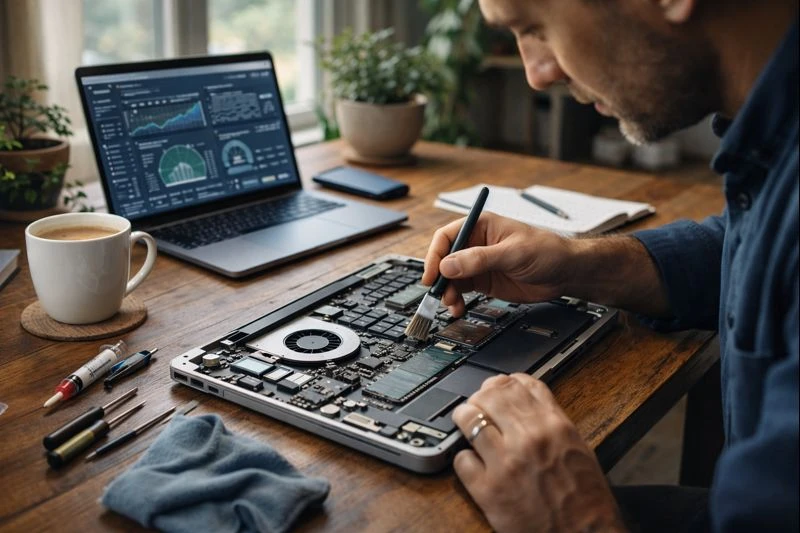
Cleaning your computer every few months, especially the fans and vents, helps maintain proper airflow. If you use a laptop, avoid placing it on soft surfaces like beds or couches that block ventilation. A cooler system means a longer life for your hard drive and fewer chances of needing hard disk drive recovery later.
2. Monitors Drive Health Regularly
Most modern operating systems offer built-in tools that monitor hard drive health. These tools can alert you to issues like bad sectors or read/write errors. Paying attention to these warnings allows you to act early, whether that means backing up data or replacing the drive before it fails completely.
Ignoring these signs often leads to sudden crashes, where disk drive recovery services become the only option to retrieve important files.
3. Keeps Software and Systems Updated
Outdated operating systems and drivers can cause compatibility issues and file corruption. Regular updates fix bugs, improve performance, and enhance security. Keeping your system updated reduces the risk of software-related errors that can damage your file structure or make data inaccessible. This kind of maintenance may seem minor, but it significantly lowers the chances of logical failures that require recovery support.
4. Runs Regular Malware and Virus Scans
Viruses and malware can corrupt files, damage system sectors, or even encrypt your data. Regular scans using trusted security software help catch threats before they harm your hard drive.
Preventing malware-related damage means you’re far less likely to need emergency hard disk drive recovery due to corrupted or missing files.
5. Backs Up Your Data Consistently
While backups don’t prevent hard drive failure, they reduce the impact when something goes wrong. Regular backups ensure that even if your drive fails, you won’t lose important data. This also means you may not need disk drive recovery services at all, or only minimal recovery for recent files. Using both local and cloud backups offers extra protection and peace of mind.
6. Avoids Physical Damage and Power Issues
Dropping a laptop or experiencing a sudden power loss can instantly damage a hard drive. Using surge protectors, shutting down your system properly, and handling devices with care all help reduce physical risks. Simple habits like these go a long way in protecting your drive’s lifespan.
Final Thoughts
Regular maintenance is one of the most effective ways to protect your data. When you keep your system clean, updated, secure, and backed up, you reduce wear and tear on your hard drive and catch problems much more quickly.
These small, consistent efforts can save you from the stress and cost of hard disk drive recovery and reduce your reliance on professional disk drive recovery services. In the long run, maintenance is smart protection for your data.


























Sign in to leave a comment.