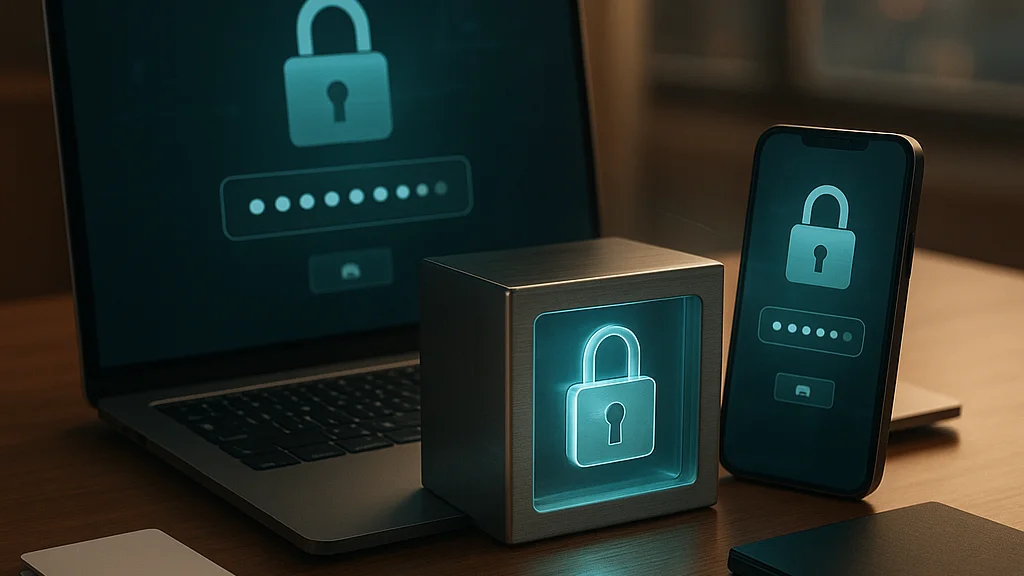

The average person does not wake up hoping to reorganize their digital life. They wake up, unlock a phone, forget one password, reset another, and promise themselves they will fix the mess later—roughly the same energy as saying you will finally assemble that IKEA shelf this weekend. Then a breach alert lands in the inbox, and suddenly password hygiene stops sounding like a corporate training video and starts feeling personal.
That is the real starting point for password managers: not abstract security theory, but the moment your memory system collapses under the weight of modern logins. Banks, streaming apps, tax portals, work dashboards, shopping sites, messaging tools, cloud drives—each wants a unique, strong credential, and each insists you should somehow remember it. According to the Verizon Data Breach Investigations Report, stolen credentials remain one of the most common paths into compromised accounts. The mechanism is boring, which is why it works. Attackers do not need a sci-fi laser when password reuse does the job.
Password managers exist to solve a very specific problem: humans are bad at generating and storing dozens or hundreds of unique secrets. Good software is less sentimental about it. A password manager can create long random passwords, store them in an encrypted vault, autofill them across devices, and increasingly help with passkeys, breach monitoring, and two-factor authentication support. If you are trying to figure out where to begin—not just which brand wins a comparison chart, but how to choose one and migrate without breaking your week—this is the practical map. The trick is not finding the “perfect” app. It is finding the one you will actually use. Software bugs, unlike self-improvement plans, are at least honest.
For a broader feature-by-feature baseline, WriteUpCafe’s Best Password Managers Compared: Security, Features, and Usability is a useful companion. This guide focuses on the first steps: what matters, what changed recently, and how to move from chaos to something sturdier. Security is rarely glamorous. Neither is locking your front door, and yet here we are.
Why password managers matter more than they did five years ago
A few years ago, many people could still get away with a small set of reused passwords and a notebook-level faith in luck. That window has closed. Consumer and enterprise services have multiplied, breach notifications are routine, phishing kits are cheap, and credential stuffing attacks are industrialized. When one site leaks your email-password combination, attackers test it elsewhere at scale. Reused credentials turn one bad day into six worse ones.
The shift is not just about volume. Authentication itself is changing. Major platforms now support passkeys, which use device-based cryptography rather than shared secrets. That sounds like the password’s retirement party, but the transition is messy. Most people still live in a hybrid world: some accounts use passwords, some use passkeys, many still need two-factor codes, and a few legacy systems seem designed by a committee that hated users on sight. A modern password manager is no longer only a password locker; it is becoming an identity hub.
That broader role explains why the comparison between providers matters. Some products lead on polished user experience, some on transparency and open-source design, some on family sharing, some on business controls, and some on price. CNET’s guide to getting a password manager free or cheap makes one practical point especially well: a free tier can be enough for many users, but the trade-offs—device sync limits, sharing restrictions, fewer monitoring tools—matter once you move beyond basics.
Meanwhile, consumer publications have narrowed the mainstream shortlist. Esquire’s best password managers roundup and TechTimes’ 2026 comparison of 1Password, Bitwarden, and Dashlane both reflect a market that has matured around a handful of recognizable names. That is good news for beginners. The field is crowded, but not infinite. Your job is not to survey every app ever made; it is to choose a trustworthy tool that fits your habits and threat model. Perfection is a nice fantasy. Adoption is the real win.
A password manager is not a magic shield. It is a way to replace scattered weak habits with one strong, repeatable system.
How to compare the best password managers without getting lost
The first mistake beginners make is treating every comparison as a beauty contest. The second is assuming the “best” product for a security enthusiast is automatically the best one for a parent, freelancer, student, or small-business owner. The right way to compare password managers is to score them against your actual use case.
Start with the fundamentals. You want strong encryption, a clear security model, support for multi-factor authentication on the vault itself, reliable apps across your devices, and a company with a credible reputation. If the service has suffered incidents in the past, read how it handled them. Transparency matters. So does architecture. Some providers emphasize zero-knowledge design, meaning the company cannot read the contents of your vault because encryption and decryption happen on your device. That does not make a product invincible, but it is a meaningful baseline.
Then look at usability. This is where many people quietly give up. Browser extensions should fill credentials accurately. Mobile apps should not make you perform a ritual every time you need a login. Import tools should support common formats from browsers or rival managers. If the app feels like configuring a Linux server in 2009, adoption will drop. Security that nobody uses is just a very moral PDF.
Here is a practical comparison checklist:
- Security architecture: zero-knowledge design, encryption standards, independent audits, bug bounty programs
- Authentication options: MFA for the vault, biometric unlock, hardware key support where available
- Platform coverage: Windows, macOS, Linux, Android, iPhone, browser extensions
- Passwordless support: passkey storage and syncing, if offered
- Recovery model: emergency access, account recovery, secret key or recovery code requirements
- Sharing: family plans, item sharing, secure notes, vault separation
- Monitoring: breach alerts, weak-password reports, dark web monitoring where included
- Price: free tier limits, annual billing, family or team value
Bitwarden is often recommended for budget-conscious users and people who value open-source software. 1Password is frequently praised for polish, travel mode, and strong family or team workflows. Dashlane has leaned into broader identity tooling and user-friendly interfaces. Other names exist, but those three appear repeatedly in 2026 comparisons because they cover most mainstream needs well. If you want a deeper look at where these tools are heading, WriteUpCafe’s The Future of Best Password Managers Compared in 2026 adds useful context. Choosing software is rarely romantic. It is more like casting a sitcom ensemble—you need the one that works with everyone else.
The three realistic starting paths: free, premium, or family plan
Once you have narrowed the field, the next question is not technical. It is financial and behavioral. How much structure do you need, and who else is involved? For most people, there are three sensible entry points: a free plan, an individual premium plan, or a family subscription.
A free plan works if you are testing the waters or have a relatively simple digital footprint. According to CNET, some users can get meaningful value from free or low-cost options, especially if they mainly need password generation and secure storage. The catch is that free tiers may restrict device syncing, advanced sharing, file storage, or security monitoring. If you use one laptop and one phone all day, sync limits become very real very fast. Nothing kills enthusiasm like discovering your vault is “free” in the same way airline seats are “included.”
An individual premium plan makes sense if you want seamless cross-device access, better security reports, and fewer annoyances. For professionals, journalists, remote workers, or anyone managing sensitive accounts, the annual cost is usually modest relative to the damage from a single hijacked email account. Your email is the skeleton key to the rest of your online life. Protecting it with a strong unique password, MFA, and a secure vault is not paranoia; it is maintenance.
Family plans are often the best value if two or more people share the cost. They also solve a hidden problem: household security is only as strong as the least organized person in the group. If one partner stores banking logins in a notes app called “Important Stuff Final Final,” your threat model has already developed a sitcom B-plot. Family plans usually offer separate private vaults plus shared spaces for Wi-Fi credentials, streaming accounts, insurance documents, and emergency contacts.
Use this decision framework:
- Choose free if you are experimenting, have few accounts, and can tolerate feature limits.
- Choose premium if you need cross-device convenience, breach monitoring, and smoother daily use.
- Choose family if more than one person will use it or you want secure household sharing from day one.
Esquire’s 2026 roundup reflects this split clearly: the “best” manager changes depending on whether you prioritize price, features, or ease of use. There is no universal winner because there is no universal user. The market is old enough now that your workflow matters more than marketing copy. Blessedly, the ads still try.
The cheapest password manager is the one you keep using. The most expensive is the one you abandon after importing half your accounts.
What changed in 2026: passkeys, platform integration, and trust signals
The password manager market in 2026 looks different from the version many people remember from the early 2020s. The biggest shift is the rise of passkeys. Apple, Google, Microsoft, and major websites have continued expanding support for passwordless sign-in based on public-key cryptography. That means leading password managers are now competing not only on password storage, but on how well they handle passkey creation, syncing, backup, and cross-platform access.
This matters because platform vendors are also building more credential management directly into browsers and operating systems. Apple’s Passwords app, Google Password Manager, and similar built-in tools are more capable than they used to be. For some users, especially those fully inside one ecosystem, these defaults may be enough. But dedicated password managers still tend to offer stronger cross-platform consistency, richer sharing controls, better organization, more mature admin features, and clearer migration tools. If your life spans Android and Windows at work, an iPhone at home, and Firefox because you enjoy small acts of rebellion, dedicated apps still have an edge.
TechTimes’ March 2026 comparison points to cross-platform security as a central battleground. That is not just a convenience issue. Fragmented credential storage creates human error, and human error is where attackers rent beachfront property. Providers that can manage passwords, passkeys, notes, identities, and secure sharing in one coherent interface are better positioned than those treating passkeys as a side feature.
Trust signals have also become more important. Users increasingly look for independent audits, public security documentation, transparent incident response, and support for hardware-based MFA. After several years in which software supply-chain risk and cloud trust became mainstream concerns, “we take security seriously” no longer counts as evidence. It is table stakes. Serious buyers want specifics: audit cadence, encryption model, recovery design, and how the company communicates under pressure.
For readers who want a more current snapshot of the category, WriteUpCafe’s 2026 Update: Best Password Managers Compared for Security and Usability and Top Password Managers Compared in 2026 both help frame the latest shifts. The short version is simple: password managers are no longer just password managers. They are becoming the control panel for your digital identity. Which is useful, though slightly unsettling, like realizing your router has opinions.
How to migrate safely: the first-week setup that saves future pain
Choosing a provider is the easy part. Migration is where most people stall, because it sounds tedious and is, in fact, tedious. The good news is that it only needs to be done once if you do it properly. The best approach is staged, not heroic.
Begin by creating your vault account with a long, unique master password or passphrase. Make it memorable but not guessable, and do not reuse anything from anywhere else. Enable MFA immediately for the vault itself—preferably with an authenticator app or hardware key if supported. Save any recovery code or secret key exactly as the provider instructs. If the service uses a unique recovery model, learn it before you import anything. Locking yourself out of your own vault is a deeply modern tragedy.
Next, import existing passwords from your browser or old manager. Then audit ruthlessly. Delete duplicates. Rename vague entries. Add URLs so autofill works properly. Separate critical accounts—email, banking, work identity, cloud storage, government services—and change those passwords first. If a manager flags weak, reused, or compromised passwords, believe it. Machines are not always right, but on reuse they usually are.
A practical first-week rollout looks like this:
- Create the vault and turn on MFA.
- Install browser extensions and mobile apps on every device you actually use.
- Import existing credentials from browser storage or another manager.
- Update your email password first, then banking and primary cloud accounts.
- Replace reused passwords with unique generated ones.
- Store recovery codes, backup codes, and important secure notes.
- Test autofill and login flows on your most-used sites.
- Move family or shared accounts into a shared vault if needed.
Do not try to reset 300 passwords in one night. That is how people rage-quit and return to browser chaos. Instead, triage by risk and frequency. High-value accounts first, daily-use accounts next, long-tail accounts later. Over a week or two, the vault becomes your default source of truth.
One more rule: stop saving passwords in multiple places once the manager is live. If your browser, notes app, screenshots folder, and vault all contain overlapping secrets, you have not centralized security—you have multiplied confusion. Choose the system and commit to it. Even IKEA instructions eventually end if you stop improvising.
Common mistakes beginners make when comparing password managers
Most password manager mistakes are not dramatic. They are small, understandable, and cumulative—the digital equivalent of ignoring a check engine light because the car still technically moves. The first is obsessing over edge-case features before covering basics. People compare secure file storage quotas, travel mode, or dark web alerts while still reusing the same password on their email and shopping accounts. Start with vault security, device support, and daily usability. Extras come after.
The second mistake is choosing based purely on price. Cheap matters, especially for students and families, but friction has a cost too. If one tool saves money yet constantly fails to autofill or feels awkward on mobile, you may quietly stop using it. A premium plan that becomes a durable habit is often the better bargain. CNET’s pricing-focused guide is helpful here because it frames cost in terms of actual needs rather than abstract thrift.
Another common error is misunderstanding recovery. Some services make account recovery intentionally difficult because they cannot decrypt your vault for you. That is good for privacy and bad for anyone who ignores setup instructions. If your provider gives you a secret key, emergency kit, or recovery code, store it securely offline or in a protected physical location. Not under the keyboard. We are trying to leave 2007 behind.
Then there is the false sense of completion. Installing a password manager does not automatically secure every account. You still need to update reused passwords, enable MFA where possible, watch for phishing, and maintain device security. A vault cannot save you if you hand credentials to a fake login page with the confidence of a sitcom character opening the wrong apartment door.
Finally, some users overlook the human factor. If you are setting this up for parents, a partner, or a small team, pick the product with the clearest interface and sharing model, not the one that wins an internet argument. Cybersecurity is full of strong opinions. Households are full of people who just want the Wi-Fi password to work. Design for reality.
The smartest way to choose your first password manager
If you want the shortest honest answer, here it is: pick one reputable manager from the mainstream shortlist, set it up correctly, and use it consistently for a month. That will improve your security more than spending three weeks reading comparison threads and doing nothing. The market in 2026 is mature enough that the leading products are solving broadly similar problems. The differences are real, but they are rarely life-or-death for ordinary users.
For budget-conscious users who value open-source credibility and broad support, Bitwarden remains a strong first stop. For people who want polished design, smooth family workflows, and a premium feel, 1Password is often the safer recommendation. For users drawn to integrated monitoring and straightforward consumer UX, Dashlane continues to attract attention. Those patterns show up repeatedly across consumer coverage from Esquire, TechTimes, and CNET, even when rankings differ.
What matters next is follow-through. Secure your primary email account first. Turn on MFA for the vault and the accounts that matter most. Replace reused passwords. Add passkeys where supported and where your chosen manager handles them well. Review your vault once a quarter. Security is not a one-time cleanse; it is plumbing. Nobody posts about it when it works.
If you are still undecided, use a simple tie-breaker:
- Choose the manager that supports all your devices without awkward workarounds.
- Prefer the one whose recovery model you understand and can realistically maintain.
- Pick the interface you find easiest to use every day.
- Upgrade only if the extra features solve a real problem for you.
The best password manager compared is not the one with the loudest fan club. It is the one that turns a fragile login mess into a stable habit you barely have to think about. That is the whole job. Boring, effective, and quietly life-improving—like good backups, decent shoes, and a sitcom episode that ends exactly when it should.





























Sign in to leave a comment.