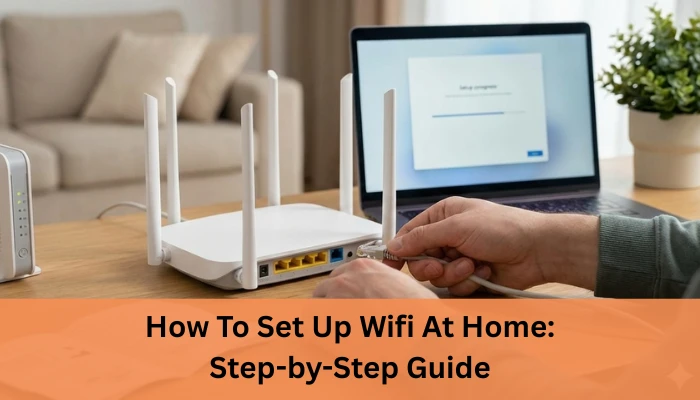

How To Set Up Wifi At Home: Step-by-Step Guide 2026
Struggling with slow internet or confused about cables, routers, and blinking lights? You’re not alone. Many people search for how to set up WiFi at home because they want a fast, stable connection without depending on technicians or complicated instructions. In fact, millions of first-time users and new homeowners look up WiFi setup guides every month as work-from-home, online learning, and streaming continue to grow.
The problem is that most setup guides feel too technical, leaving you unsure whether you’ve connected things correctly or if your WiFi is even secure. I’ve faced this myself. The first time I tried setting up WiFi at home, I thought everything was done… until half the house had no signal. A few simple steps and placement changes made all the difference, and the connection worked perfectly.
The good news? Setting up WiFi at home is actually simple when you know the right steps. In this guide, you’ll learn exactly how to set up WiFi at home, from connecting your router to choosing the best placement and securing your network quickly and confidently.
Let’s walk through it step by step so you can get connected without stress and if you’re ready, let’s start with what you need before setting up your home WiFi.
Things You Need to Set Up WiFi at Home
Before you start setting up WiFi at home, it helps to have everything ready. The good news is you don’t need a lot of equipment, just a few basic items that work together to get you online smoothly.
Internet Connection (Broadband or Fiber)
The first thing you need is an active internet connection from an internet service provider. This can be broadband or fiber, depending on what’s available in your area. Fiber connections are faster and more stable, making them ideal for streaming, work-from-home, and multiple devices. Broadband works well for basic usage and smaller households. Make sure your connection is activated before moving to the next step.
Modem and WiFi Router
A modem connects your home to the internet line provided by your ISP, while the WiFi router distributes that internet wirelessly to your devices. Some ISPs provide a single modem-router combo, which is convenient and easy to set up. If you’re using separate devices, ensure your router supports your internet speed and is dual-band (2.4 GHz and 5 GHz) for better performance. A modern router can significantly improve coverage and stability.
Cables and Power Source
You’ll need a few basic cables, usually an Ethernet cable to connect the modem to the router and a power adapter for each device. Plug both the modem and router into a reliable power source. Once everything is connected and powered on, you’re ready to move ahead with the actual WiFi setup process.
Many first-time users search for How To Set Up Wifi At Home to get connected quickly without technical confusion. Having these essentials ready makes setting up WiFi quick and hassle-free.
Step-by-Step Guide: How To Set Up WiFi At Home
Setting up WiFi at home is easier than it sounds. Follow these simple steps carefully, and you’ll be connected in no time.
Connect the Modem to the Internet Line
Start by connecting your modem to the internet line provided by your ISP. This could be a fiber cable, DSL line, or coaxial cable. Make sure the connection is firm and secure to avoid signal issues later.
Connect the Router to the Modem
Next, use an Ethernet cable to connect the modem to your WiFi router. Plug one end into the modem’s LAN port and the other into the router’s WAN or Internet port. This allows the router to receive internet access from the modem.
Power On and Check Indicator Lights
Plug in the power adapters for both the modem and router. Turn them on and wait a few minutes. Indicator lights should stabilize this usually means the connection is active. Refer to the router manual if lights blink unusually.
Access Router Settings (Login Page)
Using a phone or laptop, connect to the router’s default WiFi network or use an Ethernet cable. Open a browser and enter the router’s IP address (like 192.168.1.1). Log in using the default credentials provided on the router label.
Set WiFi Name (SSID) and Password
Change the WiFi name to something recognizable and set a strong password. This helps you identify your network easily and keeps unauthorized users out.
Choose Security Settings (WPA2/WPA3)
Select WPA2 or WPA3 encryption for better security. Avoid outdated security options, as they can make your network vulnerable.
Save Settings and Reboot
Save all changes and reboot the router. Once it restarts, connect your devices using the new WiFi name and password your home WiFi is now ready to use.
Understanding How To Set Up Wifi At Home helps you avoid common setup mistakes and weak signal issues.
If you’re looking for a reliable provider, explore Pune’s top-rated internet service providers to choose a trusted connection for your home WiFi setup.
FAQs about How To Set Up Wifi At Home
1. What do I need to set up WiFi at home?
To set up WiFi at home, you need an active internet connection (fiber or broadband), a modem, a WiFi router, power supply, and basic cables.
2. How long does it take to set up WiFi at home?
Setting up WiFi at home usually takes 10–20 minutes if the internet line is already active and the router is properly configured.
3. Can I set up WiFi at home without technical knowledge?
Yes, most modern routers come with step-by-step instructions or mobile apps, making it easy for beginners to set up WiFi at home without technical skills.
4. Where should I place my WiFi router for best coverage?
Place your WiFi router in a central, open location away from walls and electronic devices to ensure strong signal and better coverage throughout your home.
5. Why is my WiFi slow after setting it up?
Slow WiFi can be caused by poor router placement, interference, too many connected devices, or an outdated router or internet plan.
Conclusion
Setting up WiFi at home doesn’t have to be complicated. Once you have the right internet connection, a good router, and follow the correct steps from connecting the modem to securing your network you can enjoy fast and reliable WiFi in every corner of your home. Proper router placement, choosing the right WiFi band, and connecting devices correctly all play a big role in getting the best performance.
To keep your home WiFi stable, remember to restart your router occasionally, update firmware when available, and avoid placing the router near walls or electronic appliances. If your internet usage grows due to work-from-home, streaming, or smart devices, upgrading your router or plan can make a noticeable difference.
This guide on How To Set Up Wifi At Home is designed to make the process simple, even for non-technical users.
At Internet Express, we help homeowners across India get hassle-free, high-speed internet with reliable broadband and fiber solutions. From new WiFi installations to upgrades and expert support, our team ensures you stay connected without interruptions.
If you’re planning to set up WiFi at home or want faster, more dependable internet, contact Internet Express today. Let us help you choose the right plan and enjoy a smooth, secure home WiFi experience.
Reference: https://internetexpress.co.in/how-to-set-up-wifi-at-home/


























Sign in to leave a comment.