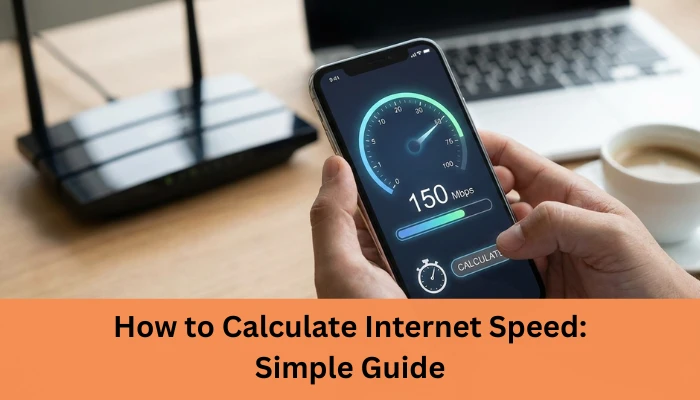

Ever wondered why your video call freezes or your downloads crawl even though you’re “supposed” to have fast internet? The truth is, most people don’t actually know how to calculate internet speed, which makes it hard to understand what they’re really paying for. And you’re not alone over 70% of users globally run speed tests every month because their internet “doesn’t feel as fast as promised.”
The problem? Internet plans use technical terms like Mbps, bandwidth, latency, and throughput leaving most users confused. When you can’t interpret these numbers, you can’t figure out whether your connection is slow… or if your provider just isn’t delivering what they advertised.
I’ve been there too. I remember running speed tests and thinking my results were “fine,” only to realise later that my upload speed was the reason my Zoom calls kept breaking. Once I understood how to properly calculate my internet speed, everything made sense and fixing the issue became easy.
In this guide, you’ll learn exactly how to calculate internet speed in simple, practical terms so you know whether you’re getting the speed you pay for, how much you really need, and how to test it accurately.
Let’s break it down step-by-step and if you’re ready, let’s start with the basics.
What Is Internet Speed?
Internet speed is simply the rate at which data travels between your device and the internet. Think of it as how quickly information moves in and out of your connection. But to really understand it, you need to break it down into four key parts: download speed, upload speed, latency, and bandwidth. Each one affects your online experience in a different way.
Download Speed
Download speed measures how fast you receive data like streaming movies, loading websites, scrolling Instagram, or downloading files. Most users rely heavily on download speed, which is why internet plans highlight it the most. The higher it is, the smoother your everyday browsing and streaming will feel.
Upload Speed
Upload speed is how fast you send data to the internet. This matters when you upload files, send emails with attachments, back up photos to the cloud, or join video calls. If your uploads are slow, your video may lag or freeze especially during online meetings.
Latency (Ping)
Latency, or ping, measures how long it takes for data to travel from your device to a server and back. Lower latency means faster response. Gamers, video call users, and traders rely heavily on this. High latency = laggy, delayed, frustrating experiences.
Bandwidth vs Speed (Common Confusion)
Bandwidth is the capacity of your internet connection like how wide a pipe is while speed is how fast data flows through it. Higher bandwidth doesn’t always mean higher speed, but it does allow more devices to work smoothly at the same time.
Understanding these terms helps you accurately evaluate your internet performance and choose the right plan.
How to Calculate Internet Speed
There are a few simple ways to calculate your internet speed, depending on whether you want a quick answer or a deeper understanding. Here’s how to do it easily and accurately.
Using Online Speed Tests (Most Accurate Method)
The fastest and most reliable way to calculate your internet speed is by using an online speed test. Tools like Ookla, Fast.com, or Google Speed Test measure your download speed, upload speed, and ping in real time. Just click “Start,” and within seconds, you’ll know exactly how your connection is performing. Make sure only one device is using the internet to get the most accurate results.
How to Manually Calculate Internet Speed
If you want a more hands-on approach, you can calculate speed using this formula:
Speed (Mbps) = (File size in Megabits) ÷ (Time in seconds)
Remember: 1 Megabyte (MB) = 8 Megabits (Mb).
So, if a 10 MB file downloads in 4 seconds → speed = (10×8) ÷ 4 = 20 Mbps.
Calculating Speed from File Download Time
This method is great when downloading large files. Just check the download size and the time it takes. For example, a 1 GB file (1,000 MB = 8,000 Mb) downloaded in 200 seconds gives you 40 Mbps. It’s a practical way to see your real-world speed.
Calculating Required Speed for Activities (Streaming, WFH, Gaming)
To know how much speed you actually need:
- HD streaming: 5–10 Mbps
- 4K streaming: 20–30 Mbps
- Video calls: 5–15 Mbps
- Gaming: 25–50 Mbps
- WFH (multiple apps): 50+ Mbps
- Smart homes: 100+ Mbps
Calculating your needs helps you choose the right plan without overpaying.
FAQs about How to Calculate Internet Speed
1. What is internet speed and why is it important?
Internet speed refers to how fast data is transmitted over your connection. Higher speeds mean faster downloads, smoother streaming, and better online experiences.
2. How can I calculate my internet speed at home?
You can calculate it using online speed test tools, or manually by measuring the time it takes to download/upload a known file size and applying a simple formula.
3. What’s the difference between Mbps and Gbps?
Mbps (Megabits per second) and Gbps (Gigabits per second) are units of internet speed. 1 Gbps = 1,000 Mbps. Higher values indicate faster connections.
4. What factors affect my internet speed?
Router quality, WiFi frequency (2.4 GHz vs 5 GHz), network congestion, distance from the access point, and your ISP’s plan all affect speed.
5. How much internet speed do I need for streaming, gaming, or work from home?
Basic browsing/social media: 5–10 Mbps
1. HD streaming: 15–25 Mbps
2. 4K streaming & gaming: 50+ Mbps
3. Multiple users/smart homes: 100+ Mbps
Conclusion
Understanding how to calculate internet speed helps you take control of your online experience instead of guessing why your connection feels slow. By using accurate speed tests, knowing the difference between download, upload, and latency, and learning how factors like routers, congestion, and device quality affect performance, you can quickly identify what’s holding your internet back. And once you know your actual speed versus what you need, it becomes much easier to decide whether your current plan is enough.A stable, dedicated connection can make a world of difference.
That’s where Internet Express comes in. As a leading managed IT and telecom provider across India, we offer high-speed fiber, dedicated leased lines, business broadband, and reliable managed services designed for performance, uptime, and scalability. Whether you’re a home user or a growing business, we help you get the speed and stability you truly need.
If you’re ready for faster, more dependable internet, reach out to Internet Express today and get a plan tailored to your needs.
Reference: https://internetexpress.co.in/how-to-calculate-internet-speed/




























Sign in to leave a comment.