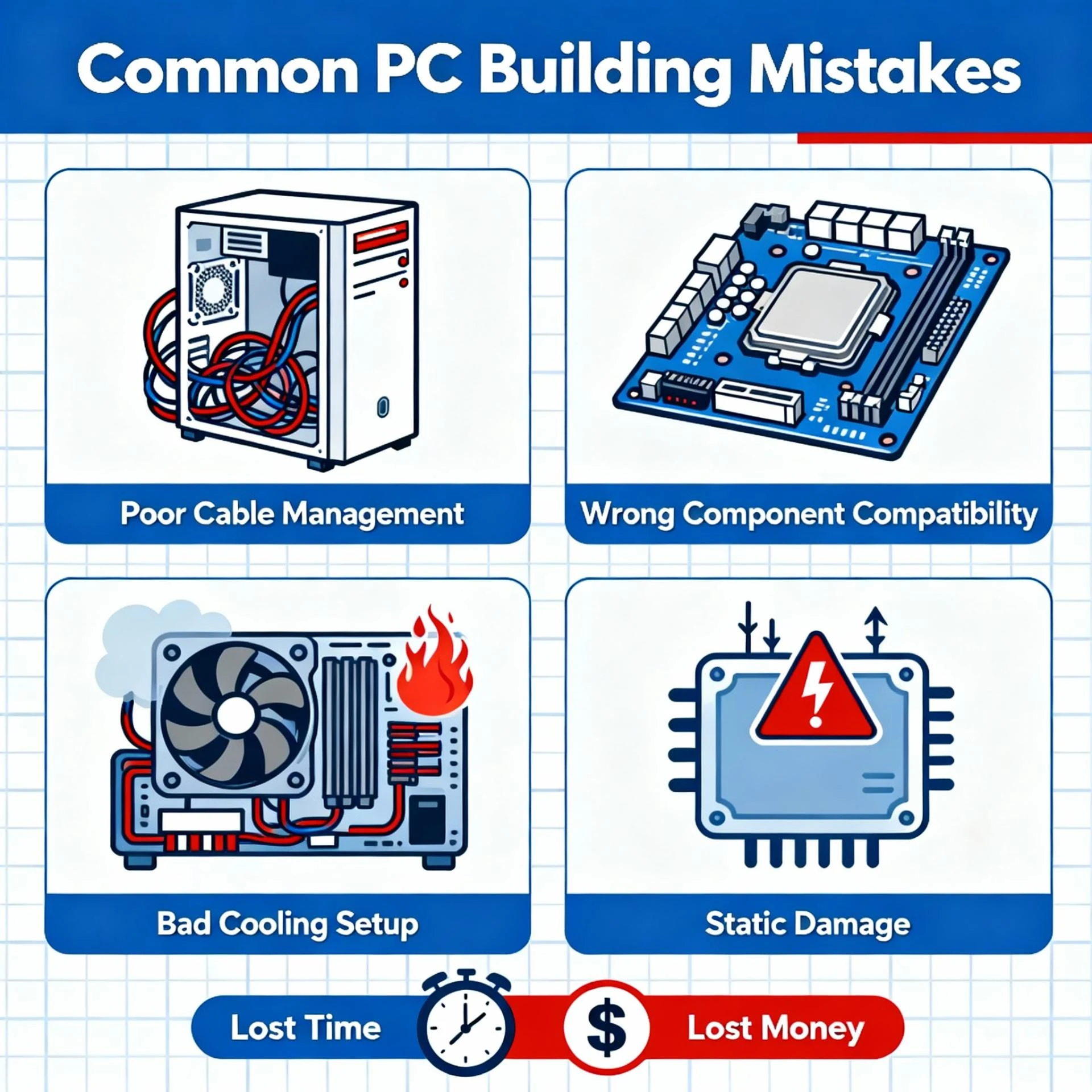

Building a PC isn’t rocket science, but your are a first-timer to doing this, it can be a nerve wracking experience for you. If you’re looking to build a new PC system, there are a lot of things to think about. From start to finish everything needs to be considered; choosing your components, assembling the PC, and installing programmes once the build is up and running.
Whether it’s your debut build or you’ve done this dance before, this guide’s got you covered on the rookie mistakes to dodge so you can flex a smooth, flawless build
1. Cheaping Out On The Power Supply
The PSU is the backbone supplying power to all your components, so going cheap here can put your whole build at risk. When putting together either a budget or high-end PC, never settle for a low-quality PSU just to save a few bucks.
By saying, “Never cheap out on the power supply”, it doesn’t mean that you should buy the highest-end PSU available on the market; we mean that you should go for an affordable PSU from a reliable brand that can provide adequate power for your components.
When you picks parts for your builds, you should already have a rough idea on how much power the rest of your hardware will need. It’s smart to pick one with slightly higher wattage than your estimate, so your system stays stable and ready for future upgrades without stress.
2. Buying Incompatible Components
Maybe it’s one of the most common mistakes when building a PC is purchasing components that are not compatible with each other. It consider rookie mistake a first-time PC builder will likely make.
Compatibility is key: for example, don’t grab DDR3 RAM for a motherboard that only supports DDR4, or you’ll be stuck with parts that simply won’t work together.
Another thing to watch out for is bottlenecking. This happens when there’s a big performance gap between your components, so the faster part (like a high-end GPU) gets held back by a slower one (like an old CPU).
Always double-check compatibility using online tools or part pickers, and aim for a balanced build to avoid bottlenecks and wasted performance.
3. Spending Too Much on Lower-Impact Components & Too Little on Important Components
While there are a lot of different components that are needed to build a computer, not all of them play as big of a role in the resulting performance as others. The processor (CPU), RAM, and graphics card (GPU) are the main drivers of how well a computer performs, especially for gaming or demanding tasks. For gaming builds, the GPU is usually the most important component, followed by the CPU and RAM
Other parts like the motherboard, power supply, and storage are still important, but they don’t directly boost performance as much. A very common mistake for first-time builders is spending too much on less important parts (like a flashy case or RGB fans) and not enough on the core components that actually determine system speed and gaming power.
4. Choosing a Graphics Card That is Too Powerful or Too Weak for Your Monitor
A classic rookie mistake is mismatching the power of the GPU and the monitor. If a high-end graphics card like an RTX 5070, 5080, or 5090is paired with a basic 1080p 60Hz monitor, the GPU is underutilised
For high-end GPU, it’s best to use a high-refresh or higher-resolution monitor (like 1080p 360Hz, 1440p 240Hz, or 4K 144Hz) to actually benefit from the card’s powe
High-End Video Card With A Cheap Monitor
In the best case scenario, you buy a high-end video card like an RTX 5070, 5080, or 5090 and you pair it with a cheap 1080p 60Hz monitor. In this case, the GPU is severely underutilised and you could have gotten similar in-game performance if, instead of going with a high-end card, you went with a budget-friendly card like an RX 7600, or RTX 3060 (or even lower). The difference in cost between those two tiers of graphics card is pretty significant.
Rather, if you are going to go with a high-end video card, make sure that you are pairing it with a high-end monitor (whether that’s a 1080p 360Hz monitor, a 1440p 240Hz monitor, or a 4K 144Hz monitor.)
Cheap Video Card With A High-End Monitor
Another part of this case is pairing a high-end monitor with a cheap video card is definitely worse than the example above because in this case, you will actually hurt your in-game performance. This is because a higher-end monitor takes more GPU power to run properly. The better the monitor, the lower your framerate will be.
So, while a cheap video card like an RX 7600 may be able to run a lot of today’s top games at 1080p with acceptable framerates, if you try and push those same games with an RX 7600 on a 1440P monitor or a 4K monitor, those same games might not even be playable.
Quite obviously, the easiest way to avoid this issue is to achieve a balance between your video card and your monitor. If you choose a high-end video card like an RTX 5090 or RX 9070 then pair it with a 1440p/144Hz monitor or a 4K monitor.
Of course, the exception to this mistake is if you have plans to upgrade your monitor in the future. So, if you have plans to grab a high-end monitor in the near future, then you can use a cheap monitor with your high-end video card for the time-being.
5. Forgetting The IO Shield
One of the most common PC-building mistakes is forgetting the IO shield. You will find one in your motherboard’s box. An I/O shield is a thin removable metal plate that provides casing for all the input and output on the back of a PC. This IO shield must be installed BEFORE mounting the motherboard on the PC case.
An IO shield is an important part of your PC; it prevents the motherboard from collecting dust and protects it against EMI and static discharge. When building a PC, it is very common to forget the IO shield, and by the time you realize its absence, the motherboard might already be mounted on the case
6. Applying Too Much Or Too Little Thermal Paste
Applying the wrong amount of thermal paste can result in poor CPU and system performance. Many beginners fear that they might apply too little thermal paste, so they do it too much. Which, in turn, can have an opposite effect where your CPU’s thermals don’t perform as well.
Similarly, applying too little thermal paste is also not good. The lack of thermal paste will cause the heat-sink to perform ineffectively, resulting in high temperatures.
7. Installing memory improperly
If this is your first time building a PC, you will likely make this mistake. You might be thinking, how is this difficult? There are four RAM slots, and I have two RAMs. I can insert them in the slots, and the work is done.
If you have an even number of RAM sticks (2, 4, so on), you need to install them spaced one slot apart. You must go through the motherboard’s manual to see which slots to populate first with dual-channel memory
Many users also find it difficult to install the RAMs correctly, apart from inserting them in the wrong slots.Once the RAM is properly installed, you will hear two clicking sounds.
8. Not Installing Case Fans The Right Way
Many don’t know this, but poor airflow is one of the major PC building mistakes, causing issues like reducing your motherboard’s lifespan, due to overheating. Having good airflow, a liquid-cooling system is an excellent option.
If your PC case has pre-installed fans, you shouldn’t worry about making this mistake. However, if you plan to install your fans, you should pay attention to how you orient them, as it can make or break your PC’s airflow.
You should remember that hot air rises from the bottom towards the top, while most heat-generating components are placed at the back of your casing.
So, as a general rule of thumb, it’s best to install the fans that will suck cool air from the room at the front and the bottom of the PC and install the fans that will blow out the hot air from the PC to the surroundings at the back and the top.
9. CPU installation
Some beginners will not know how to place the CPU into the slot. Installing your CPU incorrectly could potentially damage or snap the pins, depending on how much force is used. A CPU will always have markings on one corner that should match one on the board to show you the correct way to install it.
10. Forgetting To Remove The CPU Cooler’s Plastic Cover
Before installing the CPU cooler, you need to remove the plastic cover on the heatsink. Most CPU coolers come with this cover, usually labeled “remove before use.”
Without removing this cover, your CPU cooler will not touch the thermal paste, so it will not cool anything. The plastic cover will soon melt due to the heat from the processor, and having molten plastic on your CPU is never a good thing. Also, on CPU coolers and forgetting things, always connect the power cable to the motherboard.
These were some PC-building mistakes that you should avoid. Everybody learns from mistakes; you’re likely to make many of them if it is your first time building a PC. However, it is best to research as much as possible to avoid any mistakes that might cost you a lot.



























Sign in to leave a comment.