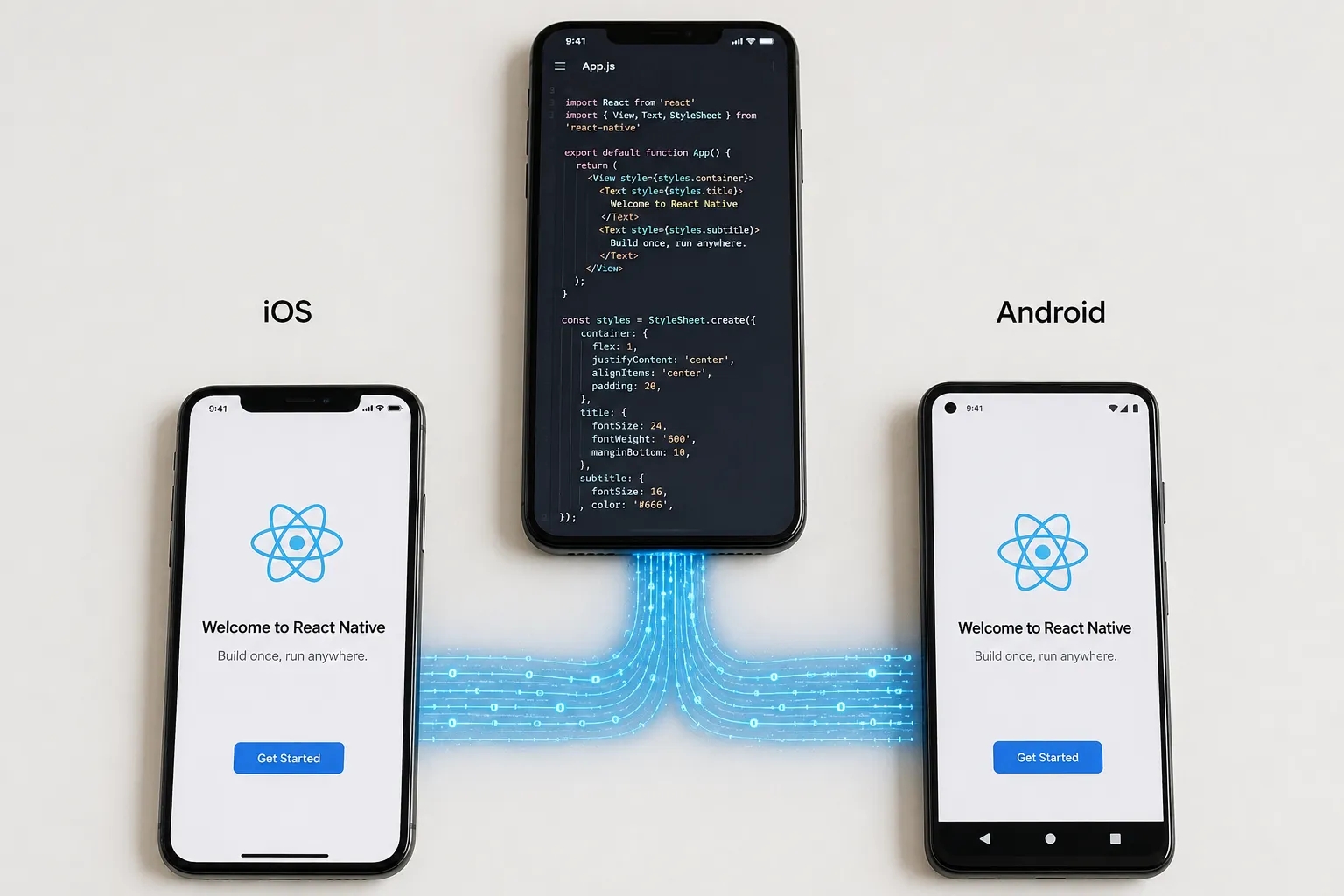

Most founders don't choose React Native because they love JavaScript. They choose it because they need one app that works well on iOS and Android without paying for two separate development teams.
That trade-off works for a lot of products. It does not work for all of them. Here is what React Native actually is, how it holds up in production, and when it is the right call for your business.
What Is React Native App Development?
React Native is an open source framework built by Meta that lets developers write one JavaScript or TypeScript codebase and ship it to both iOS and Android as a near native app. It shares 70 to 90 percent of its code across platforms, which cuts development time and cost compared to building two separate native apps. React Native app development means building mobile apps with a single JavaScript or TypeScript codebase that renders as real native UI components on both iOS and Android, not a webview wrapped in an app shell.
That distinction matters. Earlier hybrid tools rendered apps inside a browser container, which showed in sluggish scrolling and UI that never quite felt right. React Native compiles down to actual native views, so buttons, lists, and navigation behave the way users expect.
The framework is maintained by Meta and documented in detail at reactnative.dev, where the open source community also publishes updates on new features and platform support.
How Does React Native Actually Work?
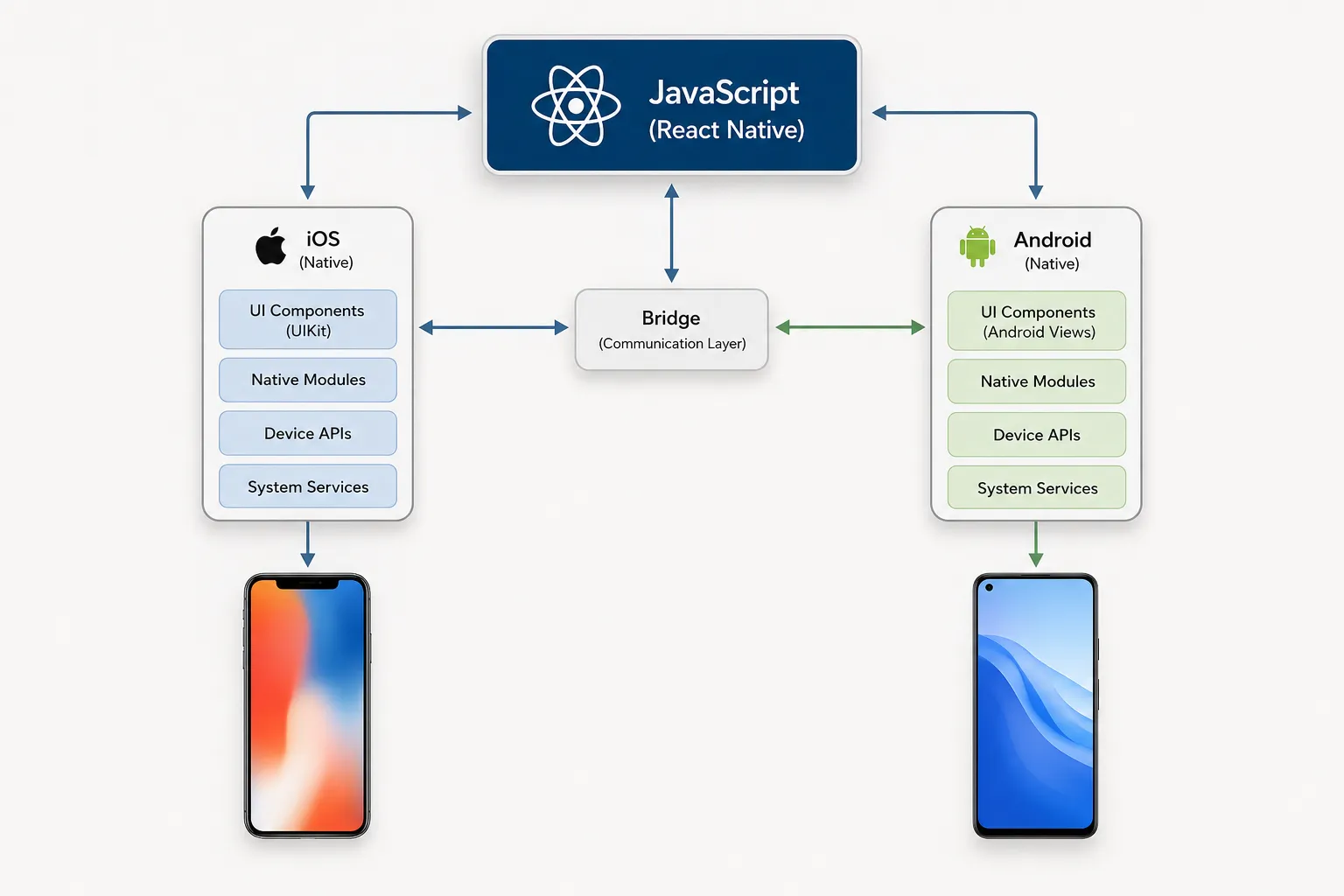
React Native runs your JavaScript logic on a separate thread and communicates with native modules through a bridge, translating your component tree into real UI elements for each platform.
The newer architecture, built around Fabric and TurboModules, replaces the old asynchronous bridge with a more direct connection between JavaScript and native code. In practice, that means faster startup times and smoother animations than earlier versions of the framework.
- One shared codebase for business logic, navigation, and most UI
- Native modules written in Swift, Kotlin, or Java for anything platform specific
- Hot reloading during development, so changes appear without a full rebuild
- A large library ecosystem covering maps, payments, camera, and push notifications
What Are the Main Benefits of Building With React Native?

The core benefit is development speed without giving up a native feel. Teams write most of the app once and ship it to both platforms, which shortens timelines and lowers the cost of building and maintaining two codebases.
- Faster time to market, since one team builds both platforms in parallel
- Lower long term maintenance cost compared to two native codebases
- Access to native device features: camera, GPS, biometrics, push notifications
- A large hiring pool, since JavaScript and React skills are common
- Over the air updates for JavaScript changes, skipping some app store review cycles
This is one of the first trade-offs we walk through with founders at Apptage, a mobile and web app development firm that builds both React Native and fully native apps depending on the product. The right answer depends on what the app actually needs to do, not which framework is trending.
What Are the Trade-Offs and Limitations?
React Native is not the right fit for every product, and honest planning means naming the limits up front rather than discovering them mid build.
- Graphics-heavy apps like games or complex AR features often need native code anyway
- Very large teams sometimes hit friction managing shared state across a big JavaScript codebase
- Some brand new OS features arrive on native platforms before React Native supports them
- Performance is close to native for most apps, but not identical in every scenario
None of these rule out React Native for most business apps. They just mean the decision should start with what the product needs, not with which framework sounds newest.
React Native vs Flutter vs Native: How Do They Compare?
React Native, Flutter, and fully native development all solve the cross-platform problem differently, and the right choice depends on team skills, timeline, and how UI-heavy the app is.
| Factor | React Native | Flutter | Fully Native |
| Language | JavaScript / TypeScript | Dart | Swift, Kotlin |
| Code sharing | Very high across iOS and Android | Very high across iOS and Android | None, two separate codebases |
| Talent pool | Large, JavaScript developers convert easily | Smaller, Dart is less common | Two specialized teams needed |
| Best fit | Startups, MVPs, teams with web React experience | UI-heavy, animation-rich consumer apps | Apps needing deep hardware access or top-tier performance |
For a deeper look at how these frameworks compare in real projects, see this breakdown of hybrid and cross-platform app performance, including where native still wins.
How Much Does React Native App Development Cost?
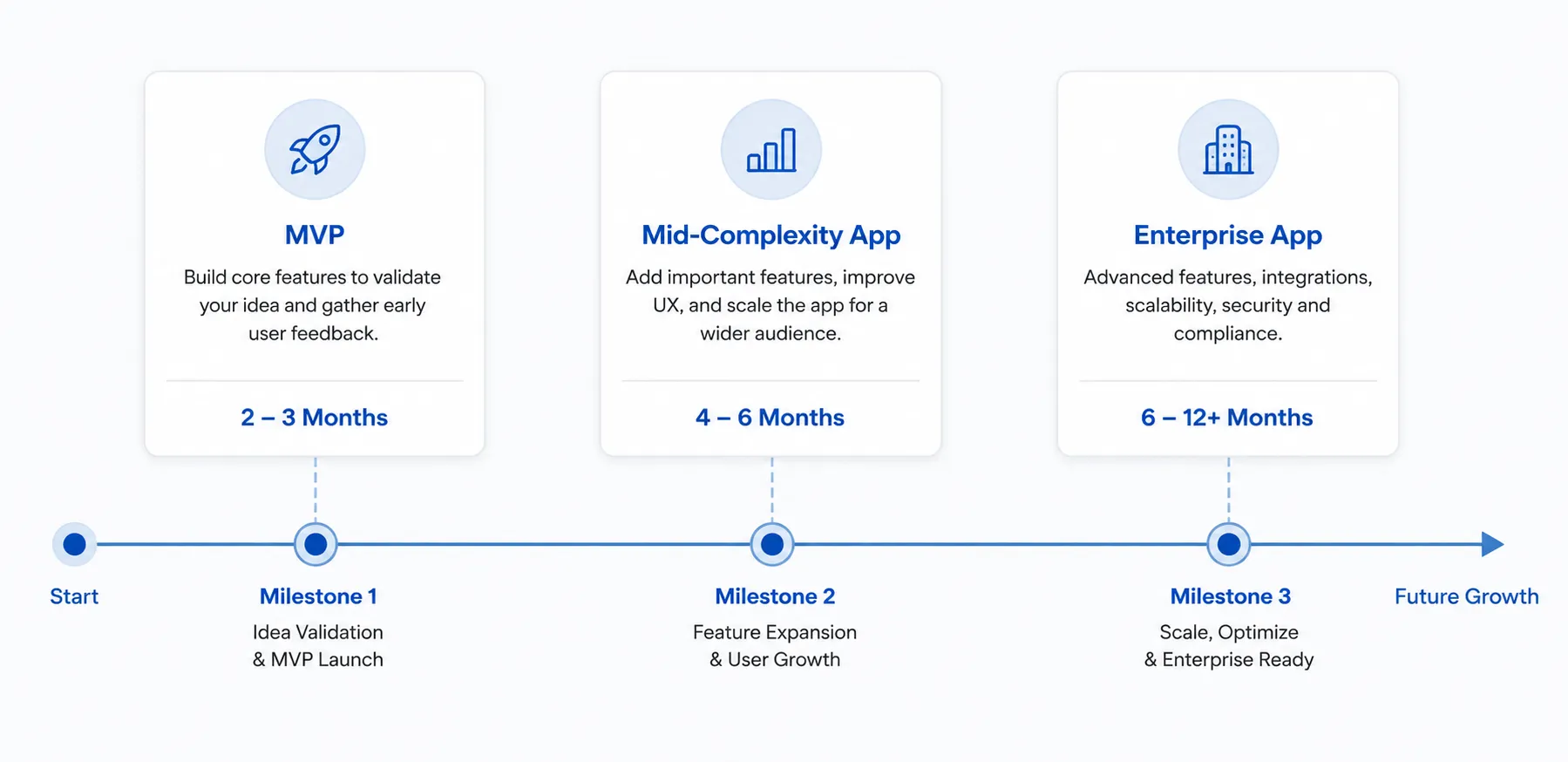
A simple React Native MVP with a handful of screens and basic backend integration typically costs between 15,000 and 40,000 dollars. A mid-complexity app with payments, real-time data, or third-party integrations usually runs 40,000 to 120,000 dollars, and enterprise-grade apps go higher depending on scope.
- MVP or proof of concept: 8 to 12 weeks
- Mid-complexity app with backend and integrations: 4 to 6 months
- Enterprise app with complex workflows and security requirements: 6 months or more
Cost swings the most based on backend complexity, third-party integrations, and how much custom native code the app ultimately needs, not the framework choice alone.
When Should a Business Choose React Native?
React Native tends to make sense when speed to market matters, the team already knows JavaScript or React, and the product does not depend on graphics-intensive performance.
- Startups validating an MVP before committing to a larger build
- Businesses that already have a React web app and want to share logic
- Products where one team needs to maintain both platforms long term
- Apps with standard UI patterns: feeds, forms, dashboards, e-commerce flows
If you're an early-stage company weighing this decision, this guide on why startups need tailored mobile app development covers how to avoid overbuilding before you've validated demand.
For teams staffing a build, what to look for when hiring cross-platform developers is worth reading before writing a job description.
React Native's architecture continues to evolve. The official new architecture documentation is the most reliable source for what's currently stable versus experimental.
For a broader view of where mobile development is headed this year, this roundup of mobile app development trends covers AI features, AR, and UX shifts worth planning around.
Frequently Asked Questions
Is React Native good for large, complex apps?
Yes, with the right architecture. Companies including Meta, Shopify, and Discord run React Native at scale, though large apps benefit from modular code organization and careful state management from the start.
Does React Native support offline functionality?
Yes. Local storage libraries, caching layers, and background sync patterns let React Native apps work offline and sync data once a connection returns, similar to native apps.
How long does it take to build a React Native app?
A basic MVP typically takes 8 to 12 weeks. A mid-complexity app with backend integration, payments, or real-time features usually runs 4 to 6 months.
Can a React Native app be converted to native later?
It is possible but rarely worth it. Most businesses that outgrow React Native rebuild specific performance-critical modules natively instead of rewriting the entire app.
Conclusion
React Native is not the flashiest choice and it does not need to be. For most business apps, it gets a product to market faster, keeps maintenance manageable, and still delivers a native feel users won't question.
If you're deciding whether React Native fits your product, talk to Apptage's team and we'll walk through your requirements and give you a straight read on what makes sense for your timeline and budget.


























Sign in to leave a comment.