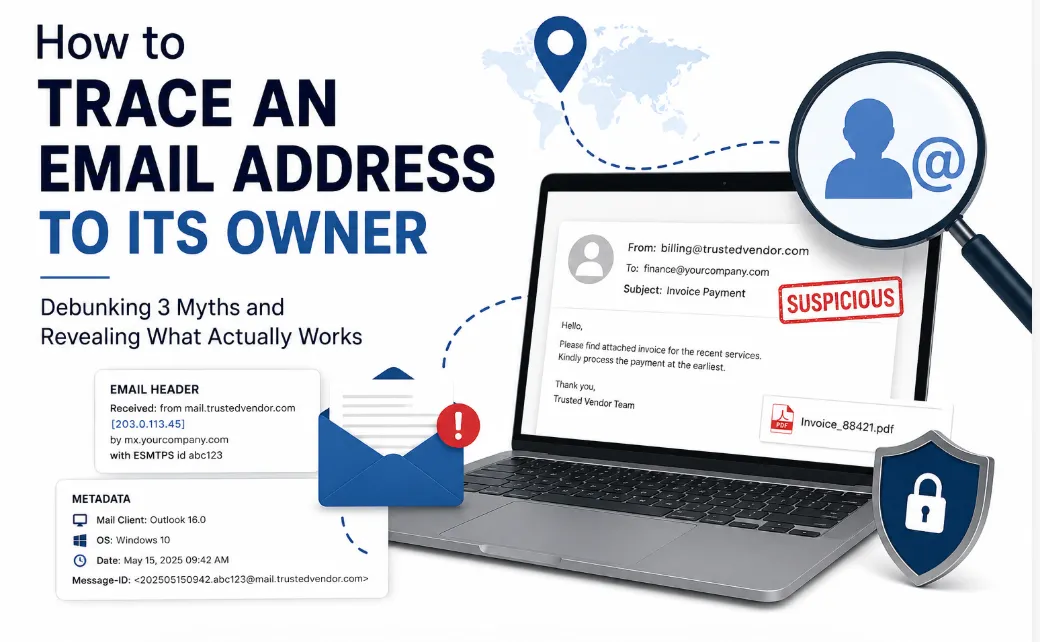

A finance manager gets an invoice email that looks exactly like it's from a regular vendor. Same logo, same tone, same signature. Except the vendor never sent it. By the time anyone notices, the payment is already gone.
Stories like this are common, and they all start with the same false assumption: that an email address is a dead end once someone hits send. In reality, almost nothing about an email is truly anonymous. Every message carries a trail — routing data, timestamps, device fingerprints — and reading that trail is exactly what How to Trace an Email Address to Its Owner is about. This article breaks down that trail through three common myths, and what actually works when you need to identify a sender.
Myth 1: "If I can't recognize the name, there's no way to find out who sent it"
This is the most common misconception, and it's wrong more often than not. Most people don't create a brand-new, untraceable identity every time they send an email. They reuse the same address across LinkedIn, Facebook, online marketplaces, and forums.
That reuse is a gift to anyone trying to verify a sender. Dropping the email address into a search engine, in quotation marks, often surfaces old posts, business listings, or account pages tied to that exact address. Pasting it into the search bar of major social platforms can do the same — one match can hand you a real name, a job title, and a face.
Dedicated reverse-lookup services take this further, cross-referencing the address against public records and directories automatically. For a large share of everyday cases — a pushy recruiter, a stranger messaging a teenager, a "too good to be true" seller — this alone is enough to get a name.
Where this myth becomes partially true: burner accounts, disposable inboxes, and people who've deliberately kept their digital footprint clean. That's when you need to go deeper than public search.
Myth 2: "Email headers are just technical noise, not real evidence"
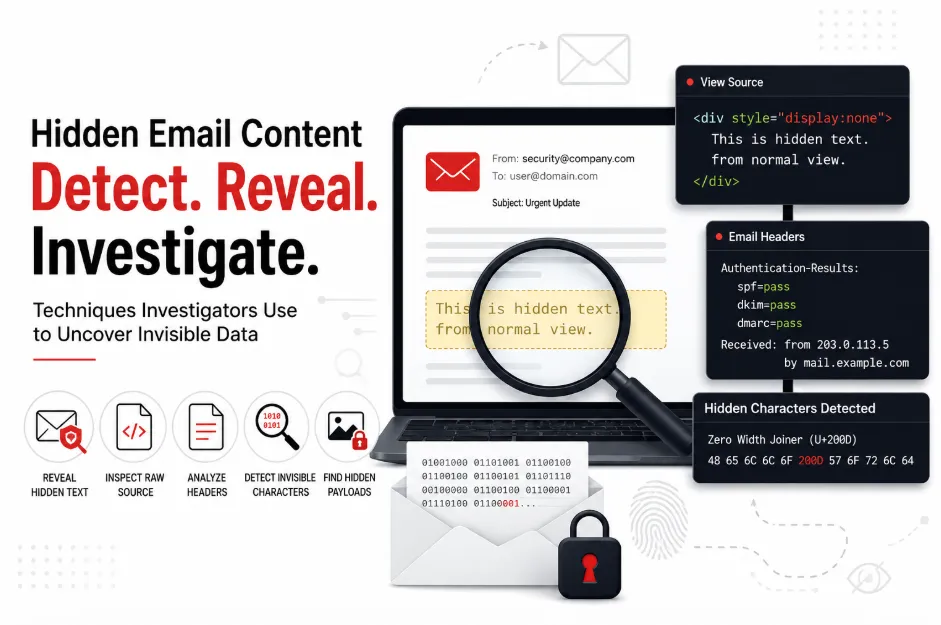
Open any email's underlying source — in Gmail via "Show original," in Outlook via "View message source" — and you'll see a wall of technical text. It looks like noise. It isn't.
Buried in that header is a "Received: from" line that marks the server which first handled the message, along with an originating IP address. Run that IP through a geolocation tool like MXToolbox, and you'll typically get a country, city, and internet service provider — a real, physical anchor point for a message that otherwise feels weightless.
The catch is that consumer webmail platforms like Gmail often substitute their own server IP in place of the sender's actual one, as a built-in privacy measure. Business and corporate mail servers are far less likely to do this, which is exactly why header analysis tends to be dramatically more useful in workplace fraud cases than in personal inbox disputes. A header isn't decoration — it's closer to a shipping manifest, and it rewards anyone who takes the time to actually read it.
Myth 3: "Once metadata is stripped, the trail goes cold"
Attachments get removed. Signatures get faked. But metadata — the quieter data layer sitting underneath the message body — tends to survive far longer than people expect.
This includes the mail client and version used to send the message, the sender's operating system, precise send timestamps that can be checked against plausible time zones, a unique Message-ID string generated for that specific email, and MIME type information that can hint at what an attachment was, even after it's gone.
None of this is visible to a casual reader, and manually digging through it is genuinely tedious. But patterns in metadata are frequently what separates a real spoofed sender from a dead end — which is why this layer matters most in cases that actually need to hold up under scrutiny.
When the Case Outgrows Manual Work
Everything above works well for a one-off suspicious email. It breaks down fast once the scale changes — a compromised business account with thousands of outbound messages, a fraud investigation spanning multiple mailboxes, or a compliance review with a legal deadline attached.
At that point, manually opening headers one at a time isn't just slow, it's unreliable. This is the gap that purpose-built Email Forensics Software is designed to close. Instead of a human sifting through individual messages, forensic platforms can process entire mailboxes simultaneously, flag metadata patterns across thousands of emails at once, and generate documentation structured well enough to be presented as evidence. For any investigation where the outcome needs to survive legal or regulatory scrutiny, that shift from manual review to dedicated software isn't a convenience — it's what makes the findings usable at all.
The Domain Shortcut Most People Skip
If a suspicious email comes from a company domain rather than a free provider, there's a step that gets overlooked constantly: a WHOIS lookup on the domain itself.
Every registered domain carries public registration data — organization name, registration date, and often the hosting provider. It's not always a clean hit, since privacy-protection services can mask this information, but when it does return a real company name, the fastest confirmation is direct: contact that organization and ask whether the address is genuinely theirs.
Where the Line Sits
It's worth being direct about limits here. These techniques exist to verify senders, protect an organization, or document a legitimate case — not to enable stalking or unauthorized surveillance of private individuals. If personal data covered by regulations like GDPR or CCPA is involved, keep any investigation narrowly scoped to what's actually necessary, and handle whatever you find with care.
The Real Takeaway
The idea that email senders are untraceable mostly survives because most people never look past the inbox view. In practice, a message's public footprint, its header, and its metadata each tell a different part of the same story — and together, they usually add up to a real answer.
The next time an unfamiliar email lands with a request that feels slightly off, remember: the sender left more behind than they probably realize. The trail is there. It just takes knowing where to look.


























Sign in to leave a comment.