

A friend called me last week panicking. He was flying out the next morning, realised his old e-Aadhaar PDF was outdated, and didn't have the physical card on hand. Ten years ago, that would've been a problem. In 2026, it took him exactly six minutes on the UIDAI My Aadhaar portal to log in, download a fresh copy, and put it on his phone.
That's the quiet shift most people haven't fully appreciated yet — Aadhaar is no longer a card you carry, it's a digital service you log into. Here's everything the portal lets you do, and a few things it still doesn't.
What the Portal Actually Is
The My Aadhaar portal at myaadhaar.uidai.gov.in is UIDAI's official self-service dashboard. Think of it the same way you think of your net banking — one login, multiple services, all government-verified. It's separate from the older UIDAI website and is now the primary place residents are expected to manage Aadhaar online.
For 2026, UIDAI has also rolled out a refreshed mAadhaar app that mirrors most of the portal's features for phone-first users. Either works — pick whichever interface you're more comfortable with.
Logging In
The login flow is deliberately simple because the OTP does all the heavy lifting.
- Open myaadhaar.uidai.gov.in
- Click 'Login' at the top right
- Enter your Aadhaar number or Virtual ID (VID)
- Complete the captcha
- Tap 'Send OTP' — it goes to your Aadhaar-linked mobile
- Enter the 6-digit OTP and you're in
The catch — and this trips people up constantly — is that the portal only works if your current mobile number is linked to Aadhaar. If you changed your number two years ago and never updated it with UIDAI, you can't login. There's no online way to fix this. You have to visit an Aadhaar Seva Kendra in person with your ID. Painful, but that's how it's designed.
What You Can Get Done in Five Minutes
Once logged in, the dashboard gives you neat tiles for each service. The most-used ones:
Download e-Aadhaar — PDF copy of your Aadhaar, valid as legal ID everywhere in India.
Order PVC Aadhaar Card — The plastic version, ₹50, delivered by Speed Post in about a week.
Update Address Online — Upload a digital proof (utility bill, passport, rent agreement) and the new address kicks in within 1–2 weeks. No biometric needed.
Lock/Unlock Biometrics — Probably the most underrated feature. Once locked, no one can use your fingerprint/iris for authentication, even with your Aadhaar number. Unlock it temporarily only when you need to give biometric verification somewhere. This single feature would have prevented thousands of Aadhaar misuse cases over the years.
Generate VID — A 16-digit temporary number you can share instead of your actual Aadhaar number. Banks and KYC portals accept it. Safer.
Authentication History — Shows every place where your Aadhaar was used (eKYC, OTP auth, biometric auth) in the last 6 months. Check this once a month. If you see something you didn't authorise, file a complaint immediately.
Verify Aadhaar/Mobile/Email — Lets you confirm what's currently linked to your Aadhaar.
Downloading Aadhaar — The Password Thing People Get Wrong
Almost everyone makes the same mistake the first time they download e-Aadhaar. The PDF is password-protected, and the password follows a specific format: first 4 letters of your name in CAPS + year of birth (YYYY).
So Priya Mehta born in 1992 would type PRIY1992. Not Priya1992. Not priy1992. Caps matter. If your name is shorter than 4 letters (say "Om"), use the entire name in caps followed by the year — OM1990.
Where Your Aadhaar Quietly Affects Your Business Loan Application
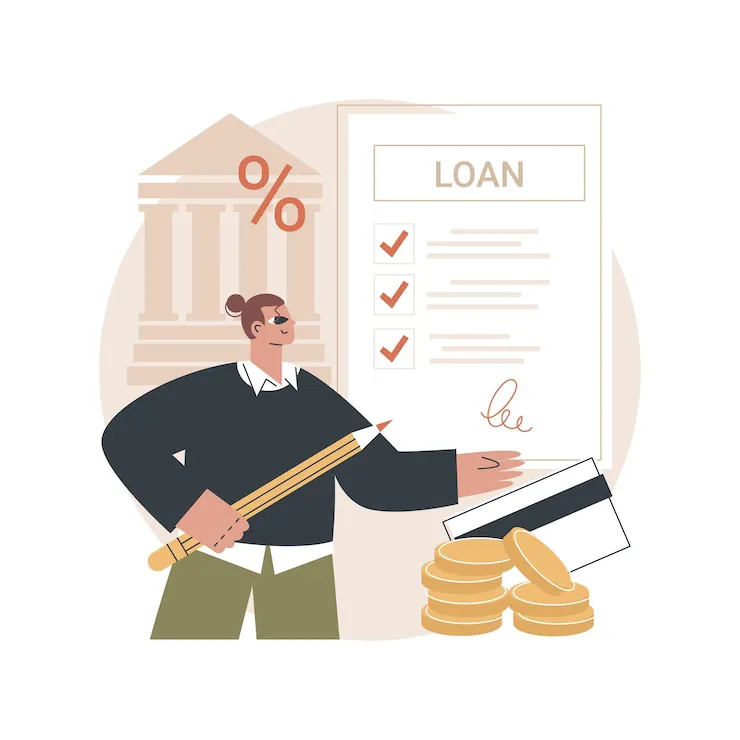
Here's a connection most people don't see until they apply for a loan and get rejected. When you apply for a business loan online in 2026 — from banks, NBFCs, or fintech lenders — the system pulls four things in the first 30 seconds: your PAN, your Aadhaar, your GST status, and your bank statement. If any of these don't match, your application is paused before a human even sees it.
The most common mismatch is the Aadhaar address. Business owners often have a current business address that's different from the one on their old Aadhaar. Lenders flag this as "address inconsistency" and either reject the application or ask for additional documents — which adds days to the process.
Spending five minutes to update your Aadhaar address through the UIDAI My Aadhaar portal before applying for a business loan saves a surprising amount of grief. Digital lenders like Lendingkart, FlexiLoans, Bajaj Finserv, and Indifi can disburse business loans up to ₹2 crore within 24 to 72 hours — but only when your KYC documents are aligned. Aadhaar is the anchor that holds the whole verification chain together.
In Short
The UIDAI My Aadhaar portal won't make Aadhaar centres obsolete, but it covers about 80% of what most people will ever need. Bookmark the URL. Keep your mobile number updated. Lock your biometrics when you don't actively need them. And if you're a business owner, treat your Aadhaar status as part of your loan-readiness checklist — because today, it absolutely is.




















Sign in to leave a comment.