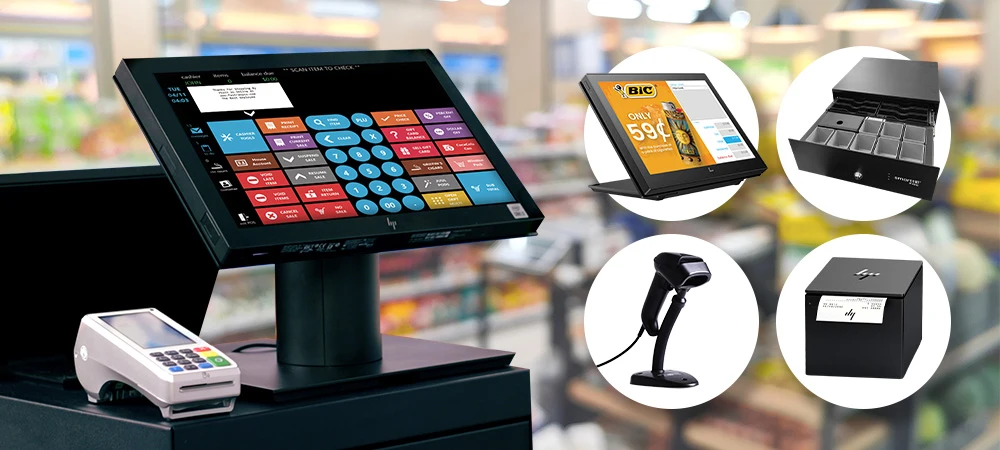

Are you confused about how to select the right POS system for your business? You're not alone. Many small business owners struggle with choosing between an all-in-one POS that offers convenience and simplicity or a modular POS that promises flexibility and control.
Your POS system isn't just a cash register; it's the heart of your daily operations. From managing inventory and processing payments to tracking customer loyalty and generating reports, selecting the best POS systems for small businesses can save time, cut costs, and boost customer satisfaction.
When exploring your options, you'll likely come across two main types:
- All-in-One POS Systems: Pre-packaged with built-in hardware and software for a plug-and-play experience.
- Modular POS Systems: A customizable solution where you select the features and tools that fit your specific business needs.
This decision to select the best POS system is crucial for small businesses. The wrong choice could limit their growth or cost them more in the long run, while the right one can adapt with them as their business evolves.
In this blog post, we'll learn about the differences between all-in-one POS systems and modular POS systems, compare their pros and cons, and help you decide the best one for your small business. Let's get started.
What Is an All-in-One POS System?
An all-in-one point of sale system is a comprehensive solution that combines various hardware and software components into a single, integrated platform.
It manages all essential aspects of a business's sales transactions and related operations. It streamlines processes like payment processing, inventory management, and sales tracking into one system, often provided by a single vendor.
Key Features
- Pre-configured Hardware & Software: Is ready to use with little to no setup.
- User-Friendly Interface: Easy to train staff and operate daily.
- Inventory and Sales Tracking: Monitor stock levels and real-time sales performance.
- Customer Management Tools: Built-in loyalty programs, CRM, and purchase history.
- Payment Processing Integration: Accepts cash, credit cards, mobile payments, and more.
- Support and Maintenance: Typically includes vendor support and software updates.
Example:
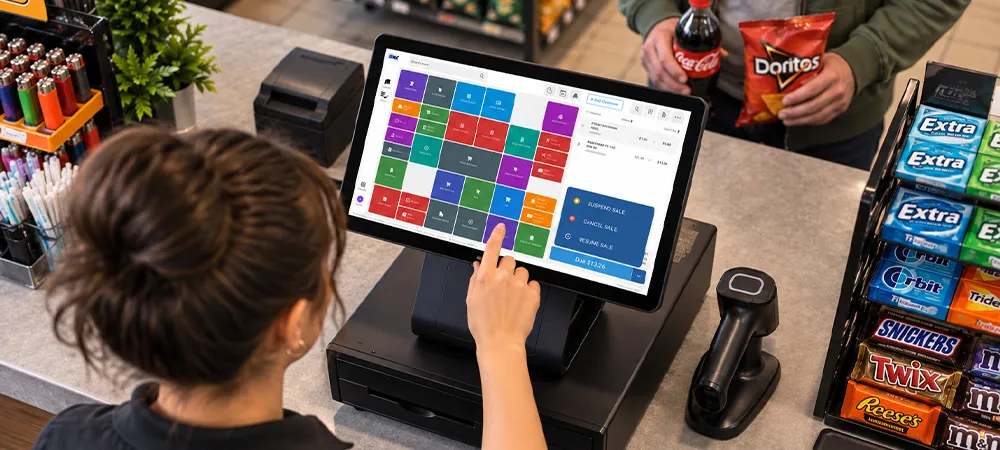
- A coffee shop using an all-in-one terminal with a touch screen, cash drawer, and card reader.
- A boutique retail store with built-in loyalty tracking and quick checkout setup.
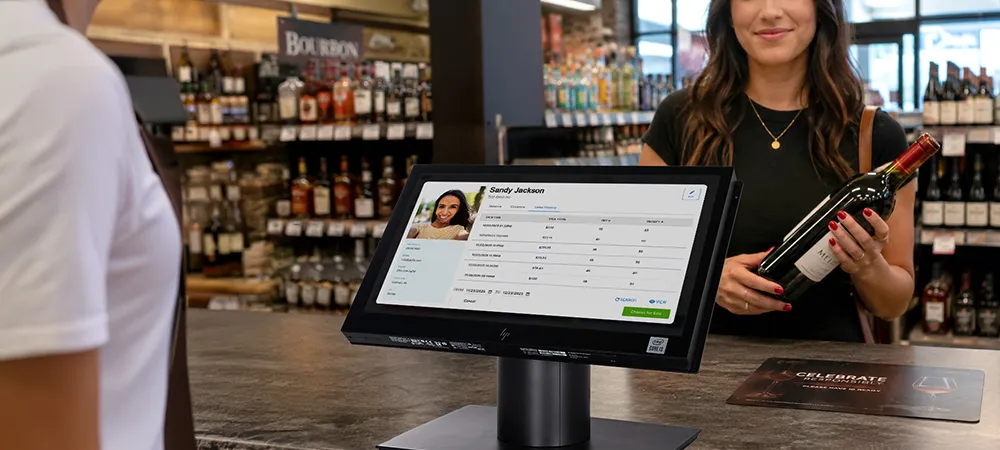
- A small dispensary or vape store using a POS with integrated ID verification and compliance tracking.
Pros:
- Quick setup with minimal tech knowledge required.
- Streamlined vendor support – one provider handles hardware and software.
- Consistent interface reduces staff training time.
- Compact design saves counter space.
- Lower integration hassles, ideal for single-location businesses.
Cons:
- Limited flexibility, difficult to customize for unique business needs.
- Difficult to scale as your business grows or diversifies.
- Higher upfront cost compared to basic modular setups.
- Vendor lock-in, reliant on one provider for updates, repairs, or upgrades.
What Is a Modular POS System?
A modular point-of-sale (POS) system is a customizable sales and management solution made up of separate hardware and software components that can be mixed and matched to meet a business's specific needs. Unlike an all-in-one system, modular POS gives businesses the flexibility to choose only the tools they need and upgrade or scale them over time.
Key Features of a Modular POS System
- Customizable Modules: Choose from inventory management, customer loyalty, payments, reporting, CRM, and more.
- Scalability: Easily add new components as your business grows or diversifies.
- Third-Party Integration: Connect with other software tools like accounting, ecommerce, or delivery platforms.
- Cloud or On-Premise Options: Choose between local installations or cloud-based access.
- User Roles and Permissions: Set access levels for staff to improve security and workflow.
Examples of Modular POS Usage:
- A restaurant adds kitchen display systems and table-side ordering as modules.
- A liquor store integrates loyalty programs and age verification tools into its existing POS system.
- A vape shop starts with basic sales and inventory, then adds compliance reporting and SMS marketing modules.
Pros of Modular POS Systems:
- Highly Customizable: Customizable to specific industry or business size.
- Cost-Effective Scaling: Pay for only what you need; add more later.
- Specialized Tools: Choose best-in-class modules for loyalty, compliance, or marketing.
- Future-Ready: Adapt quickly to changing business or regulatory requirements.
Cons of Modular POS Systems:
- Longer Setup Time: Requires research and configuration.
- Vendor Complexity: Managing support across multiple providers can be challenging.
- Higher Long-Term Cost: Individual modules and integrations may increase total cost over time.
- Learning Curve: Staff may need training for each separate tool or function.
All-in-One vs. Modular POS
Features
All-in-One POS
Modular POS
Setup Time
Quick and easy to set up with minimal configuration.
Can be more time-consuming, requiring individual component setup.
Customization
Limited customization options. Has fixed hardware and software combinations.
Highly customizable with separate modules and add-ons.
Cost
Higher upfront cost, lower ongoing integration costs.
Lower initial cost but can become expensive due to scalability and targeted upgrades.
Maintenance
Easy to maintain as components of this POS system are integrated.
More targeted maintenance is required, as individual components can be replaced or upgraded.
Scalability
Limited scalability; may require a complete system replacement for major upgrades.
Highly scalable, allowing for incremental upgrades and additions of components.
Ideal for
Small to medium-sized businesses with basic POS needs; quick setup is a priority.
Larger businesses with complex needs, requiring specific features and customization, or those expecting significant growth.
Which POS System Is Best for Your Business?
Consider Your Business Needs
Start by identifying what your business truly requires. If you need a simple, ready-to-use system, an all-in-one POS may be ideal. For businesses with unique workflows or industry-specific needs, a modular POS system offers the flexibility to customize your setup accordingly.
Budget
All-in-one POS systems often have a higher upfront cost but lower ongoing maintenance. Modular POS systems may be more affordable initially, but adding individual components or features over time can lead to higher long-term costs. Choose a POS system based on your current cash flow and future investment plans.
Technical Comfort
If your team isn't very tech-savvy, an all-in-one POS with a unified interface and vendor support can reduce complexity. Modular systems may require more technical knowledge to integrate and manage multiple tools, but they allow great control and customization for those who are comfortable with them.
Future Scalability
Modular POS systems excel at scaling. Whether you're opening new locations or adding services, you can upgrade piece by piece. All-in-one POS systems are less flexible but ideal for businesses that plan to remain consistent in size and offerings.
Integration Needs
If your business relies on tools like accounting software, e-commerce platforms, or third-party apps, Modular POS is better suited to integrating with multiple systems. All-in-one POS may have limited integration options, but it is easy to manage as everything is under one roof.
Over to You
In this blog post, we learned about the key differences between all-in-one POS systems and modular POS solutions. If you want simplicity, quick setup, and a unified solution, an all-in-one POS is ideal. But if your business needs flexibility, custom tools, and room to grow, a modular POS offers long-term adaptability. The right choice depends on your current business requirements, technical comfort level, and future growth plans.






















Sign in to leave a comment.