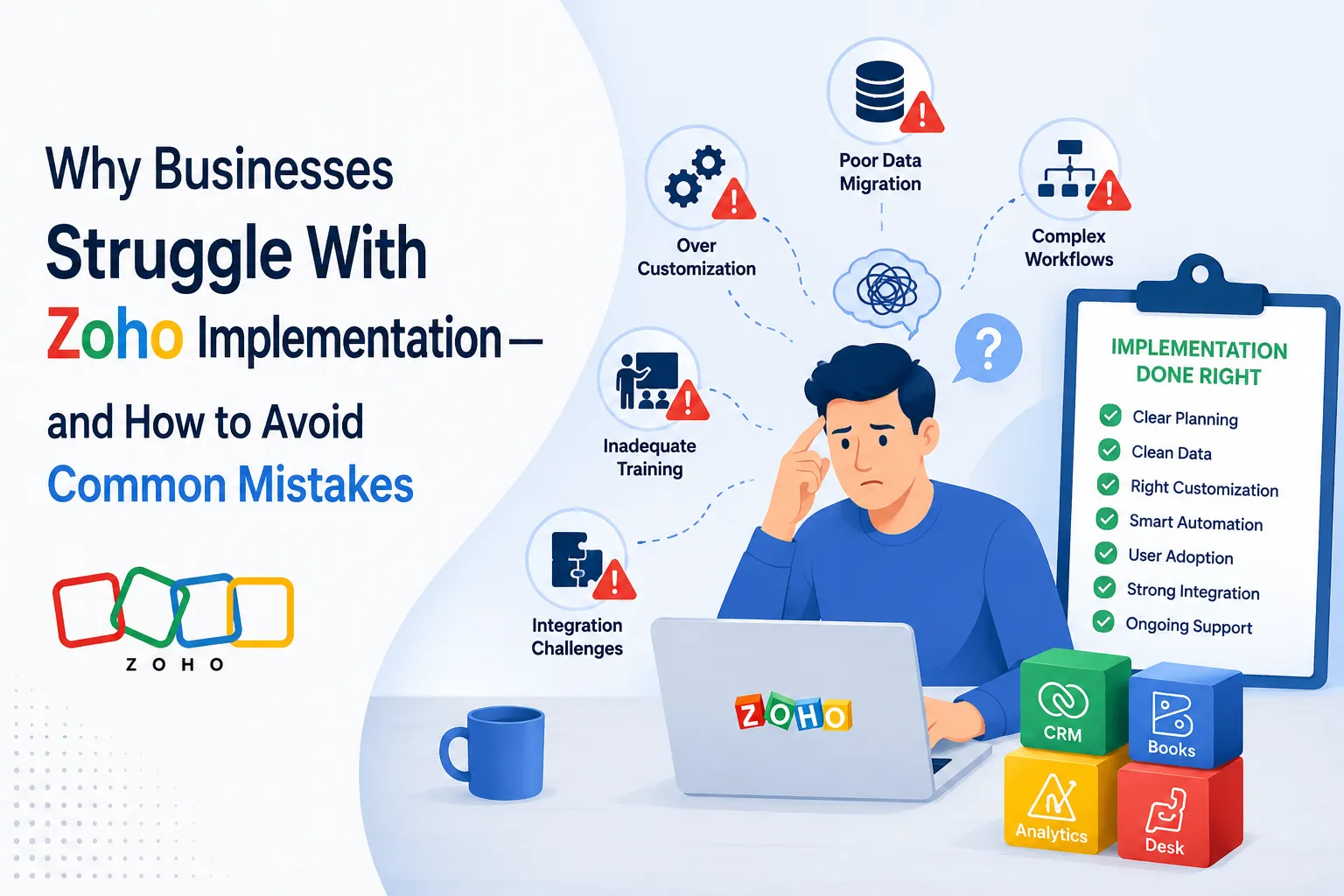

Zoho offers a broad ecosystem of business applications, but having access to powerful software does not automatically translate into a successful implementation. A business can subscribe to the right applications, configure the necessary modules, and still end up with a system that feels complicated, disconnected, or poorly aligned with the way its teams actually work.
The difficulty usually isn't the software itself. It comes from decisions made before and during implementation—how business processes are mapped, which requirements are prioritized, how data is structured, how automation is designed, and how users are prepared for the change.
A successful Zoho implementation should do more than make the software operational. It should create a system that supports business processes without adding unnecessary complexity. Understanding where implementations commonly go wrong is therefore just as important as understanding what Zoho can do.
Why Zoho Implementation Can Become Difficult
Zoho provides considerable flexibility through applications, customization options, workflows, integrations, reports, and automation. That flexibility is valuable, but it also creates more decisions.
Businesses often begin implementation by asking, "How do we configure Zoho?" A better question is, "What should our business process look like, and how should Zoho support it?"
When that distinction is overlooked, implementation can quickly become a configuration exercise rather than a business improvement project.
Several recurring issues contribute to this problem.
1. Starting With Features Instead of Business Processes
One of the most common implementation mistakes is focusing on features before understanding the processes those features need to support.
Teams may begin by creating fields, modules, workflows, dashboards, and automation rules without first documenting how information moves through the organization. This can result in a CRM that contains plenty of functionality but lacks a clear operational structure.
Map the Process Before Configuring the System
Before configuring Zoho, businesses should document important processes such as:
- How leads enter the system
- How leads are qualified
- When a lead becomes an opportunity
- How sales activities are recorded
- Who approves discounts or special requests
- How customer information moves between departments
- What happens after a deal is closed
- Which activities should trigger notifications or follow-ups
Once these processes are clear, configuration decisions become much easier.
The objective isn't to reproduce every existing process inside Zoho. It is to determine which processes should remain, which should be simplified, and which can be automated.
2. Trying to Customize Everything
Zoho's customization capabilities can be extremely useful, but customization becomes counterproductive when every internal preference is treated as a system requirement.
A business may request numerous custom fields, layouts, stages, validation rules, workflows, buttons, reports, and scripts. Individually, these additions may appear reasonable. Together, they can create a system that users find difficult to understand and administrators find difficult to maintain.
Customize With a Purpose
A useful principle is simple: customization should solve a defined business problem.
Before adding a customization, ask:
- What problem does it solve?
- Who needs it?
- How frequently is it used?
- Can an existing Zoho capability handle the requirement?
- What maintenance will it require later?
This approach prevents customization from becoming an end in itself.
The strongest implementations are not necessarily the ones with the most custom functionality. They are the ones where every customization has a clear reason to exist.
3. Poor Data Structure and Migration Planning
Data migration is often treated as a technical task that happens near the end of an implementation. That approach can create serious problems.
Existing databases frequently contain duplicate records, inconsistent naming conventions, incomplete information, outdated contacts, unused fields, and conflicting values. Moving that data into Zoho without proper preparation simply transfers the underlying problems into a new system.
Clean Data Before You Import It
A structured migration process should include:
- Data inventory
- Field mapping
- Duplicate identification
- Data cleansing
- Format standardization
- Mandatory-field review
- Record ownership mapping
- Relationship mapping
- Migration testing
- Post-migration validation
Field mapping deserves particular attention. A source system may have a field that appears equivalent to a Zoho field but actually follows a different definition or format.
Migration should therefore be treated as data transformation, not simply data transfer.
4. Building Automation Too Early
Automation is one of the most attractive parts of a Zoho implementation. It can reduce repetitive work, enforce processes, improve follow-up, and connect different applications.
However, automating an unclear process only makes the unclear process happen faster.
Businesses sometimes build workflows before their sales stages, ownership rules, approval procedures, or data requirements have been properly established. This can lead to unnecessary notifications, conflicting automation, duplicate actions, and difficult-to-trace errors.
Establish the Process Before Automating It
Automation should generally follow this sequence:
Understand → Simplify → Standardize → Automate → Monitor
If a process requires excessive manual intervention or has inconsistent decision-making, it should be reviewed before automation is introduced.
It is also important to document what each automation does, what triggers it, what conditions it uses, and what action it performs. This becomes especially valuable as the system grows.
5. Ignoring User Experience
A technically correct implementation can still fail if employees don't want to use it.
Users interact with the CRM repeatedly, often under time pressure. If entering information takes too long, important fields are difficult to find, or the system contains unnecessary steps, adoption can suffer.
Design for the People Using the System
Different teams may need different views, fields, layouts, and workflows. A sales representative does not necessarily need the same interface as a manager or administrator.
Good implementation considers:
- What information users need at each stage
- Which fields are genuinely necessary
- How many steps are required to complete common tasks
- Which actions can be automated
- What information should be visible immediately
- Where users are likely to make mistakes
The goal is not to make every user learn the entire Zoho environment. It is to make their required tasks straightforward.
6. Treating Training as a Final Step
Training is sometimes scheduled after implementation is complete, almost as a handover activity. That can be a mistake.
Users need to understand not only where to click, but also why the new process works the way it does.
Training Should Reflect Actual Workflows
Training is more effective when organized around job responsibilities and processes rather than a long list of software features.
For example, instead of teaching every CRM function, training can focus on:
- Managing incoming leads
- Updating opportunities
- Recording customer interactions
- Following required sales stages
- Completing approval steps
- Reading dashboards
- Handling common exceptions
Training should also continue after launch. Questions that emerge during real usage often reveal areas where the configuration or documentation needs improvement.
7. Underestimating Integration Requirements
Zoho rarely operates in complete isolation. Businesses may need information to move between CRM, accounting, support, marketing, communication, inventory, project management, or external applications.
If integration requirements are considered too late, the original system design may need to be revised.
Define What Data Needs to Move
For each integration, determine:
- Which application is the source of truth
- Which records need to be synchronized
- Which fields need to move
- How frequently synchronization should occur
- What happens when data conflicts
- Which system initiates an update
- How errors will be identified and handled
Not every piece of information needs to exist everywhere. Unnecessary synchronization can increase complexity without improving the process.
8. Failing to Define Ownership and Governance
A Zoho environment needs ongoing ownership. Without clear responsibility, small configuration changes can accumulate and eventually make the system difficult to manage.
Businesses should establish who is responsible for:
- User access
- Configuration changes
- Data quality
- Automation
- Integration monitoring
- Documentation
- Change requests
- Reporting
- Periodic system reviews
Create a Change Management Process
Not every request should immediately become a system change.
A simple review process can determine whether a requested change is necessary, what it affects, and whether it introduces new dependencies.
This becomes increasingly important as more Zoho applications and integrations are added.
9. Trying to Implement Everything at Once
Zoho's wider ecosystem can make it tempting to implement multiple applications and processes simultaneously.
While an integrated environment can eventually provide significant value, implementing too much at once can increase project risk.
Use a Phased Implementation Strategy
A phased approach allows the organization to establish a strong foundation before introducing additional complexity.
A practical sequence might involve:
Phase 1: Core processes and data structure
Phase 2: Automation and approvals
Phase 3: Integrations
Phase 4: Reporting and analytics
Phase 5: Additional applications and advanced automation
The exact sequence depends on business requirements, but the underlying principle remains the same: build a stable foundation before expanding the system.
How to Avoid Common Zoho Implementation Mistakes
Avoiding implementation problems requires more than following a checklist. It requires a structured decision-making process.
Start With Requirements, Not Configuration
Document business requirements before configuring the platform. Separate essential requirements from preferences and future possibilities.
Keep the First Version Manageable
The initial implementation should solve the most important problems without attempting to address every possible scenario.
Test Before Going Live
Testing should cover workflows, permissions, data, integrations, reports, notifications, and common user actions. Testing should also include exception scenarios rather than only ideal processes.
Document the System
Maintain documentation for important fields, workflows, custom functions, integrations, business rules, and administrative procedures. Documentation reduces dependency on individual people and makes future changes safer.
Review the System After Launch
Implementation should not be considered finished on the day users receive access.
Monitor adoption, data quality, workflow performance, user feedback, and reporting requirements. Post-launch reviews can identify improvements that were not obvious during the planning stage.
The Real Goal of a Successful Zoho Implementation
A successful Zoho implementation is not measured by how many features have been configured.
It is measured by whether the system makes business processes clearer, information more reliable, work less repetitive, and decision-making more effective.
The most common implementation mistakes—over-customization, poor data preparation, premature automation, inadequate training, weak integration planning, and unclear ownership—usually have one thing in common: the technology is being configured before the business process has been properly understood.
That is why implementation should be approached as a business transformation project supported by technology, rather than simply a software setup exercise.
Zoho can provide the tools, flexibility, and connected applications needed to build a powerful business environment. The real value comes from designing that environment deliberately.
When businesses begin with clear processes, clean data, practical customization, controlled automation, proper training, and ongoing governance, Zoho becomes much easier to manage—and far more capable of supporting the organization as its requirements evolve.



























Sign in to leave a comment.