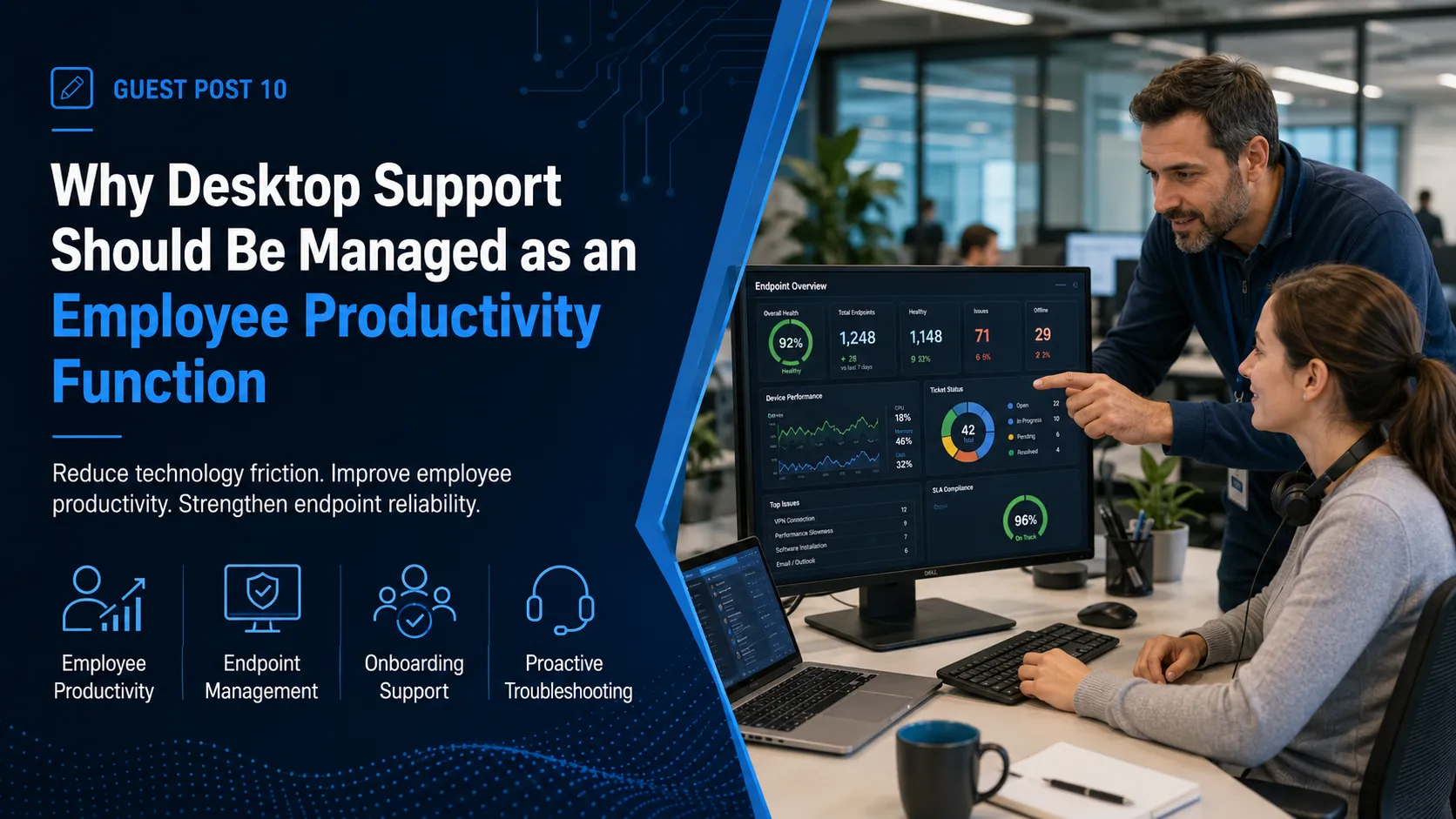

Desktop support is often viewed as one of the most basic areas of IT. A user has a laptop problem, an application stops working, a password fails, or a peripheral needs attention, and the support team fixes it.
That description is technically accurate, but it significantly understates the business role desktop support plays.
For most employees, the desktop environment is where virtually every business process begins. Email, Microsoft 365, CRM platforms, financial applications, collaboration tools, cloud systems, and line-of-business applications are all accessed through an endpoint.
When that endpoint does not work properly, the employee often cannot work properly either.
For IT decision-makers, desktop support should therefore be managed as an employee productivity function rather than simply a technical repair service.
Small Problems Create Significant Productivity Loss
Not every IT problem causes an outage.
Many productivity problems are smaller and less visible: a laptop that takes too long to start, an application that repeatedly crashes, unstable Wi-Fi, a printer that intermittently disconnects, slow synchronization, authentication prompts, or a Microsoft 365 application that behaves inconsistently.
An employee may continue working around the issue instead of reporting it immediately.
That makes these problems easy for management to overlook.
But when similar issues affect dozens or hundreds of employees, the accumulated lost time can become significant.
A strong desktop support model should therefore focus not only on major incidents but also on the smaller technical friction that repeatedly interrupts work.
Support Should Consider the Entire User Environment
Endpoint problems rarely exist in isolation.
A user who cannot open a business application may have a device problem, an authentication problem, an application issue, a network issue, or an access-permission problem.
Support technicians need enough visibility to investigate across these areas instead of simply transferring the user from one technical team to another.
Organizations evaluating IT desktop support should consider whether the support model can address the employee's overall technology experience rather than narrowly troubleshooting individual hardware components.
The goal should be to restore the employee's ability to perform the business task.
Standardized Devices Make Support More Effective
Desktop environments become increasingly difficult to manage when every department purchases different devices, software, accessories, and configurations.
Support technicians then face many variations of the same problem.
Standardization can reduce this complexity.
Organizations can establish approved device models, operating system standards, application packages, browser configurations, endpoint security requirements, encryption policies, and replacement cycles.
This does not mean every employee must use exactly the same configuration. Different roles may require different equipment.
The important point is that exceptions should be intentional rather than accidental.
A more standardized endpoint environment usually improves troubleshooting consistency while also making patching, security, asset management, and lifecycle planning easier.
Structured Troubleshooting Reduces Inconsistent Service
One technician may resolve a familiar issue in ten minutes because they have encountered it before. Another technician may spend considerably longer troubleshooting the same problem.
That variation becomes expensive as ticket volume grows.
Desktop support teams can reduce it by documenting known issue types, diagnostic steps, common resolutions, escalation requirements, and configuration checks.
Structured troubleshooting makes support knowledge reusable.
AI-assisted recommendations can further help technicians surface relevant documentation, identify similar historical issues, or organize troubleshooting information. However, the technician still needs to validate the recommendation and understand the user's specific environment.
AI should improve the technician's context—not replace technical judgment.
Device Health Should Be Managed Proactively
Some desktop issues can be identified before the employee contacts support.
Endpoint management tools can reveal operating system versions, available storage, patch levels, security-agent status, encryption status, hardware health, and other conditions.
This visibility allows IT teams to address problems proactively.
For example, devices with critically low storage can be identified before applications begin failing. Missing security agents can be corrected before devices remain exposed for long periods. Aging hardware can be identified before widespread performance complaints begin.
This changes desktop support from purely reactive troubleshooting into active endpoint management.
Onboarding Is Part of the Desktop Experience
A new employee's first interaction with IT often happens before they submit a support ticket.
It happens when they receive their device.
If the laptop is properly configured, required applications are installed, Microsoft 365 access works, security controls are active, and the employee can immediately access the tools needed for their role, onboarding feels organized.
When those steps are incomplete, the opposite happens.
The new employee spends the first day contacting IT, waiting for permissions, installing software, or borrowing equipment.
Desktop support should therefore be integrated into a structured onboarding workflow.
Required devices, applications, permissions, accessories, security configuration, and delivery timing should be defined before the employee starts.
Offboarding Is Equally Important
Employee departures create both operational and security requirements.
Company equipment should be recovered or securely managed. Access should be removed. Locally stored business information may need to be transferred or retained.
If the device is being reassigned, it should be properly reset and prepared for the next employee.
An informal offboarding process increases the risk of lost equipment, retained credentials, inaccessible business information, and unnecessary licensing costs.
Desktop support should therefore participate in both sides of the employee lifecycle.
Remote Work Increases the Need for Endpoint Visibility
Hybrid and remote workplaces have made desktop support less dependent on physical proximity.
Technicians may need to troubleshoot devices located hundreds or thousands of miles away.
This makes remote management, accurate asset records, secure remote-access tools, and clear support processes especially important.
Many issues can be resolved remotely. But some situations still require physical assistance, including hardware failures, office moves, network equipment problems, or device replacement.
Organizations with distributed employees should understand how their support provider handles both remote troubleshooting and situations where local hands-on assistance is necessary.
Desktop Support Is Part of Cybersecurity
Endpoints are also security assets.
A poorly patched laptop, disabled endpoint protection agent, unencrypted device, or uncontrolled administrative account can create security exposure.
Desktop support should therefore work closely with cybersecurity policies.
Routine support activities such as software installation, device replacement, permission changes, local administrator requests, and lost-device reports may have security implications.
Technicians need clear procedures for recognizing situations that should be escalated.
Good endpoint support strengthens security as part of normal operations rather than treating security as a completely separate activity.
Support Trends Should Influence Technology Decisions
Desktop support tickets provide useful information about the technology environment.
If one device model creates substantially more problems than another, that should influence future purchasing.
If users repeatedly struggle with the same application, the organization may need better training, configuration changes, or a different platform.
If access problems generate large numbers of tickets, identity and permission processes may need improvement.
Desktop support data should therefore feed IT planning rather than disappear after tickets are closed.
Final Perspective
Desktop support directly affects how employees experience technology.
When the function is treated only as a repair desk, organizations miss the opportunity to improve productivity, endpoint consistency, security, onboarding, and technology planning.
IT decision-makers should expect desktop support to combine responsive assistance with structured troubleshooting, proactive device management, standardized processes, and useful operational insights.
The objective is not simply to fix computers.
It is to reduce the technology friction that prevents employees from doing their jobs effectively.

























Sign in to leave a comment.