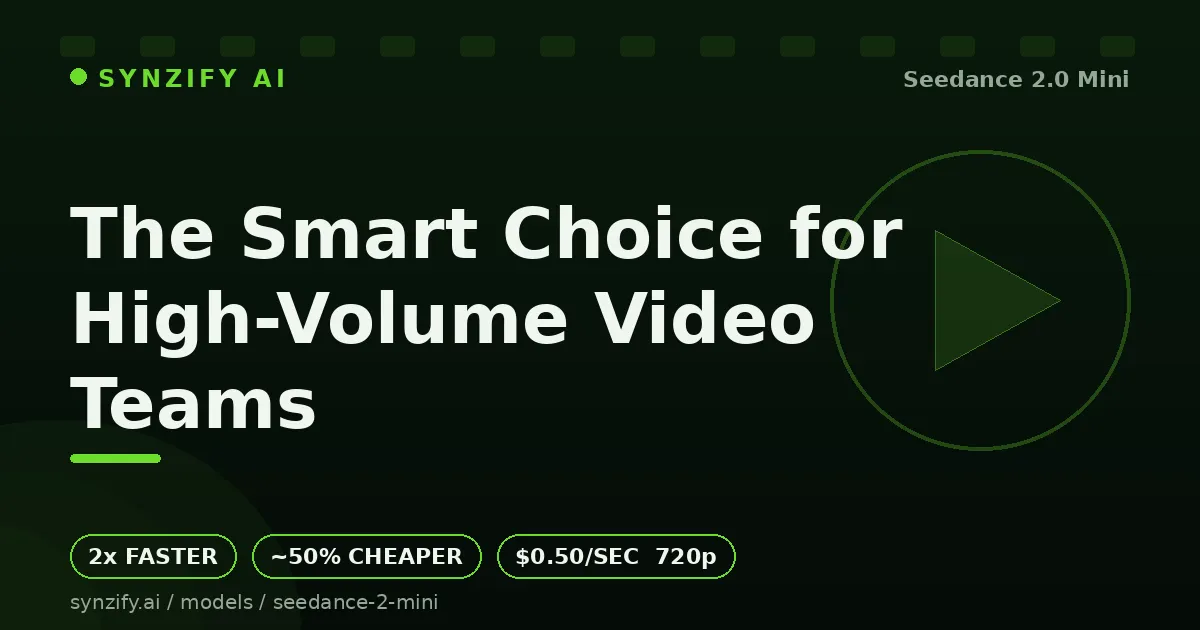

If you produce video at scale, you already know the hidden tax of AI generation: every clip costs money and time, and those numbers add up fast across hundreds of renders. That is exactly the problem seedance 2.0 mini was built to solve. As the lightweight tier in ByteDance's Seedance 2.0 family, it delivers the same cinematic look the lineup is known for while running roughly twice as fast as Seedance 2.0 Fast and costing about half as much as the standard version. Platforms like synzify ai have made it accessible to creators who want that economy without wrestling with raw API plumbing, and the result is a tool that finally makes large-scale videoIntroduction to Seedance 2.0 Mini production feel affordable.
The economics actually make sense now
The headline number is simple: around $0.50 per second for 720p output. For a single hero video, the cost difference between tiers might feel trivial. But the moment you scale up — fifty product variations, a hundred social cutdowns, a library of localized ads — the math changes completely. Cutting your per-second cost by roughly 50% means you can either double your output for the same budget or halve your spend for the same volume. For agencies and in-house content teams working against fixed monthly budgets, that flexibility is the whole game.
Speed compounds the savings. Render time is not just a convenience; it is throughput. When clips come back about 2x faster than they would on Seedance 2.0 Fast, your production queue stops being a bottleneck. Long overnight batches become afternoon turnarounds. Iteration cycles tighten. The creative team spends less time waiting and more time refining, and that shift alone often justifies switching tiers.
Quality you do not have to apologize for
The natural worry with any "mini" or "lite" model is that you are trading away the thing you actually care about. Here that fear is mostly unfounded. The Mini tier is built on the same Seedance 2.0 architecture, so it inherits the family's strengths: realistic motion, coherent camera movement, and the cinematic aesthetic that made Seedance 2.0 a talking point when it launched. ByteDance positions Mini as delivering quality comparable to Seedance 2.0 Fast, just at a lower price and faster speed. In practice, that means for the bulk of everyday production work — marketing clips, social content, product demos — most viewers would never guess you used the budget tier.
Three generation modes, one workflow
What keeps Mini versatile is that it is not a stripped-down one-trick tool. It supports three core modes:
Text-to-video turns a written prompt into a finished cinematic scene, with the model's understanding of composition and motion carried over from the larger Seedance 2.0 lineup. This is the fastest path from idea to clip when you do not have source material.
Image-to-video animates a still — your own artwork, a product photo, a brand asset — into natural, dynamic motion. For e-commerce and product marketing, this is the workhorse: shoot once, animate endlessly.
Reference-based generation lets you guide output with reference inputs to lock in a specific style, subject, or look. When you need a hundred clips that all feel like they belong to the same campaign, references keep your visual identity consistent across the whole batch.
Who should actually use it
Mini is not trying to be the prestige tool for a single award-winning film. It is built for volume. If your work looks like generating large libraries of marketing clips, spinning up endless social variations, localizing the same spot for a dozen markets, or testing creative concepts before committing budget to a flagship render, this is the tier that matches the workload. The combination of lower cost and faster turnaround is precisely what high-throughput teams have been asking for.
Getting started
The workflow is refreshingly direct. Enter a text prompt or add reference images, configure your parameters — resolution, duration, aspect ratio — and generate. There is no steep learning curve layered on top of the cost savings, which matters when you are onboarding a team rather than a single power user. Run a few test prompts, get a feel for how the model interprets motion described in plain language, and then scale into batches once you trust the output.
The bottom line
The AI video space has spent the last couple of years chasing maximum quality, often at maximum cost. Mini flips the priority for the use cases that actually dominate real production work: high volume, predictable budgets, fast turnaround, and quality that is more than good enough. For teams shipping video every single day, that is not a compromise — it is the configuration they needed all along. It is worth running your next batch through it and watching what your cost-per-clip does.
























Sign in to leave a comment.