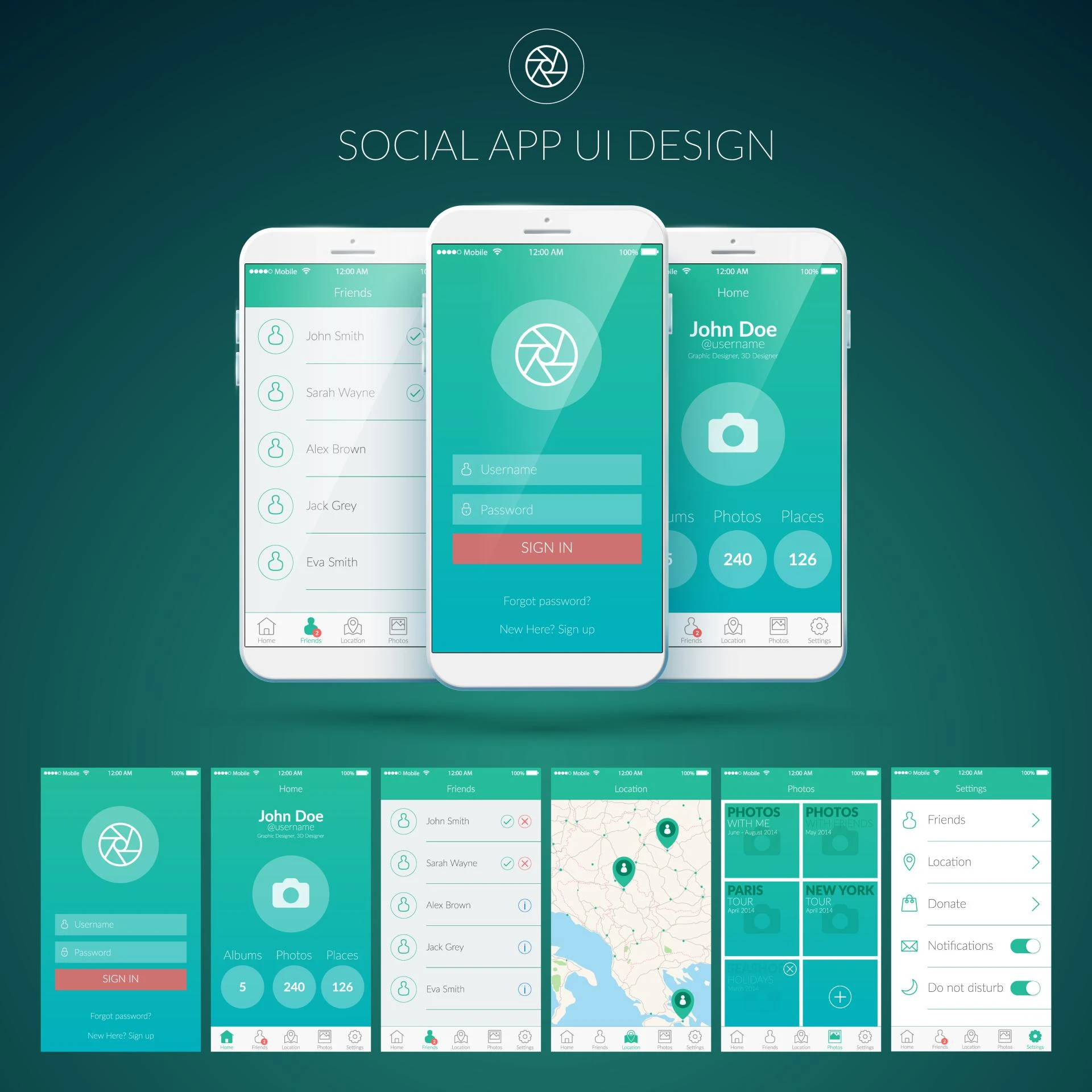

Users don’t give second chances. If your mobile app feels confusing, slow, or visually messy, users uninstall it within minutes. This is where solid mobile UI design plays a critical role. It’s not just about how an app looks—it’s about how smoothly it works and how confidently users move through it.
A well-designed mobile UI turns an average app into a powerful product that users enjoy, trust, and return to.
What Is Solid Mobile UI Design?
Solid mobile UI design focuses on:
- Simplicity
- Clarity
- Consistency
- Ease of interaction
It ensures that every button, screen, and interaction feels natural and intuitive. When users don’t have to think about how to use an app, they enjoy using it.
First Impressions Decide App Success
Users judge your app within seconds of opening it.
A strong mobile UI design immediately communicates:
- Professional quality
- Reliability
- Ease of use
If the interface feels polished and well-structured, users are more likely to explore further. If it feels cluttered or confusing, they leave—often for good.
Clear UI Reduces User Frustration
Poor UI creates friction. Users struggle to find features, misunderstand icons, or feel overwhelmed by too many elements.
Solid mobile UI design:
- Uses clear icons and labels
- Maintains visual hierarchy
- Guides users step by step
This reduces frustration and builds confidence.
Better UI Improves User Retention
Retention is one of the biggest challenges for mobile apps.
When UI design is solid:
- Users complete tasks faste
- Navigation feels effortless
- The app becomes enjoyable to use
Happy users stay longer, return often, and recommend your app to others.
Mobile UI Design Drives Better Performance
UI design directly affects performance perception.
A clean, optimized UI:
- Loads faster
- Feels smoother
- Performs better on different devices
Even a powerful app feels slow if the UI is poorly designed.
Consistency Builds Trust
Consistency in colors, fonts, spacing, and interactions makes users feel safe.
Solid mobile UI design ensures:
- Buttons behave the same everywhere
- Layouts follow a pattern
- Design feels familiar across screens
This consistency builds trust and reduces learning time.
Mobile-First Thinking Is Essential
Mobile users interact differently than desktop users.
Good mobile UI design considers:
- Thumb-friendly navigation
- Readable typography
- Simple gestures
- Minimal input effort
Apps designed with mobile-first UI feel natural and comfortable to use.
Visual Hierarchy Guides User Actions
Users should always know:
- Where they are
- What to do next
Solid UI design uses size, color, and spacing to highlight important actions. This improves task completion and conversions.
UI Design Supports Your Brand Image
Your app’s UI reflects your brand.
A strong mobile UI:
- Looks professional
- Feels modern
- Matches your brand identity
A weak UI damages credibility, no matter how good the idea behind the app is.
Solid UI Helps Apps Stand Out in Crowded Markets
App stores are full of similar apps.
What separates successful apps is:
- Ease of use
- Clean design
- Pleasant experience
Solid UI design gives your app a competitive edge.
UI and UX Work Together
UI and UX are closely connected.
Good UI:
- Enhances UX decisions
- Supports smooth user journeys
- Makes complex features feel simple
Without strong UI, even the best UX strategy fails.
Long-Term Business Benefits of Solid Mobile UI
Investing in solid UI design leads to:
- Higher app ratings
- Better reviews
- Increased engagement
- Stronger brand loyalty
It’s not a cost—it’s a growth investment.
Conclusion:
A mobile app succeeds when users enjoy using it—and that enjoyment starts with solid mobile UI design.
When your app is clear, fast, intuitive, and visually pleasing, users trust it, use it more, and stay longer. In a competitive digital world, solid mobile UI design doesn’t just make your app better—it makes it successful.

































Sign in to leave a comment.