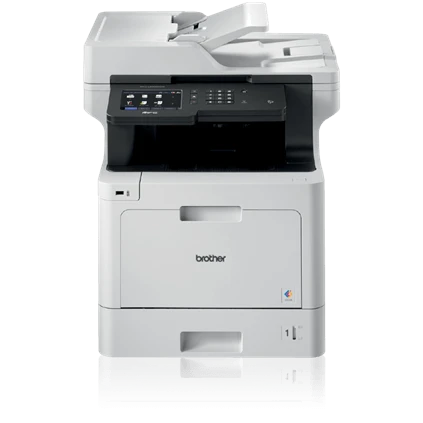

Please enjoy our top workgroup printers selection. These printers are essential in any modern office, especially those that are busy and have a large number of PCs that need to print throughout the day.
Yes, many top printers now support network connectivity, but only a limited number of devices can be connected at the same time.They can handle even the most demanding jobs all day because they have a fast CPU and enough RAM.
Of course, because they work best in busy businesses, they must also be able to handle printing a large number of documents each month. As a result, it's critical that they run quickly, have large paper trays, and produce high-quality prints. However, the best Workgroup MFP Printers are far more potent and include onboard memory to hold jobs while queuing, making them fantastic investments for busy and expanding companies.
Brother HL-L5100DN
Despite being a small workgroup printer, the Brother HL can handle many activities because of its quick print time and large paper capacity. Since it doesn't have some features, including Wi-Fi, you'll need to make sure you can connect it to your wired network. However, for small organizations with limited space, this is one of the best workgroup printers you can buy. It is also relatively inexpensive to run.
Kyocera ECOSYS P2040dw
Kyocera's ECOSYS models are consistently well-built with durable components for a workgroup printer that can print continuously on a shared network. The Kyocera ECOSYS P2040dw is a relatively compact desktop printer, holding 300 sheets of A4 paper in its main tray and 3,600 pages of toner in the box. It has a higher resolution than most mono laser printers and can print at a pace of 40 pages per minute.Lexmark MC3326i
Despite its small size, this multifunction laser printer is durable and reliable. Its steel frame structure and robust security features would perform well as a shared workgroup printer in a small but active office. Though it may not have more sophisticated capabilities like duplex scanning or an NFC module, it offers a touchscreen interface. It prints rapidly and superbly in huge volumes, which is more significant. A 50,000-page duty cycle each month is the maximum recommended by Lexmark. The Lexmark MC3326i is a very dependable workhorse but relatively inexpensive to buy or run.
Xerox VersaLink B600DN
This small device can keep a large workgroup printing constantly because of its 55 pages per minute print speed and ability to hold an entire ream of paper. Although this monochromatic device has a significant initial investment, its running costs are meager, so you should find that you save money over time. The print quality is excellent, even if it can only print in black and white.
Color LaserJet Enterprise M555dw
This print-only device is the perfect workgroup printer because it is geared at the office, as the Enterprise in the model title suggests. It prints effectively and swiftly because it is a laser. It offers some of the most robust security measures of any printer and a sizable touchscreen interface that tilts to save the time needed to manage jobs at the printer. It can network with numerous computers thanks to dual-band Wi-Fi and an Ethernet connector, and there is space for a fair amount of paper. If the 300 sheets aren't enough, you can always add additional optional paper tray units as your business expands.
Ricoh SP 3710DN laser printer
It will continue printing with little downtime because the main tray has adequate space for paper and 7,500 pages of toner. The print speed, which is 36 pages per minute, is quick and suitable for shared offices. Additionally, it prints securely using the Locked Print function, which holds private print jobs until you authenticate at the device when you're ready to retrieve your papers. Simply touching the printer with your smartphone will activate the built-in NFC tag, enabling you to do this.
A workgroup printer is the best option for you.
The best printers on this website can help you print documents correctly and quickly while minimizing operating costs, whether you need a home printer or a business printer for your office. However, when deciding on the best model of workgroup printer for you, your budget and other factors such as print quality and print speed are likely to be your top priorities. Wireless connectivity can also be a deal breaker. Size and weight are also important factors to consider for individuals who do remote work in order to minimize the amount of office space taken up by the workgroup printer .Every workgroup printer we get for testing is measured on our test bench, and the results are carefully compared to every other printer we've looked at.
To compare print quality, we print identical sample papers on each device. These twelve test pages include text in a variety of font sizes and colors, images with text, a collection of images, and some test patterns for judging sharpness, color fidelity, contrast, and grayscale.
0

























Sign in to leave a comment.