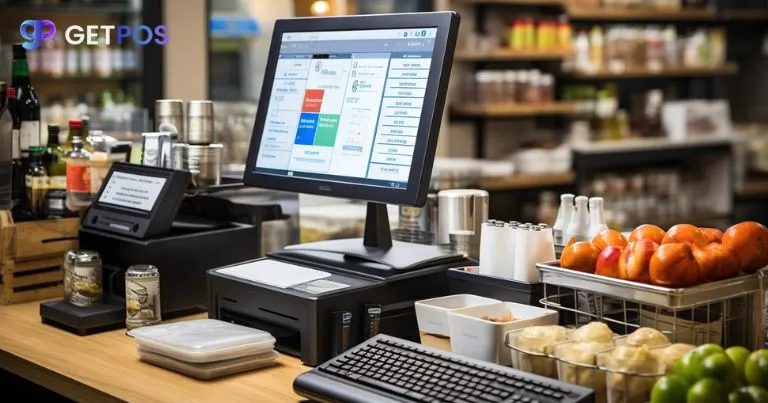

Upselling is a powerful way to grow revenue for any business, regardless of size or industry. POS software automated upselling helps retailers increase sales without extra effort by suggesting add-ons, bundles, and loyalty rewards at checkout. Traditionally, upselling depends on cashiers or sales staff, but this method is often inconsistent and easy to miss.
Modern POS software solves this problem by automating the entire upselling process. It suggests relevant products, applies bundle offers, encourages larger purchases, and reminds customers to return for repeat buys—all automatically.
Here are five effective ways your POS system can increase sales automatically.
Why POS software automated upselling works better than manual efforts
Manual upselling depends on human behavior, which is never consistent.
On busy days, staff may forget to upsell. On slow days, they may avoid suggesting extra products. Some employees are good at selling, while others are not comfortable with it. This creates uneven results and lost revenue.
POS software automated upselling removes this problem. The system shows the same offers to every customer, every time. It does not get tired or distracted.
It also improves customer experience. Instead of verbal pressure, customers see simple suggestions on screen and can choose freely.
Most importantly, the system uses purchase history and cart data to show more relevant offers than manual methods.
POS software automated upselling strategies in retail
1. Smart Add-On Suggestions at Checkout
When a customer adds a product, the POS system shows related items instantly.
For example, if someone buys a smartphone, it may suggest a charger, case, or screen protector.
These suggestions work because customers are already ready to buy. Adding one more item feels easy and useful.
2. Automatic Bundle Discount Offers
The POS system applies bundle discounts automatically when conditions are met.
For example, “Buy 2 shirts and get 10% off” is applied instantly at checkout.
Customers like seeing instant savings, which often encourages them to buy more.
3. Quantity-Based Volume Upselling
The system encourages customers to buy more units by offering better prices for higher quantities.
For example: “Buy 3 packs and save 15%.”
This works well for items people use regularly, like coffee or snacks.
4. Automated Replacement Reminders
POS software tracks past purchases and reminds customers when it’s time to restock.
For example: “Your ink may be running low. Need a refill?”
This helps customers remember products they often forget to repurchase.
5. Loyalty Point Redemption Prompts
The system shows reminders when customers can redeem loyalty points.
For example: “Redeem 500 points for $5 off?”
This makes customers feel rewarded and encourages repeat purchases.
How to Implement These Features in Your POS System
Most modern POS systems already include upselling and promotion tools.
Start by enabling one feature first. Track results for a few weeks.
Then add more features once you see improvement.
Train staff only to assist customers while the POS system handles upselling automatically.
Final Thoughts
POS software automated upselling turns your Retail billing system into a sales engine.
It increases revenue through consistent suggestions, discounts, and reminders without extra staff effort.
The key is consistency. Unlike humans, the system never forgets to upsell.
Start small, measure results, and scale step by step.
FAQs
1. Will automated upselling annoy customers?
No. On-screen suggestions are subtle and non-intrusive, especially when they are relevant to the customer’s purchase.
2. Can POS systems personalize offers?
Yes. Most modern POS software uses purchase history to show tailored recommendations for each customer.
3. How much can upselling improve sales?
Many businesses see an increase of around 20–30% in average order value when effective upselling strategies are implemented.























Sign in to leave a comment.