
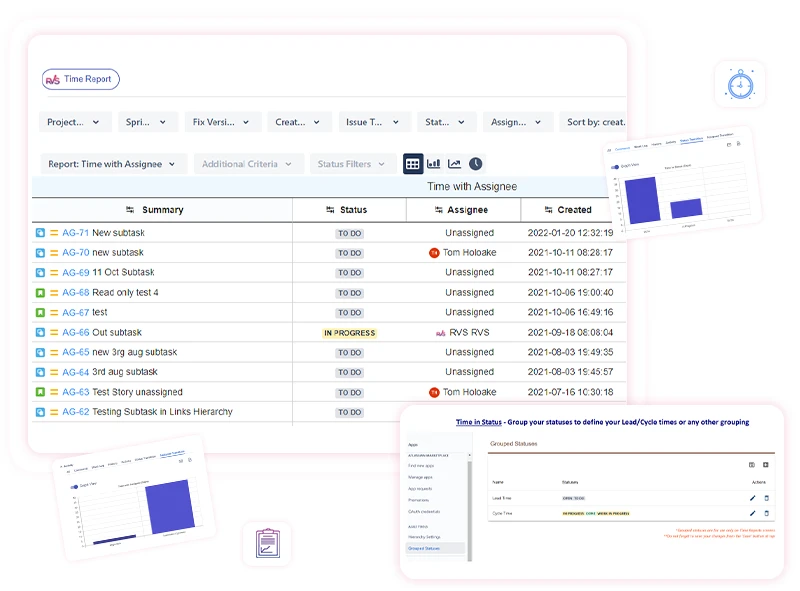
If you’ve tried using a JQL time-in-status query in Jira to calculate duration metrics, you’ve likely encountered a common limitation: JQL is excellent for f...
Project managers need more than visibility into what their teams are working on - they need to understand how long work takes, where delays happen, and whether delivery timelines are based on real data. Jira automatically records every status transition an issue goes through. Time tracking reports use this workflow history to show how long issues spend in each stage, where bottlenecks occur, and how efficiently work moves from start to completion.

Jira’s built-in time tracking covers the basics, but it falls short when teams need detailed reports, billing exports, or workload visibility. That’s where Jira timesheet plugins help. Below are six popular options, including Worklog Time Tracking & Timesheet by RVS Softek, designed to turn time data into actionable insights.

Dark mode was once a niche choice but has, over the years, become a staple across apps, websites, and operating systems. Dark mode-with its signature
In fast-moving organizations today, it is critical to know how long work items wait in different stages of a workflow to improve efficiency and achieve timelines
In today's hectic work context, project management is not just assigning and completing tasks. Progress is measured in how long each task spends in each stage of your workflow. Enter time in status tools, to give you visibility, accountability, and data-driven optimization of your JIRA process.
Capacity planning is all about ensuring your supply meets demand. Essentially, it's planning ahead with the right amount of time, people, and resources to adequately support the work that is coming in for your team—building in time so that you can be organized rather than chaotic and avoid burnout.