

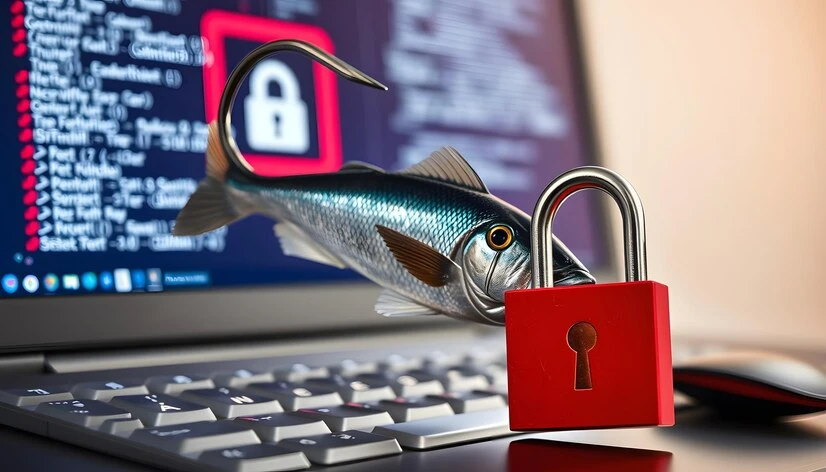
In the murky waters of the internet, where cyber threats lurk like unseen dangers, phishing stands as one of the most prevalent risks individuals and organizations face. Phishing attacks continue to evolve, becoming more sophisticated and elusive. Today, healthcare professionals, patients, and IT security experts need to arm themselves with the knowledge to avoid getting hooked by these malicious ploys, especially with the recent surge in phishing news.
With the right strategies, you can significantly reduce your vulnerability to phishing. This guide details five elemental steps to fortify your defenses against phishing attacks, ensuring that fraudsters are left empty-handed.
Step 1: Master the Art of Spotting Phishing Emails
Phishing emails are the lures cast into the vast sea of your inbox. Fraudsters employ psychological tricks and manipulative language to tempt you into clicking on malicious links or sharing sensitive information. The first step in preventing a phishing attack is to recognize it. Look for the telltale signs:
Check the Sender’s Details
Verify the email address, not just the display name. Often, phishing emails will use deceptive sender names to trick you into thinking the email is legitimate.
Review the Content
Phishing emails often contain grammar or spelling mistakes, and the tone may be urgent or threatening. Be wary of emails that demand immediate action or claim that your account is in jeopardy.
Hover Before You Click
When in doubt, hover your mouse over any links in the email to reveal the true destination. If the URL looks suspicious or doesn't match the supposed sender, do not click.
By diligently inspecting emails, you can often expose their deceptive nature before you become a victim.
Step 2: Strengthen Your Password Hygiene
Your credentials are the keys to your digital kingdom. Strong passwords serve as a vital line of defense against unauthorized access. Yet, many fall short in this area, using weak or easy-to-guess passwords across multiple accounts.
Password Dos and Don’ts
Do use complex passwords with a mix of letters, numbers, and symbols. Don't reuse passwords or include easily discoverable personal information.
Employ Password Managers
Password managers can assist in creating and safeguarding strong, unique passwords for each account.
Enable Multi-Factor Authentication
Multi-factor authentication (MFA) provides an additional layer of security by requiring a secondary verification step, such as a code from your smartphone.
Strengthening your password practices will make it vastly more challenging for cybercriminals to break into your accounts.
Step 3: Protect Your Data with Encryption
Data encryption encodes information so that only authorized parties can read it, ensuring that even if your data is intercepted, it remains indecipherable to prying eyes.
Use Secure Communication Channels
For email, use services that offer end-to-end encryption. When browsing, look for the "https" protocol and the padlock symbol, indicating a secure connection.
Encrypt Your Devices
Encrypting your devices' hard drives can protect the data stored on them, should your device be lost or stolen.
Be Cautious with Unsecured Wi-Fi
Avoid accessing sensitive data when connected to public Wi-Fi networks, or use a VPN to secure your connection.
Data encryption is a powerful tool to maintain the confidentiality and integrity of your information.
Step 4: Keep Your Guard Up with Security Software
Security software acts as a sentinel, constantly monitoring your digital environment for signs of danger. It can detect and block many phishing attempts before they can do harm.
Install and Update Antivirus Programs
Antivirus software is critical for identifying and neutralizing known malware. Keep this software updated to defend against the latest threats.
Implement Anti-Phishing Tools
Some browsers and email services offer built-in anti-phishing features that can help steer you away from deceptive websites and messages.
Regularly Scan Your Devices
Performing routine scans of your devices can catch any threats that may have slipped through your first lines of defense.
Employing robust security software can mitigate the risks posed by phishing attacks and other cyber threats.
Step 5: Educate and Empower Yourself and Your Team
Knowledge is among the most potent weapons in the battle against phishing. Empower yourself and your team with regular training and awareness programs.
Stay Informed on Latest Phishing Techniques
Phishing tactics are always changing. Regularly update your knowledge to stay ahead of new trends in phishing attacks.
Conduct Simulated Phishing Drills
Simulated phishing drills can familiarize your team with the strategies fraudsters use and teach them to respond sensibly.
Foster a Culture of Openness
Encourage a work environment where employees are comfortable reporting potential phishing attempts and sharing information about current threats.
A well-informed team is more likely to recognize and avoid phishing attempts, significantly strengthening your organization's security posture.
Additional Tips for Staying Safe Online
The battle against phishing is ongoing. Here are a few additional tips to keep in mind as you safeguard your digital life:
Be Skeptical, Not Paranoid
Maintain a healthy skepticism, but don't become paralyzed by fear of the internet. With awareness and caution, you can enjoy the online world securely.
Implement Stronger Email Filters
Robust email filters can often catch the most blatant phishing emails, sparing you the need to scrutinize every message that arrives.
Update Your Knowledge Regularly
The digital landscape is dynamic. Regularly reading about new threats and security best practices keeps your skills sharp and your guard high.
Report Phishing Attempts
If you receive a phishing email, report it to your email provider and appropriate authorities. Your actions could protect others from falling victim.
By following these simple yet powerful steps, you can dramatically reduce your risk of falling for a phishing attack. Remember, prevention is always better than the cure when it comes to your online safety. Remain vigilant, stay informed, and outsmart the phishers at their game.


























Sign in to leave a comment.