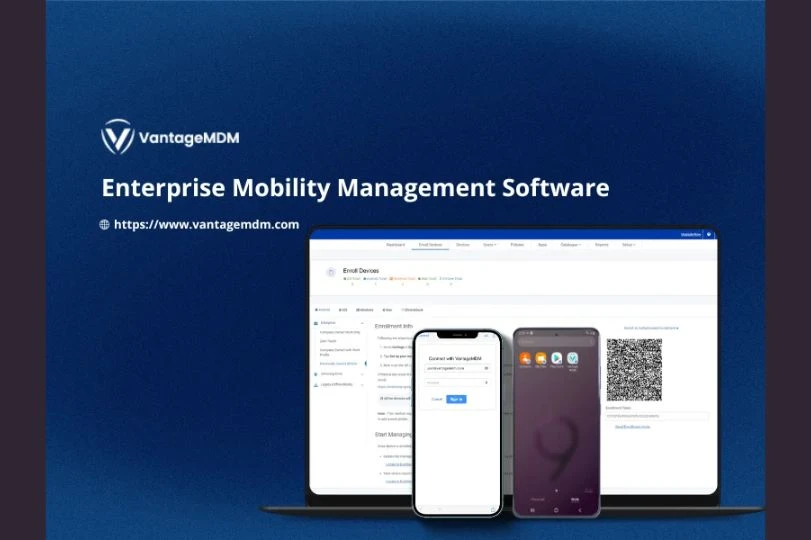

As organizations grow, so does the number of smartphones, tablets, laptops, and rugged devices used by employees. Managing hundreds or even thousands of devices manually is risky, time-consuming, and inefficient. This is where Enterprise MDM, MDM software, and a powerful Android MDM solution become critical for modern businesses.
This guide explains what Enterprise MDM is, how it works, and how it helps organizations manage, monitor, and protect large-scale device deployments with ease.
What Is Enterprise MDM?
Enterprise Mobile Device Management (MDM) is a centralized system that allows IT teams to:
- Manage devices remotely
- Enforce security policies
- Monitor device health and compliance
- Control apps and data
Enterprise MDM goes beyond basic device tracking—it provides full lifecycle management from device enrollment to retirement.
Why Enterprise MDM Is Essential for Large Organizations
1. Centralized Control
Manage thousands of devices from a single admin dashboard.
2. Strong Security
Protect corporate data across all endpoints.
3. Scalability
Easily add or remove devices as your organization grows.
4. Operational Efficiency
Automate repetitive IT tasks like app deployment and updates.
5. Compliance Management
Ensure devices follow company and regulatory policies.
Key Features of Enterprise MDM Software
Device Enrollment & Provisioning
- Zero-touch enrollment
- QR-code setup
- Bulk onboarding
Device Monitoring
- Real-time device status
- Battery health
- Network connectivity
- Location tracking (if enabled)
Remote Management
- Lock, wipe, or reset devices
- Troubleshoot issues remotely
- Push configurations instantly
Android MDM Solution for Enterprise Use
An Android MDM solution is ideal for businesses using Android smartphones, tablets, kiosks, and rugged devices.
Core Android MDM Capabilities
- Work profile & fully managed device mode
- Kiosk mode (single-app & multi-app)
- OS update control
- Hardware & system restriction policies
Android’s flexibility makes it perfect for industries like logistics, retail, healthcare, and manufacturing.
App & Content Management
App Deployment
- Install apps remotely
- Silent app installation
- Automatic updates
App Restrictions
- Whitelist or blacklist apps
- Block Play Store access
- Control app permissions
Content Security
- Secure document distribution
- Data loss prevention (DLP)
- Encrypted storage
Security & Compliance Controls
Enterprise MDM helps protect devices with:
- Strong password policies
- Device encryption
- Network and Wi-Fi restrictions
- VPN enforcement
- Remote lock and wipe
- Root and jailbreak detection
These controls significantly reduce data breach risks.
Monitoring & Reporting at Scale
Enterprise MDM software provides detailed insights:
- Device usage reports
- Compliance status
- App performance
- Security alerts
These reports help IT teams make informed decisions and stay audit-ready.
Industries That Benefit Most from Enterprise MDM
- Large enterprises
- Retail chains
- Healthcare organizations
- Educational institutions
- Logistics & transportation
- Manufacturing plants
- Government & public sector
Best Practices for Large-Scale MDM Deployment
✔ Plan device policies before rollout
✔ Use zero-touch enrollment for faster onboarding
✔ Segment devices by role or department
✔ Automate app updates and OS patches
✔ Monitor compliance continuously
✔ Train employees on device usage policies
Common Challenges Without Enterprise MDM
- Data leakage
- Device misuse
- High IT support workload
- Inconsistent device configurations
- Security vulnerabilities
Enterprise MDM eliminates these challenges with automation and centralized control.
Enterprise MDM is no longer optional—it’s essential for managing, monitoring, and protecting large-scale device deployments. With robust MDM software and a reliable Android MDM solution, organizations gain full visibility, strong security, and operational efficiency across all endpoints.
























Sign in to leave a comment.