
Ten years ago, a point-of-sale (POS) system was basically a cash register with a screen. It rang up items, calculated tax, and maybe—if you were fancy—tracked a handful of sales by category.
That era is dead.
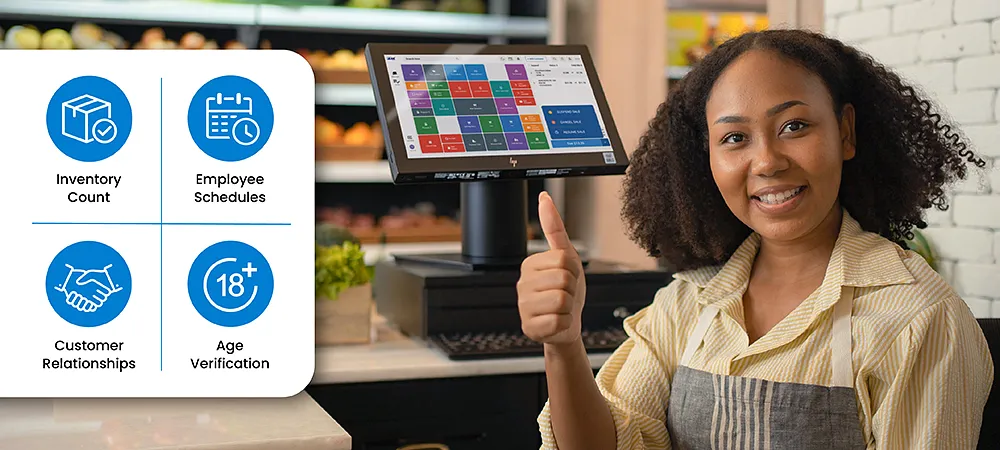
Today, your POS is the nervous system of your entire retail operation. It touches everything. Inventory counts. Employee schedules. Customer relationships. Compliance with age-restricted sales laws. Even your ability to sell online and in-store without losing your mind.
Choose the wrong system in 2026, and you're not just dealing with clunky checkout software. You're dealing with stockouts you didn't see coming. Chargebacks you could have prevented. Customers who walk out because your card reader took forty-five seconds to approve a transaction.
Choose the best POS system for your retail store, and suddenly things click. Inventory updates itself. Staff actually like using it. And you sleep better knowing you're compliant with whatever new regulations popped up this year.
This guide walks you through exactly how to evaluate retail POS software in 2026. Not generic advice. Specifics. The kind you'd get from someone who's watched retailers make the same expensive mistakes for years.
What Is Retail-Focused POS Software?
Let's start with what it's not.
Retail POS software isn't the same system a restaurant uses, dressed up in different colors. It's not a generic checkout tool that happens to have an inventory tab tacked on. And it's definitely not something you should buy from the first salesperson who calls.
Who needs this?
Any business that touches physical products. Clothing boutiques with racks of inventory. Smoke shops that need to verify customer ages. Convenience stores moving hundreds of SKUs a day. Gift shops selling one-of-a-kind items alongside regular stock.
If you take money in exchange for physical goods, you need retail POS software. Not a generic system. Not a workaround. Something built for how you actually operate.
Why Industry-Specific POS Systems Matter for Retail
Here's something nobody tells you about POS software: the generic stuff works fine until it doesn't.
You'll install it. Load your products. Process your first few sales. Everything feels okay.
Then you run into your first edge case. A customer wants to buy a vape product, and you need to verify they're over twenty-one. The generic POS stares back at you blankly. No age verification prompt. No compliance check. Just a total and a "process payment" button.
Convenience Store POS Needs
Convenience stores move fast. Customers grab, pay, and leave. If your POS slows down, you lose sales.
But speed isn't the only thing. Convenience stores deal with age-restricted products. Tobacco. Alcohol. Sometimes vaping supplies. Your POS needs to flag those items at checkout and prompt for age verification. Not as an optional feature. As a requirement.
Smoke Shop & Age-Restricted Retail Compliance
Smoke shops operate under a microscope. Sell to one underage customer, and you could lose your license. Not a fine. Your license. The thing that lets you stay in business.
Your POS needs to be part of your compliance strategy. That means built-in age verification prompts at checkout. Digital logs of every verified sale. Integration with tools like FTx Identity that let you scan IDs and confirm ages without slowing down the transaction.
Apparel & Fashion Retail Features
Apparel retailers live and die by inventory management. A shirt comes in four sizes and six colors. That's twenty-four variants of the same product. If your POS can't track those variants individually, you're guessing at what's selling.
Good apparel POS systems also handle things like:
- Matrix views that show all variants at once
- Barcode generation for new inventory
- Transfer capabilities between locations
- Customer profiles that remember past purchases and sizes
When someone walks in and asks if you have that jacket in a small, your staff should know instantly. Not after checking three different screens. Instantly.
Specialty and High-SKU Retail Businesses
Hardware stores. Pet supply shops. Craft retailers. Any business with thousands of individual items needs POS software that doesn't buckle under the weight.
Look for systems that handle:
- Bulk product imports without crashing
- Category and subcategory organization
- Supplier management and reorder triggers
- Margin tracking at the individual item level
When you're managing five thousand stock keeping units (SKUs), small inefficiencies compound. A system that adds three seconds to every transaction costs you hours a week by the time you hit scale.
How to Evaluate POS Vendors Before Buying
You wouldn't buy a car without test driving it. Somehow retailers do this with POS systems all the time.
Here's how to evaluate vendors properly.
Demo Checklist
A demo is the vendor showing you what they want you to see.
Take notes, ask questions, and dig into the details that actually matter for your business—don’t let the flashiest features distract you from what you truly need.
Customer Support & Training
Software breaks. Questions come up. Staff turn over.
When those things happen, who answers the phone?
Some POS vendors treat support like an upsell. Want help after 6 PM? That's a premium tier. Want someone to train new hires? There's a consulting fee for that.
Reviews, Case Studies & Reputation
Vendor websites are not the place to learn the truth. Reviews are.
Look for patterns. If ten reviews mention the same problem—slow support, clunky reporting, unexpected fees—believe them.
Case studies matter. Look for businesses similar in size and industry that are already using the software you’re considering. Ask them straight: Would you choose it again? What do you wish you’d known before signing on?
Why Choosing the Right POS Software Matters in 2026
The stakes are higher than they used to be.
Impact on Checkout Speed & Customer Satisfaction
Customers in 2026 have zero patience for slow checkouts. They've been trained by Amazon and Apple Pay to expect transactions in seconds, not minutes.
Every extra click, every lag, every "system is thinking" moment costs you. Not just in time. In customers who don't come back.
Role of POS in Inventory Accuracy and Loss Prevention
Shrinkage—the polite word for stuff that disappears without being sold—eats retail margins alive.
Real-time inventory tracking helps. When your POS knows exactly what you have at any moment, you can spot discrepancies quickly. That shirt that sold twice, but you only received one? Investigate now, not at year-end inventory count.
How POS Affects Data-Driven Decisions and Marketing
Your POS is also a data collection tool. Every transaction tells you something about your customers.
What do they buy together? When do they shop? How much do they spend on average? Which products never move?
Cost of Choosing the Wrong POS System
Let's talk about what happens when you get this wrong.
First, there's the obvious cost. The software subscription you're locked into for a year. The hardware that only works with that system. The migration costs to switch to something else.
Avoid These Common POS Software Mistakes in Retail
I've watched retailers make the same mistakes for years. Here's what to watch out for.
Choosing Price Over Functionality
The cheapest POS is almost never the right POS.
Yes, budget matters. But software that saves you fifty bucks a month but costs you five hours a week in manual work is a bad deal.
Ignoring Industry-Specific Requirements
Generic POS systems work for generic businesses. If your business has any edge cases—age verification, high SKU counts, variants, multi-location complexity—you need software built for those edges.
Overlooking Scalability & Future Growth
You might be one store today. What about next year? What about five years from now?
Some POS systems handle growth gracefully. Adding a new location takes a phone call and a configuration change. Others treat every new store like a separate installation, with separate data, separate logins, and separate headaches.
Not Evaluating Inventory Management Capabilities
Inventory is the single biggest asset most retailers own. Your POS should treat it like one.
That means real-time tracking across all locations. Low-stock alerts that actually trigger before you run out. Reporting that shows not just what sold, but what's not selling.
Failing to Check Payment Processing Fees
Here's where a lot of retailers get burned.
The POS subscription looks reasonable. Then you start processing payments, and the fees eat into your margin more than you expected.
Some POS companies make their real money on payment processing, not software. They quote low subscription rates, then bundle you into processing contracts with hidden fees and early termination penalties.
Ignoring Ease of Use for Staff
Your staff doesn't care about your POS features. They care about whether it's easy to use during a rush.
If the system requires six clicks to process a return, they'll dread returns. If voiding a transaction takes three screens, they'll avoid fixing mistakes. If training new hires takes weeks instead of days, you'll feel it in turnover and customer service.
Overlooking Security & Compliance Requirements
Retailers handle sensitive data. Payment cards. Customer information. Sometimes age verification records.
Your POS needs to handle that data securely. Encryption at rest and in transit. PCI DSS (Payment Card Industry Data Security Standard) compliance built in, not bolted on. Audit trails that show who did what and when.
Retail POS Software Checklist for 2026
Use this checklist when evaluating systems. If a vendor can't check these boxes, keep looking.
Business & Industry Fit Checklist
Suitable for Your Retail Industry Does the vendor list businesses like yours in their customer stories? Have they worked with your industry before? Generic "retail experience" isn't the same as specific experience in your niche.
Supports Single- or Multi-Location Stores If you have multiple locations now or plan to, make sure the system handles them natively. Separate logins and separate data for each store are a dealbreaker.
Handles Your Product Volume & SKUs Ask vendors to be specific. How many SKUs does their largest retail customer have? How does the system perform at those volumes? Don't take "unlimited" as an answer.
Inventory Management Checklist
Real-Time Inventory Tracking When something sells online, does it update in-store instantly? When something sells in-store, does your ecommerce site know immediately? Real-time matters more than you think.
Low-Stock Alerts & Reorder Points Can the system notify you automatically when products hit certain thresholds? Can it generate purchase orders based on those thresholds? Manual reordering is a recipe for stockouts.
Product Variants (Size, Color, SKU) How does the system handle variants? Can you see all variants of a product at once? Can you report on sales by specific variant, not just the parent product?
Omnichannel & Integration Checklist
Online and In-Store Sales Integration If you sell online and in-store, these channels need to talk to each other. Inventory unified. Customer data unified. One system managing both.
E-commerce & Marketplace Compatibility Does the POS integrate with your ecommerce platform? What about marketplaces like Amazon or Etsy? If you sell there now or might in the future, check compatibility.
Accounting & Customer Relationship Management (CRM) Integration Does the system connect to your accounting software? Can it push sales data automatically, or are you manually entering numbers? Integration saves hours every month.
Payment Processing & Pricing Checklist
Supports Multiple Payment Methods Cards, cash, mobile payments, gift cards, and buy now pay later. Customers expect options. Your POS should provide them.
Transparent Processing Fees Can the vendor explain exactly what you'll pay per transaction? Are there monthly minimums? Early termination fees? Get everything in writing.
Cash Discounting, Surcharging, or Dual Pricing Some retailers offset processing costs by offering discounts for cash or adding surcharges for cards. Does the POS support these programs natively, or do you need workarounds?
Conclusion
Choosing retail POS software in 2026 isn't about finding the system with the longest feature list. It's about finding a system that fits how your business actually works.
Start with your industry. What do you need that generic retailers don't?
Move to your operations. How many locations? How many SKUs? How complex is your inventory?
Then evaluate vendors. Demo them. Talk to their customers. Check every box on the checklist.
The right POS won't just process transactions. It'll help you manage inventory, serve customers, stay compliant, and make better decisions. It'll grow with you instead of holding you back.


























Sign in to leave a comment.