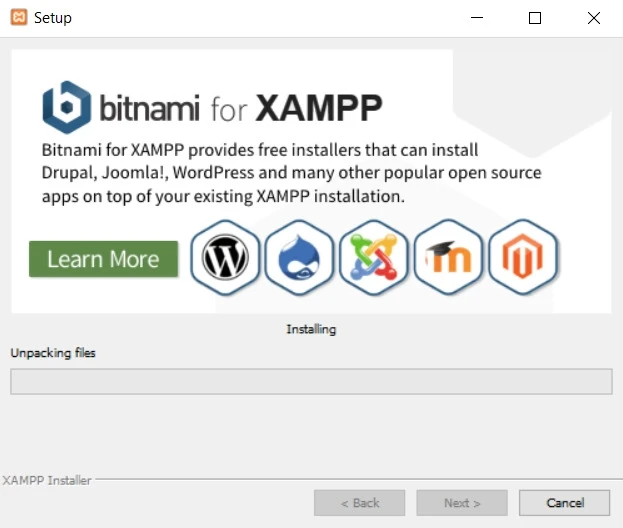

Getting started with PHP setup on Windows necessitates the right tools and environment. XAMPP, a free and open-source cross-platform web server solution stack package, comes at the top of the list. Here’s how to download and install XAMPP to kickstart your PHP development journey.
Step 1: Downloading XAMPP
Begin by visiting the official XAMPP website at https://www.apachefriends.org/index.html. This platform is reliable and regularly updated, ensuring that you always get the latest and most secure version of the software. Click on the ‘Download’ button for XAMPP for Windows, and your download will be initiated.
Step 2: Installing XAMPP
Once the download is complete, you need open the installer. A sequence of prompts will guide you through the installation process. Ensure you have sufficient administrative permissions, as you may need to approve the installer to change your device.
Step 3: Selecting Components
You’ll be prompted to select the components you wish to install during installation. XAMPP offers services like Apache, MySQL, FileZilla FTP server, Mercury Mail Server, and more. For PHP development, select ‘phpMyAdmin’ and ‘MySQL’. PhpMyAdmin is a free software tool designed to handle the administration of MySQL over the Web, while MySQL is a crucial database component for your PHP environment configuration. Once you’ve selected the desired components, click ‘Next’.
Step 4: Choosing the Installation Directory
You’ll then be asked to select a directory where XAMPP will be installed. The default directory is usually ‘C:xampp‘, but you can choose a different directory. Click ‘Next’ to continue.
The installation process will begin, installing all the components you selected into the specified directory. It may take a few minutes, so be patient and wait for it to complete.
This marks the end of the installation process. You’ve successfully downloaded and installed XAMPP on your Windows system. With the right environment now set up, you are one step closer to developing dynamic web applications using PHP.
Every successful PHP development journey begins with a well-configured setup. The time and effort you invest in getting your environment right will help streamline your development process. Also, it will empower you to build effective, efficient, and dynamic web applications.



























Sign in to leave a comment.