
Overview
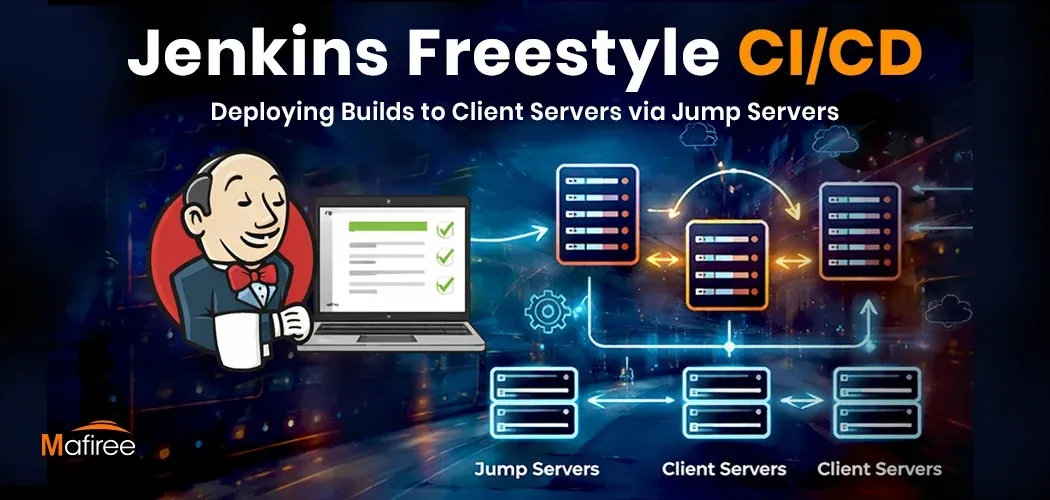
This blog explores how Jenkins Freestyle Deployment can automate application deployments across multiple servers using a secure jump server architecture. It walks through a real-world CI/CD workflow where Jenkins uses SSH-based commands to distribute builds efficiently — offering a simpler yet powerful alternative to complex declarative pipelines.
The Problem with Manual Deployments
Software teams today need to ship updates quickly and accurately. Manual deployment processes make this difficult. They introduce inconsistencies between environments, slow down release cycles, fragment testing, and ultimately hurt business agility. Without automation, reliable and frequent deployments become nearly impossible.
Why CI/CD Matters
As DevOps adoption and microservices architectures grow, automated build, test, and deployment pipelines have become essential. Jenkins addresses this by providing a platform that continuously builds, tests, and deploys applications — minimizing human error and giving developers immediate feedback on integration issues.
The Client's Challenge
The blog describes a client whose entire deployment process was done by hand. Engineers had to manually connect to multiple servers, copy build files, place them in the correct directories, restart services, and verify the application after every release. This was not only slow but highly error-prone — especially when the same steps had to be repeated across several servers at once.
The Solution: Jenkins Freestyle Jobs with Git Integration
The fix was an automated deployment workflow built on Jenkins Freestyle jobs connected to a Git repository. Jenkins was configured to pull the latest code, prepare the build, and package it into a deployable artifact. Using a consistent artifact across all target servers eliminated environment-level inconsistencies.
SSH-Based Deployment via Jump Server
For deployment, Jenkins securely connected to target servers over SSH. The build artifact was transferred to a predefined location on each server and extracted into the application's working directory. Since the application ran on Apache Tomcat and was managed as a system service, the deployment process also included starting or restarting that service — making the updated version live without any manual intervention. Managing the app as a service ensured a uniform lifecycle across all environments.
The Result: Single-Click Deployments
By automating the entire flow through Jenkins, what previously required multiple manual steps and coordination across teams was reduced to a single job execution — triggered with one click. Deployment time dropped significantly and the risk of missed steps or inconsistent updates across servers was eliminated.
Business Impact
The client gained faster and more reliable deployments, improved operational efficiency, and better control over release management. Jenkins also provided full visibility through build logs and history, making troubleshooting and auditing straightforward. The shift from a manual, error-prone process to a structured Jenkins-driven CI/CD pipeline with SSH-based multi-server deployment delivered a repeatable, auditable, and considerably faster release workflow.




























Sign in to leave a comment.