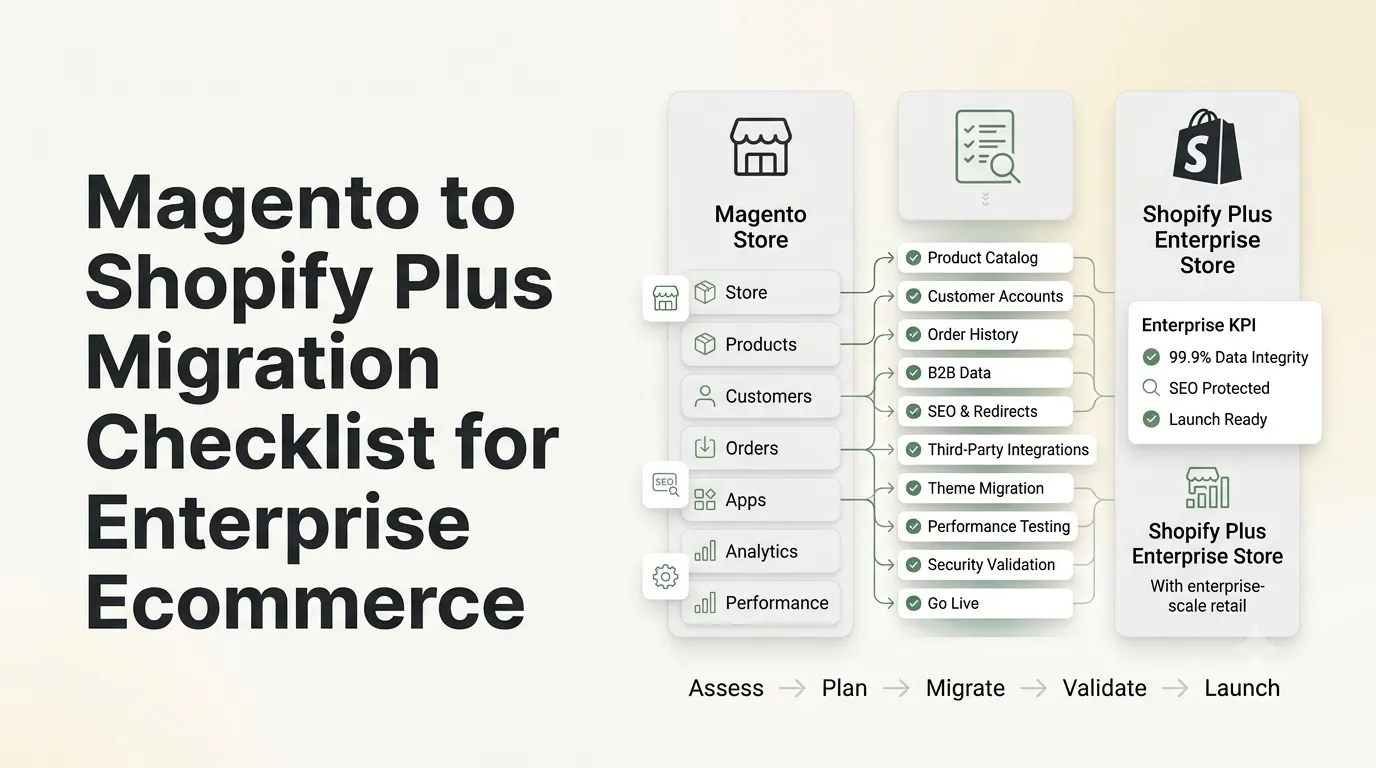

Planning to leave Magento behind in 2026? A well-structured Magento to Shopify Plus migration checklist is what stands between a controlled, revenue-safe cutover and a chaotic re-platforming project. This guide walks through the full process, auditing the existing store, mapping every entity across to Shopify, rebuilding features that won't transfer directly, and validating the store before and after launch, so nothing catches you off guard mid-project.
Why This Matters
Adobe's support runway keeps shortening. Regular support for Magento 2.4.6 ends in August 2026, and several earlier release lines have already exhausted their extended support periods. Any store still running on an unsupported version is exposed to growing security and PCI compliance risk with every transaction processed.
Cost is compounding that pressure. Adobe Commerce Cloud licensing now exceeds $40,000 a year for a large share of mid-market merchants, and BuiltWith tracking shows Shopify continuing to absorb hundreds of former Magento stores every quarter. Unless your business genuinely requires Magento's depth of customization, Shopify Plus is the more cost-efficient path for most merchants today.
The Problem
Shopify Plus is rarely the reason migrations go wrong, insufficient upfront planning is. Magento stores accumulate years of custom logic that only becomes visible once the migration is underway:
- Custom modules with no ready Shopify equivalent
- Organic search traffic lost because URLs were never mapped to redirects
- B2B pricing and quoting rules that break when moved as-is
- Checkout customizations designed for Magento's architecture, not Shopify's
- Catalog complexity, configurable products, and custom attributes were underestimated from the start
Skip the discovery phase, and these gaps surface mid-migration, at the point where they're hardest and costliest to fix.
The Solution
Sequencing is the fix: audit before mapping, mapping before building, building before migrating a single record. Every Magento entity products, customers, orders, CMS content, redirects, needs a documented Shopify equivalent before data transfer even begins.
This is the exact sequence our team applies on every Shopify to Shopify Plus migration services project, and it forms the backbone of the framework below.
Step-by-Step Framework
Step 1: Discovery & Technical Audit
Catalog the entire Magento environment, store size, custom modules, integrations (ERP, PIM, tax engines), checkout customizations, and current SEO performance. Sort each feature into "has a native Shopify equivalent" or "needs custom development."
Step 2: Data Mapping
Convert every Magento entity into its Shopify structure: variants, configurable attributes, customer records, order history, CMS pages. This is also the stage to finalize your redirect map, since Shopify's URL conventions differ meaningfully from Magento's.
Step 3: Store Build & Theme Development
Build your Shopify Plus theme to reflect your existing brand experience. Checkout logic built with Magento scripts has to be reconstructed using Shopify Functions and Checkout UI extensions, since it won't transfer directly. Our Shopify Plus development agency team runs this rebuild as its own dedicated phase of the project.
Step 4: B2B & Advanced Feature Configuration
Rebuild any existing Magento B2B setup, company accounts, custom pricing tiers, net payment terms using Shopify Plus's native B2B tools rather than relying on third-party apps. This keeps long-term app costs and maintenance lower.
Step 5: Data Migration & Validation
Take a phased approach: run a full test migration on staging, validate every entity type, then execute the production transfer during a low-traffic window. Verify inventory counts, pricing accuracy, and customer login access as soon as the cutover completes.
Step 6: SEO Redirect Mapping & Testing
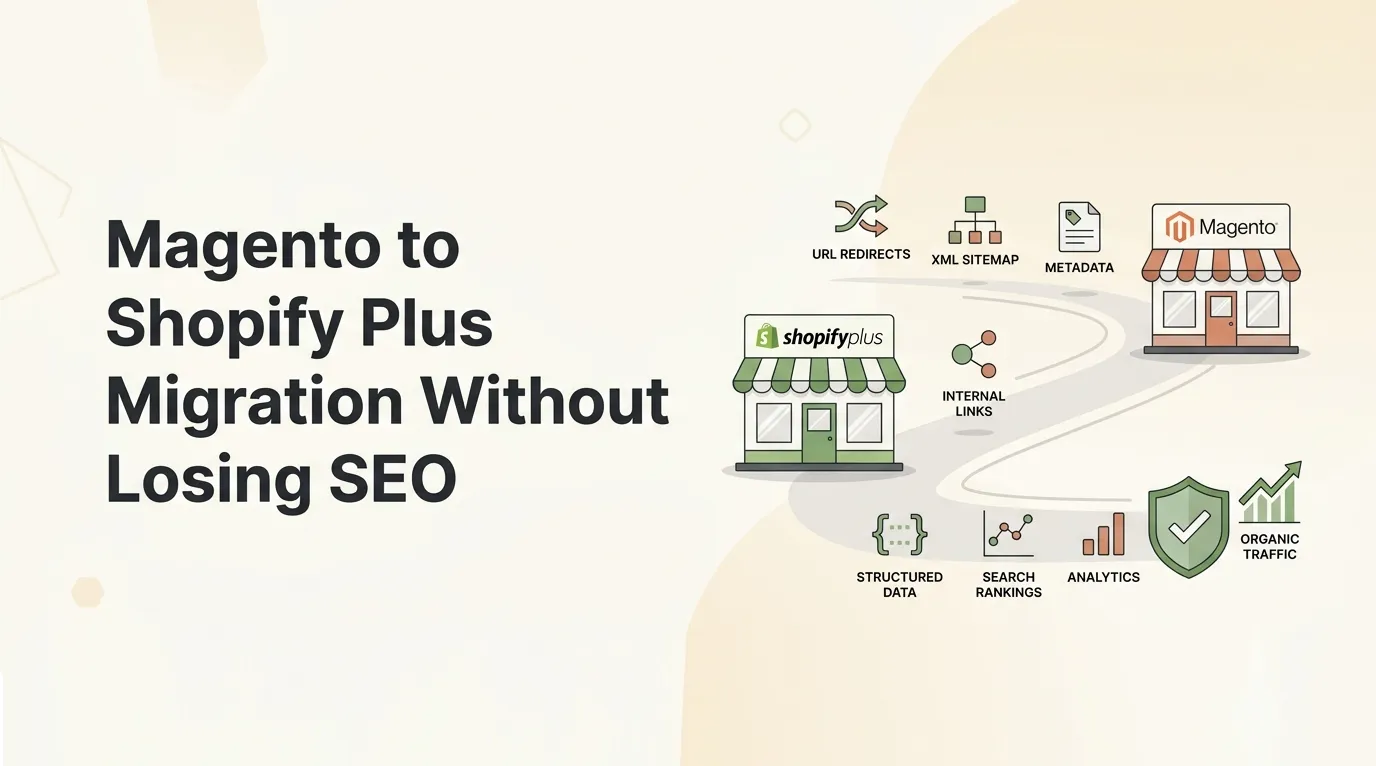
Map a 301 redirect for every indexed Magento URL to its corresponding Shopify page. Check for redirect chains, confirm canonical tags are correctly configured, and resubmit your sitemap in Google Search Console. This single step largely determines whether your organic rankings survive the switch.
Step 7: QA, Performance Testing & Go-Live
Run thorough QA across devices, browsers, and payment gateways before launch, and load-test if your store sees seasonal traffic spikes. Once live, keep a close eye on Core Web Vitals, conversion rate, and error logs for at least the first two weeks.
Common Mistakes to Avoid
- Migrating data before the audit is complete, which pushes custom-logic problems to the worst possible point in the project
- Underestimating redirect mapping, still the leading cause of post-migration SEO losses
- Delaying B2B configuration until late in the project, then patching it in with apps
- Cutting checkout testing short, since checkout logic rarely migrates cleanly on its own
- Choosing a peak-season go-live, which raises the stakes of any post-launch issue
If the checkout experience is part of the migration scope, it's worth reviewing current eCommerce checkout optimization strategies alongside the rebuild. A platform move is a natural point to address checkout friction as well.
Expert Insight
Moving platforms doesn't resolve conversion issues by itself, it just carries them onto new infrastructure. If your Magento store had unresolved revenue leakage, it's worth running a Shopify revenue leak audit and applying a CRO diagnostic framework on the new store before ramping traffic back up to full volume.
It's also worth honestly assessing whether Magento-level complexity is still necessary. Genuinely enterprise-scale, high-SKU, multi-entity operations may still be better served by custom Adobe Commerce development but for most mid-market DTC and B2B merchants, Shopify Plus now delivers comparable capability with far less operational overhead.
Case Example
Home goods retailer Kitchen & Company migrated from Magento 2 to Shopify Plus with a fully customized storefront built to preserve their brand identity, including gift-messaging at checkout and an integrated Judge.me reviews system. Every existing Magento URL was mapped to a redirect to safeguard search visibility through the transition.
Following launch, Kitchen & Company's ROI more than doubled, with average page load times falling under 3 seconds. The full breakdown is available in our Kitchen & Company migration case study.
Migration Checklist
| Phase | Key Tasks | Priority |
|---|---|---|
| Discovery | Audit catalog, modules, integrations, SEO baseline | Critical |
| Data Mapping | Map products, customers, orders, CMS, URLs | Critical |
| Store Build | Theme development, checkout rebuild | High |
| B2B Setup | Company accounts, pricing tiers, quote workflows | High (if applicable) |
| Migration | Staging test → production data transfer | Critical |
| SEO Redirects | 301 mapping, sitemap resubmission | Critical |
| QA & Testing | Cross-device, payment gateway, load testing | Critical |
| Go-Live | Cutover, monitoring, post-launch validation | Critical |
Conclusion
A Magento to Shopify Plus migration is a strategic re-platforming decision, not simply a data transfer exercise. The merchants who see the best results treat the discovery audit as mandatory, map redirects with the same care given to product data, and properly rebuild checkout and B2B logic rather than patching around the gaps. Handle it this way, and the outcome is a faster, easier-to-maintain platform with a considerably stronger long-term cost profile.
Ready to Migrate?
Planning your Magento to Shopify Plus migration? Get expert, end-to-end support for a zero-downtime, SEO-safe transition with our Magento to Shopify Plus Migration Services.
FAQ
How long does a Magento to Shopify Plus migration usually take?
A straightforward store typically takes 6-10 weeks; high-SKU catalogs with heavy customization or B2B needs can extend to several months.
Will my SEO rankings be affected by the migration?
Not if redirects and canonical tags are configured correctly. Most ranking losses in re-platforming trace back to missed URL mapping, not the platform switch itself.
Can Shopify Plus fully replace the B2B features Magento offered?
For most merchants, yes. Native company accounts, tiered pricing, and quantity rules now cover what previously required third-party Magento B2B extensions.
Is it necessary to migrate all historical order data?
Migrating active customer accounts and recent orders is standard practice; older order history can often be archived separately to simplify the migration.





























Sign in to leave a comment.