

Office 365 tenant migration is a complex process that involves transferring data, configurations, and user accounts from one tenant to another. Whether you're migrating due to a merger, acquisition, or business restructuring, a clear and well-organized checklist is essential for a smooth transition. The key to a successful Office 365 tenant migration lies in understanding the steps involved and following best practices to ensure data integrity, minimize downtime, and avoid security risks. This guide will help you navigate the process with confidence, ensuring nothing is overlooked.
1. Assess Your Current Environment
Before initiating a tenant migration, it’s critical to assess your existing Office 365 environment. Start by identifying the number of users, mailboxes, and data to be migrated. Evaluate the current structure, including mailboxes, calendars, OneDrive files, SharePoint sites, and user permissions. Make a note of any third-party integrations or custom applications in use. This assessment helps in creating a clear picture of what needs to be migrated and identifying any potential challenges.
2. Plan the Migration Strategy
Once you've assessed your environment, the next step is planning the migration. Decide whether to perform the migration all at once or in phases, depending on the size of your organization and the amount of data. For large enterprises, phased migrations help reduce downtime and disruptions. Create a detailed timeline, assign roles and responsibilities, and set clear objectives for each phase of the migration.
3. Prepare Users for the Migration
User communication is key to a successful migration. Notify employees well in advance about the migration process, what they can expect, and how it might impact their daily work. Provide clear instructions on what they need to do before, during, and after the migration. This includes tasks such as backing up important files, preparing devices for the migration, and understanding any temporary changes to access or services. Ensuring users are prepared minimizes confusion and frustration during the process.
4. Backup Data Before Migration
Data backup is one of the most important steps in tenant migration. Even though Office 365 offers data redundancy, a manual backup ensures that critical data remains intact in case of any issues during the migration process. Use a reliable third-party backup tool to export mailboxes, OneDrive data, and SharePoint files. This safeguard allows you to recover data quickly if anything goes wrong during the migration.
5. Configure Domain Settings
Domain settings play a crucial role in Office 365 tenant migrations. If the same domain name is used in both the source and destination tenants, ensure that you properly configure and release the domain from the source tenant. This process can take time, so it’s important to plan for it in advance. Once the domain is released, configure it on the destination tenant. Verifying DNS settings and updating MX records should be done carefully to ensure no disruption in email flow during the transition.
6. Migrate Mailboxes, Files, and SharePoint Data
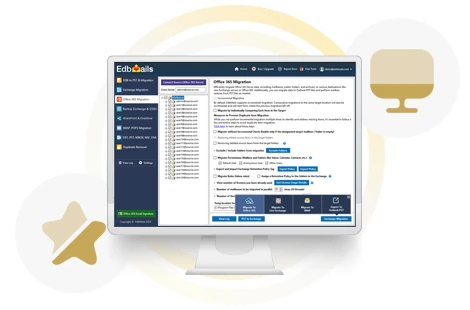
Migrating user mailboxes, OneDrive data, and SharePoint sites is at the core of any Office 365 tenant migration. EdbMails Office 365 migration tool is an excellent solution for automating and simplifying the migration process. It supports seamless migration of mailboxes, calendars, and contacts while maintaining folder structures and user permissions. With its advanced features, such as automatic mailbox mapping, throttling management, and detailed migration reports, EdbMails ensures efficient and error-free migrations. By using EdbMails, businesses can minimize manual effort, reduce downtime, and ensure data integrity throughout the process.
7. Test the Migration in a Pilot Phase
Before going live, it’s wise to test the migration with a pilot group. Select a small group of users or departments to migrate first. This allows you to identify potential issues, test configurations, and adjust your migration strategy accordingly. Testing helps ensure the larger migration will go smoothly and allows IT teams to gain familiarity with the process before scaling it to the entire organization.
8. Update and Reassign Licenses
When migrating to a new tenant, ensure that all users are properly assigned new licenses in the destination tenant. Review and reassign licenses based on the services and applications each user requires. Double-check that users have access to the necessary Office 365 services such as email, OneDrive, and SharePoint. Consider upgrading or downgrading licenses as needed based on your organization’s requirements.
9. Verify Permissions and Access Control
Permissions and access control must be carefully reviewed after the migration. Ensure that users have the correct access rights to their mailboxes, SharePoint sites, and OneDrive files. Permissions may not always transfer seamlessly during migration, so conducting a post-migration audit is crucial. This step ensures that sensitive data remains secure and users can perform their daily tasks without access issues.
10. Perform Post-Migration Cleanup and Validation
After the migration, conduct a thorough validation to ensure all data has been transferred successfully. Verify that mailboxes, files, calendars, and SharePoint content are accessible in the new tenant. Remove any unnecessary data or configurations from the source tenant, and decommission the old environment if needed. Conduct a final audit to confirm that everything is in order and that users are able to resume normal operations without any issues.
Conclusion
Office 365 tenant migration is a multi-step process that requires careful planning and execution. From assessing your current environment to configuring domains and testing migrations, following a comprehensive checklist ensures a smooth transition. By backing up data, configuring domain settings, and validating post-migration data, businesses can minimize disruptions and ensure a successful migration. Using a specialized tool like EdbMails Office 365 Migration tool simplifies the process with automation, secure data transfer, and advanced reporting, making it an ideal solution for businesses looking to streamline their tenant-to-tenant migration. Following this Office 365 tenant migration checklist will help your organization achieve a seamless migration and maintain data integrity throughout the process.
Additional links:
👉 Office 365 to office 365 migration
👉 Import multiple PST files to Office 365
































Sign in to leave a comment.