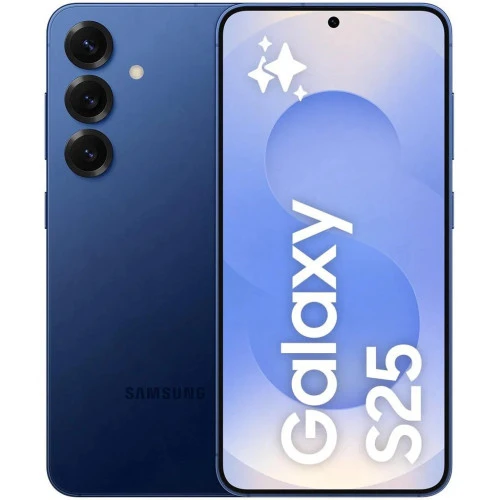
There is a moment of sinking dread that every Galaxy S-series owner knows too well—the sound of glass hitting pavement, the sickening feeling of pulling your phone from your pocket to find a spiderweb of cracks spreading across the display. In that instant, your beautiful curved AMOLED screen transforms from a source of pride into a frustrating obstacle. But here is the truth that iRepair experts want you to know: a cracked screen, while distressing, is almost always fixable, and the path to restoration does not have to be as complicated or expensive as you might fear. The key lies in understanding what you are dealing with and making informed choices about how to proceed. With the right approach, your Galaxy S-series device can look and function as good as new, often within the same day.
Understanding What Broke: Glass, Digitizer, or Display
Before any repair can begin, it is essential to understand exactly what type of damage you are looking at because not all cracks are created equal. If your screen has visible cracks but the image underneath looks flawless, colors remain vibrant, and touch response works normally, you are dealing with a broken outer glass layer. This is the most common scenario and often the simplest to address. However, if you notice black ink-like spots spreading across the screen, flickering lines, dead pixels, or areas where the touch screen no longer responds, the underlying AMOLED display or the digitizer has been compromised. iRepair technicians always begin with a thorough diagnostic assessment to determine the full extent of the damage, because attempting to replace only the glass when the display is also damaged will result in a failed repair and wasted time and money.
The Curved Display Challenge on Ultra Models
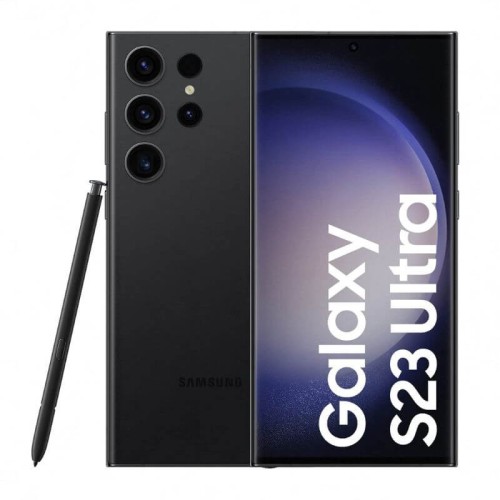
Owners of Galaxy S Ultra models, from the S20 Ultra to the S24 Ultra, face an additional layer of complexity when it comes to Samsung screen repair. The curved edges that make these devices look so premium and feel so comfortable in the hand also make them significantly more challenging to repair than flat-screen models. The curvature creates stress points that are more susceptible to cracking upon impact, and the adhesive bonds along those edges require precise heat application and careful separation to avoid damaging the delicate OLED panel beneath. iRepair experts have invested in specialized equipment designed specifically for curved display removal and installation, including precision heating platforms and custom-shaped adhesives that follow the exact contours of each model. This specialization allows us to replace curved screens with the same level of precision that Samsung engineers used when assembling the device originally.
Original Parts Versus Aftermarket Alternatives
One of the most critical decisions you will make during the repair process involves the type of replacement screen used. Aftermarket or “copy” screens are widely available at lower price points, but they come with a list of compromises that many owners do not anticipate. These non-original displays often suffer from poor color calibration, resulting in colors that look washed out or artificially oversaturated. More importantly, they frequently cause issues with the ultrasonic fingerprint sensor, which relies on precise optical alignment to function correctly. On Ultra models, aftermarket screens can also interfere with S-Pen responsiveness, making writing and drawing feel laggy or inaccurate. iRepair offers both premium refurbished original screens and new service pack assemblies, and we take the time to explain the differences so you can choose the option that best fits your needs and budget without unpleasant surprises after the repair.
The Importance of Proper Adhesive and Sealing
A screen replacement involves far more than simply snapping a new piece of glass onto your phone. The way the screen is adhered to the frame determines not only how long the repair will last but also whether your device retains any water resistance. Many quick-service shops skip the critical step of properly cleaning the old adhesive residue and applying a new OEM-style adhesive gasket, simply using liquid glue or double-sided tape in scattered strips. This approach almost guarantees that the screen will start lifting at the edges over time, especially on curved models where the adhesive needs to hold firmly along multiple angles. At iRepair, every screen replacement includes a complete cleaning of the mid-frame, application of a precision-cut adhesive kit designed for your specific model, and the use of controlled pressure to ensure a uniform bond that resists dust, moisture, and everyday wear.
Preserving Fingerprint Sensor and S-Pen Functionality
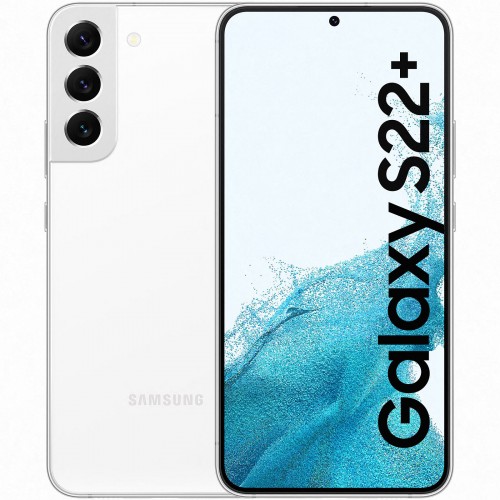
Modern Galaxy S-series devices integrate several sophisticated features directly into the display assembly, and a successful screen repair must preserve all of them. The ultrasonic fingerprint sensor, which debuted on the S10 and continues on current models, requires precise calibration after screen replacement. If the new screen is not installed with exact alignment or if an incompatible aftermarket display is used, the fingerprint sensor may become slow, unreliable, or completely non-functional. Similarly, on Ultra models, the S-Pen digitizer is integrated into the display stack, and using a low-quality replacement screen can result in dead zones where the pen does not register input. iRepair technicians perform post-repair testing on every device to verify that the fingerprint sensor reads accurately and that the S-Pen glides smoothly across the entire screen surface before we consider the repair complete.
Protecting Your New Screen After Repair
Once your Galaxy S-series display has been restored to its original glory, the next step is keeping it that way. A brand new screen, whether original or high-quality refurbished, is just as vulnerable to drops and impacts as the original was. iRepair experts recommend investing in protection immediately after your repair. A quality case with raised edges around the screen ensures that if your phone falls flat, the case absorbs the impact rather than the glass. For screen protection, tempered glass options exist even for curved displays, though they can be more expensive and require careful installation. Film protectors that use wet application methods can conform perfectly to curved edges and offer solid scratch protection. We also advise being mindful of how you carry your phone—keeping it in a pocket without keys or coins and avoiding placing it face-down on rough surfaces are simple habits that significantly extend the life of your newly repaired screen.

























Sign in to leave a comment.