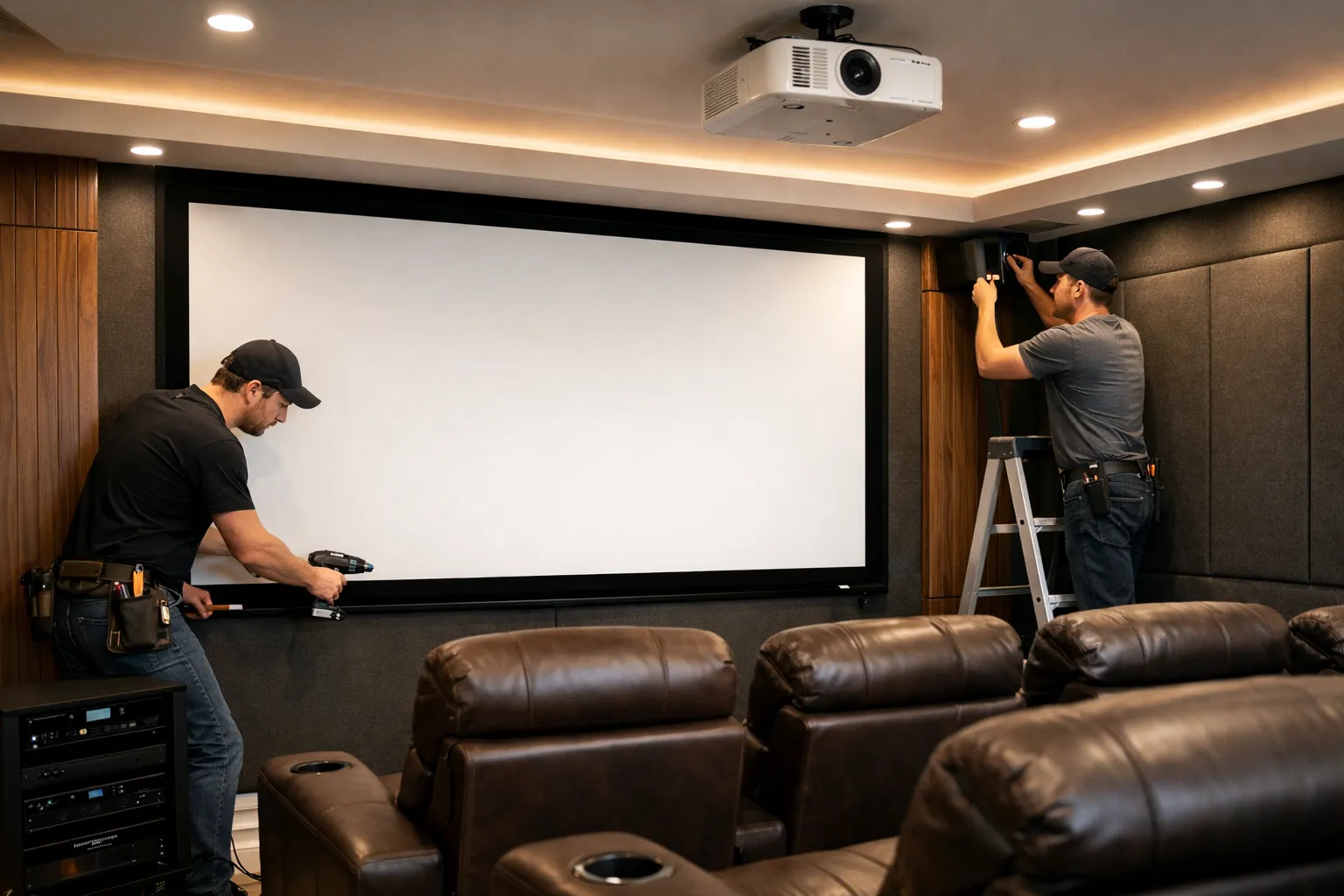

A home cinema setup is a way to enjoy movies, sports, and shows with a theatre-like feeling at home. Many people look for a home cinema installation company when they want a proper setup without confusion. The process is not only about placing a screen and speakers, but also about planning space, sound, and equipment in a balanced way.
This guide explains each step in a simple manner so it is easy to understand how a complete home cinema system is installed.
Planning Your Home Cinema Space
The first step is selecting the right room or area. Planning is very important because it decides the final experience.
A good space should have less outside light and enough room for seating and screen distance. Walls, ceiling height, and room shape also matter because they affect sound quality. During planning, the position of seats, screen, and speakers is decided.
This stage helps avoid problems later and ensures everything fits properly. Good planning also reduces changes during installation.
Choosing the Right Equipment
After planning the space, the next step is selecting equipment. This includes the display, sound system, and supporting devices.
The screen can be a projector screen or a large TV depending on room size. Speakers are selected based on sound needs, such as surround sound or basic stereo. Amplifiers and media players are also included in this stage.
Each item must match the room size and user preference. Poor matching of equipment can affect sound clarity and picture quality, so careful selection is important.
Wiring and Electrical Setup
Wiring is one of the most important parts of the installation process. It connects all devices and makes the system work smoothly.
Cables are hidden inside walls or cable channels to keep the room clean. Power points are placed near equipment locations for easy connection. Proper cable management helps avoid clutter and reduces risk of damage.
This step must be done carefully because incorrect wiring can lead to system issues or poor performance.
Acoustic Treatment and Sound Planning
Sound quality is not only about speakers but also about the room itself. Acoustic treatment helps improve clarity and reduces echo.
Soft materials like panels, curtains, or carpets are used to control sound reflection. Speaker placement is adjusted to create balanced audio across the room. Subwoofer position is also checked for better bass output.
This step makes a big difference in the overall cinema experience, especially in rooms with hard walls or large empty spaces.
Screen and Projector Setup
After wiring and sound setup, the display system is installed. This includes mounting the screen or setting up a projector.
The screen is placed at eye level for comfortable viewing. If a projector is used, its distance and angle are carefully adjusted to match the screen size. Focus and brightness are tested to ensure clear visuals.
Lighting in the room is also checked to avoid glare or reflection. Proper alignment is important for a sharp and balanced picture.
Testing and Final Adjustments
Once all parts are installed, the system is tested. This step ensures everything is working as expected.
Sound levels are adjusted for balance between speakers. Picture settings like contrast, brightness, and color are fine-tuned. Cables and connections are checked again for stability.
Small changes are made during this stage to improve comfort and viewing experience. This final check helps ensure the system runs smoothly for daily use.
A proper setup often requires guidance from a home cinema installation company to handle planning, wiring, and equipment selection in a structured way.


























Sign in to leave a comment.