

Data integrity is the cornerstone of modern IT infrastructure. Whether managing enterprise-grade servers or a complex home lab, the threat of data loss through hardware failure, silent data corruption (bit rot), or ransomware vectors is a statistical certainty over a long enough timeline. Relying on a single RAID array or a synchronized cloud folder is insufficient for critical disaster recovery (DR) protocols.
To ensure business continuity and personal data persistence, industry professionals adhere to the 3-2-1 backup rule. This methodology provides a logical framework for eliminating single points of failure (SPOF) and ensuring high availability when primary systems degrade.
Understanding the 3-2-1 Backup Rule Architecture
The 3-2-1 rule is not merely a suggestion; it is a calculated approach to risk mitigation designed to address specific failure domains.
3: Maintain Three Copies of Data
The protocol dictates that you must possess at least three complete copies of your data:
- Production Data: The primary data residing on the working medium (e.g., your workstation NVMe or a production SAN).
- Backup A: A comprehensive copy stored locally for fast recovery.
- Backup B: A comprehensive copy stored remotely for disaster recovery.
Mathematically, the probability of three independent devices failing simultaneously is infinitesimally small compared to a single device failure. This redundancy acts as the first line of defense against data unavailability.
2: Utilize Two Different Storage Mediums
Storing all copies on the same type of storage infrastructure introduces systemic risk. For instance, if you store primary data and backups on identical hard drives from the same manufacturing batch, you expose yourself to "batch defects" where multiple drives fail near-simultaneously due to a shared firmware bug or mechanical flaw.
Diversification is key. If your production data is on an internal SSD, your local backup should reside on a separate architecture, such as a NAS (Network Attached Storage) running a ZFS file system or an external HDD. This ensures that a bug or failure mode specific to one storage technology does not compromise the entire chain.
1: Keep One Copy Offsite
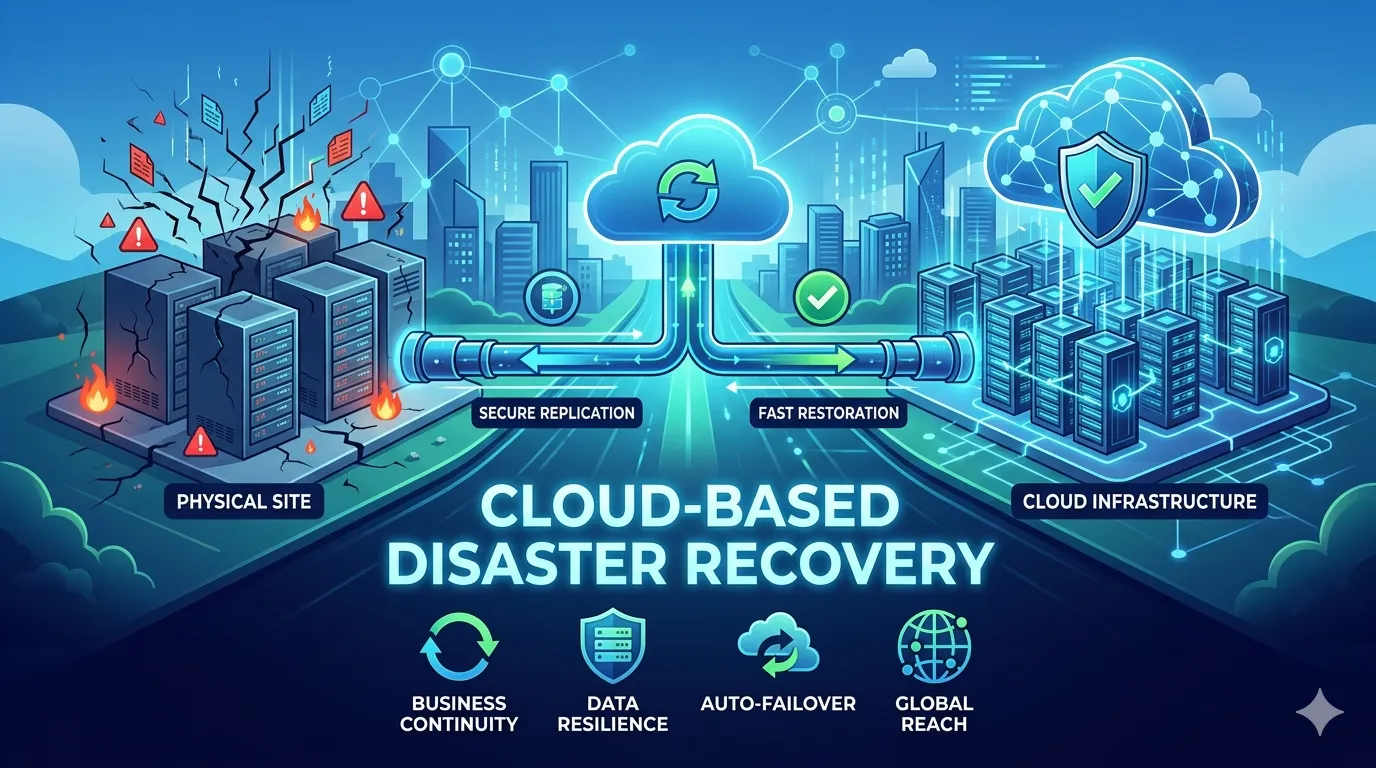
A robust local backup strategy is rendered useless by site-level disasters such as fire, flood, or theft. The final component requires geographic separation. This copy effectively air-gaps your data from the physical location of the primary infrastructure. Modern implementations typically utilize cloud object storage (like AWS S3 or Azure Blob) or physical tape drives stored in a secure, secondary location.
Benefits of the 3-2-1 Backup Strategy
Implementing this topology offers specific advantages regarding RTO (Recovery Time Objective) and RPO (Recovery Point Objective).
Elimination of Failure Domains
By decoupling your backups across different media and locations, you insulate your data from correlated failures. If a power surge destroys local hardware, the offsite copy remains intact. If a software update corrupts the file system, the separate storage medium allows for rollback.
Ransomware Mitigation
In an era where ransomware targets network-accessible backups, the 3-2-1 rule is critical. By ensuring the offsite copy is immutable (read-only) or physically air-gapped (like a tape disconnected from the network), you retain a clean recovery point even if the production environment is encrypted by malicious actors.
Agile Recovery Options
The strategy allows for tiered recovery. Minor file deletions can be restored instantly from the local backup (high speed, low latency). Catastrophic site failures can be remediated via the offsite backup (lower speed, high resilience). This flexibility ensures that the recovery method matches the severity of the incident.
Implementing the 3-2-1 Rule
Establishing this workflow requires a combination of hardware provisioning and automated software orchestration.
Step 1: Establish Local Redundancy
Identify your critical datasets. Deploy a local backup target, such as a Synology or QNAP NAS, or a dedicated server running TrueNAS. Configure your backup software (Veeam, Acronis, or rsync scripts) to push incremental backups to this target on a granular schedule (e.g., hourly or daily). This covers the "2" in the equation.
Step 2: Configure Offsite Replication
Select a remote destination. For high-volume data, cloud archival storage (like Amazon S3 Glacier or Backblaze B2) offers cost-effective scalability. Alternatively, replicate your local NAS to a secondary NAS located at a remote branch office or a co-location facility.
Step 3: Enforce Automation and Verification
Manual backups are prone to human error. Automate the entire pipeline using cron jobs or policy-based backup solutions. Furthermore, a backup is theoretically useless until proven otherwise. Schedule automated consistency checks and test restores to verify file integrity.
Securing Your Digital Assets
The 3-2-1 backup rule remains the gold standard for data protection because it addresses the physical, logical, and environmental threats facing digital assets. By maintaining three copies across two media types with one offsite, you transform potential catastrophes into manageable inconveniences.
Do not wait for a drive controller failure or a cryptolocker infection to test your resilience. Audit your current backup infrastructure today and close the gap between your current status and the 3-2-1 standard.

































Sign in to leave a comment.