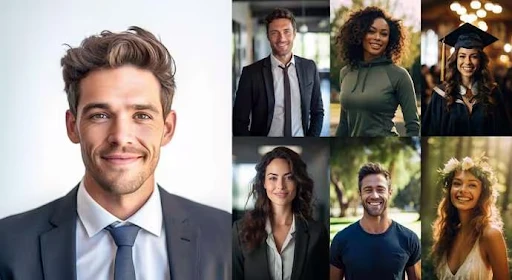
The AI image editor space has evolved quickly. What once required professional software—or even a studio session—can now happen in seconds. As these tools become more accessible, the real challenge isn’t capability anymore. It’s figuring out which option fits your workflow best.
Looking ahead, the category is shifting from experimentation to refinement. Speed, simplicity, and consistency are becoming the defining factors. That’s where meaningful differences between tools start to emerge.
TL;DR
● HeadshotMaster: best for quick, no-login editing with minimal effort
● Photoeditorai.io: best for prompt-based editing with flexible model access
● Pixlr: best for users familiar with layered editing workflows
● Deepai.org: best for simple, low-frequency editing without credits
Comparison Overview
| HeadshotMaster | Photoeditorai.io | Pixlr | Deepai.org | |
| Generation speed | upload → generate → result in ~1 min | upload → prompt → generate per credit | upload → edit layers → export | upload → process per request |
| Pricing / free tier | open access → no login → no payment | enter → receive credits → spend per edit | sign up → receive credits → spend per edit | open access → limited daily calls |
| Input requirements | upload 1 photo → generate | upload image → add prompt → select model | upload → adjust layers → apply tools | upload image → run basic edit |
| Output quality | generate → maintain baseline likeness | generate → up to 4K resolution | export → up to 720p (free tier) | generate → up to 720p |
| Key limitation | generate → no fine-tuning controls | generate → limited by credits | edit → account required, lower resolution | generate → single basic model |
How the Technology Has Improved
Not long ago, AI-generated edits often felt inconsistent. Faces could appear distorted, lighting looked artificial, and results needed manual correction.
That’s changed. Improvements in model training and faster processing now make it realistic to upload a single image and get a usable result almost immediately. The workflow has also simplified—most tools now follow a clear sequence: upload, generate, download.
What’s emerging next is even more streamlined. The best AI Image editor tools are reducing friction further, minimizing inputs while improving output reliability.
What Makes the Best Tool in This Space?
Choosing the right tool comes down to how smoothly the process fits your needs.
Speed plays a major role. If results take too long, iteration becomes difficult. Fast turnaround allows you to test variations without slowing down your workflow.
Access is another factor. Some tools require accounts or credit systems before you can begin. Others let you start immediately, which can make a noticeable difference in usability.
Input simplicity matters just as much. Tools that reduce the process to a single upload step remove unnecessary complexity and make the experience more intuitive.
Output quality is about more than resolution. Maintaining a natural likeness to the original image is often more useful than heavy stylization, especially for profile photos.
Finally, limitations help define suitability. Some platforms prioritize control and customization, while others focus on delivering results with minimal effort.
Competitor Breakdown
Photoeditorai.io
Upload an image → optionally add a text prompt → select a model → generate results. New users enter the platform and receive 10 credits without creating an account. Registering adds more credits, with each edit consuming 2–4 credits. Outputs generate at resolutions up to 4K. Multiple models are available, except Nano Banana2 and Nano Banana Pro.
Pixlr
Sign up → access editing workspace → upload image → apply layers and AI tools → export final image. The platform provides 50 credits on entry, with each edit using around 5 credits. Output resolution reaches up to 720p on the free tier. The system combines traditional editing structure with AI-assisted features.
Deepai.org
Open the tool → upload an image → run a basic edit → download the result. Anonymous users access a limited number of daily calls, while registered users receive a higher usage limit. The platform operates with a single image editor model, producing outputs up to 720p. A paid plan extends usage capacity.
HeadshotMaster: What’s Next
The direction of AI editing becomes clearer when the workflow is reduced to its essentials.
With an AI Image editor, the process follows a simple path: upload a photo → generate → download. There’s no account setup, no payment step, and no delay before starting.
That simplicity directly impacts speed. Most results generate in about a minute, making it easy to try multiple variations in one sitting. For quick experimentation, that kind of turnaround changes how people approach editing.
Access is equally straightforward. Open the tool → upload an image → get a result. No login requirements means you can move from idea to output immediately.
The output itself focuses on preserving the original image’s likeness. Instead of heavy transformations, the system generates edits that stay close to the source, which works well for headshots and profile images.
There are trade-offs. You upload an image → generate a result, but you don’t adjust fine details afterward. Occasional distortions can appear, especially when the input image quality is low. External validation is also limited, as there are no verified reviews on major platforms.
Even so, the experience reflects where the category is heading: fewer steps, faster results, and broader access. Most people are surprised how quickly the full process completes the first time they try it.
Who Benefits Most
Many tools in this space introduce friction early—sign-ups, credit systems, or multi-step workflows before you even see a result. That overhead can feel unnecessary if your goal is simply to get a usable image.
For that reason, HeadshotMaster works well for people who want a quick outcome without committing to a longer process. It fits scenarios like updating a profile picture, testing different looks, or generating a clean headshot without learning a full editing system. The appeal is in how little effort it takes to go from upload to final image.
At the same time, users who prefer a more hands-on workflow may find other tools more suitable. Platforms like Pixlr or Photoeditorai.io support more involved editing sequences, which can be useful when control and customization are priorities.
Conclusion
Each tool fits a slightly different need. Photoeditorai.io works well for prompt-driven editing with high-resolution outputs. Pixlr aligns with users who prefer structured, layer-based workflows. Deepai.org suits simple, occasional edits without a credit system.
HeadshotMaster fits best when speed and simplicity matter most. Its strongest differentiator is the ability to use it freely without creating an account.
As the category evolves, features like the AI Clothes Changer are becoming part of the broader editing experience, expanding beyond faces into full transformations. The AI Clothes Changer concept points toward a future where changing outfits or styles is as simple as generating a headshot. You can explore that direction further through the AI Clothes Changer, which reflects how these workflows continue to expand.






















Sign in to leave a comment.