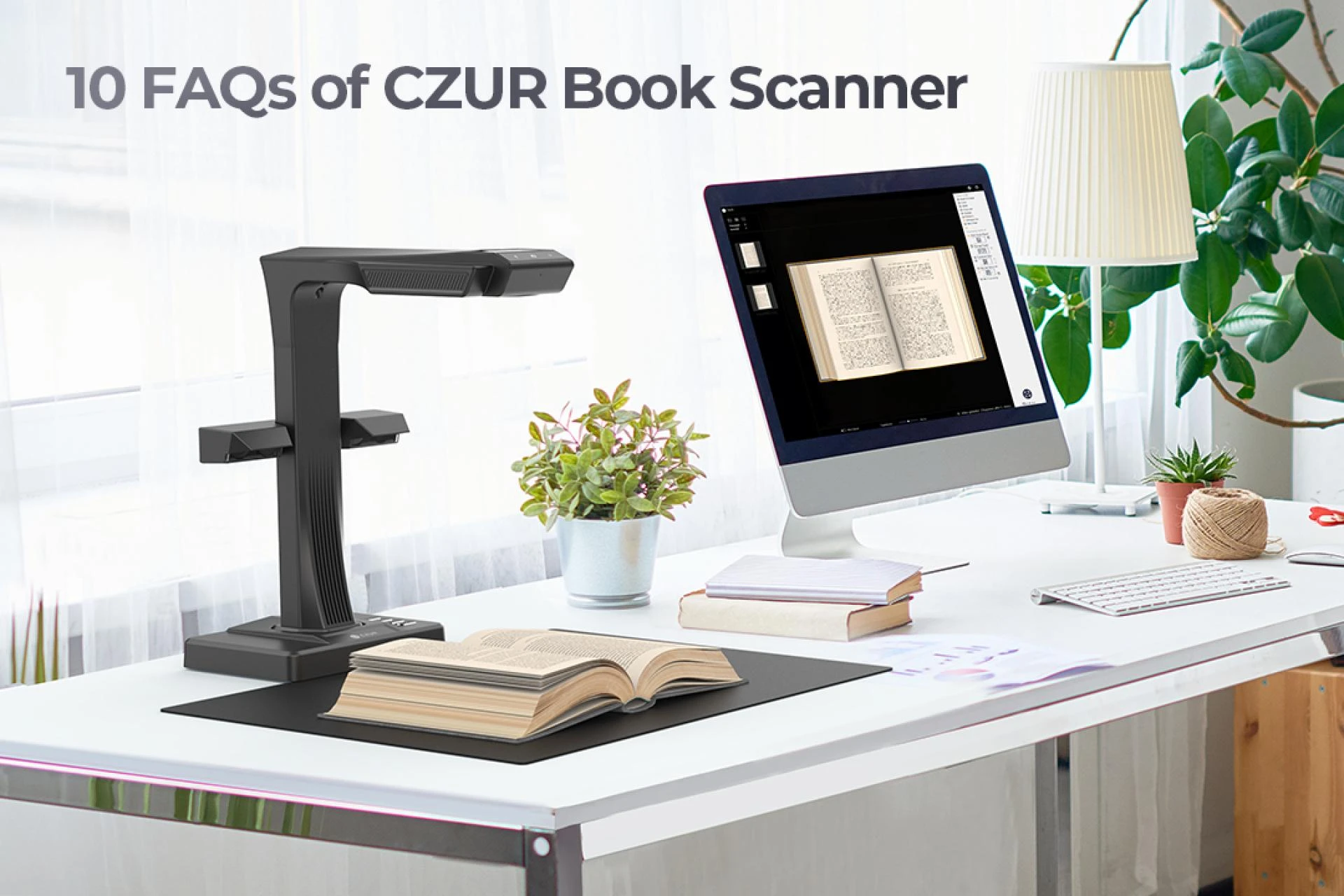

In today’s era of digital offices and knowledge management, digitizing paper documents is no longer just about archiving — it’s about transforming information into accessible, searchable, and reusable data. According to IDC, over 72% of businesses are accelerating their document digitization efforts, while more than 60% of librarians and academic institutions have made non-destructive scanning a top priority.
Yet, in practice, many users still struggle with slow scanning speeds, distorted images, and unsearchable files. These challenges underscore the widening gap between traditional scanners and modern smart scanners, which utilize AI algorithms and OCR technology to introduce efficiency and intelligence at every stage of the digitization process.

1. From Traditional Scanning to Smart Scanning: The Evolution of Technology
| Type of Scanner | Scanning Principle | Applicable Scenarios | Limitations |
| Flatbed Scanner | Optical component scans line by line | Single-page documents, photos | Cannot handle thick books; slower scanning speed |
| Portable Scanner Pen | Handheld sliding scan | Small sections of text | Prone to shaking and image distortion |
| Overhead Scanner | High-resolution lens + AI algorithms | Books, archives, receipts, blueprints | Requires proper lighting and placement conditions |
The true strength of a smart scanner goes beyond faster scanning speeds or higher resolutions. Its real power lies in the seamless integration of AI-driven image processing and OCR (Optical Character Recognition) technologies. Together, these innovations elevate scanning from mere image capture to genuine content comprehension, delivering higher-quality results and a far more efficient digitization workflow.
One of the most impressive breakthroughs is Curve Flattening technology. Using built-in laser depth sensors or multi-point imaging algorithms, a smart scanner can automatically detect the curvature of a book spine and page surfaces, generate a real-time 3D model, and reconstruct a perfectly flat digital image. Unlike traditional flatbed scanners that require manual pressing of the pages, this technology not only protects delicate or tightly bound materials, such as archival books, but also significantly accelerates the scanning process—making high-volume book digitization faster, safer, and more accurate.
The automatic edge detection and cropping feature is powered by deep-learning image segmentation models that can precisely identify document boundaries, automatically align pages, and remove background noise. Whether the scan is slightly tilted, unevenly lit, or involves papers of varying sizes, the system ensures pixel-level accuracy without requiring any manual adjustments.
In addition, the AI model can intelligently remove fingers and shadows from the scanned image. When scanning thick books or manually turning pages, the system uses background differencing and depth recognition algorithms to distinguish between the main content and unwanted objects, preserving only clean and professional-looking results. This eliminates the common “finger-in-frame” issue and significantly enhances the readability and usability of scanned materials such as books, newspapers, and archives.
Meanwhile, OCR (Optical Character Recognition) technology gives the scanner the ability to understand what it scans. Modern smart scanners support multi-language recognition, including English, Chinese, Japanese, and Korean. Even under challenging conditions—such as complex lighting or mixed fonts—OCR accuracy can reach over 98%. The processed files can be exported not only as searchable PDFs but also as editable formats like Word, Excel, or TXT, greatly improving efficiency in document organization and digital archiving.

2. Key Parameters Affecting Scanning Quality and Efficiency
When evaluating the performance of a smart scanner, scanning quality and efficiency are the most critical factors. They directly determine the clarity and readability of digitized documents, as well as the accuracy of OCR recognition in post-processing. The following parameters are the key factors that define overall scanning performance:
Resolution (DPI) and Accuracy
DPI (Dots Per Inch) measures the number of pixels captured per inch, serving as the core indicator of image detail and text sharpness.
For everyday use—such as documents, contracts, and invoices—300 DPI is sufficient for printing and archiving purposes.
For high-fidelity tasks like illustrations, maps, design drafts, or historical manuscripts, a resolution of 600 DPI or higher is recommended to ensure full preservation of handwriting, textures, and stamp details.
According to Buyers Lab (BLI) test data, under the same lighting and scanning algorithm conditions, every 100-DPI increase can improve OCR recognition accuracy by an average of 2.5%. This means upgrading from 300 DPI to 600 DPI can enhance overall recognition accuracy by nearly 7.5%, especially noticeable with small fonts or handwritten materials.
Scanning Speed
Scanning speed directly determines the efficiency of document digitization.
Traditional flatbed scanners typically take 10–15 seconds per page and require manual page turning and alignment.
In contrast, overhead smart scanners can complete a scan in just 1–2 seconds per page, and many models support continuous scanning through a foot pedal or automatic page-turn detection.
Lighting and Exposure
The lighting system plays a major role in determining image clarity and color accuracy.
Modern smart scanners generally adopt a dual-light design (top + side) to effectively reduce reflections, shadows, and glare spots.
The top light source provides uniform illumination to ensure balanced exposure, while the side light can be adjusted to compensate for shadowed areas and brighten the binding edge.
According to test results, optimized lighting conditions can reduce grayscale noise at image edges by over 40%, significantly improving OCR segmentation and curvature correction accuracy.
Additionally, some smart scanners are equipped with Automatic Exposure Control (AEC) and color restoration algorithms, which automatically adjust brightness and white balance based on the paper’s reflectivity, producing results that look more natural and true to the original document.

3. OCR and File Management: The True Value After Scanning
True digitization is not just about “capturing clearly,” but about “making data usable.”
OCR (Optical Character Recognition) transforms scanned images into editable text, enabling a range of powerful functions:
- Full-text search and retrieval: For example, finding the term “expiration date” within hundreds of contract pages in just seconds.
- Multi-format export: Supports output to PDF, Word, Excel, TXT, and more.
- Batch naming and indexing: Automatically generates filenames (e.g., date + page number) for easier archiving.
- Cross-device collaboration: Upload scanned files to cloud platforms such as Google Drive or Dropbox for seamless sharing.
According to data from a university’s library digitization project, after introducing an OCR-powered smart scanning system, document retrieval time was reduced by 67%, while the average daily scanning volume more than doubled.
4. Professional Tips for Scanning Books
- Use a stand or book holder: Helps control page curvature and reduce edge blurring.
- Enable automatic page-turn detection: Prevents duplicate scans or missing pages.
- Activate batch mode: Ideal for scanning archives, exam papers, or multi-page documents.
- Standardize export formats and naming conventions: Use a format like “YYYYMMDD_Topic_PageNumber” for easier indexing and retrieval later.
- Regularly back up digital files: Maintain both cloud synchronization and external hard drive backups for data security.

5. Why Smart Scanning Is the Future?
Research shows that document digitization can help businesses reduce storage costs by up to 40%, while significantly improving information utilization and data security.
With the rapid advancement of AI recognition algorithms and high-speed imaging hardware, scanners are evolving from static image devices into intelligent information acquisition terminals.
Take smart scanners (such as the CZUR series) as an example:
- Equipped with dual-lens systems and AI curve-flattening algorithms, they automatically correct page distortions.
- Support scanning speeds of up to 340 pages per hour.
- Offer OCR recognition in over 180 languages, making them suitable for fields like education, law, and design.
These devices transform scanning into true data capture, allowing paper-based information to become analyzable and long-lasting digital assets.
Conclusion
Efficiently scanning documents and books is not just a technical process—it’s a core element of information management. From DPI and lighting to OCR algorithm optimization, every detail directly affects data usability.
The emergence of smart scanners has turned what once took hours into an automated process completed in just minutes.
Choosing the right tool—such as a smart scanner with AI correction and OCR recognition—not only ensures clearer scans but also makes your information truly intelligent.




























Sign in to leave a comment.