
Understanding how the internet works is crucial for both individuals and businesses. One fundamental concept that underpins our online experiences is the IP address. But what is IP of website, and why should you care? This article delves into the intricacies of IP addresses, their significance, and their impact on our daily internet activities.
What is an IP Address?
An IP address (Internet Protocol address) is a unique string of numbers separated by periods or colons that identifies each computer using the Internet Protocol to communicate over a network. Think of it as the digital equivalent of a postal address. Just as your home address ensures that your mail reaches you, an IP address ensures that data sent over the internet reaches the right destination.
Types of IP Addresses
There are two main types of IP addresses: IPv4 and IPv6.
IPv4: This is the original IP address format, consisting of four sets of numbers separated by periods (e.g., 192.168.1.1). IPv4 addresses are still widely used but are limited in number.IPv6: Due to the internet's rapid expansion, a new format was introduced, known as IPv6. These addresses are longer and written in hexadecimal format, separated by colons (e.g., 2001:0db8:85a3:0000:0000:8a2e:0370:7334).What is the IP of a Website?
When you type a website's domain name (like www.example.com) into your browser, a complex process takes place behind the scenes to connect you to that website. This process involves translating the human-readable domain name into an IP address, which is known as DNS resolution. The IP address is the actual identifier of the server where the website is hosted.
How to Find the IP of a Website
Finding the IP of a website can be useful for various reasons, from troubleshooting connectivity issues to setting up network configurations. You can find the IP address of a website using several methods:
Using Command Prompt or Terminal: On Windows, you can use the ping command followed by the domain name. On macOS or Linux, you can use the nslookup or dig command.Online Tools: There are numerous online services where you can enter a domain name and retrieve its IP address.Why the IP of a Website Matters
Understanding and knowing the IP of a website is important for several reasons:
Security and Troubleshooting
When diagnosing connectivity issues or potential security threats, knowing the IP addresses involved can be invaluable. For example, if a website is experiencing downtime, identifying its IP address can help determine if the issue lies with the DNS server or the server itself.
Network Management
For businesses, managing IP addresses is a critical part of network administration. Knowing the IP addresses of essential services and websites ensures smooth operation and quick resolution of network issues.
SEO and Analytics
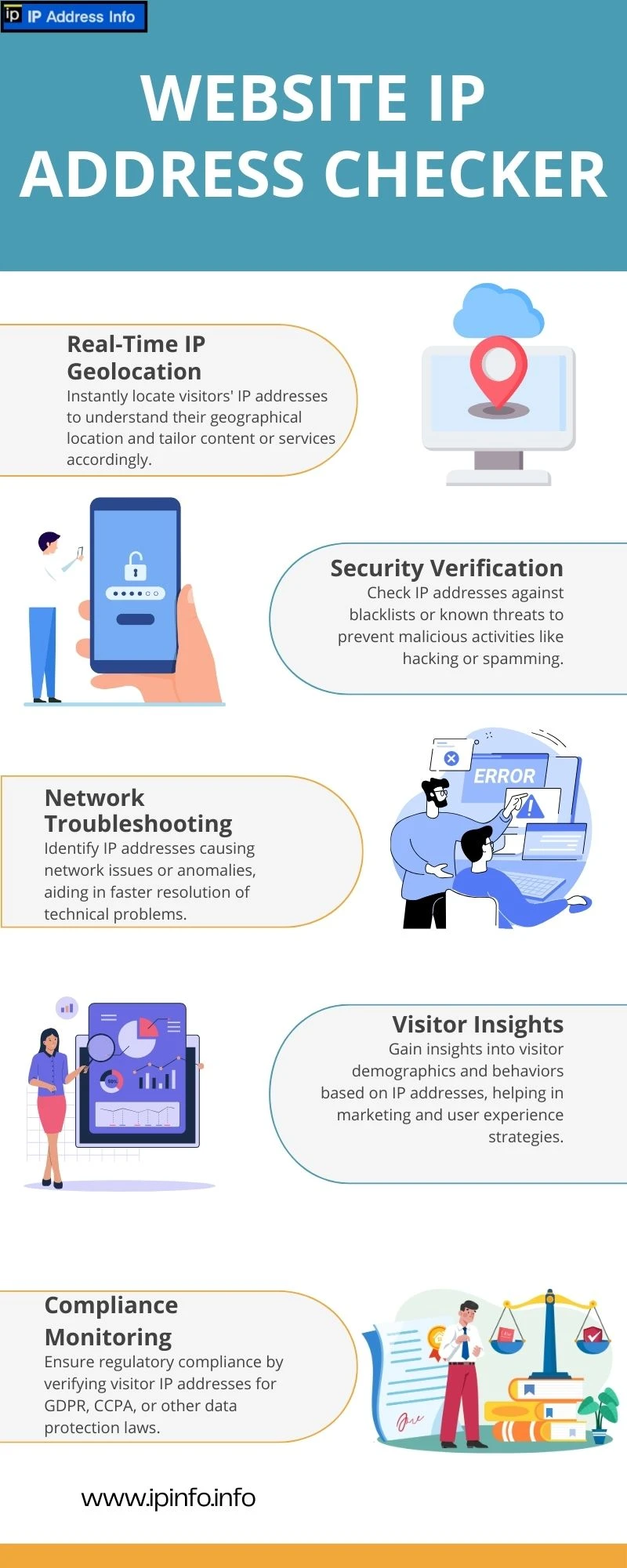
For SEO professionals and web administrators, IP addresses play a role in website analytics and tracking. Knowing the IP addresses that visit your site can help identify patterns, detect unusual activity, and even protect against DDoS attacks.
Geolocation
IP addresses can provide information about the geographical location of a server. This can be useful for tailoring content to specific regions or understanding where your website traffic is coming from.
FAQs
Can multiple websites have the same IP address?
Yes, multiple websites can share the same IP address if they are hosted on the same server using a technology called shared hosting. Each website is distinguished by its domain name, even though they share a single IP address.
Is it possible to change the IP address of my website?
Yes, you can change the IP address of your website by changing the hosting provider or server where your site is hosted. This process typically involves updating your DNS settings.
Why would a website have multiple IP addresses?
A website might have multiple IP addresses to ensure redundancy and load balancing. This means that traffic to the website can be distributed across multiple servers to improve performance and reliability.
How can I protect my IP address from being misused?
To protect your IP address, use firewalls, VPNs, and keep your software updated. Regularly monitor your network for any unusual activity and restrict access to sensitive data.
Conclusion
Understanding what is the IP of a website and why it matters is fundamental for anyone navigating the digital landscape. Whether for security, network management, SEO, or simply a better grasp of how the internet works, knowing about IP addresses enhances your online experience. As the internet continues to evolve, staying informed about these basic concepts will ensure you remain savvy and secure in the digital world.

























Sign in to leave a comment.