

The information about the status transition duration tells how much time an issue spends in each status and helps in optimizing the workflows for better delivery speed. As explained by RVS Softek, while Jira doesn't natively provide a field for such a metric, calculation could still be possible with the help of supportive tools like JQL, automation, or REST APIs.
Here's how you can go about it:
- Jira's Own Tools: Manually calculate the time between status changes using JQL and the issue history or the changelog API.
- Automation + Custom Fields: Build automation rules in Jira to capture the timestamp when an issue enters a status, then calculate duration when it exits and store that value.
- Custom Scripting: This allows you to pull the full history of status changes through the Jira REST API and programmatically derive precise durations.
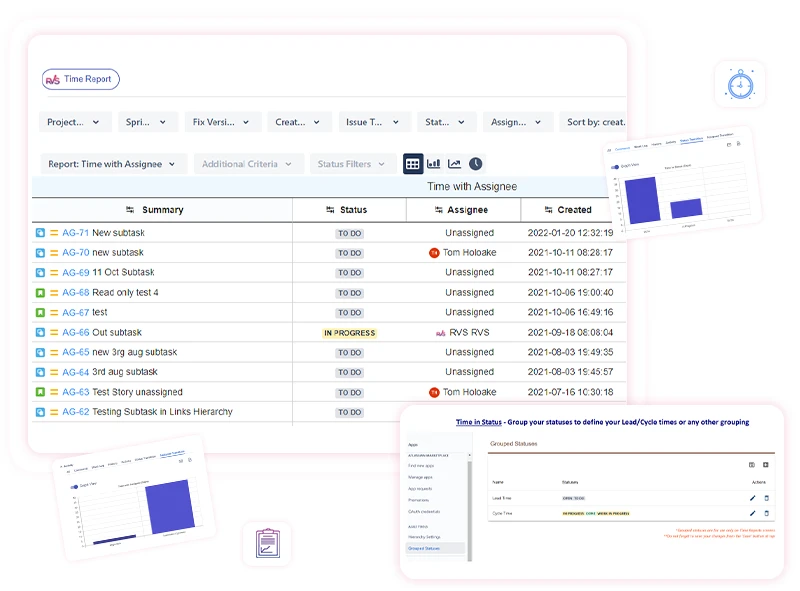
- Marketplace Apps: The "Status Transitions" view is integrated into RVS's Time in Status Reports tool. It splits time in status into subintervals of time for every issue, which helps you identify bottlenecks.
Why does this matter? By measuring these durations, managers are able to identify where issues are getting stuck, take remedial action-say, optimization of resources or processes-and work their way toward driving efficiency.
Want to try this for your team? You can get a 30-day free trial of RVS's Time in Status app and start collecting status transition data straight away.



























Sign in to leave a comment.